Oracle Xe Change Sysdba Password Delphi C Builder XE Imp On Delphi C Builder Change SYSDBA Password In OMNIA PM TRONICS INC Change SYSDBA Password In OMNIA PM TRONICS INC Oracle Price Oracle How To Using Sqlplus In Oracle Oracle How To Www vrogue co Web Database Oracle Database Release 21 Database Installation Guide for Linux Oracle Database System Privileges Accounts and Passwords Review these system privileges
Web May 2 2023 nbsp 0183 32 Here are the steps a Connect to the database as the SYS user sqlplus as sysdba b Run the orapwd command to reset the password orapwd Web Oct 12 2008 nbsp 0183 32 Unfortunately he left without telling us the username password that he had set up for the database Is there a default username password that has DBA
How To Using Sqlplus In Oracle Oracle How To Www vrogue co Password Reset CMatch Adata XPG Xenia Xe Review TechRadar Oracle Transportation Management OTM Reviews And Insights Gartner 2020 InterBase Change SYSDBA User Password Through Delphi Code How To Install Oracle 21C Express Edition On Windows 10 How Do I Change My Sysdba Password All Answers Chiangmaiplaces How To Change Oracle 10g Default Username And Password Your Post My Blog 0163 Oracle Xe 11g Kkkkkk 0 1 2 2 3 3 3 3 3 3 3 3 3 3 3
Oracle Xe Change Sysdba Password
 Oracle Xe Change Sysdba Password
http://blog.devquest.co.kr/wp-content/uploads/2010/09/xe_seminar.jpg
Web Mar 5 2020 nbsp 0183 32 sys change on install See if those help Since 11g there aren t any default passwords so do as follows at the operating system command prompt Windows in my
Templates are pre-designed documents or files that can be utilized for different purposes. They can save time and effort by supplying a ready-made format and layout for creating various sort of material. Templates can be utilized for personal or professional projects, such as resumes, invites, leaflets, newsletters, reports, discussions, and more.
Oracle Xe Change Sysdba Password
Simplicontent

Password Reset CMatch

Adata XPG Xenia Xe Review TechRadar

Oracle Transportation Management OTM Reviews And Insights Gartner 2020
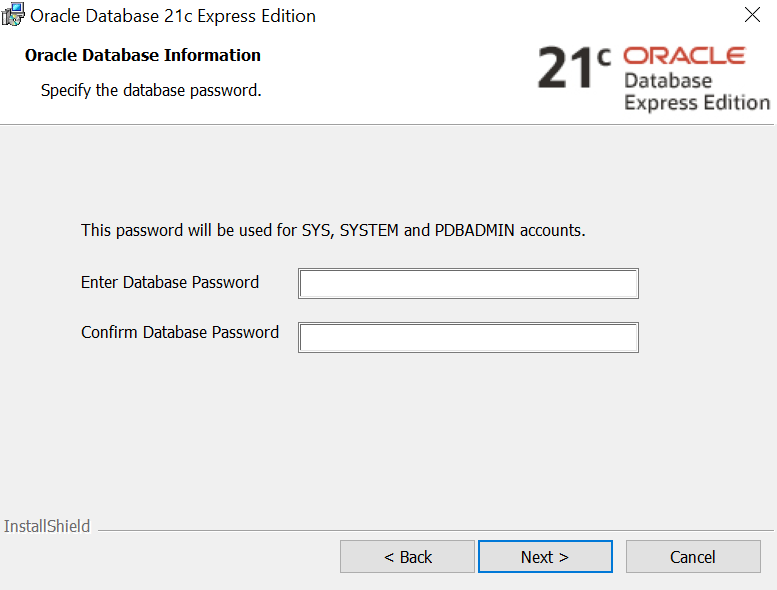
How To Install Oracle 21C Express Edition On Windows 10
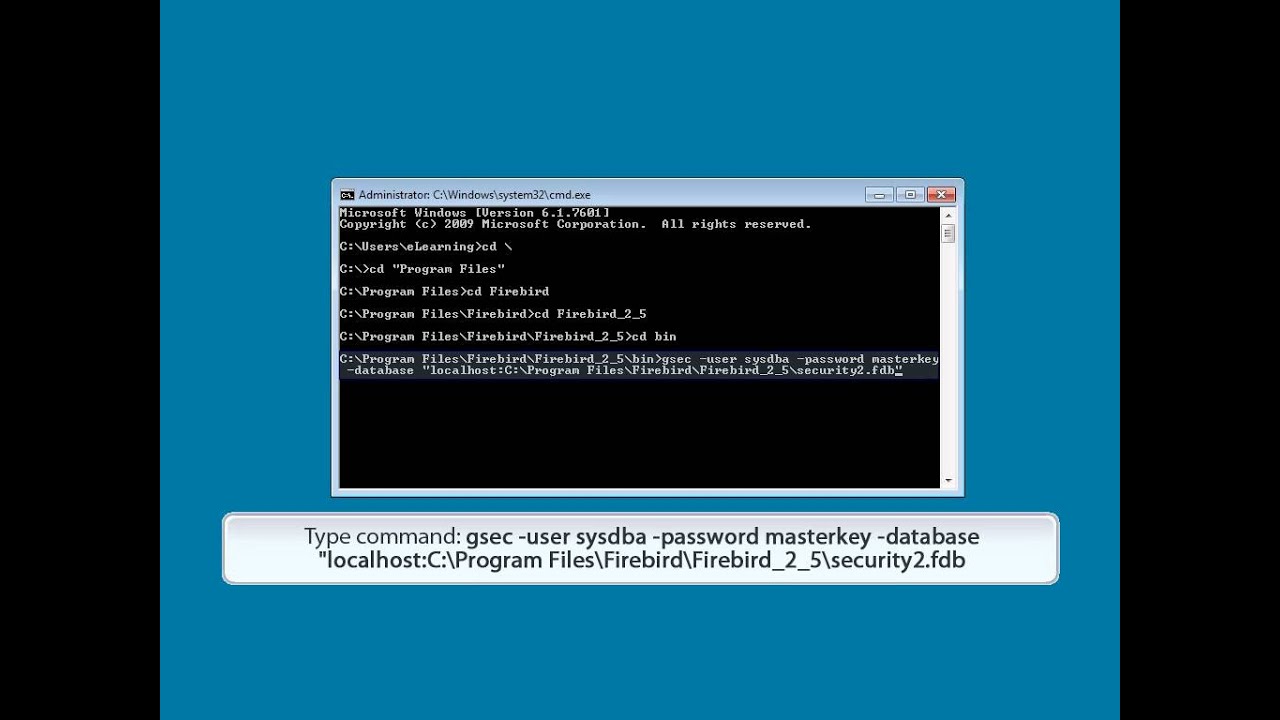
How Do I Change My Sysdba Password All Answers Chiangmaiplaces

Web Chang ing Administrative User Passwords To change the password for user SYS or SYSTEM Using the SQL Command Line connect to the database as SYSDBA See quot Logging In and Connecting to the Database

Web Added on Oct 15 2008 xe 6 comments 90 019 views Hello is there a chance to get my password back for the database administraor account with the username quot system quot or to

Web You can connect to the default pluggable database XEPDB1 using the following commands cd lt oracle home gt bin sqlplus system dbhost example 1521 XEPDB1 Replace

Web Right click on the connection Select the quot Reset Password quot option from the popup menu In the subsequent dialog enter the current password and the new password with

Web Select New Database Connection Enter the following information Connection Name XE Username Whatever user you have created or SYS or SYSTEM if you have not created
Web Sep 8 2020 nbsp 0183 32 What privileges do I need to change the password of sys in an Oracle Database Ask Question Asked 3 years 4 months ago Modified 3 years 4 months ago Web To change a password after installation Start SQL Plus C gt sqlplus nolog Connect as SYSDBA SQL gt CONNECT SYS AS SYSDBA Enter password SYS password Enter
Web Jul 10 2018 nbsp 0183 32 0 00 5 27 Oracle Database XE Forgot Password Database Star 44 5K subscribers Subscribed 92 37K views 5 years ago In this video we ll learn how to