Openwrt Cannot Access Internet OpenWrt DSA Switch Cannot Access Internet Itself Network And Wireless Namo en Krava Pes Openwrt Wifi Extender Vlna F zie Tr falos Vlan Setup Kinda Working Network And Wireless Configuration OpenWrt Help With VLAN Setup PPPoE Internet IPTV Slovak Telekom Magio Access Skills Ireland BURC In summary If you are using OpenWRT with Unbound and your internet access is broken after an OpenWRT update you ll need to re install Unbound In order to reinstall Unbound you ll need to temporarily change Network DHCP and DNS Advanced Settings DNS Server Port to 53 This will restore internet access so you can reinstall Unbound
Yes Sorry just saw this but I tried that and it does seem to work so I have removed them cleaned it up A bit of tcpdump capturing but it almost seems like the traffic coming across the WG link is going out internet request access but it s with the internal private non routable IP Openwrt with virtualbox client can t access internet Ask Question Asked 9 years 9 months ago Modified 1 month ago Viewed 3k times 2 I m experimenting with OpenWrt on VirtualBox So here is what I have openwrt VM Adapter 1 is bridged Gets 192 168 1 x address from my actual router Adapter 2 is local network openwrt lan
Access Skills Ireland BURC OpenWrt The OpenWrt Upgrade Process Onemarcfifty OpenVPN Connection Cannot Ping access One Client Network And How To Fix WiFi Connected But No Internet Access Windows 10 8 7 Cambiar El Tipo De Control De Un Campo Boolean En Access Si Has Elegido Free Access Internet Technology Free Mobile App Button Android And IOS Data Access Internet Essentials For QNAP NAS QNAP US OpenWRT Vs PfSense Best Open Source Firewall Solution Virtualization
Openwrt Cannot Access Internet
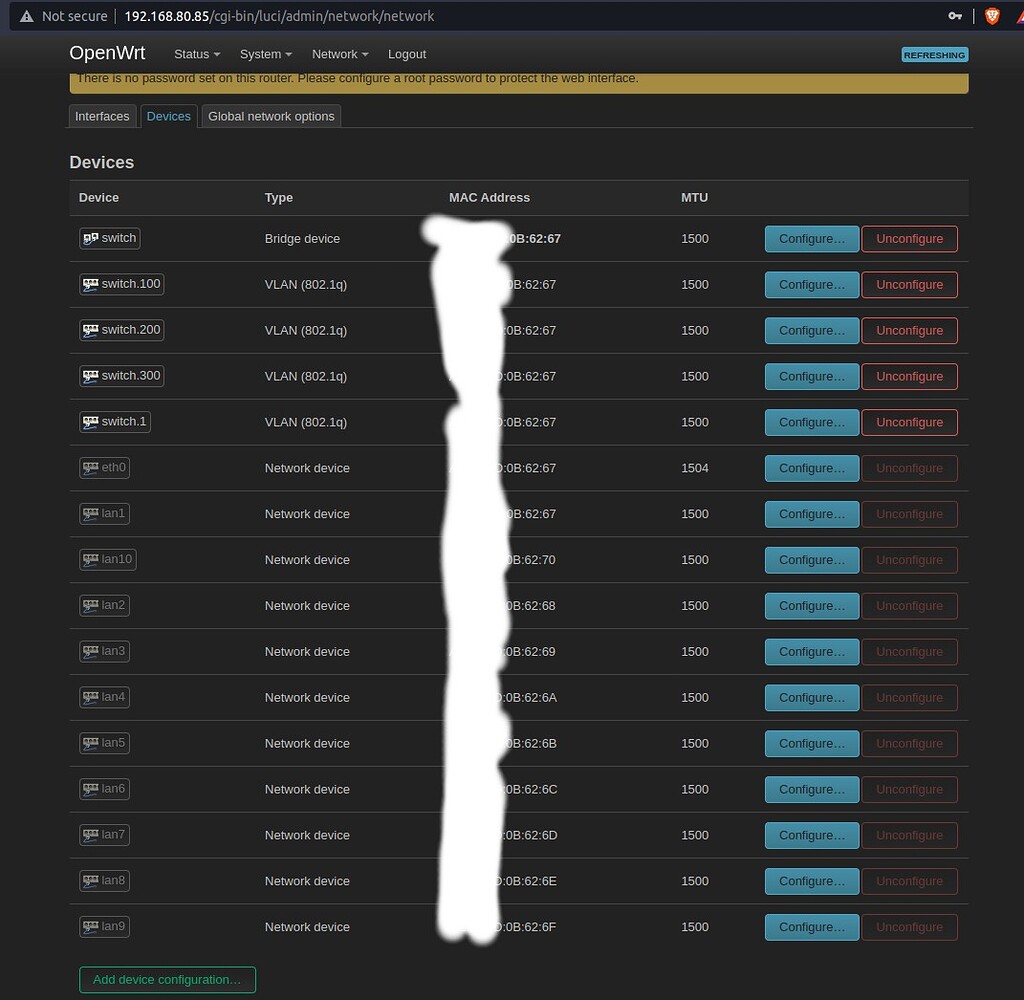 Openwrt Cannot Access Internet
https://forum.openwrt.org/uploads/default/optimized/3X/d/7/d7ec6f5344468a8a06a165998350ac8dd53362df_2_1024x1000.jpeg
It just shows you the important steps to initially set the basics for properly enabling the Wi Fi on the command line to meet the legal regulations of your country Enabling a Wi Fi access point on OpenWrt Devices that have Ethernet ports have Wi Fi turned off by default This is a basic description of how to enable a Wi Fi network and most
Templates are pre-designed files or files that can be used for different purposes. They can save time and effort by providing a ready-made format and layout for developing various type of material. Templates can be used for personal or expert projects, such as resumes, invitations, flyers, newsletters, reports, discussions, and more.
Openwrt Cannot Access Internet

Access Control Free Stock Photo Public Domain Pictures

OpenWrt

The OpenWrt Upgrade Process Onemarcfifty
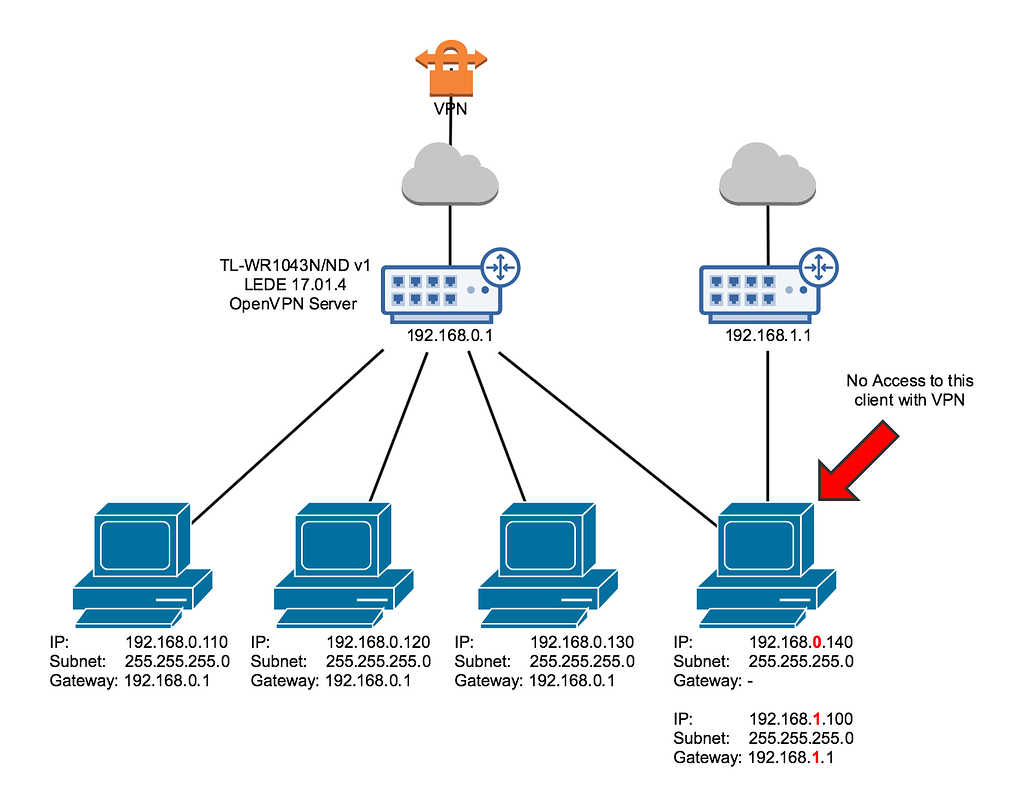
OpenVPN Connection Cannot Ping access One Client Network And

Cambiar El Tipo De Control De Un Campo Boolean En Access Si Has Elegido

Free Access Internet Technology Free Mobile App Button Android And IOS

LEDE OpenWRT Using 4G LTE USB For Your Internet Connection This guide will walk you through setting up your OpenWRT device to use a 4G LTE 3G USB dongle as it s source of internet Reading time 2 min read And I got internet connection accessing the router via SSH I could update packages and ping 8 8 8 8

Mainly You haven t declared any firewall zones There s no rule to permit LAN traffic to go to WAN

Except where otherwise noted content on this wiki is licensed under the following license Troubleshooting Internet Connectivity Use these steps if you can connect to your OpenWrt router s Web GUI but cannot connect to the broader Internet say www google Verify that the WAN connection of your router usually Ethernet is connected

Best regards bill888 August 29 2019 8 16am 4 fwiw it may help if you tell us what router you are using As 18 06 is installed is LuCI web ui working with a web browser to enable you to manage the router at its LAN IP address If you must use SSH and are familiar with vi editor you can execute vi etc config network

Signature check failed Remove wrong Signature file It seems my access point has no Internet connection by itself root OpenWrt nslookup google Server 127 0 0 1 Address 1 127 0 0 1 localhost nslookup can t resolve google Name or service not known All clients connected to it can access the Internet normally
1 4 Try reseting using the reset button if not working share the Led color and connection details VivekD Dec 21 2017 at 5 14 Cannot access internet via ethernet cable Installing and Using OpenWrt bernigs July 11 2020 7 03am 1 Hi Just installed openwrt on wavlink wl wn570ha and cannot access internet to update OS I m using a ssh client through the rj45 cable No luci is installed by default
So On Network Interfaces Devices tab press Add device configuration on bottom select Bridge device name it like br wlan v50 or something else Save Apply On Network Interfaces Interfaces tab press Add new interface on bottom select Static address and configure it in a same way as your VLAN interface described in the beginning