Open Pdf In Chrome Default How To Change Default PDF Viewer In Chrome And Firefox Updated How To Set Google Chrome As Your Default Browser 5 Steps How To Open Pdf File In Default Chrome Browser YouTube Cannot Make Chrome Your Default Browser Try This How To Set Default Tabs To Open On Start Up In Google Chrome YouTube Install the Chrome extension prompt in case of Acrobat Reader update Install the Chrome extension prompt in case of fresh Acrobat Reader installation Click Continue or Next The extension is installed and added to Chrome Open Google Chrome You ll see a prompt as shown in the screenshot below Click the Enable extension button
Here is how you set Google Chrome on Windows 10 to be the default PDF viewer Whenever you go to open a PDF file the file will open in Google Chrome Try This Now Google Chrome Windows Tips Kimbley IT Team 22 January 2020 pdf google chrome Facebook 0 Twitter LinkedIn 0 Reddit Chrome Browser defaults to Download PDFs out of the box Send feedback Except as otherwise noted the content of this page is licensed under the Creative Commons Attribution 4 0 License and code samples are licensed under the Apache 2 0 License
How To Set Default Tabs To Open On Start Up In Google Chrome YouTube How To Change The Default PDF Viewer In Chrome To Be Downloadable Setting Google Chrome As A Default Pdf Opener On Windows 10 Daylife Tips Open PDF file directly in Chrome Browser TechMobi Google Chrome As Default Browser In Windows 10 YouTube 5 Ways To Set Google Chrome As Your Default Browser WikiHow How To Open Pdf In Chrome Instead Of Downloading Dorothy Jame s Windows 7 Chrome Not Listed In Default Programs Super User Setting Google Chrome As A Default Pdf Opener On Windows 10 Daylife Tips
Open Pdf In Chrome Default
 Open Pdf In Chrome Default
https://i2.wp.com/www.nextofwindows.com/wp-content/uploads/2013/05/2013-05-08_1430_thumb.png
Click Properties Open with Choose Google Chrome and hit Ok Doing this should switch the default reader How To Always Open PDF in Chrome on MacBooks Similarly do the right click or control click on the PDF Click Get Info Open with Choose Google Chrome from the program list And this should do the
Templates are pre-designed files or files that can be used for various purposes. They can save effort and time by providing a ready-made format and layout for developing different kinds of material. Templates can be used for individual or expert projects, such as resumes, invites, leaflets, newsletters, reports, discussions, and more.
Open Pdf In Chrome Default
Save As PDF Not Working In Chrome How To Save PDF In Chrome Print
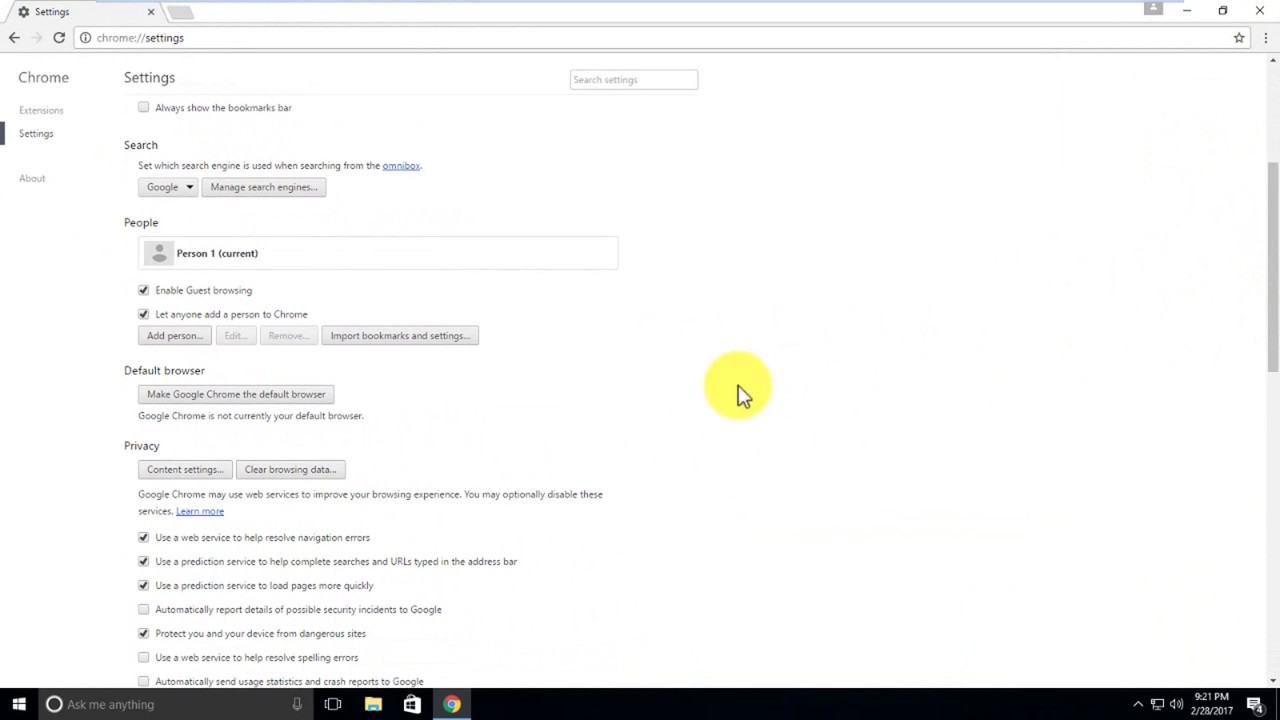
How To Change The Default PDF Viewer In Chrome To Be Downloadable

Setting Google Chrome As A Default Pdf Opener On Windows 10 Daylife Tips
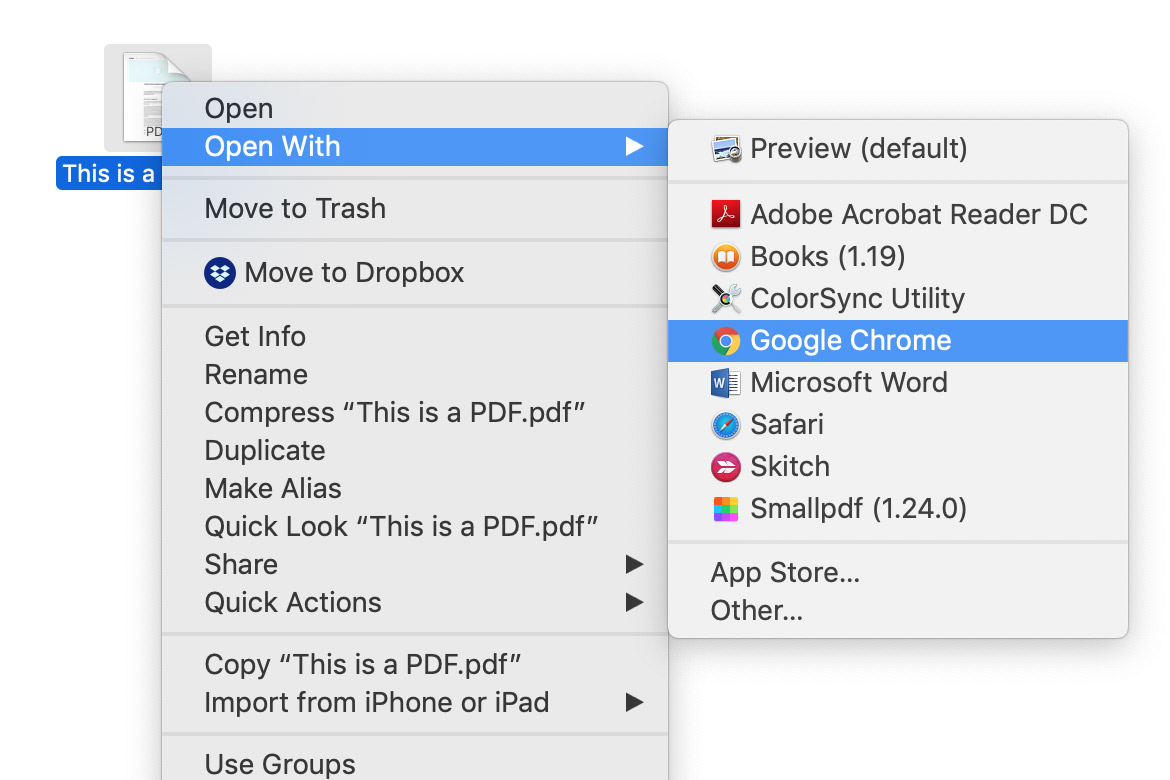
Open PDF file directly in Chrome Browser TechMobi

5 Ways To Set Google Chrome As Your Default Browser WikiHow

How To Open Pdf In Chrome Instead Of Downloading Dorothy Jame s

If you turned off the setting so you download the PDF file instead of opening it in Chrome the file will open in your default PDF program If you d like to change your default PDF program check out the best free PDF readers for Windows and Mac You want a saved copy of the PDF files you open in Chrome

In the first subsection the text Opens with indicates which PDF viewer is set as your default Click the Change button Select Adobe Acrobat DC or Reader from the list as your default Click OK to save and apply changes Change from Preview to the Acrobat PDF viewer Right click on the thumbnail of any PDF file On the menu click Get Info

In Chrome type chrome plugins Find the Chrome PDF Viewer and click Disable From your browser click a PDF file it should show at the bottom as a downloaded file Click the arrow next to the downloaded file and choose Always open files of this type You may need to manually click Open on any recent files you want to view otherwise The next time you click a PDF file it should open

Hence the first step is to prevent Chrome from opening PDF Files in the browser window and the next step is to set Adobe as the default PDF handler on your computer Step 1 Prevent Chrome from Opening PDF Files in Browser Window Open Google Chrome

Installation of the Acrobat extension for Chrome is a breeze 1 Go to the Google Chrome web store and find the Acrobat extension 2 Click Add to Chrome 3 Launch your Chrome web browser 4 Click the Chrome menu icon three vertical dots in the upper right corner of the toolbar
How to open PDF in Google Chrome When opening a PDF in Google Chrome there are a few ways in which you can go about it depends on where you access your PDF from To open PDF files stored on your computer you can use the right click context menu 1 Locate and browse for the PDF you want to view 2 Right click on it 3 Select Open with The PDFs are not populated by default because Adobe implemented a new security feature to prevent certain PDF properties from displaying as they could contain malicious content This article will show you how to stop the Google Chrome web browser from automatically opening PDF documents Instructions Open the Google Chrome browser
Turn Off Chrome PDF Viewer But let s say you have a pdf reading software like the Adobe Acrobat Reader DC but your PDFs are still opening in Chrome In such cases it s usually because Chrome s PDF viewer makes downloaded files open in it by default So to make PDFs open in reader software and not in Chrome we ll have to turn the PDF