Open Location In File Explorer Change Default Location In Windows 11 Tutorial Windows 11 Forum How To Open File Explorer On Windows 10 Windows Central View Document Libraries In File Explorer Ways Get Help With File Explorer In Windows Moo Soft Clear The File Explorer Cache To know whether this is a problem with the webpage or Chrome try to open the page in another browser like Firefox or Safari If it works in another browser try the steps below Uninstall and
When you open Drive for desktop for the first time or after your account has been disconnected to log in On your computer open Drive for desktop Click Get started Sign in Sign in to the Create an account Tip To use Gmail for your business a Google Workspace account might be better for you than a personal Google Account With Google Workspace you get increased
Clear The File Explorer Cache How To Open File Explorer Folder Options In Windows 10 Winbuzzer How To Open File Explorer 6 Steps with Pictures WikiHow How To Restore Classic File Explorer In Windows 11 Technoresult Windows 11 File Manager How To Open File Explorer Folder Options In Windows 10 WinBuzzer File Explorer B3Networks How To Open File Explorer In Windows 11 Images Images And Photos Finder How To Use File Explorer In Windows 11 TechRadar
Open Location In File Explorer
 Open Location In File Explorer
https://www.lifewire.com/thmb/HTQjVT_RHmfOWq1Sh2CS_MpfAKg=/1500x1000/filters:no_upscale():max_bytes(150000):strip_icc()/LocationMove-7dafa46d6b574dbf9e78be8e945720b8.jpg
To get results from Google each time you search you can make Google your default search engine Set Google as your default on your browser If your browser isn t listed below check its
Pre-crafted templates offer a time-saving option for developing a diverse series of files and files. These pre-designed formats and layouts can be made use of for different personal and expert tasks, consisting of resumes, invitations, flyers, newsletters, reports, discussions, and more, simplifying the content development process.
Open Location In File Explorer

Windows 11 Preview Shows A File Explorer Ready To Recommend What You
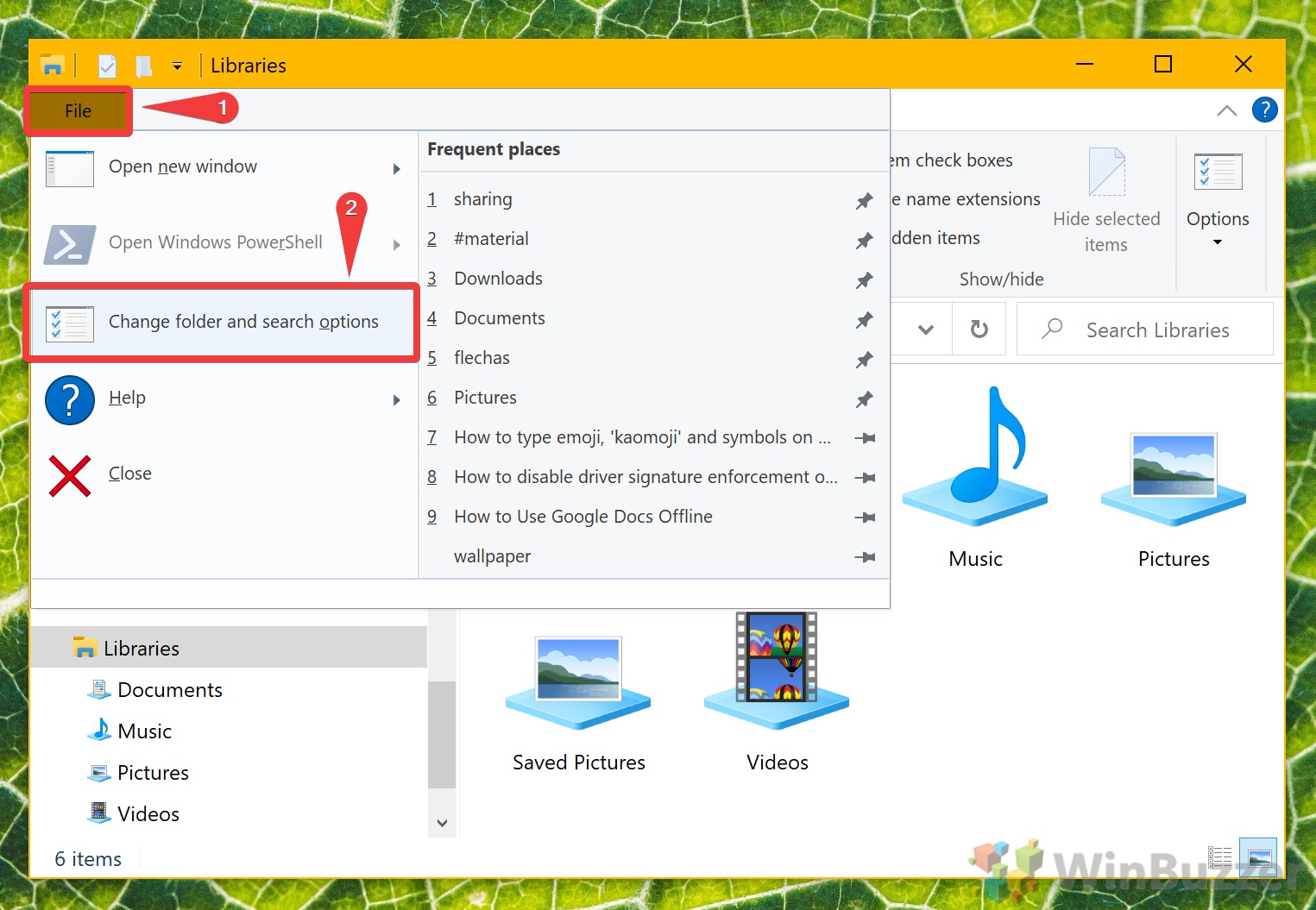
How To Open File Explorer Folder Options In Windows 10 Winbuzzer

How To Open File Explorer 6 Steps with Pictures WikiHow

How To Restore Classic File Explorer In Windows 11 Technoresult
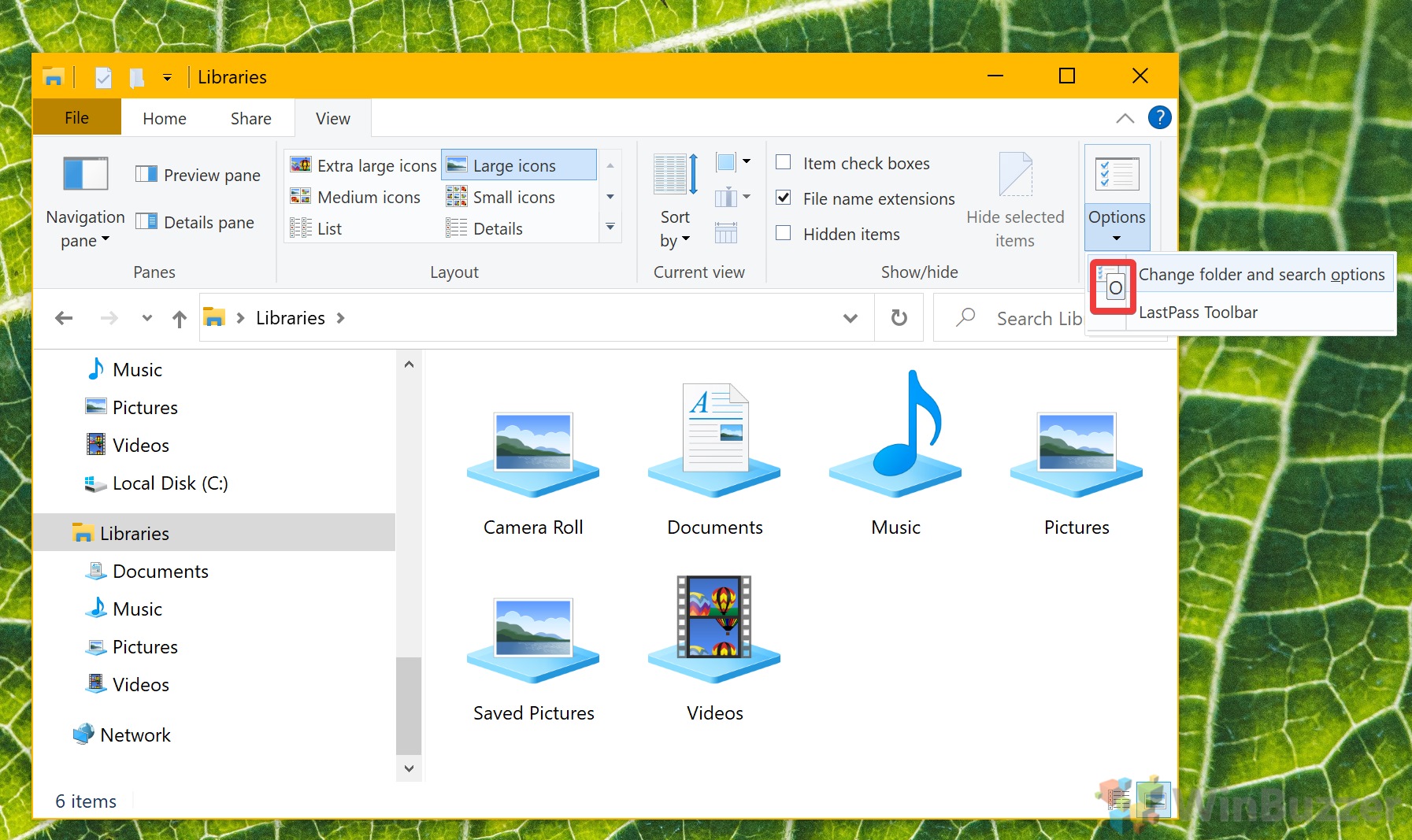
How To Open File Explorer Folder Options In Windows 10 WinBuzzer
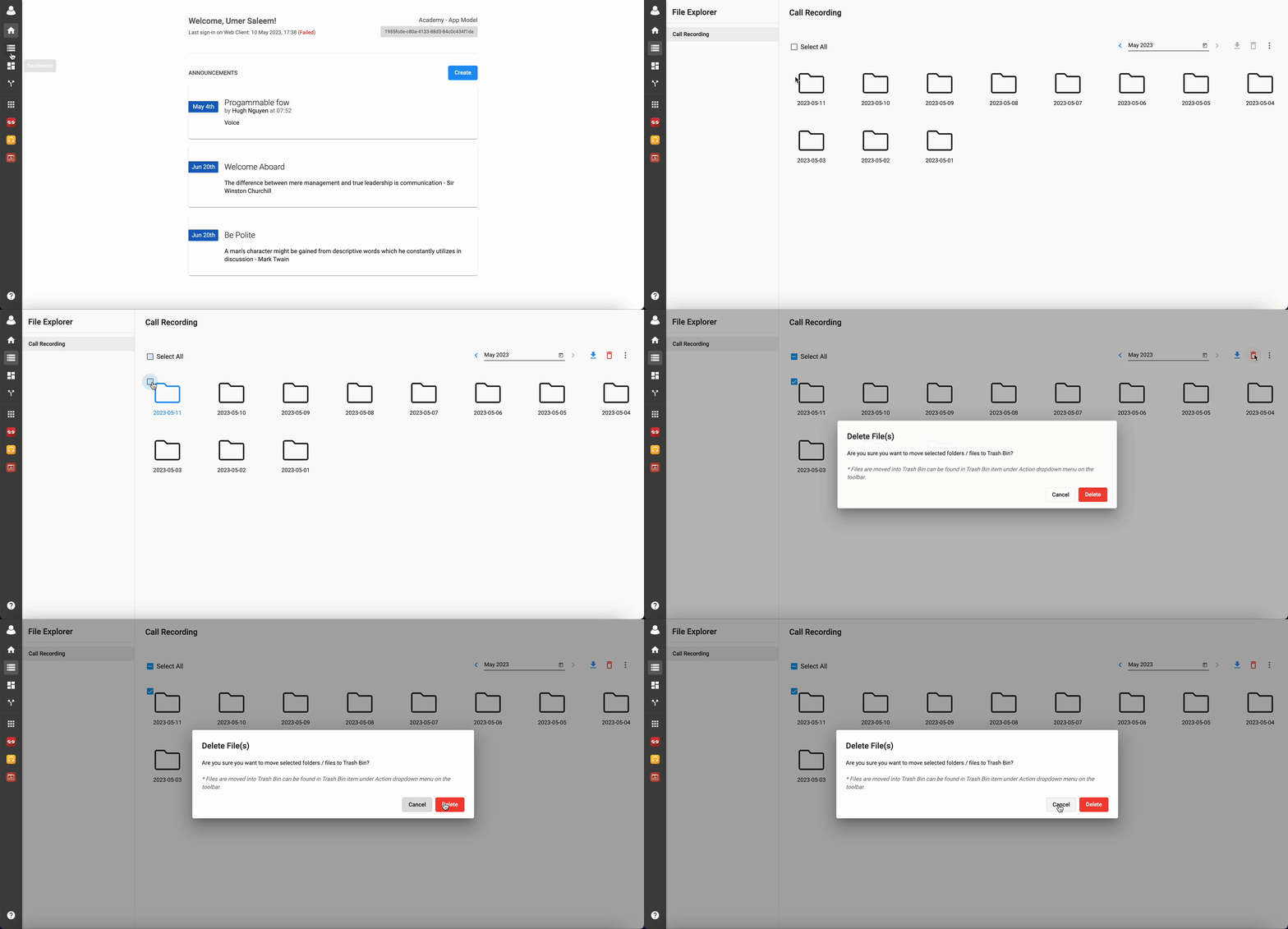
File Explorer B3Networks

To open Gmail you can sign in from a computer or add your account to the Gmail app on your phone or tablet Once you re signed in open your inbox to check your mail

On your iPhone or iPad open App Store In the search bar enter Chrome Tap Get To install follow the on screen instructions If prompted enter your Apple ID password To start
Important When you create a Google Account for your business you can turn business personalization on A business account also makes it easier to set up Google Business Profile

If you make Chrome your default browser links you click will open automatically in Chrome whenever possible In some countries you may be asked to choose your default browser
Open files on your desktop When you install Drive for desktop on your computer it creates a drive in My Computer or a location in Finder named Google Drive All of your Drive files appear here
[desc-11] [desc-12]
[desc-13]