Open Internet Settings From Command Line From Command Line Docs IONOS Deploy Now How To Update Ubuntu Using Command Line Gui Www vrogue co How To Open Edge From Command Line In Windows 10 YouTube Solved Web config File Transform From Command Line 9to5Answer Windows 7 How To Set Internet Explorer Security Settings From Command Step 1 Right click on the Windows icon in the search bar and choose Task Manager from the Power User Menu Step 2 In the Task Manager window click on the Run new task option at the top Step 3
When launching a website via this method it uses the default browser with its default settings for opening a new window for example Firefox and IE will open the window inside the tab of an existing window if they are set to do so I have reports of IE 6 replacing the content of a current opened window with the content of url 1 Use the Start Menu Search Bar An easy way to open the Network Connections tool is via the Start menu Here are the steps you need to follow Click the Start Menu search bar or press Win S Type View Network Connections in the search bar and select the Best match 2 Use the Run Command Dialog Box
Windows 7 How To Set Internet Explorer Security Settings From Command Create And Manage Git Branches From Command Line StackTips Solved Running PHP Script From Command Line As 9to5Answer Netsh Network Settings From Command Line In Windows 98 To Windows 7 Solved How To Change FTP Password From Command Line 9to5Answer JAVA Tutorial 02 How To Get Data From Command Line Arguments YouTube SOLVED How To Start Settings App From Command Line In Windows 10 Up Deep Shah s Blog Invoking AppStore Connect API Via Command Line Connect To Mysql Database Using JDBC In Java From Command Line jdbc
Open Internet Settings From Command Line
 Open Internet Settings From Command Line
https://docs.ionos.space/wizard-css-framework2.png
In this guide you will learn how to open Network Connections on Windows 10 from CMD Command Line PowerShell Run dialogue Settings app and Control Panel Network Connections is a Control Panel applet but it is still actively used in Windows 10 because Microsoft has not developed its substitute in modern Settings app Admins and experienced users often need to launch the Network Connections
Pre-crafted templates provide a time-saving service for creating a diverse range of files and files. These pre-designed formats and designs can be used for numerous personal and professional projects, consisting of resumes, invitations, flyers, newsletters, reports, discussions, and more, enhancing the content production process.
Open Internet Settings From Command Line

How To Open Settings App Form Command Prompt PowerShell Or Run Dialog Box

Create And Manage Git Branches From Command Line StackTips

Solved Running PHP Script From Command Line As 9to5Answer

Netsh Network Settings From Command Line In Windows 98 To Windows 7

JAVA Tutorial 02 How To Get Data From Command Line Arguments YouTube
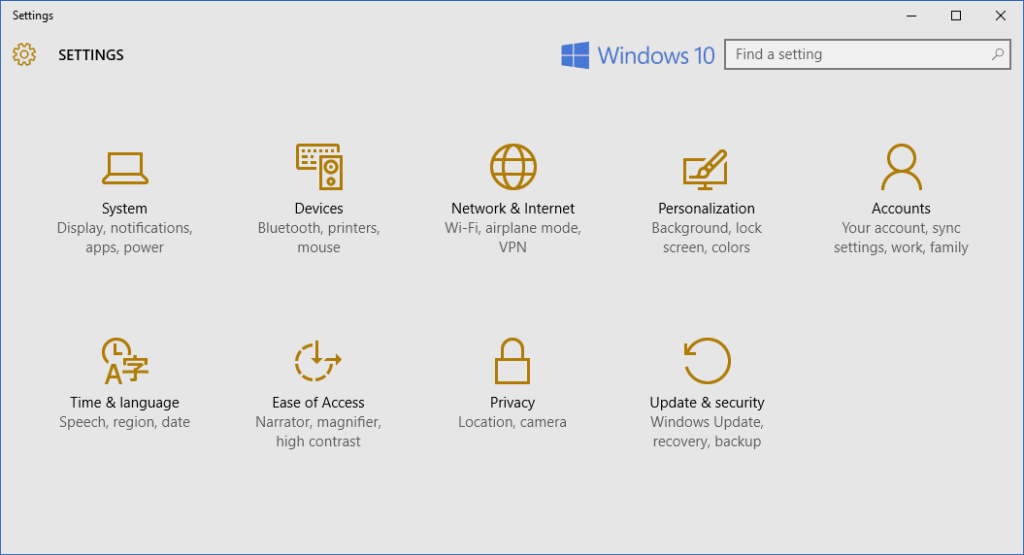
SOLVED How To Start Settings App From Command Line In Windows 10 Up

Internet properties window can be launched from command prompt by executing the command inetcpl cpl The command inetcpl cpl works on all Windows editions windows XP Vista and Windows 7

1 How to Open Internet Options Using the Windows Search Tool The Windows Search Tool is one of the most powerful tools available in Windows 11 Using this tool you can access Internet Options and customize browser settings for maximum performance Here s how Press Win S on your keyboard Type Internet Options into the search bar

1 How to check the internet connection in CMD To check whether your internet connection works you can use Command Prompt to test the connection to a particular website or internet location To do that you can use the ping network command followed by a web address or IP address

4 Is there anyone knows that how to open tcp ip ver 4 properties from cmd or run directly I mean the window that you can setup your ip gateway dns i want to make a shortcut of ip properties or open it from cmd Did some research looks like there is nothing like appwiz cpl can open that ip setup window directly Any idea

Search for Command Prompt right click the top result and select the Run as administrator option Type the following command to view the Wi Fi network profiles stored on your computer and
Import Export your TCP IP settings Export your current IP settings to a text file Use the following command netsh c interface dump c MySettings txt Import your IP settings and change them just enter the following command in a Command Prompt window CMD EXE netsh f c MyAnotherSettings txt To test the network connectivity with the ping command on Windows 10 use these steps Open Start Search for Command Prompt right click the top result and select the Run as administrator option
Method 3 Open Network Connections via Control Panel Open the Control Panel in category view click the View network status and tasks link beneath the Network and Internet heading In the resulting window click Change adapter settings on the left hand side Now you can view a list of network connections on your system