Open Form Word Example Order Form Word Communication International Free Lash Tech Consent Form Word PDF Google Docs Chiropractic Consent Form Word PDF Google Docs P Alphabet Text Form Word Map Ipad Case Ipad 4 Lower Case Letters Application Form Word Document Updated 01 03 2022 Compound Words When you hear the word hot dog what comes to mind You probably think about a food served on a bun and not your pet baking in the sun Even though the words
Prepare a template Use Microsoft Word to create the template for your custom document Prepare your template exactly as you would a normal document There s no need to use any of Word s templating features Highlight a word or words in your title or questions and then choose any of the following Bold keyboard shortcut CTRL Cmd B Italic keyboard shortcut CTRL Cmd I Underline keyboard shortcut CTRL Cmd U Font color Font size Numbering or Bullets
Application Form Word Document Costum Project Management Milestone Report Template Word Example Posted A Form With A User Control Cant Open Form In Ide Issue 1512 Editable Math Menu Choice Board Template Word Example Minasinternational Review Activities Review Games Trace Letters And Numbers Number Word Form 2 Worksheet Live Worksheets OpenformStack PHP Any Real Word Example About How SetUp And TearDown Should Be 2015 Application Form Word
Open Form Word Example
 Open Form Word Example
https://i0.wp.com/wordcommunication.com/wp-content/uploads/2022/10/Education-Credet-Evaluation-By-Word-Communication-International.png?resize=1536%2C1536&ssl=1
Step 1 Turn on the Developer tab Before you create form elements in a document you ll need to activate the Developer tab on the Ribbon To do this click File Options to access the Word Options dialog box Select Customize Ribbon then click the check box for the Developer tab The Developer tab will appear on the Ribbon
Pre-crafted templates provide a time-saving solution for developing a diverse range of documents and files. These pre-designed formats and layouts can be made use of for numerous individual and expert jobs, consisting of resumes, invites, flyers, newsletters, reports, presentations, and more, simplifying the material development process.
Open Form Word Example
Create A New Open Form GMO Sign Help Center

Costum Project Management Milestone Report Template Word Example Posted
A Form With A User Control Cant Open Form In Ide Issue 1512

Editable Math Menu Choice Board Template Word Example Minasinternational
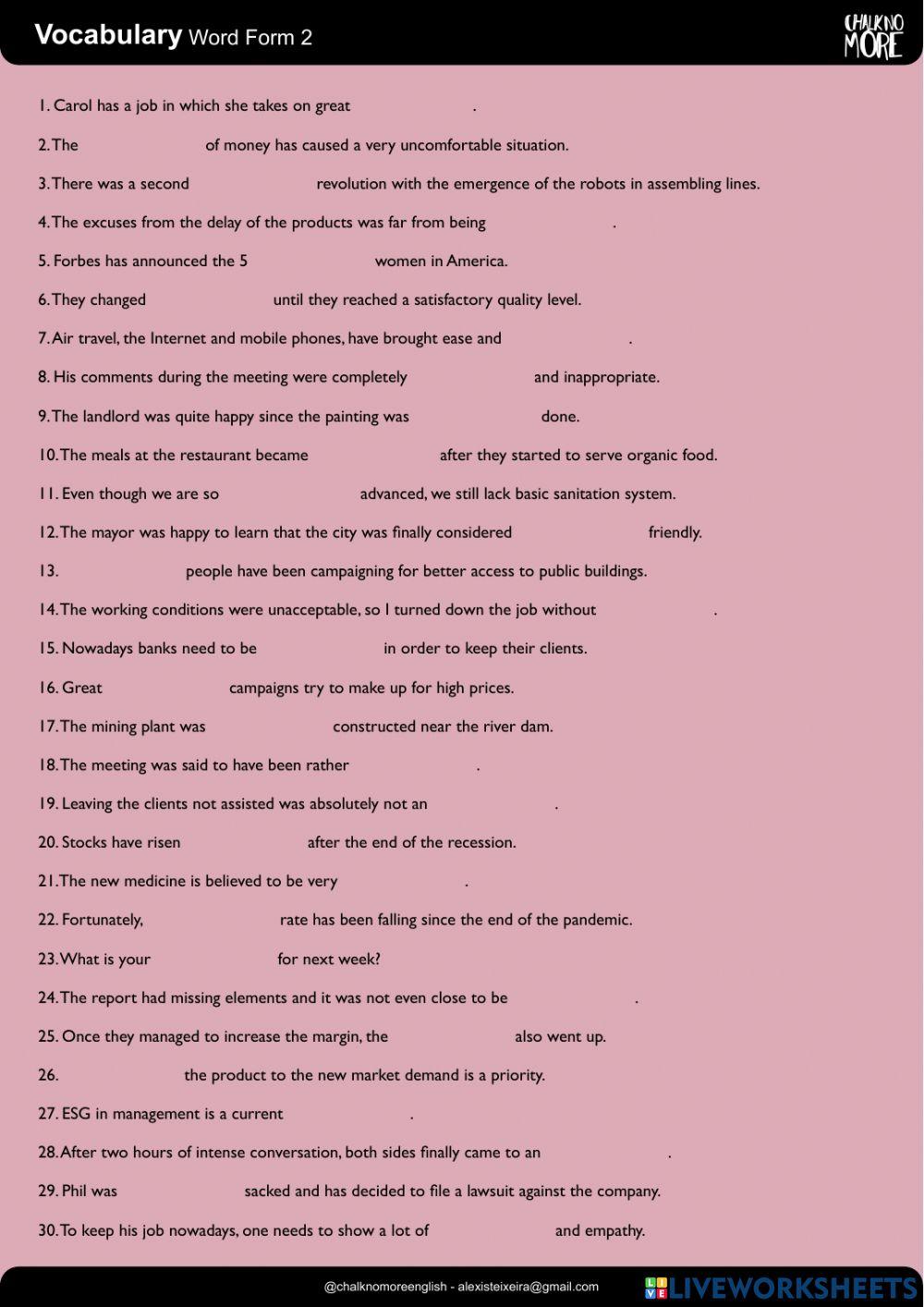
Word Form 2 Worksheet Live Worksheets

OpenformStack

There are three different types of compound words in grammar open compound words with spaces between the words ice cream closed compound words with no spaces firefighter and hyphenated compound words up to date

Create a document There is nothing special to be done when creating a document to use as a form Create a new Writer document with File New Text document Open the form toolbars Two toolbars control form creation Form Controls and Form Design Select View Toolbars Form Controls and View Toolbars Form Design to show them both

Examples Opens an entity form or a quick create form Note To open a main form as a dialog use the navigateTo method instead More information Open main form in a dialog using client API Syntax Xrm Navigation openForm entityFormOptions formParameters then successCallback errorCallback Parameters Expand table entityFormOptions object

In order to create fillable forms you will need to start by enabling the developer tab by clicking on the File drop down menu and then choose Options Open the Customize Ribbon tab and select the Main Tabs option under Customize the Ribbon Now you will need to select the Developer box and press OK

An example is using forms to organize clients legal information for a lawyer s office appointments where checkboxes and drop down menus may be essential Open Word and add the Developer tab To enable the Word Developer tab go to the File drop down menu and click on Options Next go to the customize ribbon tab and choose the
Example Set the value of a control on a form being opened by using a macro The following macro opens the Products form from a button on the Suppliers form It shows the use of the Echo OpenForm SetValue and GoToControl actions The SetValue action sets the Supplier ID control on the Products form to the current supplier on the Suppliers form Use the OpenForm method to open a form in Form view form Design view Print Preview or Datasheet view You can select data entry and window modes for the form and restrict the records that the form displays
Think of open form poetry as a way of thinking an especially intense awareness of every single aspect of the poem from subject and tone to music and rhythm from the physical shape of the poem to the length in space and in time of the lines from the grammar you use to the parts of speech