Okta Qr Code Enable Okta Verify Push Notifications Okta Support YouTube Www tsp gov Login YouTube How To Setup Okta Verify On A New Device Okta Support YouTube Okta Okta Verify App Setup iOS Okta Okta Verify App Setup iOS 191 107K views 1 year ago Okta Support Learn how to setup Okta Verify on your Apple or Android device in this short video Additional information can be found at
A QR code is a universal barcode that your device camera can scan and read Okta uses QR codes to easily register your device when you set up Okta Verify The process for scanning QR codes depends on the device manufacturer Check the instructions for enabling QR code scanning on your device QR code Is it possible to get a new QR code Okta Classic Engine Single Sign On Share 5 answers 889 views Jonathan Thornhill EquipmentShare a year ago From an earlier thread Go to Okta dashboard settings extra verifications Remove Okta Verify The remove button changes to Set up which will get you to a new QR
Okta Okta Verify App Setup iOS QR Codes Chez Sephora Coding Qr Code Sephora Setting Up Multi Factor Authentication MFA Asia Society Vote By QR Code In Iowa QR Code To Voter Registration By State Google Authenticator Questions Okta Developer Community Okta Verify APP Enroll In Okta Verify WKU IT Help Desk Activating Your Okta Account St Norbert College Activating Your Okta Account St Norbert College Hoe U Een QR code Kunt Krijgen Met OKTA All Things Windows
Okta Qr Code
 Okta Qr Code
https://i.ytimg.com/vi/1QzNfnThJGc/maxresdefault.jpg
Easily connect Okta with Okta Verify or use any of our other 7 000 pre built integrations
Templates are pre-designed files or files that can be utilized for numerous purposes. They can conserve time and effort by offering a ready-made format and layout for creating various type of content. Templates can be used for personal or professional jobs, such as resumes, invitations, flyers, newsletters, reports, presentations, and more.
Okta Qr Code

Okta Okta Verify App Setup iOS

QR Codes Chez Sephora Coding Qr Code Sephora

Setting Up Multi Factor Authentication MFA Asia Society
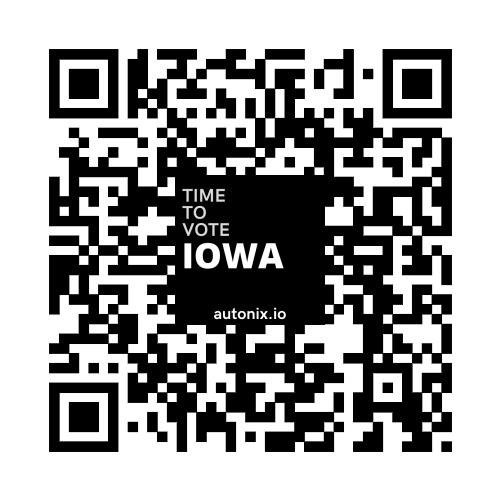
Vote By QR Code In Iowa QR Code To Voter Registration By State
Okta Verify APP Enroll In Okta Verify WKU IT Help Desk
Activating Your Okta Account St Norbert College

January 26 2021 at 11 08 PM Get New QR Code I have moved to using a new device and need to add the QR code for my existing accounts How do I get a new QR code issued for an account that has been and is already actively registered with an existing device Administration

Click Set up Select Android as your device type and click Next On your device download Okta Verify from the Google Play Store Okta Verify and install it Open Okta Verify and tap Add Account Tap Organization Tap Yes ready to scan and point your camera at the QR code displayed in the browser on another device

To set up Okta Verify on your iOS device for the first time go to your computer and sign in to your organization s Okta End User Dashboard Follow the instructions to obtain a QR code Then download and install Okta Verify on your device and scan the QR code displayed on the computer

Open Okta Verify and follow the instructions Tap Add Account Choose the type of account to add Tap Organization Choose your account setup method Ensure the code is shown on another device such as a laptop or desktop Tap Yes ready to scan and point your camera at the QR code displayed in the browser on another device

For the following methods you need Okta Verify Enter a code Get a push notification Use Okta FastPass or Sign in with Okta FastPass Related topics Set up Okta Verify on your Android device with a QR code Set up Okta Verify on your Android device by using your sign in URL Set up Okta Verify on your Android device with an activation link
[desc-11] [desc-12]
[desc-13]