Offset Function In Excel Excel OFFSET Function Formula Examples And Uses How To Use The Excel OFFSET Function In Easy Steps How To Use OFFSET Function In Excel OFFSET Excel Function LaptrinhX The Offset Function In Excel Web The OFFSET function returns a range of cells that is located a specified number of rows columns away from a specific cell While this has no use on its own it s extremely useful in specific scenarios when combined with other functions The OFFSET function can be hard to understand without visualizing it so let s just dive in
Web Artikel ini menguraikan sintaks rumus dan penggunaan fungsi OFFSET dalam Microsoft Excel Deskripsi Mengembalikan referensi ke rentang yang merupakan jumlah baris dan kolom tertentu dari sel atau rentang sel Referensi yang dikembalikan dapat berupa sel tunggal atau rentang sel Anda dapat menentukan jumlah baris dan jumlah kolom yang Web OFFSET is an in built worksheet function categorized as a Lookup Reference function in Excel The purpose of the OFFSET Excel function is to return a reference to a single cell or a range of cells based on the rows and columns prescribed in the arguments of the function from a cell or range of cells
The Offset Function In Excel How To Use Offset Function In Excel OFFSET Function In Excel TeachExcel How To Use OFFSET Function In Excel With Solutions OFFSET Functions How To Use Excel OFFSET Function Formula Video Examples How To Use OFFSET Function In Excel How To Use Excel OFFSET Function Formula Details And Video Examples OFFSET Function In Excel Create A Reference By Offsetting Excel LOOKUP Functions Examples Sample Files
Offset Function In Excel
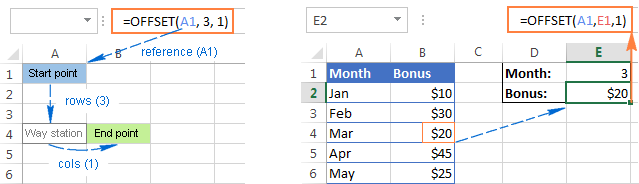 Offset Function In Excel
https://cdn.ablebits.com/_img-blog/excel-offset/excel-offset-function.png
Web Excel OFFSET function can be used when you want to get a reference which offsets specified number of rows and columns from the starting point What it Returns It returns the reference that OFFSET function points to Syntax OFFSET reference rows cols height width Input Arguments reference The reference from which you want to offset
Templates are pre-designed documents or files that can be utilized for different purposes. They can conserve time and effort by supplying a ready-made format and layout for developing various kinds of content. Templates can be utilized for personal or professional tasks, such as resumes, invitations, leaflets, newsletters, reports, presentations, and more.
Offset Function In Excel
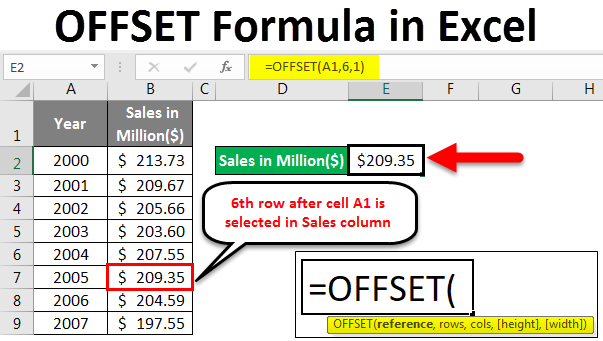
Excel OFFSET Formula LaptrinhX
How To Use Offset Function In Excel
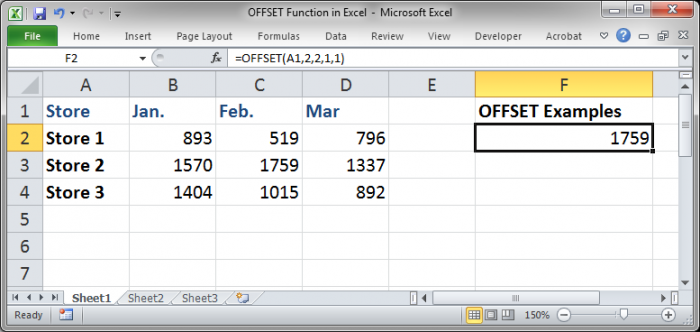
OFFSET Function In Excel TeachExcel
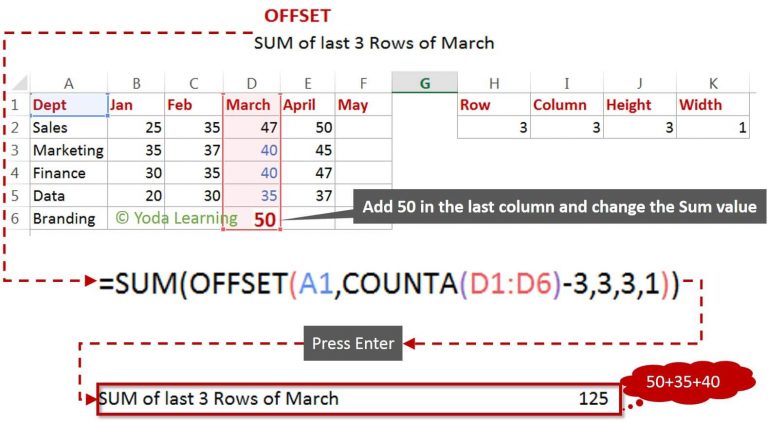
How To Use OFFSET Function In Excel With Solutions OFFSET Functions

How To Use OFFSET Function In Excel
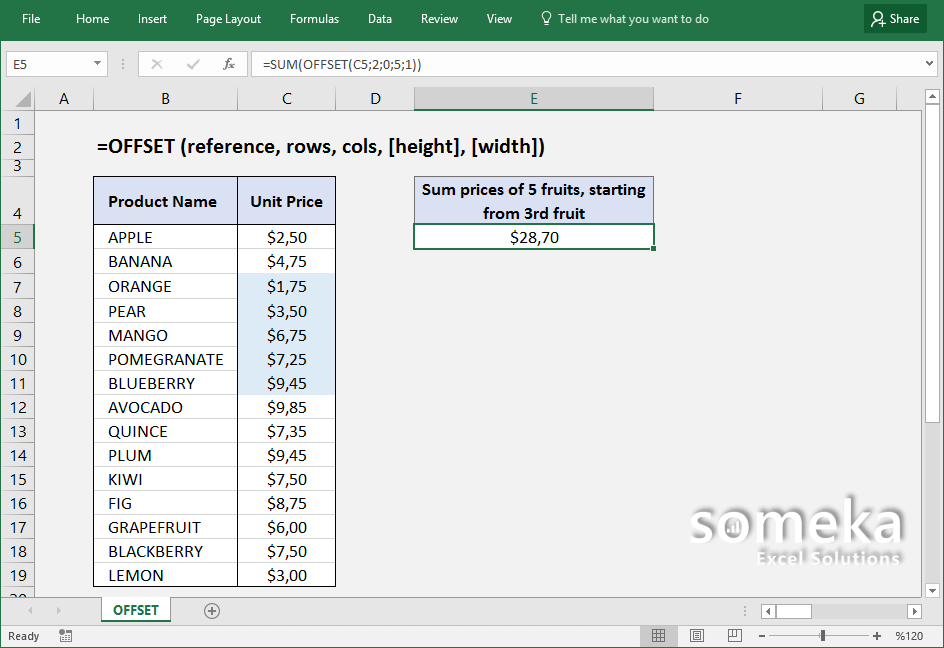
How To Use Excel OFFSET Function Formula Details And Video Examples
Web Microsoft OFFSET function documentation The Excel OFFSET function returns a reference to a range constructed with five inputs 1 a starting point 2 a row offset 3 a column offset 4 a height in rows 5 a width in columns OFFSET is handy in formulas that require a dynamic range
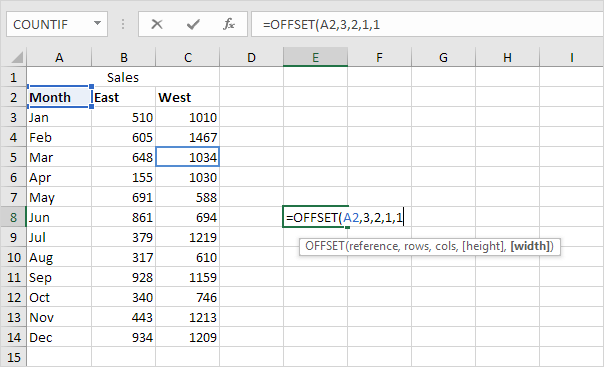
Web OFFSET Return a Cell Return a Range Negative Offset The OFFSET function in Excel returns a cell or range of cells that is a specified number of rows and columns from a cell or range of cells
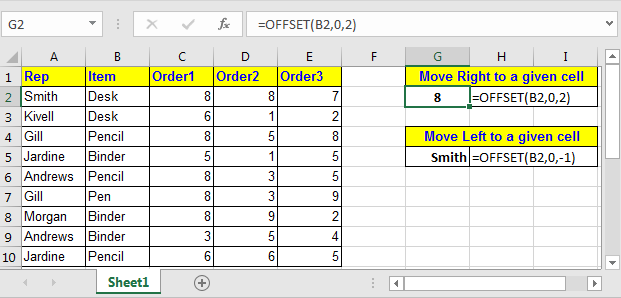
Web Rumus OFFSET Excel Diantara Fungsi Referensi pada microsoft excel yang sering kita butuhkan dalam menyusun sebuah rumus excel adalah fungsi OFFSET Bagaimana pengertian manfaat serta cara menggunakan rumus offset pada
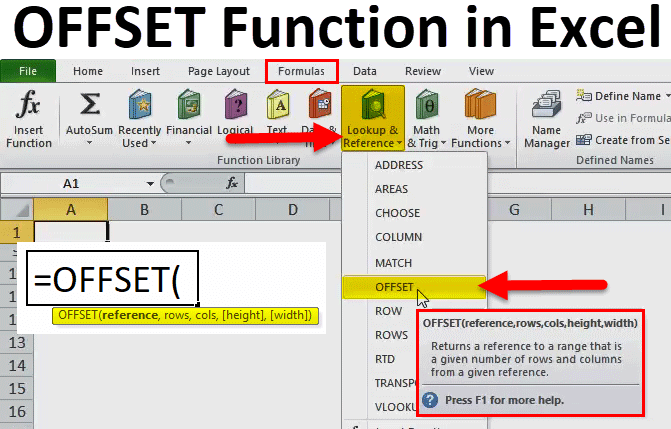
Web Mar 22 2023 nbsp 0183 32 The OFFSET function in Excel returns a cell or range of cells that is a given number of rows and columns from a given cell or range The syntax of the OFFSET function is as follows OFFSET reference rows cols height width The first 3 arguments are required and the last 2 are optional

Web Jul 8 2019 nbsp 0183 32 The OFFSET function uses the following arguments Reference required argument This is the cell range that is to be offset It can be either single cell or multiple Rows required argument This is the number of rows from the start upper left of the supplied reference to the Cols
Web Oct 25 2022 nbsp 0183 32 The OFFSET function returns a reference to a cell or a range of cells OFFSET takes five parameters and its syntax is as below OFFSET reference rows cols height width OFFSET will take in the position of the reference cell and then move from there by the number of rows and cols and then return the reference of the destination cell Web OFFSET Function The Excel OFFSET function returns a reference to a range constructed with five inputs 1 a starting point 2 a row offset 3 a column offset 4 a height in rows 5 a width in columns OFFSET is handy in formulas that require a dynamic range
Web Sep 25 2023 nbsp 0183 32 OFFSET function returns a reference to a range from a starting point to a specified number of rows columns height and width of cells You can specify the number of rows and the number of columns to be returned making it a crucial function to create dynamic named ranges