Office 365 Email Rules Forward Thinking How Adversaries Abuse Office 365 Email Rules Forward Thinking How Adversaries Abuse Office 365 Email Rules Office 365 Email Rules Celiveo 8 Ver 2022 03 22B Forward Thinking How Adversaries Abuse Office 365 Email Rules Office 365 Email Rules Celiveo 8 Ver 2022 03 22B To set up a sensitive message rule on Windows select Apply Rule on Messages I Receive in the blank rule area and click Next Check the box for Marked as Sensitivity In the Step 2 box at the bottom click Sensitivity and choose the type in the drop down list Then click OK and choose Next
Outlook for Microsoft 365 Outlook 2021 Outlook 2019 More Use inbox rules to automatically perform specific actions on email that arrives in your inbox For example you can create rules that will change the importance level of messages as they come in automatically move them to other folders or delete them based on certain criteria Mail flow rule components A mail flow rule is made of conditions exceptions actions and properties Conditions Identify the messages that you want to apply the actions to Some conditions examine message header fields for example the To From or Cc fields
Office 365 Email Rules Celiveo 8 Ver 2022 03 22B Email Estafa Office 365 Pasos De Eliminaci n Y Recuperaci n Office 365 Outlook Rules Apexlasopa Screenshot Showing How To Unsubscribe From A Moodle Forum Red Canary On LinkedIn TOMORROW Learn About The Different Types Of E5 Office 365 Outlook Rules Lasopalatin Joshua Nelson On LinkedIn metaverse vr 7figuremsplive Ryan Jindra On LinkedIn Your September Roundup Unboring Reviews Incenter On LinkedIn From Default Processing To MSR Trading Stop By
Office 365 Email Rules
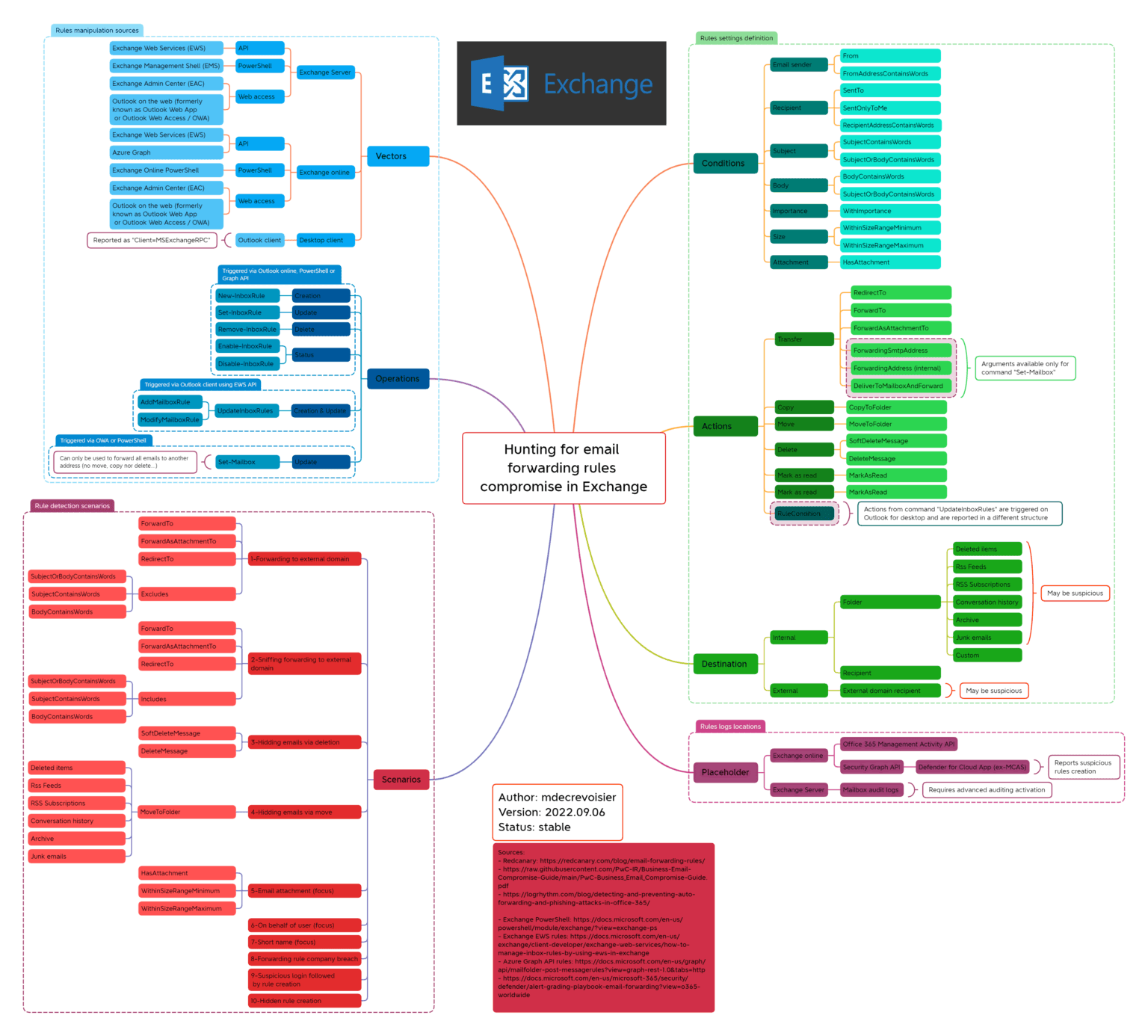 Office 365 Email Rules
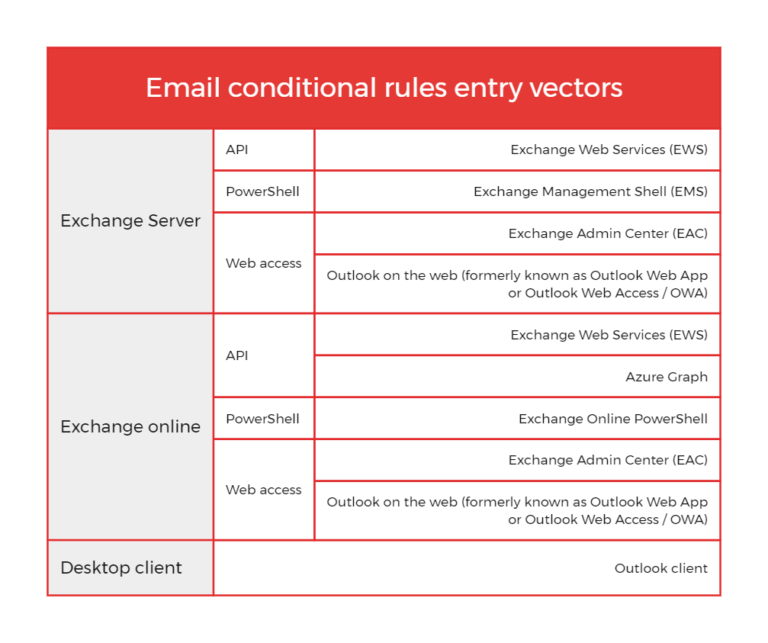
https://redcanary.com/wp-content/uploads/2022/09/Hunting-for-email-forwarding-rules-compromise-in-Exchange-1-1536x1386.png
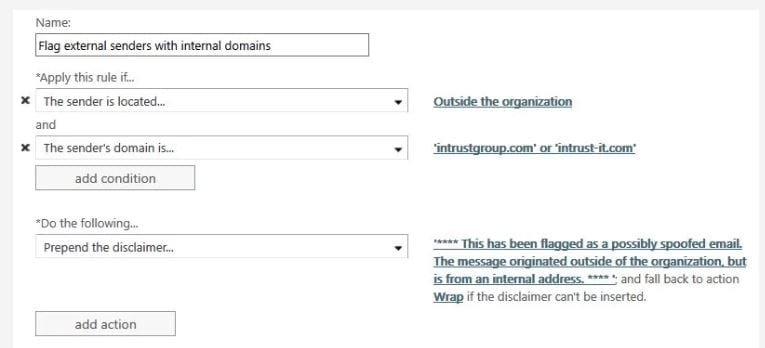
In Exchange Online organizations or standalone Exchange Online Protection EOP organizations without Exchange Online mailboxes actions in mail flow rules also known as transport rules specify what you want to do to messages that match conditions of the rule
Templates are pre-designed documents or files that can be utilized for different functions. They can conserve time and effort by providing a ready-made format and layout for creating different kinds of content. Templates can be used for personal or expert jobs, such as resumes, invitations, leaflets, newsletters, reports, discussions, and more.
Office 365 Email Rules
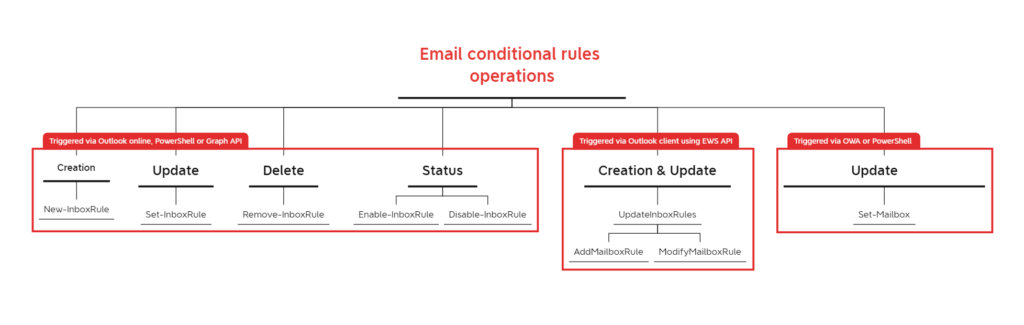
Forward Thinking How Adversaries Abuse Office 365 Email Rules
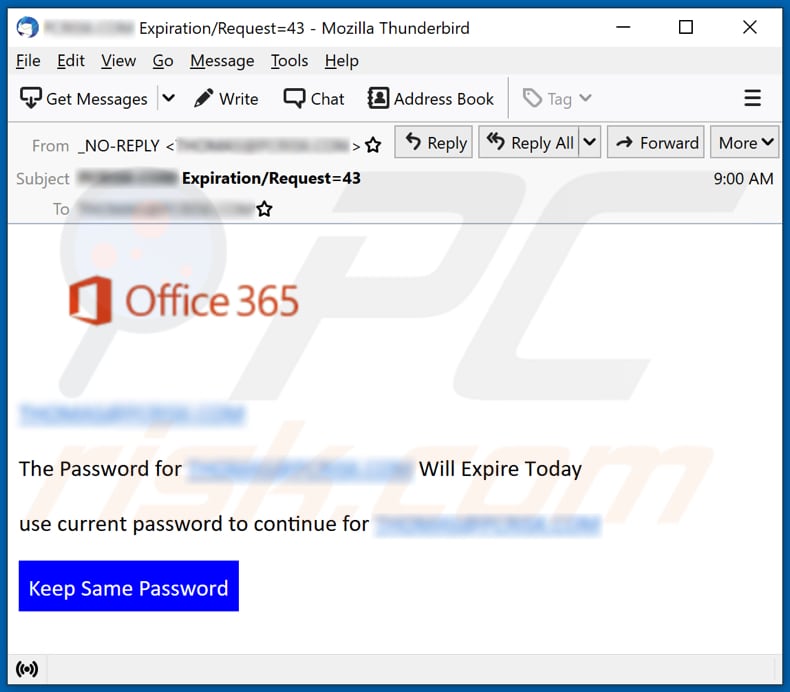
Email Estafa Office 365 Pasos De Eliminaci n Y Recuperaci n
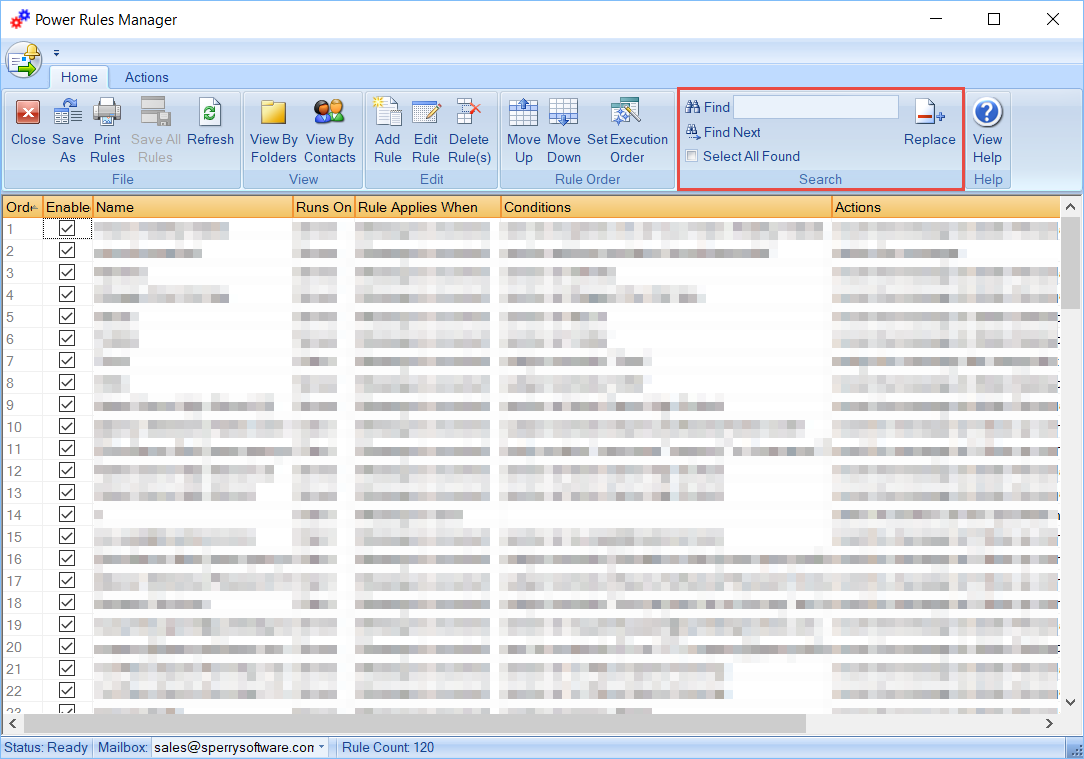
Office 365 Outlook Rules Apexlasopa

Screenshot Showing How To Unsubscribe From A Moodle Forum

Office 365 Outlook Rules Lasopalatin

Joshua Nelson On LinkedIn metaverse vr 7figuremsplive
Set up rules in Outlook Microsoft Support Outlook training Organize your inbox Set up rules Try it Rules allow you to move flag and respond to email messages automatically Create a rule on a message Right click an existing message and select Rules Create Rule Select a condition and what to do with the message based on the condition
How to Create Rules in Outlook 365 Step 1 Open Outlook and click on the Settings icon on the upper right corner Next click View all Outlook Settings at the bottom Step 2 Select Email

Create a mail flow rule You can create a mail flow rule in the EAC or in PowerShell In the EAC you can also create a mail flow rule by copying an existing rule Note After you create or copy a mail flow rule it might take 30 minutes or more for the new rule to be applied to email Use the EAC to create a mail flow rule

A rule is an action that Outlook Web App runs automatically on incoming or outgoing messages For example you can create a rule to automatically move all email sent to a group you are a member of to a specific folder or to delete all messages with Buy now in the subject
Outlook on the web Outlook Use inbox rules to automatically perform specific actions on email that arrives in your inbox You can also create rules to capture your own email address when used in other websites Outlook Outlook on the web Create an inbox rule Edit an inbox rule Delete an inbox rule
Inbox rules in Office 365 or Microsoft 365 if you like the newer name better help users and admins make Outlook a better place They can be employed to fight distractions get things organized block unwanted correspondence or automatically forward selected emails Set Up Email Rules in Office 365 Blog Cloud Computing Post In today s Ask the Admin I will show you how to set up email rules in the Office 365 web portal Email rules can
To add edit mailbox rules please follow below steps Select the emails and right click it find Advanced Actions Click Create rule Or you can also to go Settings Mail Rules Add new rules If you are not happy with the ways in New Outlook there are two workarounds for your reference