Nvm Not Working In Vs Code VS Code Extension Sapling How To Directly Live Test Your Website In VS Code How To Install Live Best VS CODE Update Ever Top 3 Features In VS Code 14Eleven YouTube C Project Management In VS Code Pt 3 C And NET Development In VS Vim In VS Code YouTube Feb 10 2025 nbsp 0183 32 I want to install version 14 for an old project that uses that version I use nvm and all installations from 16 onwards work perfectly But in version 14 20 0 and 14 21 3 it fails and
Apr 5 2024 nbsp 0183 32 I have already installed node but I need to downgrade versions and I was thinking on using nvm I am trying to install nvm in windows with the following command on my cmd If the nvm folder is empty it s probably because fetching of the repo has failed due to xcode agreement license not been accepted Running sudo xcodebuild license and accepting the
Vim In VS Code YouTube How To Set Up VIM In VS Code YouTube VS Code Profiles Manage Configurations Easily For Workflows Links Not Working In Description Verification Required To Make How To Upload Code Or Project On GitHub Via Vscode And Setup GitHub In Hiding Classes In VS Code Solved IfError Not Working In Canvas Apps With ClearCol Power Leveraging ChatGPT In VS Code To Boost Your Programming Productivity Mastering Data Science In VS Code Setup And Essential Extensions
Nvm Not Working In Vs Code
 Nvm Not Working In Vs Code
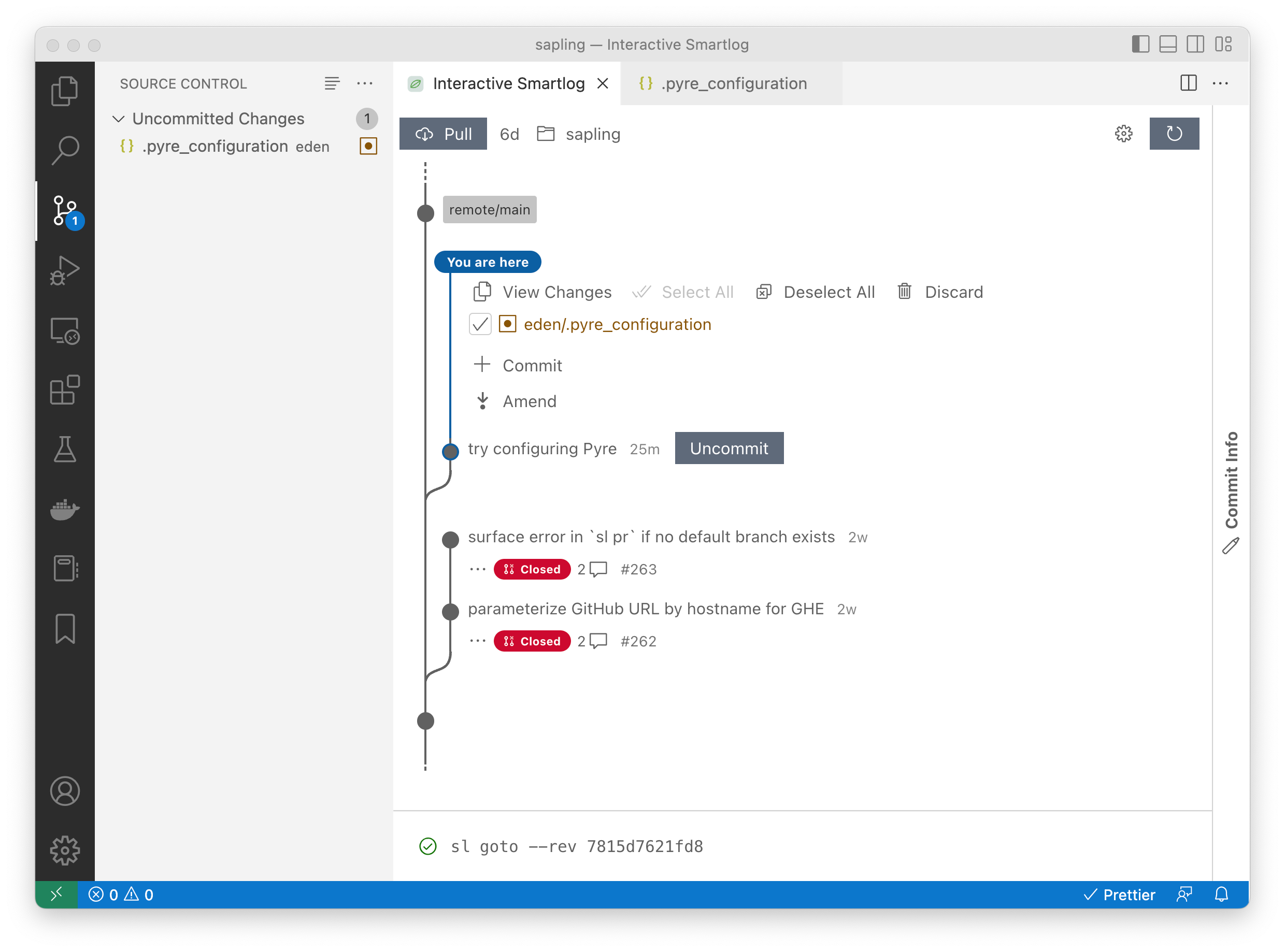
https://sapling-scm.com/img/isl/vscode_light.png
Jan 15 2016 nbsp 0183 32 Is it possible to upgrade node right in place instead of manually installing the latest stable version I have installed node js version 5 0 with nvm but now I want to update it to 5 4
Pre-crafted templates provide a time-saving option for producing a diverse variety of files and files. These pre-designed formats and designs can be made use of for different individual and expert jobs, including resumes, invites, leaflets, newsletters, reports, discussions, and more, enhancing the content creation process.
Nvm Not Working In Vs Code

How To Fixed Vim s Copy Paste Issue In VS Code

How To Set Up VIM In VS Code YouTube

VS Code Profiles Manage Configurations Easily For Workflows

Links Not Working In Description Verification Required To Make
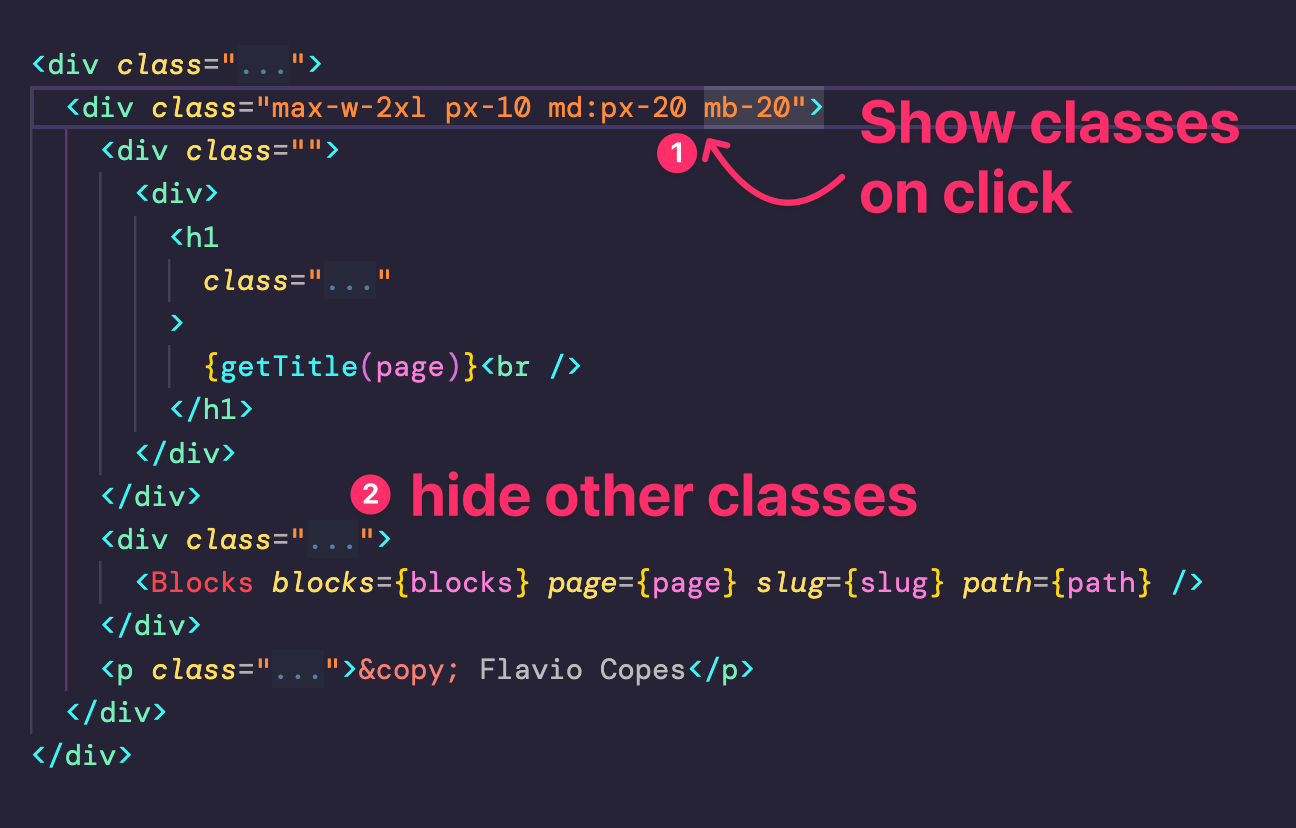
Hiding Classes In VS Code

Solved IfError Not Working In Canvas Apps With ClearCol Power
So I installed nvm to change the Node js version I had to set it into path C and then I run with success nvm install 8 9 4 And when I try to use it nvm use 8 9 4 it s always the latest version

Except it doesn t through NVM yes node comes with NPM but that just means that it installs a binary alongside it i can see both binaries in their respective folders but when i run quot nvm use

Nov 9 2017 nbsp 0183 32 Remember to use nvm use node or whatever Node version you want to use after the first command to actually change the version My example I was using version 13 as

May 13 2019 nbsp 0183 32 Installed NVM Node version manager for windows from here Actually NVM was getting installed in Administrator account Thought to install it in C Node directory so it would

Oct 31 2024 nbsp 0183 32 The build plan of my application includes a legacy component which relies on an older version of node than the rest How can I switch node versions using NVM windows
[desc-11] [desc-12]
[desc-13]