Notification Panel Not Working Realme C2 Notification Panel Not Working Fixed How To Fixed Realme C2 Vivo X70 Pro Swipe Down Notification Panel Not Working Problem Solve Drop Down Notification Panel Not Working Samsung Members Solved Notification Panel Not Showing Notifications In A Samsung Solved Notification Panel Not Showing Notifications In A Samsung Web To open Quick Settings do any of the following Select the battery network or volume icon to open the Quick Settings panel Press the Windows logo key A To open Notification
Web Jun 30 2022 nbsp 0183 32 Method 1 Restart Windows Explorer Method 2 Enable Let Apps run in the background Method 3 Turn on Notifications for Specific Apps Method 3 Reinstall Web 01 17 2020 03 41 PM in Galaxy A The notification panel is not working on my phone If I want to use notification panel I have to come for home screen then I have drag for that
Solved Notification Panel Not Showing Notifications In A Samsung Top 8 Ways To Fix Notifications Not Working On Windows 11 Action Center Won t Open In Windows 11 Here s How To Fix Appuals How To Enable Swipe Down For Notification Panel On Samsung Galaxy M21 One UI 5 Android 13 App Icon Not Showing In Notification Panel Fix Window Air Conditioner Control Panel Not Working Solved Top 7 Ways To Fix Action Center Not Opening On Windows 11 Guiding Tech Windows 11 Notification Panel Not Opening Action Center Fix Windows 11 Widgets Panel Not Working
Notification Panel Not Working
 Notification Panel Not Working
https://i.ytimg.com/vi/63GTqRcrxkU/maxresdefault.jpg
Web Jun 2 2022 nbsp 0183 32 Notification panel or pull down menu is not coming down or going black on your Androids Phone or there are some options missing from the Drop down menu Here
Pre-crafted templates offer a time-saving solution for producing a varied variety of documents and files. These pre-designed formats and layouts can be made use of for numerous personal and professional jobs, consisting of resumes, invitations, flyers, newsletters, reports, presentations, and more, improving the material production procedure.
Notification Panel Not Working

GE Refrigerator Control Panel Not Working 7 Ways To Fix It
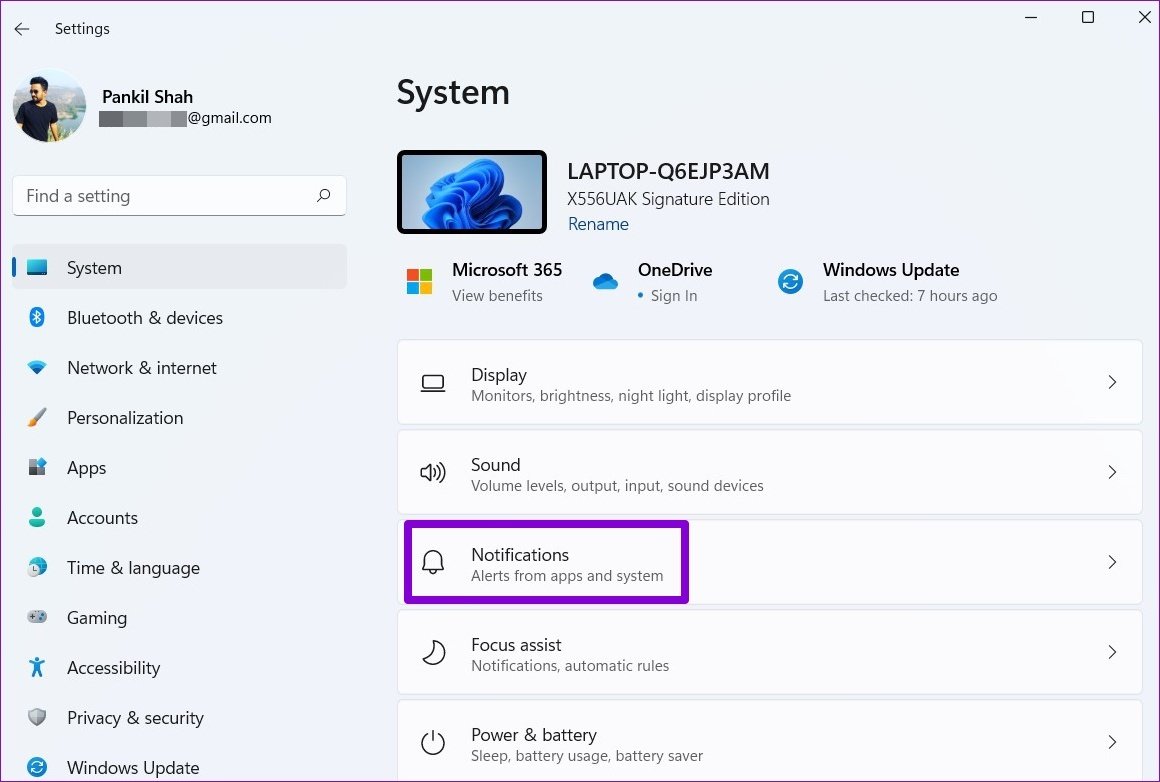
Top 8 Ways To Fix Notifications Not Working On Windows 11

Action Center Won t Open In Windows 11 Here s How To Fix Appuals

How To Enable Swipe Down For Notification Panel On Samsung Galaxy M21

Window Air Conditioner Control Panel Not Working Solved
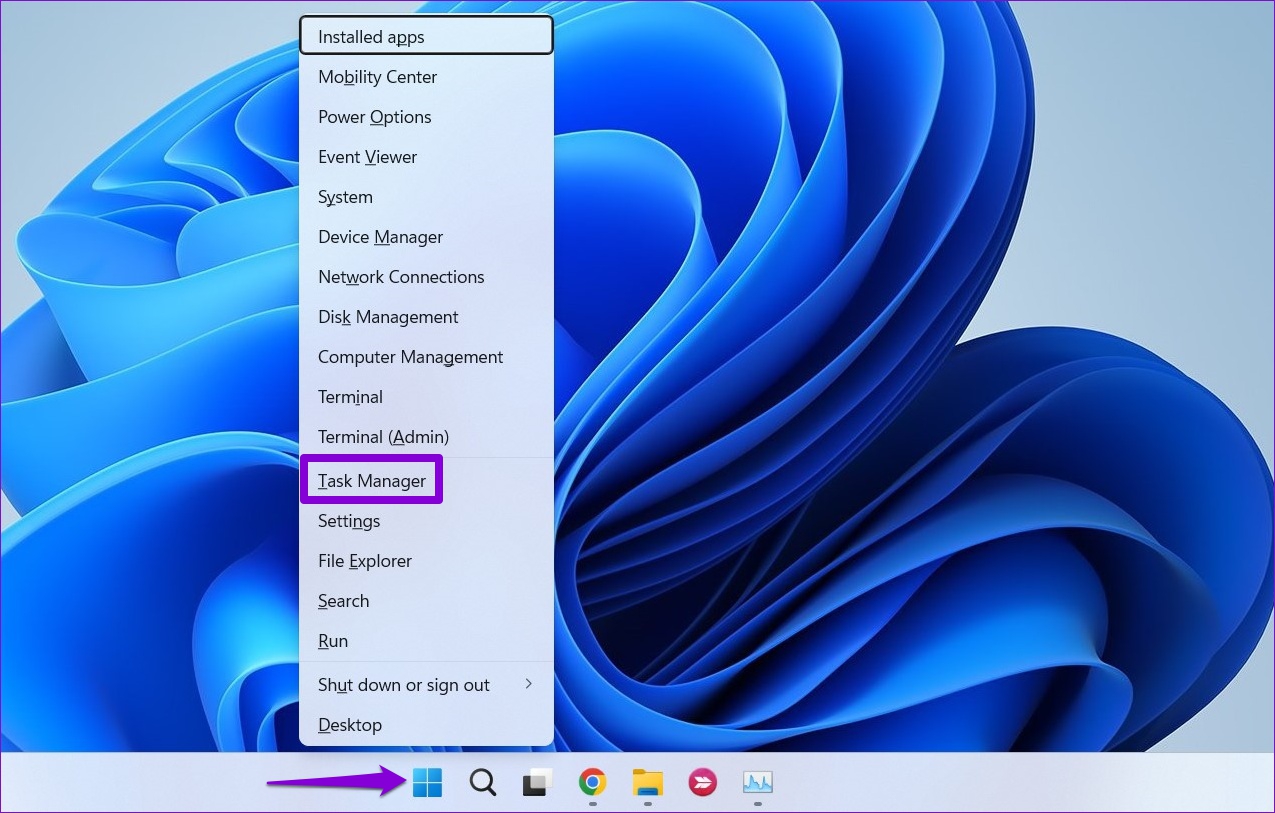
Top 7 Ways To Fix Action Center Not Opening On Windows 11 Guiding Tech

Web Nov 24 2018 nbsp 0183 32 Step 1 Open the Start menu type Turn system icons on or off in the search bar and click on Turn system icons on or off from the search bar results

Web Go to System gt Notifications Do any of the following Turn notifications banners and sounds on or off for some or all notification senders To see all options expand the notifications area Turn tips and suggestions

Web Apr 15 2023 nbsp 0183 32 1 Enable show badges on taskbar buttons option Windows 11 To show badges unread messages counter on taskbar apps using Windows 11 Settings do the following Press Win Ihotkey or use the Start

Web If you have not already please specifiy which branch you are running Dev Beta or Release Preview and your full build number If you are unsure you can check by

Web Apr 2 2021 nbsp 0183 32 1 Enable the Action Center Via Settings The quickest way to open the Action Center is by selecting its icon on the taskbar s far right Alternatively you can press
Web Jul 25 2023 nbsp 0183 32 Check That Do Not Disturb is not enabled It may seem obvious but forgetting Do Not Disturb is enabled is one of the most common causes for not receiving Web Sep 22 2023 nbsp 0183 32 1 First click on the Windows icon in the taskbar and then right click on the Power icon 2 Then select the Restart or Update and restart option from the popup
Web Sep 18 2023 nbsp 0183 32 2 Click View all outlook Settings go to General gt Notifications and enable Send me desktop notifications 3 In Desktop notifications you can choose either or