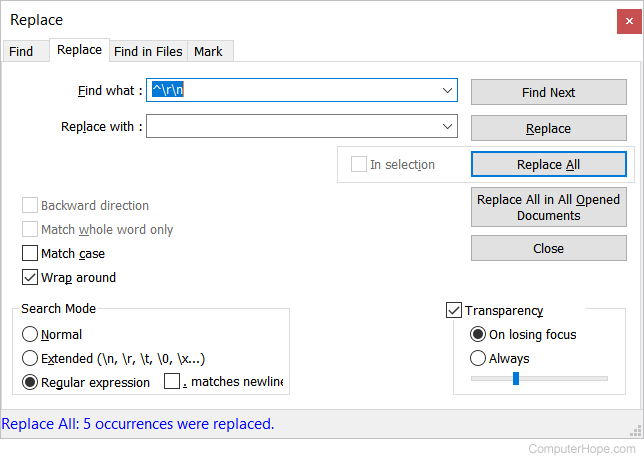
Notepad Remove Number Line How To Remove Blank Lines From A File Remove Duplicate Lines Using Notepad Code2care How To Find The Line Number In Notepad Notepad Get The Line Count Notepad Remove Blank Lines Quick Easy Digi Dank Notepad Remove Duplicate Lines On Windows 10 11 Full Guide Web Jan 26 2016 nbsp 0183 32 Press CTRL H or go into the find window Select the replace tab and set search mode to Regular Expression Use this expression h Line h d h Leave the replace box with an empty value and press Replace All
Web Feb 9 2021 nbsp 0183 32 Add a comment 1 In the replace windown Check option quot Regular expression quot Search for 0 9 replace with nothing as you want to delete them Share Improve this answer Follow answered Feb 8 2021 at 10 19 Web Jul 1 2019 nbsp 0183 32 Search menu gt Find gt Mark tab gt Find what your search text check Bookmark Line then Mark All This will bookmark all the lines with the search term you ll see the blue circles in the margin Then Search menu gt Bookmark gt Remove Bookmarked Lines This will delete all the bookmarked lines You can also use a regex to search
Notepad Remove Duplicate Lines On Windows 10 11 Full Guide How To Use Notepad To Reduce The Size Of Your Variables What Is Notepad Harrix TRACE DWI Information Notepad 2Young2Drink Escape characters Notepad ESC How To Open Java File With Textpad Windows 10 Aspennasve NotePad Remove Multi line Comments Automatically Bytefreaks Remove Empty Lines With Regex In Notepad Dirask Line Numbering In Notepad YouTube
Notepad Remove Number Line
 Notepad Remove Number Line
https://www.computerhope.com/issues/pictures/notepad-replace.png
Web Nov 19 2010 nbsp 0183 32 Depending on your need for flexibility you could use a macro and record your actions using the down arrow x number of times corresponding to the line number Then hit shift end and delete This will not work if the line numbers are variable
Pre-crafted templates provide a time-saving solution for developing a diverse range of files and files. These pre-designed formats and designs can be made use of for different individual and expert tasks, including resumes, invites, leaflets, newsletters, reports, discussions, and more, improving the content development procedure.
Notepad Remove Number Line

Notepad Remove Blank Lines Quick Easy Digi Dank

How To Use Notepad To Reduce The Size Of Your Variables What Is

Notepad Harrix

TRACE DWI Information Notepad 2Young2Drink
How To Open Java File With Textpad Windows 10 Aspennasve

NotePad Remove Multi line Comments Automatically Bytefreaks
Web Feb 21 2014 nbsp 0183 32 1 This is an improvement of the accepted answer by Erwin Rooijakkers Use this regex to remove line numbers generated on obtaining the result of a search in Notepad tLine d This regex will match a tab followed by Line followed by a number a colon and any trailing blank spaces Example input

Web Jun 21 2021 nbsp 0183 32 Remove text appearing after numbers in Notepad using regular expressions 0 Delete numbers special characters and text containing special characters in notepad
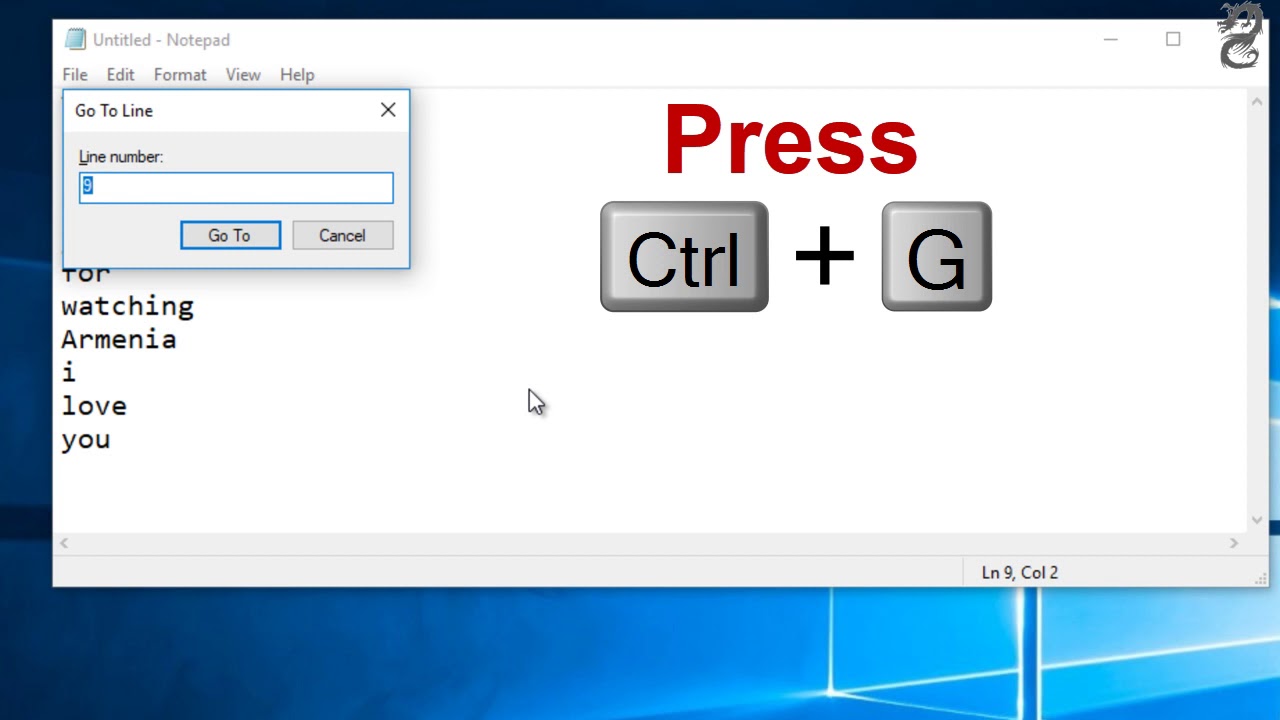
Web Aug 28 2016 nbsp 0183 32 From Notepad with the applicable text document opened press Ctrl H in the Find what field type in 0 9 be sure to have all the options set as specified in the Replace window screen or the Notepad Options screen shot section below and select the Replace All option

Web Jul 18 2021 nbsp 0183 32 Delete multiple lines by specifying their line numbers in Notepad I have a text file that has 255 lines and I want to delete remove specific non consecutive lines lines 2 4 56 and 180 for example regardless of their contents
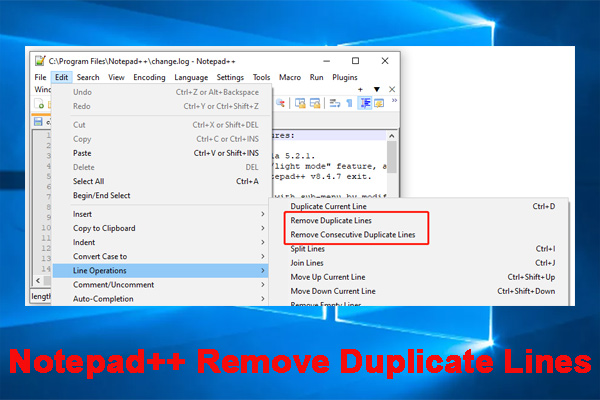
Web Highlight the lines you want to join or use Ctrl A to select everything Choose Edit Line Operations Join Lines from the menu or press Ctrl J It will put in spaces automatically if necessary to prevent words from getting stuck together
Web May 17 2017 nbsp 0183 32 R at the end matches an optional line break Details start of a string a zA Z a negative lookahead that fails the match if its pattern is not matched a zA Z 1 or more ASCII letters comma period or single quote up to the end of the line 1 chars other than line break char end of a line Web This is more intuitive for non technical people 1 Place cursor on the first line any cursor position 2 Click Macro gt Start Recording 3 Do the following key press activities Press the Home key Press Delete key 27 times till you reach the intended character Press down arrow button 4 Click Macro gt Stop Recording
Web Feb 4 2018 nbsp 0183 32 Kent Hartland Feb 3 2018 8 22 PM Perhaps you already have a way to do this but I thought I d share If you need to remove line numbers from program code or whatever a slick and fast free utility is online at http remove line numbers ruurtjan Go there paste your code and it strips all line numbers quickly and reliably 0 guy038