Notepad Remove Lines Not Matching Regex Remove Duplicate Lines Using Notepad Code2care Notepad Regex Would Like To Match Patterns Across Multiple Lines Regex Tricks Remove Empty Lines With Notepad And Vim OpenTechTips Notepad Regex Add Lines Copy String YouTube Notepad Remove Blank Lines Quick Easy Digi Dank 1 You can use
In all examples use select Find and Replace Ctrl H to replace all the matches with the desired string or no string And also ensure the Regular expression Step 1 Match lines Find dialog Mark tab you can bookmark lines that match Step 2 Remove lines bookmarked OR Remove lines not bookmarked Search
Notepad Remove Blank Lines Quick Easy Digi Dank Remove Empty Lines With Regex In Notepad Dirask Regex Notepad Regular Expression Find Replace Across New Line Peering Into The Fault Lines Soul Survivor Unix Regex To Remove Blank Lines Stack Overflow Contextmenu Customize Context Menu In Notepad Stack Overflow Programmatically Build REGEX Regular Expression In Python For Pattern Regex Tricks Remove Empty Lines With Notepad And Vim OpenTechTips Python Regex Split Be On The Right Side Of Change
Notepad Remove Lines Not Matching Regex
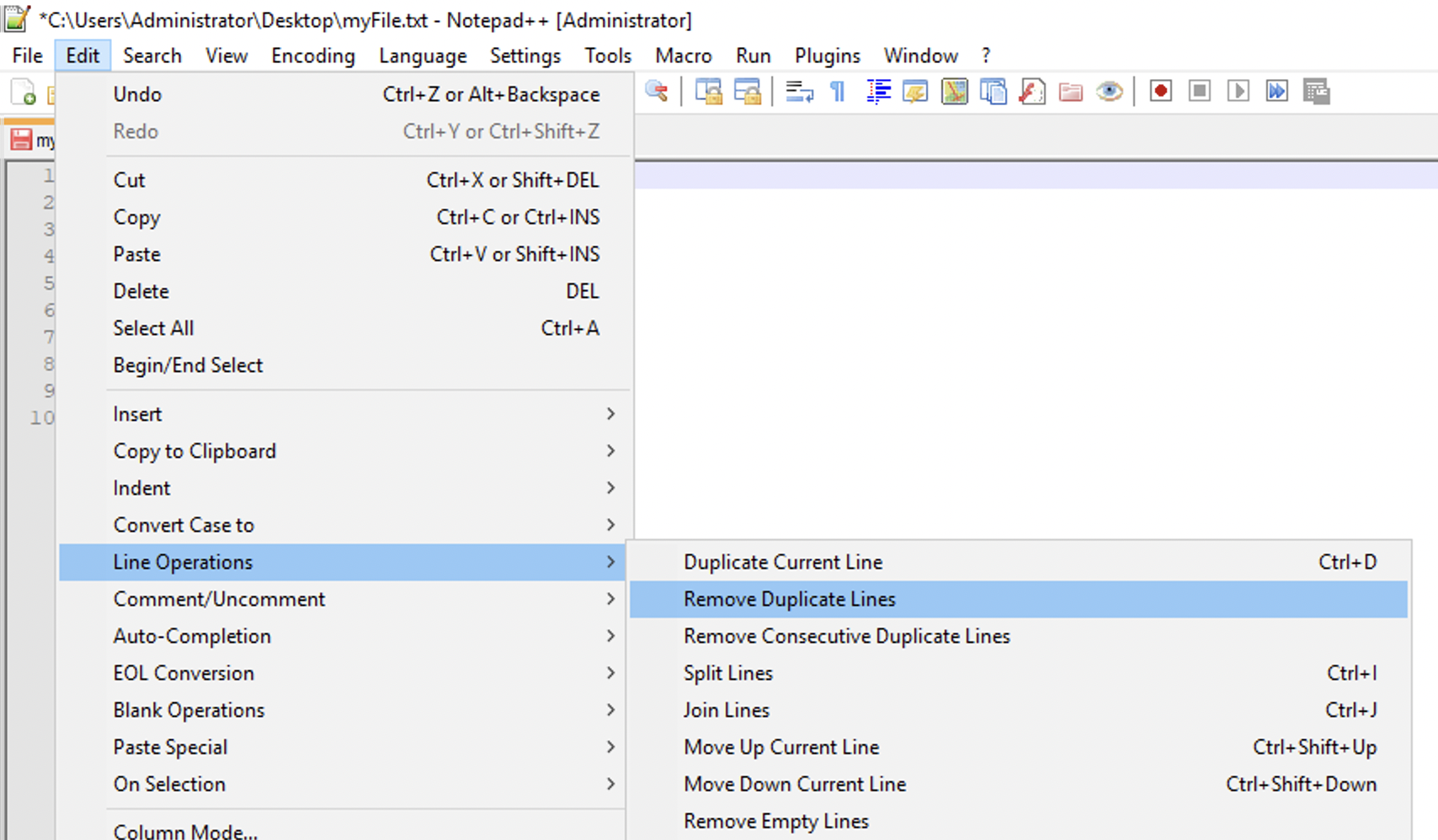 Notepad Remove Lines Not Matching Regex
https://code2care.org/howto/remove-duplicate-lines-using-notepad-plus-plus/images/Remove duplicate line using Notepad++.png
Searching and replacing constant character strings quickly comes up against its limits For this reason all advanced editors also support regular expressions
Templates are pre-designed documents or files that can be utilized for different functions. They can conserve effort and time by providing a ready-made format and layout for creating various type of content. Templates can be used for individual or professional tasks, such as resumes, invites, flyers, newsletters, reports, presentations, and more.
Notepad Remove Lines Not Matching Regex
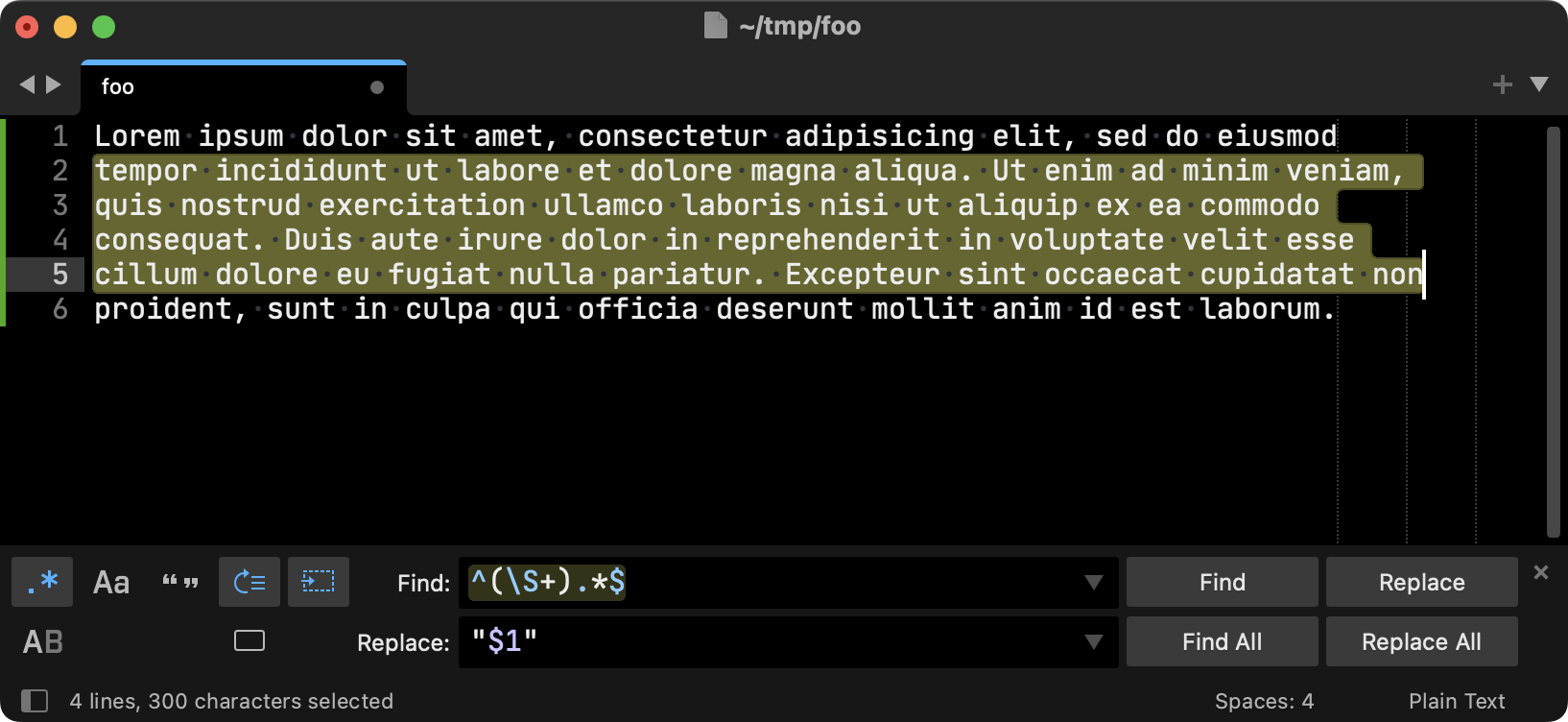
Regex Caret Not Matching Beginning Of Multiline Selection Technical
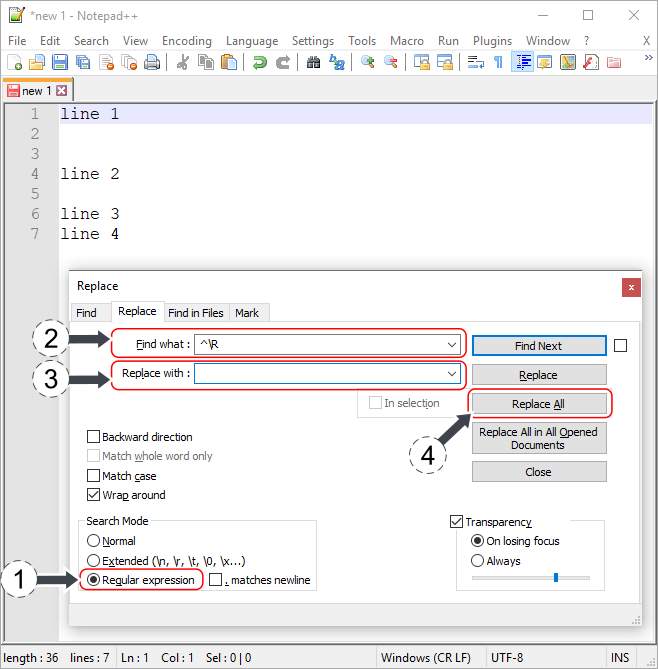
Remove Empty Lines With Regex In Notepad Dirask

Regex Notepad Regular Expression Find Replace Across New Line

Peering Into The Fault Lines Soul Survivor

Contextmenu Customize Context Menu In Notepad Stack Overflow
Programmatically Build REGEX Regular Expression In Python For Pattern

Check the box against bookmark line click Mark all All lines containing will be highlighted Now go to Search menu bookmark remove unmarked line Voila Reference

2 Answers Highest score default Date modified newest first You can use the s s Regular expression and the Replace with option leaving it blank to get the expected results Once you open your document with

Step 1 Search Find goto Tab Mark Find what Session Enable the checkbox Bookmark line Enable the checkbox Regular expression under Search Mode Click Mark All this will find the regex and

1 Answer Sorted by 0 Ctrl H Find what h d R SKIP F R Replace with LEAVE EMPTY CHECK Wrap around CHECK Regular expression

5 Answers Sorted by 17 Go to the search then to the Mark tab enter Dead check mark line and click Find all It results in bookmarks for all those lines In the search menu there is a point delete bookmarked
In the fourth case after the three consecutive look aheads return true the regex catches all current line stored in group 1 and its contents are simply rewritten If a Select the Regular expression search mode Tick if necessary the Wrap around option SEARCH s R REPLACE Leave EMPTY Click once on the Replace
As per this answer versions of Notepad 6 0 support matching line breaks in regex thus allowing to delete whole lines directly without creating blank lines first The