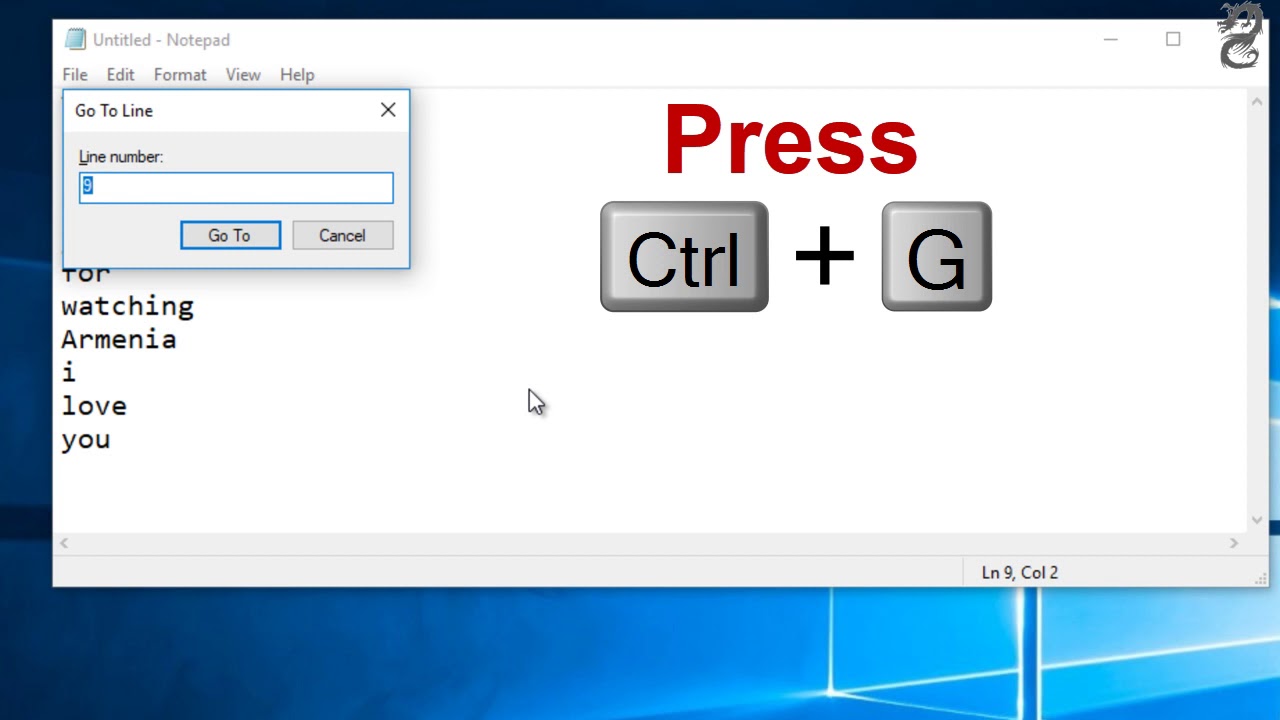
Notepad Line Numbers Shortcut 30 Notepad 2 Shortcuts Notepad Shortcut Keys PDF How To Find The Line Number In Notepad Notepad Get The Line Count Blank Notepad Vector Design Images Vector Blank Notepad Notebook Microsoft Brings Notepad Tabs To More Windows 11 Users Windows 11 The New Notepad Is Available For Download Archyde Feb 2 2015 nbsp 0183 32 I can start the regular Notepad from cmd C Windows gt notepad I can also start it from the run prompt Win R notepad Enter I want to be able to do the same with the
Apr 6 2013 nbsp 0183 32 I have a file with the format abc 12345th bcv 2345568790hg fjldslj12123344 flgnjlk I was trying to figure out how to remove the symbol at the end of each line Feb 15 2014 nbsp 0183 32 I had text just like OP in my notepad and it worked Where it would literally say something like Hello World r nHello World to be Hello World With my version of Notepad
Windows 11 The New Notepad Is Available For Download Archyde Notepad Premium A4 Squared Skriptekommission Windows Shortcuts 101 The Ultimate Keyboard Shortcut Guide How To View Line Numbers In Notepad What Is Mark Down Le Dark Mode Arrive Sur Le Bloc Notes De Windows 11 Prochainement COMPUTER KEYBOARD SHORTCUT KEYS Computer Shortcut Keys Computer Notepad A5 DuePoint PowerToys Shortcut Guide Utility For Windows Microsoft Learn Note Writing Paper Note Paper Cute Notes Good Notes Notes
Notepad Line Numbers Shortcut
 Notepad Line Numbers Shortcut
https://tutorialtactic.com/wp-content/uploads/2021/04/Notepad-2-Shortcuts.png
Apr 23 2019 nbsp 0183 32 In sublimetext I often use the key combination CTRL A CTRL SHIFT L END to frequently highlight all rows and continue editing each line with common text
Templates are pre-designed files or files that can be used for various functions. They can save effort and time by providing a ready-made format and layout for producing different kinds of material. Templates can be utilized for individual or expert tasks, such as resumes, invites, flyers, newsletters, reports, discussions, and more.
Notepad Line Numbers Shortcut

Windows 11 Notepad Auto Save Feature Added Tech Layer x
Notepad Premium A4 Squared Skriptekommission

Windows Shortcuts 101 The Ultimate Keyboard Shortcut Guide

How To View Line Numbers In Notepad What Is Mark Down

COMPUTER KEYBOARD SHORTCUT KEYS Computer Shortcut Keys Computer
Notepad A5 DuePoint

Dec 18 2024 nbsp 0183 32 Note that you will get redirected to the new Notepad if you run any of those from their normal location on a system that has new Notepad installed That won t happen in the
Consider the scenario where you have a specific string that you want to find and replace You want to replace it with a new string that contains a newline character or character sequence

Sep 18 2013 nbsp 0183 32 My question is pretty straight forward is there a way in Notepad to expand and collapse blocks with keyboard shortcut I already know about the alt 0 and alt shift 0 to

I have a text file that contains a massive amount of words that I would like to make into a number of different text files Specifically I need to take every 100 words in this file and make a sepa

Temporarily stuck with Notepad I d like to know if there is any better or quicker way of selecting from here to the end of the file than moving the mouse to the bottom of the screen and then
[desc-11] [desc-12]
[desc-13]