Node Red Dashboard Install Windows Node Red Dashboard Demo Make A User Interface YouTube Using Node RED To Create Multiple Devices And Dashboards Via MQTT Node red Dashboard YouTube My Node Red Dashboard Controls For 2021 Scargill s Tech Blog How To Make A Front End UI For A Service API flow Node RED The node red dashboard node is installed using menu manage palette search node red dashboard install More details are available here if needed If you are a developer the latest version of the dashboard node provides an api for creating your own dashboard widgets details are here
Node RED is an open source flow based programming tool that allows users to visually create applications by wiring together various nodes Nodes are pre bu As a plugin for Node RED you have the vast collection of 4 000 nodes at your disposal to easily integrate your Dashboard with APIs Hardware and more View Full List of Node RED Integrations Checkout our latest blog post Dynamic Markdown Tables Notebooks with Dashboard 2 0 Documentation for Node RED Dashboard 2 0 a collection of
How To Make A Front End UI For A Service API flow Node RED Node Red First Dashboard YouTube Node Red Dashboard Chart Node YouTube Node Red Dashboard Server And Temperature Monitor JakeMakes Installation Node Red Dashboard PDAControl Patriot Geek Node RED Displaying MQTT Data In A Dashboard Installation Node Red Dashboard PDAControl 07 FutureLab Node Red Dashboard YouTube Installation Node Red Dashboard PDAControl
Node Red Dashboard Install Windows
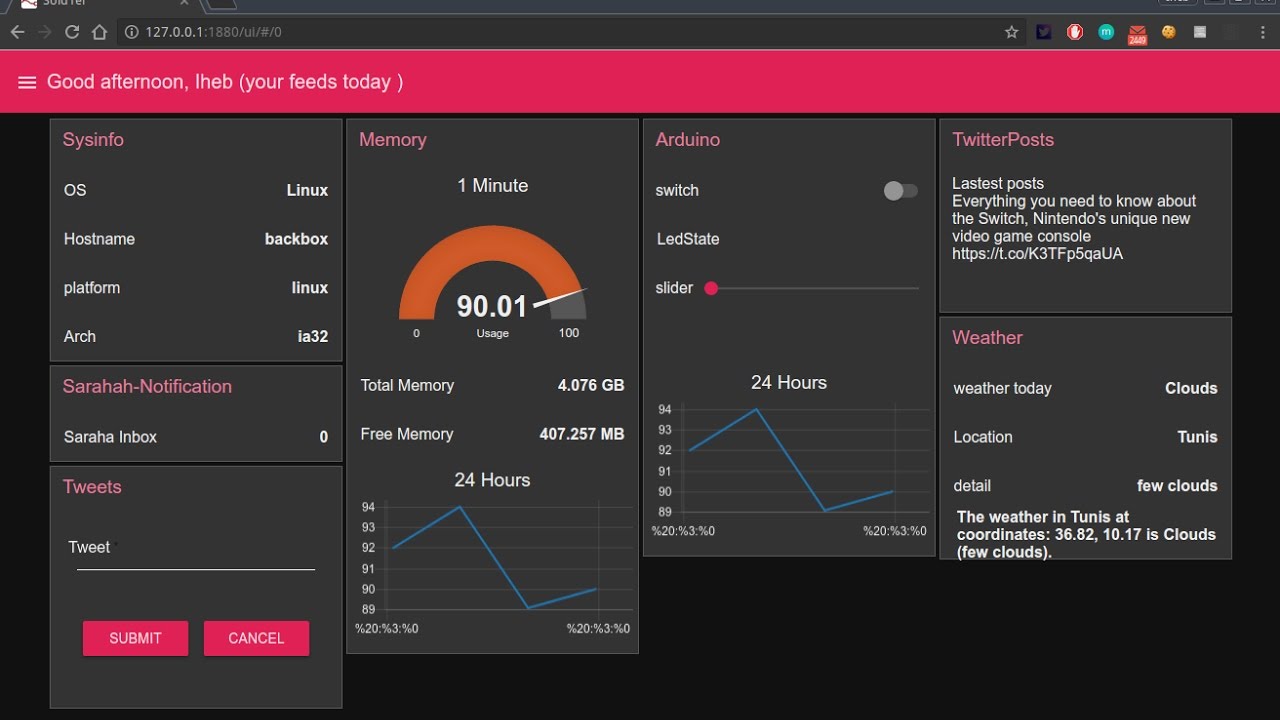 Node Red Dashboard Install Windows
https://i.ytimg.com/vi/N6DCcHne9hg/maxresdefault.jpg
To install the stable version use the Menu Manage palette option and search for node red dashboard or run the following command in your Node RED user directory typically node red npm i node red dashboard Restart your Node RED instance and you should have UI nodes available in the palette and a new dashboard tab in the right side panel
Templates are pre-designed documents or files that can be utilized for numerous functions. They can conserve time and effort by providing a ready-made format and layout for creating different kinds of material. Templates can be used for individual or professional jobs, such as resumes, invites, leaflets, newsletters, reports, presentations, and more.
Node Red Dashboard Install Windows

Controlling Everything With Node RED Dashboard Via MQTT YouTube

Node Red First Dashboard YouTube
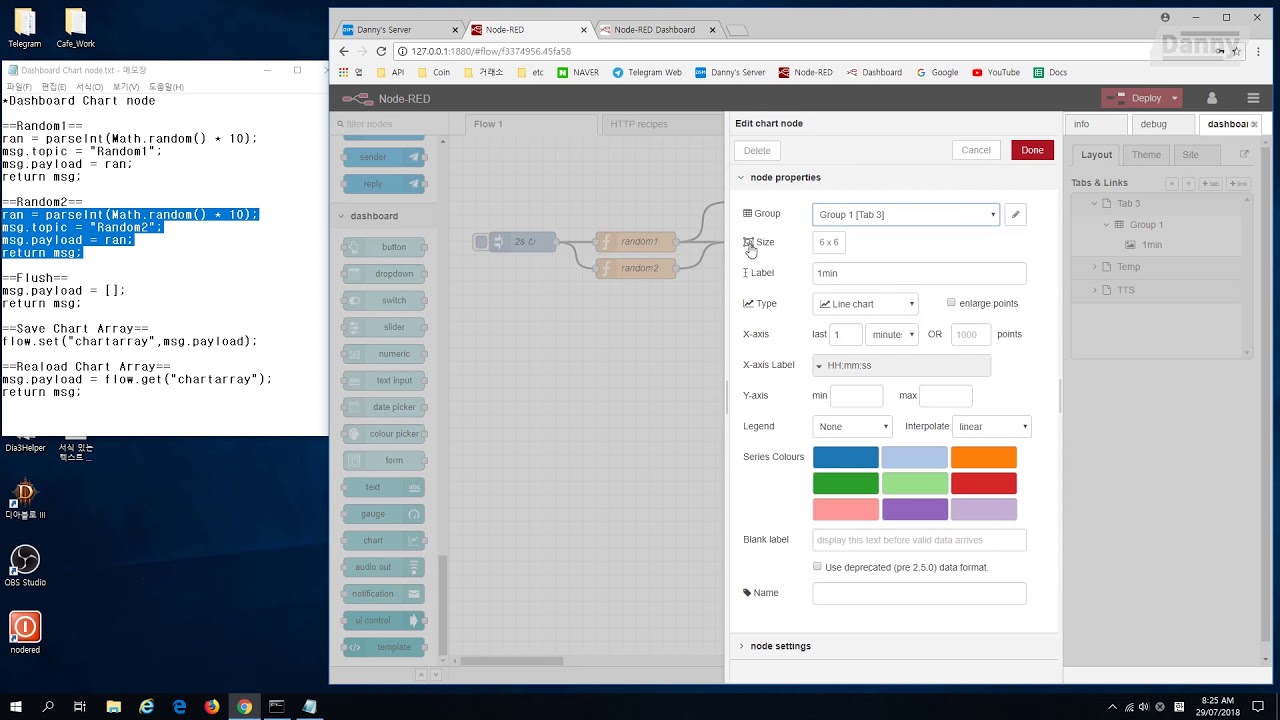
Node Red Dashboard Chart Node YouTube

Node Red Dashboard Server And Temperature Monitor JakeMakes

Patriot Geek Node RED Displaying MQTT Data In A Dashboard
Installation Node Red Dashboard PDAControl
Running on Windows Once installed the simple way to run Node RED is to use the node red command in a command prompt If you have installed Node RED as a global npm package you can use the node red command C node red This will output the Node RED log to the terminal
The following User Settings appears Go to the Install tab and then write Dashboard in the search bar and press enter Click Install for the Node Red Dashboard as shown below You will receive a notification that will refer you to the official Node Red dashboard site for a brief overview Click Open node information to view that

When installing Node js for use with Node RED it is recommended that you install the 10 XX X LTS variant Once the installation is complete open up a Windows command prompt you can open a command prompt by using the keyboard shortcut Windows key r type cmd and then once the command prompt has opened input the following

Pick where you want to run Node RED whether on your local computer a device such as a Raspberry Pi or in the cloud and follow the guides below Running locally Installing Node RED on your local computer Raspberry Pi Get started using our all in one install script for the mighty Raspberry Pi Docker Running Node RED using Docker Install

Creating the Tabs On the top right corner of the Node RED window select the dashboard tab and create two new tabs by clicking on the tab button Edit one tab with the following properties Name Room Icon tv And the other one with the following Name Garden
To install Node RED you can use the npm command that comes with node js sudo npm install g unsafe perm node red If you are using Windows do not start the command with sudo That command will install Node RED as a global module along with its dependencies You can confirm it has succeeded if the end of the command output looks similar to To do so click in the hamburger menu in the right corner Then click into the Manage Palette item This windows will appear so click into the Install tab and write dashboard into the searcher Find the one named node red dashboard and click on install Then close this windows by clicking the red Close button in node red
To install the stable version use the Menu Manage palette option and search for node red dashboard or run the following command in your Node RED user directory typically node red npm i node red dashboard Restart your Node RED instance and you should have UI nodes available in the palette and a new dashboard tab in the right side panel