Netstat Command To See Established Connections How To Use The Netstat Command What Is Netstat Command How Does It Work In Windows MiniTool CSC130 Netstat Nbtstat How To Find Listening Ports With Netstat And PowerShell How To Find Listening Ports With Netstat And PowerShell At the prompt type the following command and then press Enter netstat abf 5 activity txt We re using four modifiers on the netstat command The a option tells it to show all connections and listening ports The b option adds what application is making the connection to the results The f option displays the full DNS name for each connection option so that you can more easily
State Indicates where the connection is active established the local port has been closed time wait and the program hasn t closed the port close wait Other status include closed Netstat command and shell pipe feature can be used to dig out more information about particular IP address connection You can find out total established connections closing connection SYN and FIN bits and much more You can also display summary statistics for each protocol using netstat nixCraft Privacy First Reader Supported
How To Find Listening Ports With Netstat And PowerShell How To Check Which Ports Are Open Pausebear Understanding The Netstat Command Netstat Command In Linux With Examples 01 DevopsRoles Free 1 20 Netstat Command Examples In Linux Cheat Sheet GoLinuxCloud 4 Ways To Find Out What Ports Are Listening In Linux NETSTAT Command KB JNIOR NETSTAT COMMAND NETWORK ENCYCLOPEDIA What Is Netstat Command Functions Usage Network Insights
Netstat Command To See Established Connections
 Netstat Command To See Established Connections
https://fthmb.tqn.com/Mk3Q9aXstP2sjGx-gzi2EYTxPP4=/786x524/filters:fill(auto,1)/netstat-command-5994a5720d327a0015439865.PNG
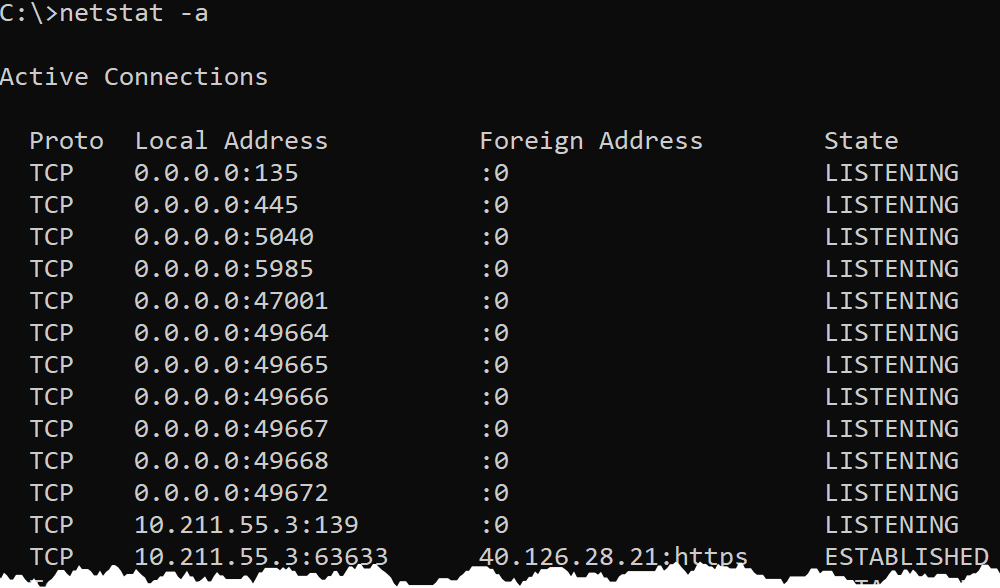
First just open a command prompt window and type netstat an The a parameter lists all the computer s connections and listening ports while the n parameter displays addresses and port
Pre-crafted templates provide a time-saving solution for creating a varied range of files and files. These pre-designed formats and designs can be utilized for numerous personal and expert tasks, including resumes, invitations, flyers, newsletters, reports, presentations, and more, streamlining the material development procedure.
Netstat Command To See Established Connections

Netstat Command Example What Is Netstat How To Use It In Windows 10
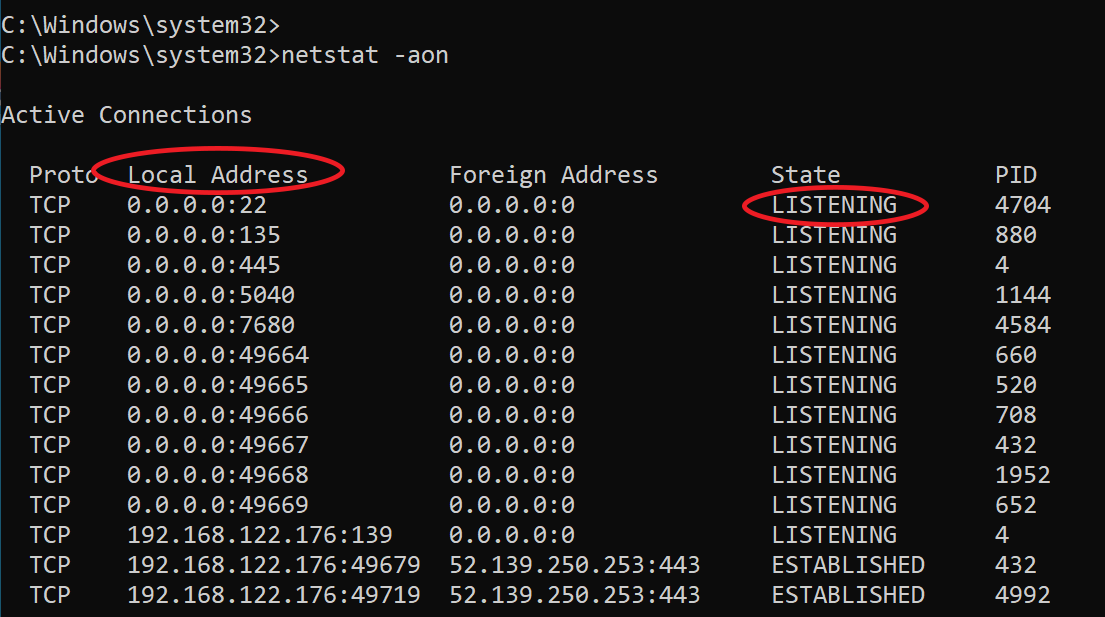
How To Check Which Ports Are Open Pausebear

Understanding The Netstat Command
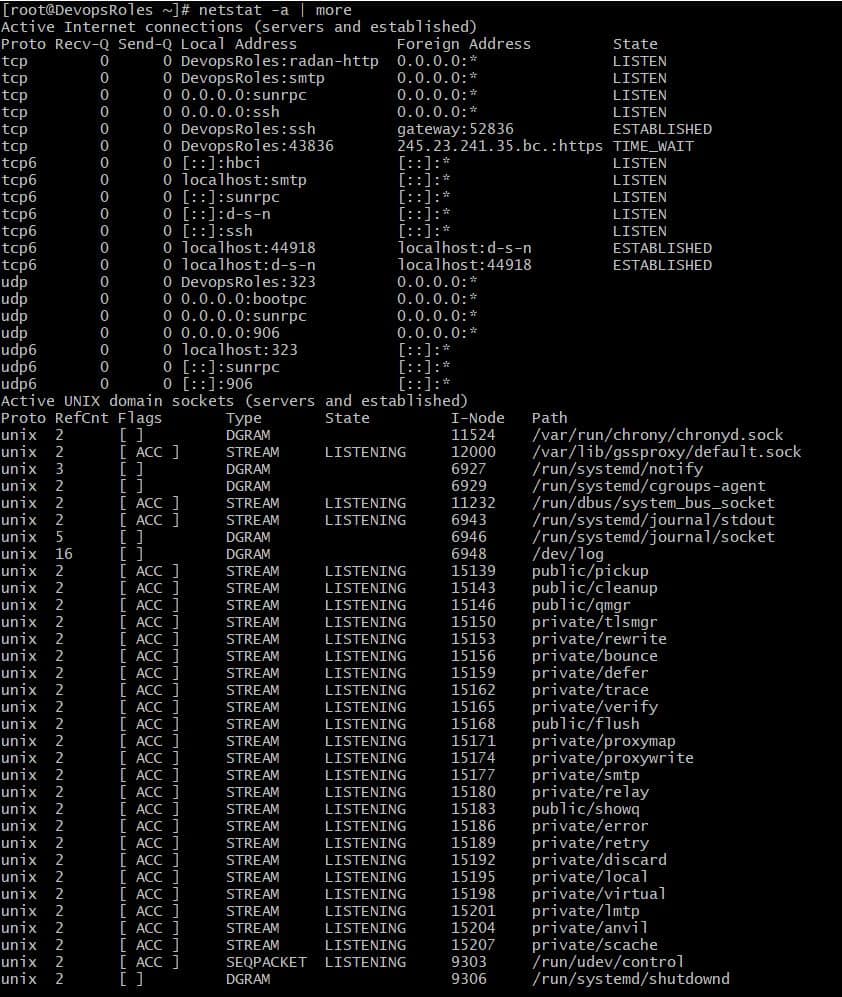
Netstat Command In Linux With Examples 01 DevopsRoles Free 1
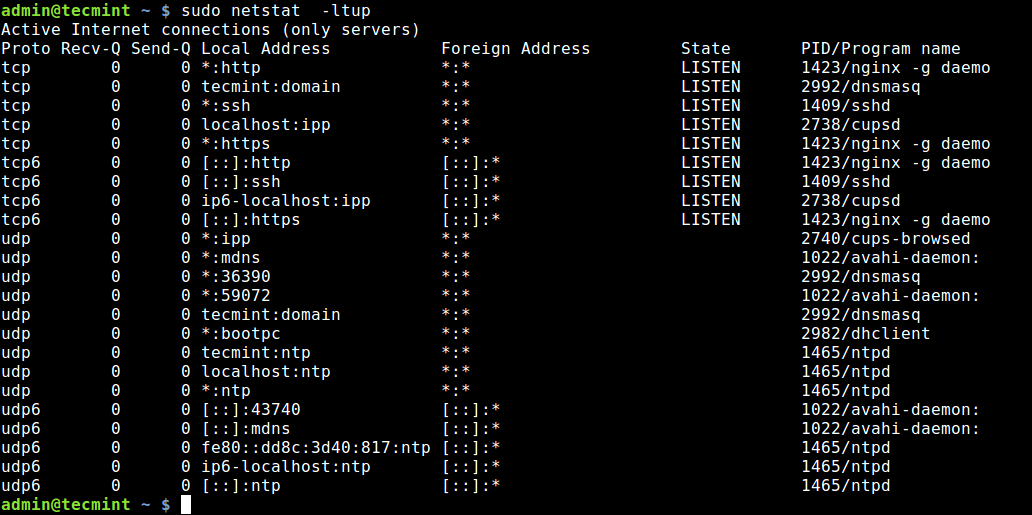
4 Ways To Find Out What Ports Are Listening In Linux
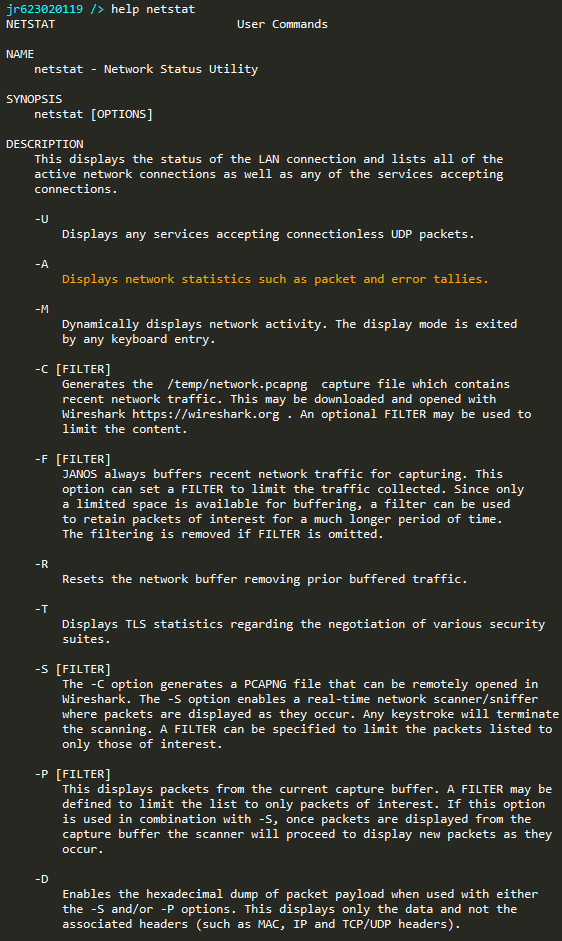
NETSTAT Command KB JNIOR

Execute netstat with r to show the IP routing table This is the same as using the route command to execute route print s The s option can be used with the netstat command to show detailed statistics by protocol You can limit the statistics shown to a particular protocol by using the s option and specifying that protocol but be sure to

1 Answer I have a similar problem to yours I just called the customer service of my ISP and they ordered me to do netstat n o then I found too many ESTABLISHED connections The agent said that this is the problem of my weak bandwidth and I must have my PC clean from viruses and malwares

Netstat is a command line network tool that is a handy troubleshooting command Its cross platform utility means you can use it on Linux macOS or Windows netstat can be very handy in the following Display incoming and outgoing network connections Display routing tables Display number of network interfaces Display network protocol statistics

The netstat command provides statistics for the following Expand table Examples To display both the Ethernet statistics and the statistics for all protocols type netstat e s To display the statistics for only the TCP and UDP protocols type netstat s p tcp udp To display active TCP connections and the process IDs every 5 seconds type
It may be an indication of malicious communications attempting to disguise themselves as DNS HTTP HTTPS traffic given as you mentioned the connections from port 53 80 443 If it were a real scenario you may then want to poke around and see which process is listening on port 53 By adding the o option to the netstat command
On the Command Prompt type netstat and press Enter The command after executing will output a list of active connections along with their status If you need to share the output with a tech support team for example use this command to copy the results in a text file netstat Path FileName txt In this command Path is any folder s 1 Open up an elevated command prompt cmd exe 2 Run netstat a to find all of the listening and established connections on the PC By default netstat only returns listening ports Using the a parameter tells netstat to return listening and established connections Run the Netstat a
Use the key combination Win Key X In the menu that opens select Command Prompt Enter the command pre netstat a n o pre The parameters for netstat are preceded with a hyphen not a forward slash like many other commands The a tells it to show us all active connections and the ports on which the computer is listening