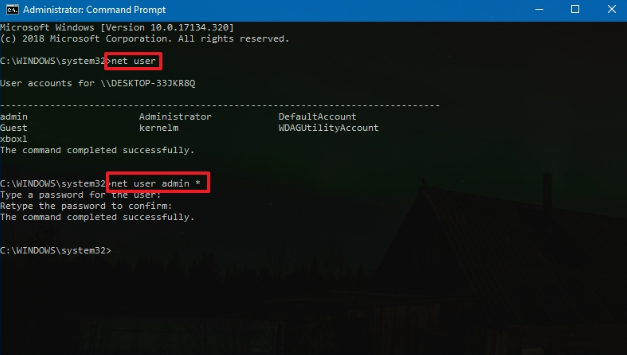
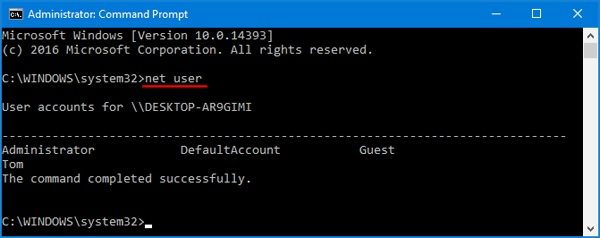
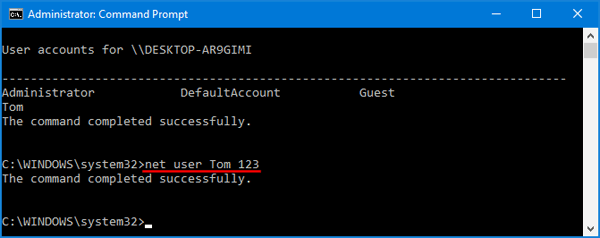
Net User Change Password Net User Change Password Via Command Prompt Techilife Step by Step Guide Net User Change Password Windows 11 10 5 Ways To Change Windows 10 Password With Administrator Account How To Change A Computer Password Using Command Prompt 13 Steps Wiki How To English How To Reset Windows 7 Login Password Using Command Prompt Web 26 apr 2023 nbsp 0183 32 To change a password in the Command Prompt type quot net user username new password and press quot Enter quot For a more discreet option you can type quot net user username quot and press quot Enter quot Then enter the new password twice You must have administrative access to change a password using the Command Prompt Part 1
Web 20 dec 2019 nbsp 0183 32 2 Answers Sorted by 0 You can use this Change user password net user username newpassword domain Exit Powershell Session Exit PSSession Share Improve this answer Follow answered Dec 20 2019 at 9 49 Wasif 14 8k 3 14 34 And how do I get to a remote server Leandro de Matos Dec 20 2019 at 11 37 Add a Web 20 dec 2021 nbsp 0183 32 net user user name domain You will be asked to type a password for the user Type the new password and later again retype the password to confirm The password will now be
How To Reset Windows 7 Login Password Using Command Prompt 6 Easy Ways To Change Password In Windows 10 When Was Domain Account Password Changed In SQL Server Interview Question Of The Week 093 Changing Multiple Passwords In Active Directory MARKSWINKELS NL WikiGain 5 Ways To Change User Account Password In Windows 10 Windows 10 Zanz Verwalten Sie Windows Benutzer Mit Net User XComputer How To Bypass Twitch Leecher Authorization Abilityver How To Change The Password Of Any User From CMD Easytutorial
Net User Change Password
 Net User Change Password
https://www.techilife.com/wp-content/uploads/2020/08/net-user-change-password.png
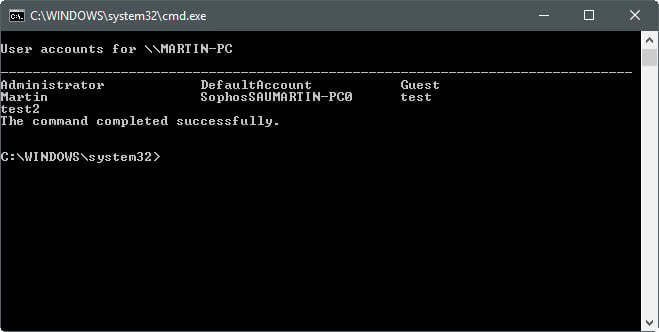
Web 29 mrt 2011 nbsp 0183 32 by Srini Using Net user command administrators can manage user accounts from windows command prompt Below are some examples on how to use this command Add a domain user account Net user add username newuserPassword domain Add new user on local computer Net user add username newuserPassword
Pre-crafted templates offer a time-saving service for producing a varied series of documents and files. These pre-designed formats and designs can be used for numerous personal and expert projects, consisting of resumes, invites, leaflets, newsletters, reports, presentations, and more, improving the content production procedure.
Net User Change Password

How To Change The Windows Password Via Command Line With Net User Computer Password Best
6 Easy Ways To Change Password In Windows 10

When Was Domain Account Password Changed In SQL Server Interview Question Of The Week 093

Changing Multiple Passwords In Active Directory MARKSWINKELS NL
Windows 10 Zanz
Verwalten Sie Windows Benutzer Mit Net User XComputer

Web 11 sep 2011 nbsp 0183 32 How to change domain user account password If you want to change password for a domain account you can do it by running the below command net user loginid domain Next you will be prompted twice to enter the password and on successful completion your domain account password will be reset
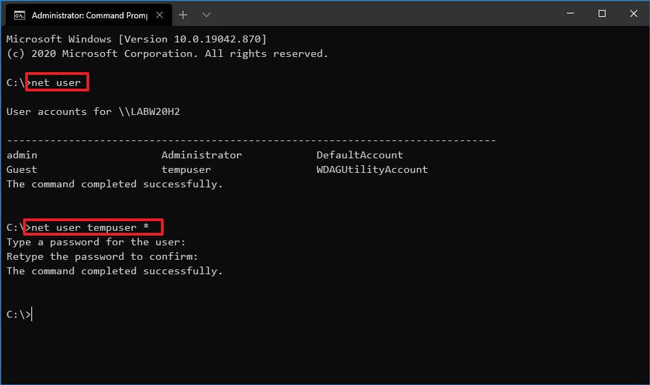
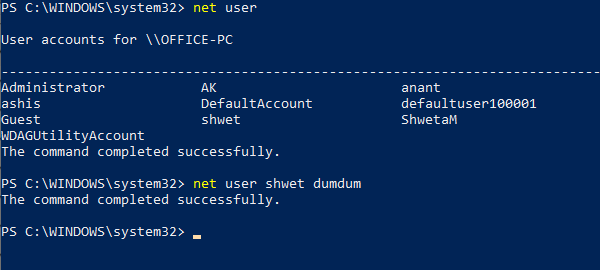
Web 1 apr 2023 nbsp 0183 32 net user To change a password type the net user command shown below replacing USERNAME and NEWPASS with the actual username and new password for the account If the username is more than one word you ll need to place it inside quotes as shown net user USERNAME NEWPASS net user quot USER NAME quot NEWPASS
Web 22 sep 2022 nbsp 0183 32 Net User Add Account The Net User command can be used to create new user accounts on your computer and in your domain To create a user account you will need to add the add parameter and specify the username A password is by default not required on a local computer

Web 17 nov 2021 nbsp 0183 32 This switch forces the user to change his or her password at the next logon Net user assumes no if you don t use this option The logonpasswordchg switch is not available in Windows XP profilepath pathname This option sets a pathname for the user s logon profile scriptpath pathname
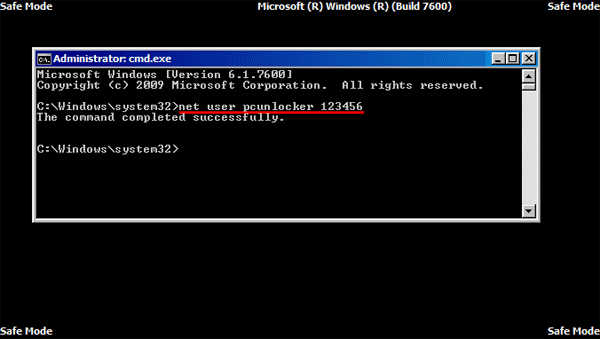
Web 17 okt 2022 nbsp 0183 32 Enter the net user command into the command prompt to check the entire list of entire accounts and then press the Enter Key Type the net user USERNAME and press the Enter key to continue You must note that the USERNAME should be the account s name to be unlocked Type a new password and press the Enter key
[desc-11] [desc-12]
[desc-13]