Name Attribute In Button Tag The HTML Name Attribute Guide On Creating Unique Identifiers Step 46 ID Lining One Under The Other HTML CSS The FreeCodeCamp Forum Which Option Is The Equivalent Of The Tag html html5 frontend dev Html Button Type Radio Hawaii love jp An Image Of A Web Page With The Words Welcome To Dualair And Click Here input type button input elements of type button are rendered as simple push buttons which can be programmed to control custom functionality anywhere on a webpage as required when assigned an event handler function typically for the click event Try it
What does button name do Defines the name of the button which is used for form inputs and labels Code Example button name click me Click me button Click me The name attribute is used for submitting form data as name value pairs and is referenced by other form features such as the label element s for attribute HTML button Tag Attributes The button tag supports several attributes that can be used to customize its appearance and behavior Some of the most commonly used features are or button to perform some other action name This attribute specifies a name for the button which can be used to identify it in the form data when the form is
An Image Of A Web Page With The Words Welcome To Dualair And Click Here Can t Target name Attribute In Button Like In A Link Function Html Script Class Dekunobou jp What Is Name Attribute In HTML Scaler Topics 117 Name Attribute In HTML Hindi YouTube Html How To Use An ID Attribute To Style An Element In Css Stack I Become The Error Your Link Element Should Be A Self closing Element Set Of Radio Buttons Issue HTML CSS The FreeCodeCamp Forum Munc Avans Democra ie Html Form Target Ascuns Molecul Moale
Name Attribute In Button Tag
 Name Attribute In Button Tag
https://www.positioniseverything.net/wp-content/uploads/2022/02/HTML-name-attribute-assign-a-unique-name-identifier.jpg
HTML button tag HTML button Tag Previous Complete HTML Reference Next Example A clickable button is marked up as follows button type button Click Me button Try it Yourself More Try it Yourself examples below Definition and Usage The button tag defines a clickable button
Templates are pre-designed files or files that can be used for numerous functions. They can save effort and time by supplying a ready-made format and layout for creating various sort of content. Templates can be used for personal or expert projects, such as resumes, invites, leaflets, newsletters, reports, presentations, and more.
Name Attribute In Button Tag
How To Add An ALT Attribute To An Image

Can t Target name Attribute In Button Like In A Link Function
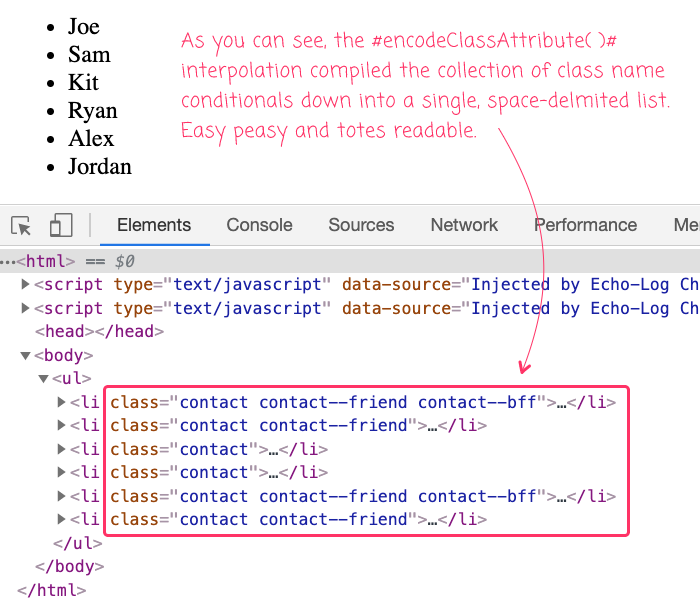
Html Script Class Dekunobou jp

What Is Name Attribute In HTML Scaler Topics

Html How To Use An ID Attribute To Style An Element In Css Stack

I Become The Error Your Link Element Should Be A Self closing Element

The button HTML element is an interactive element activated by a user with a mouse keyboard finger voice command or other assistive technology Once activated it then performs an action such as submitting a form or opening a dialog

The button tag doesn t have required attributes however we recommend always use the type button attribute if the tag used as an ordinary button Attributes The button tag also supports the Global Attributes and the Event Attributes How to style button tag

The name attribute identifies the input value if it is sent to a server via a traditional GET or POST of a form Specific to the example if you had form action http localhost method POST label for User Click me label input type text id User name Name value foo input type submit value submit form

The button name attribute is used to specify the name attribute of button element It is used to reference the form data after submitting the form or to reference the element in a JavaScript Syntax button name name Attribute Values It contains a single value name which describes the name of the button element Example html

The name attribute on a button tag assigns a name to the button This name is used during form submission and as a reference for other purposes Example Three button s with name and value attributes Clicking a button will send the button value to the form handler
Note It is important to always specify the type attribute for a button element to inform the browser what type of button it is The HTML button tag supports the Global Attribute and Event Attribute in HTML Syntax button type button Click Me button Attributes The various attributes that can be used with the button tag are listed below Definition and Usage The name attribute specifies a name for an HTML element This name attribute can be used to reference the element in a JavaScript For a form element the name attribute is used as a reference when the data is submitted For an iframe element the name attribute can be used to target a form submission
The name attribute for the HTML button tag Since 3 1 Author Rossen Stoyanchev See Also Serialized Form Field Summary Fields Modifier and Type Field Description static final String DISABLED ATTRIBUTE The name of the disabled attribute Fields inherited from class org springframework web servlet tags form AbstractHtmlElementTag