Multiple Validation In Excel Multiple Column Data Validation Lists In Excel How To Laravel Validation Borrowsuppo Excel Formula Data Validation With Conditional List Exceljet 3 Steps Apply Multiple Data Validation To Same Cells In Excel Google Sheets Tutorial How To Enable Multiple Selection Data Open the Data Validation dialog box For this click the Data Validation button on the Data tab in the Data Tools group or press the key sequence Alt D L each key is to be pressed separately On the Settings tab of the Data Validation dialog window select Custom in the Allow box and enter your data validation formula in the Formula box
Click on the Data Validation button A Data Validation dialog box will open From the Allow drop down menu choose List In the Source field enter the desired values for the drop down list separating each value with a comma Once you have entered the values click OK to close the dialog box Data validation is a feature in Excel used to control what a user can enter into a cell For example you could use data validation to make sure a value is a number between 1 and 6 make sure a date occurs in the next 30 days or make sure a text entry is less than 25 characters
Google Sheets Tutorial How To Enable Multiple Selection Data How To Use Multiple Validators In Zend Form Nelson Desai Use Custom Data Validation Function To Limit Number Of Digits In Excel How To Calculate Multiple Scores By Adding Different Questions In Laravel Validation Borrowsuppo How To Set Up Response Validation In Google Forms Helpdeskgeek Use Validation Lists In Excel To Control User Input GilsMethod Excel Formula Data Validation Number Multiple 100 Exceljet How To Apply Multiple Data Validation In One Cell In Excel Worksheet
Multiple Validation In Excel
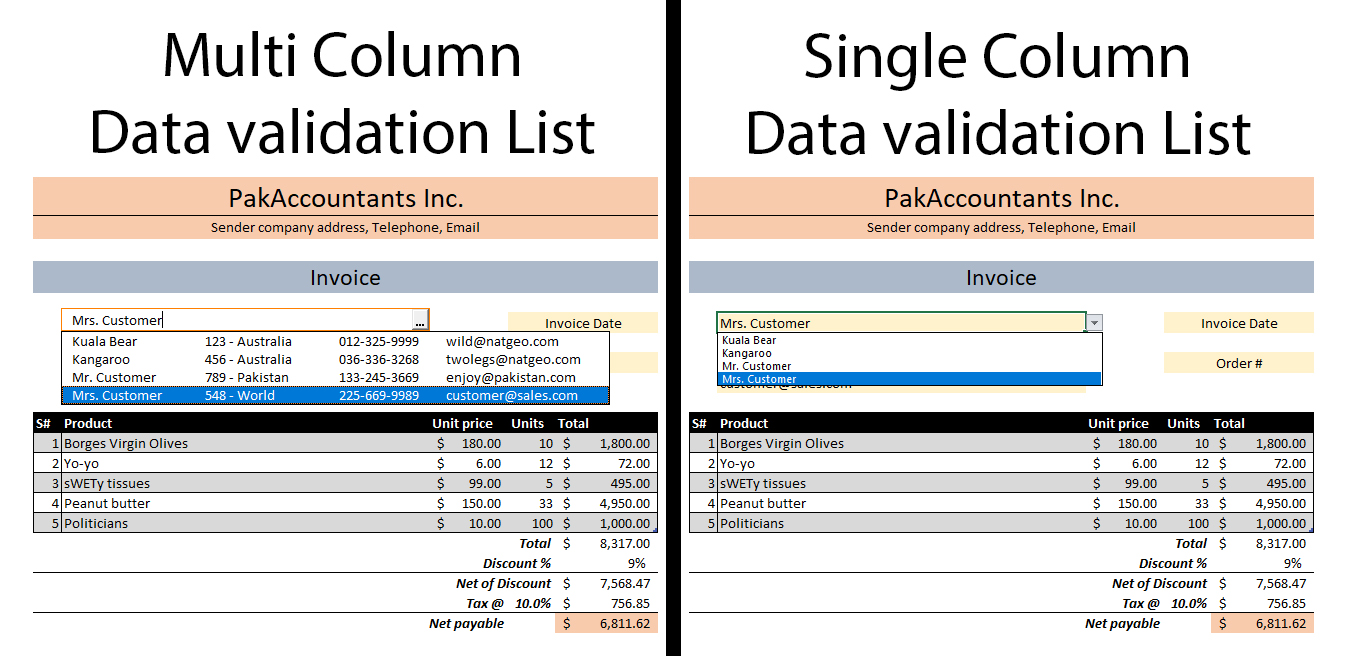 Multiple Validation In Excel
http://pakaccountants.com/wp-content/uploads/2017/08/multi-column-data-validation-list-excel.jpg
Select the cell in the worksheet where you want the drop down list Go to the Data tab on the Ribbon and then Data Validation Note If you can t select Data Validation the worksheet might be protected or shared Unlock specific areas of a protected workbook or stop sharing the worksheet and then try step 3 again
Templates are pre-designed documents or files that can be utilized for different functions. They can save effort and time by providing a ready-made format and layout for creating different type of material. Templates can be utilized for individual or professional projects, such as resumes, invites, flyers, newsletters, reports, presentations, and more.
Multiple Validation In Excel
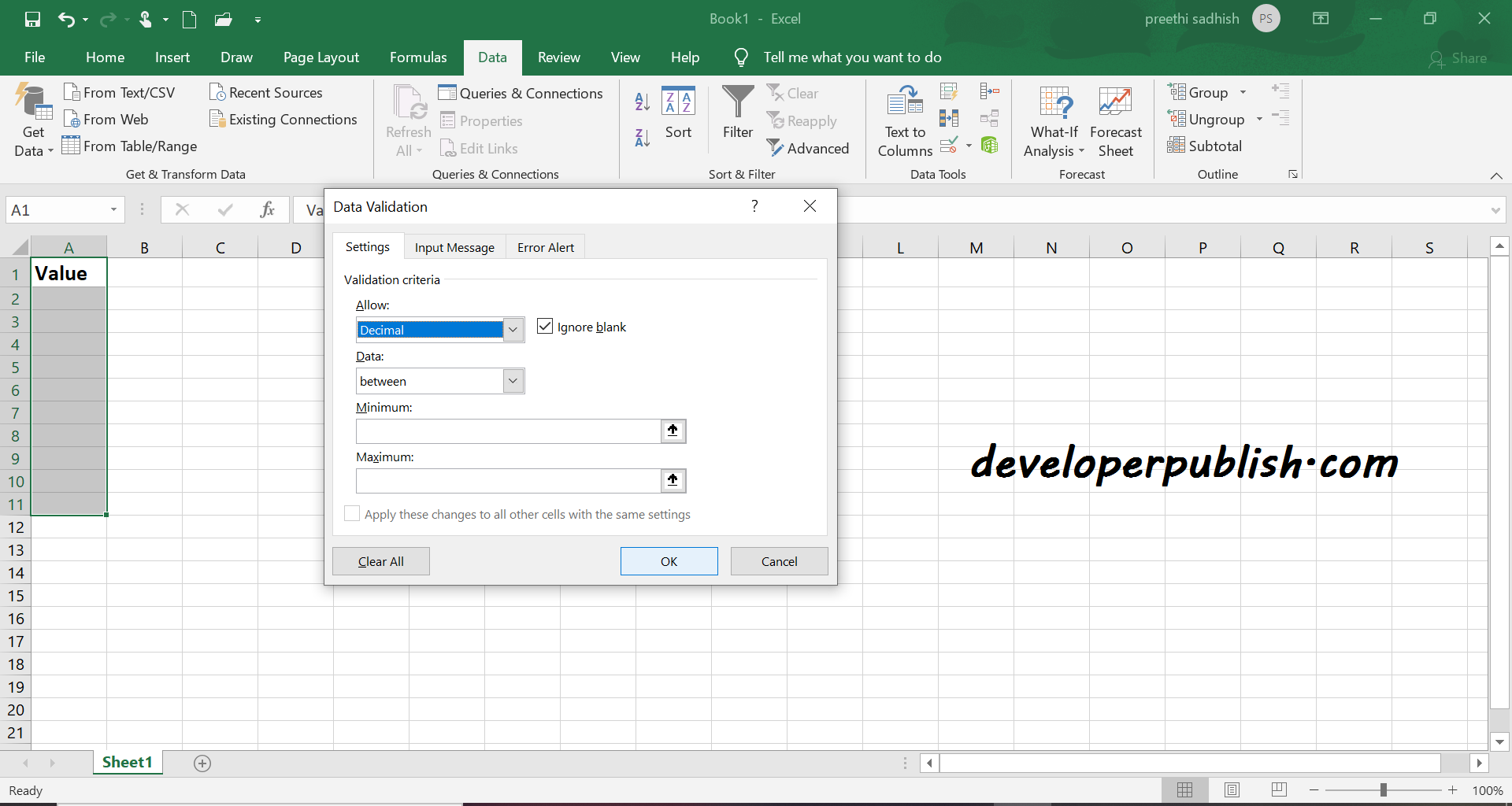
Data Validation In Microsoft Excel Microsoft Excel Tutorials
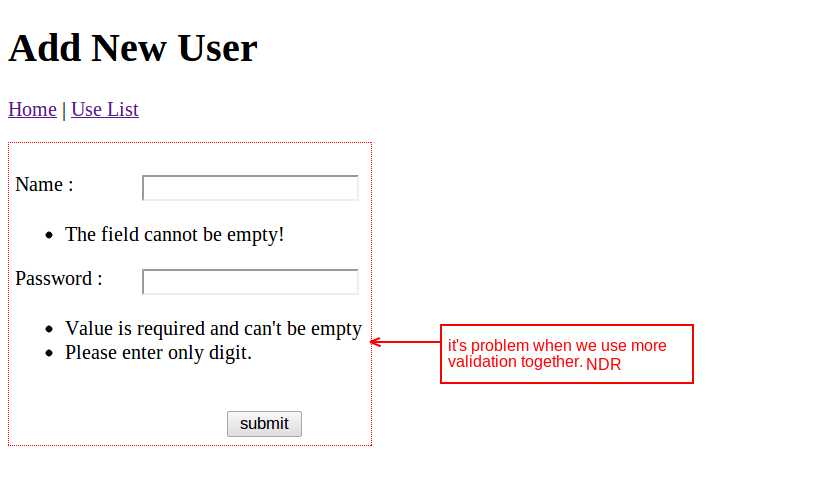
How To Use Multiple Validators In Zend Form Nelson Desai
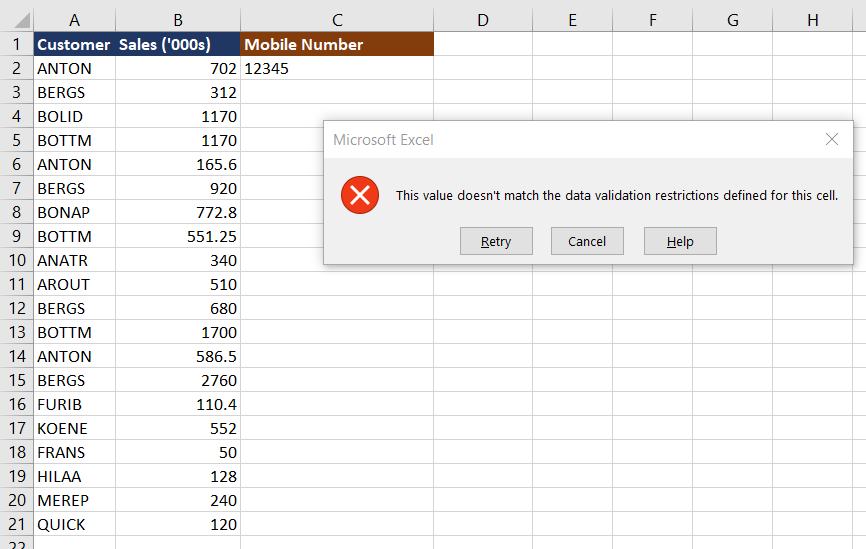
Use Custom Data Validation Function To Limit Number Of Digits In Excel
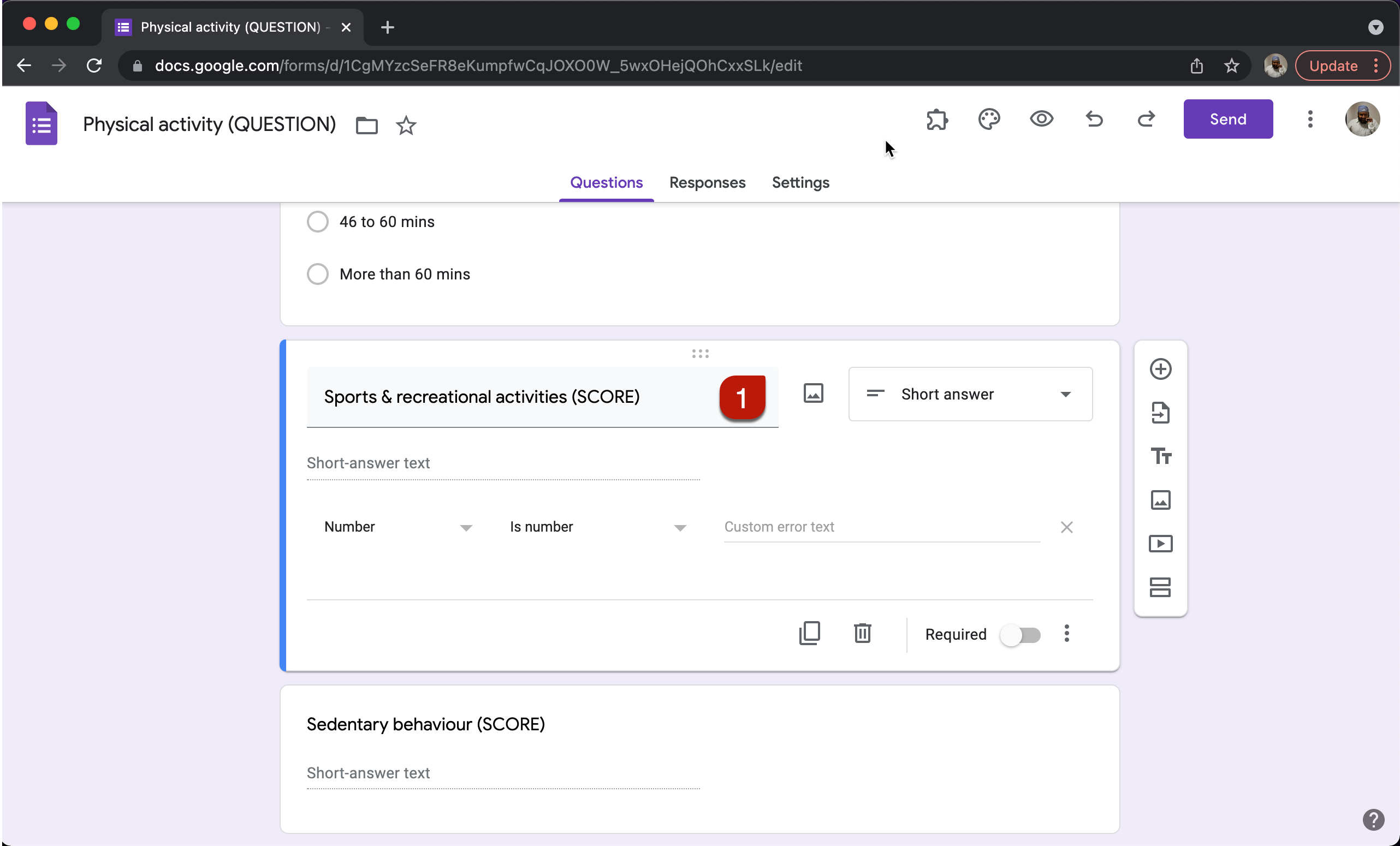
How To Calculate Multiple Scores By Adding Different Questions In
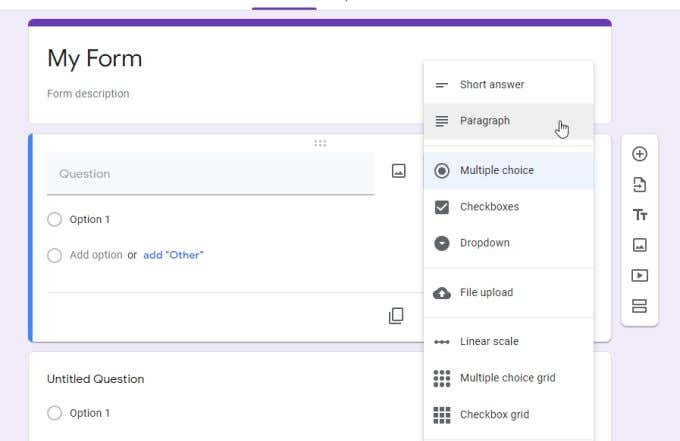
How To Set Up Response Validation In Google Forms Helpdeskgeek
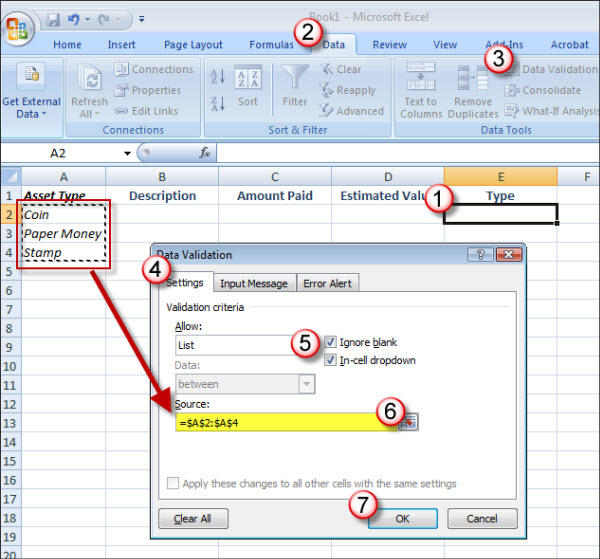
Use Validation Lists In Excel To Control User Input GilsMethod

Excel Data Validation is a feature that restricts validates user input to a worksheet Technically you create a validation rule that controls what kind of data can be entered into a certain cell Here are just a few examples of what Excel s data validation can do Allow only numeric or text values in a cell

Windows macOS Web Try it Select the cell s you want to create a rule for Select Data Data Validation On the Settings tab under Allow select an option Whole Number to restrict the cell to accept only whole numbers Decimal to restrict the cell to accept only decimal numbers List to pick data from the drop down list
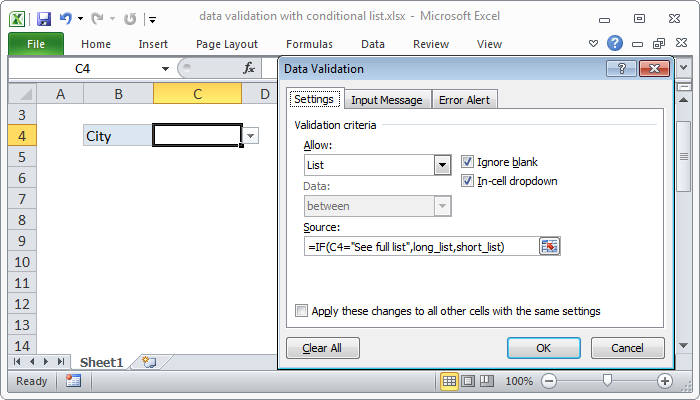
1 Apply Custom Data Validation for Multiple Criteria in One Excel Cell 2 Use Custom Data Validation for Multiple Criteria in Selected Cells 3 Prevent Duplicate Entries in Excel and Limit the Number of Characters with Custom Data Validation 4 Allow Dates between Two Dates by Using Custom Data Validation for Multiple Criteria in Excel Conclusion

In this Excel tutorial we go over how you can create a single formula that will apply multiple criteria to the same cells using Data Validation Because the

You can use data validation to restrict the type of data or values that users enter into cells For example you might use data validation to calculate the maximum allowed value in a cell based on a value elsewhere in the workbook In the following example the user has typed abc which is not an acceptable value in that cell
Select Multiple Items in an Excel Drop Down List Easy VBA Trick Anyone Can Use Watch on When a selection is made from the DV list we can intercept the change using a Worksheet Change event Worksheet Change is triggered by a change to any cell on the sheet so the code needs to check if the changed cell is using our data validation list Select Multiple Items from Excel Data Validation List Edit Multiple Selections in Excel Drop Down Lists How to Set up Multiple Selection Excel Drop Down Excel Drop Down Multi Select Add Sort No Duplicates in Multiple Selection Excel Drop Down Excel Drop Down Multiple Select or Remove Enter Multiple Items in a Non Data Validation Cell
Step 1 Assume we have an Excel sheet with data that looks like the image below Step 2 Now to apply the data validation select the range of cells where you want to apply the data validation then click on data and click on data validation and a new pop up window will be opened as shown in the below image Now in the new pop up select Allow