Msw Logo Commands With Examples MSWLogo In 2021 Msw Logo Commands Introduction To Programming Msw Logo Design Commands Mahacompanies Msw Logo Commands With Examples Kumcal Msw Logo Commands Pdf Msw Logo Design Commands Mahacompanies Design1 logo repeat 18 repeat 5 rt 40 fd 100 rt 120 rt 20 fan flower logo repeat 12 repeat 75 fd 100 bk 100 rt 2 fd 250 feathers1 logo repeat 12 setpencolor repcount repeat random 50 fd 100 bk 95 rt 2 rt 180 feathers2 logo repeat 50 repeat random 100 fd 300 bk 295 rt 2 rt 180 five rose logo dotimes i 1800 fd 10 rt i 0 1
MSW Logo is an educational programming language Once you understand the commands the things you can make are endless The things you need are A computer Pentium 2 Processor and up Windows NT 2K XP 95 98 ME VISTA The will to learn new things An open mind MSW Logo 65 Here s the link to download it from MSW Logo Logo Command reference Logo Command reference Abs And Arc ArcCosine ArcCos ArcSine ArcSin ArcTangent ArcTan ASCII Back Background Bg ButLast CD Char Clean ClearScreen CS CloseReadFile CloseWriteFile Cosine Cos Count CurrentPath Date Define Define Difference Dir Dot Empty Equal
Msw Logo Design Commands Mahacompanies Msw Logo Commands With Examples Serieslaneta MS LOGO Basic Commands YouTube MSW Logo Tutorial MSW LOGO Pattern Commands Repeat Command Logo MSW Logo Tutorial MSW LOGO Star Commands Repeat Command Logo Commands MSW Logo Tutorial MSW LOGO Flower Commands Repeat Command Logo Commands Msw Logo Examples Squaredlimfa MSW Logo Beautiful Illusion Commands Beautiful Design In MSW Logo MSW Logo Tutorial MSW LOGO Flower Commands Repeat Command Logo Commands
Msw Logo Commands With Examples
 Msw Logo Commands With Examples
https://i.pinimg.com/originals/8f/6f/14/8f6f143712e1ffef16c3d789bcc996d1.png
Basic MSW Logo Commands Study with Radhika 415 subscribers Subscribe 2 5K views 3 years ago In this video Learn how to use basic MSW Logo Commands This is the second video of MSW Logo
Pre-crafted templates offer a time-saving option for producing a varied variety of documents and files. These pre-designed formats and layouts can be utilized for various personal and professional projects, including resumes, invitations, flyers, newsletters, reports, discussions, and more, streamlining the material production process.
Msw Logo Commands With Examples

03 MSW Logo Creating A Simple Square With Abbreviated Commands YouTube
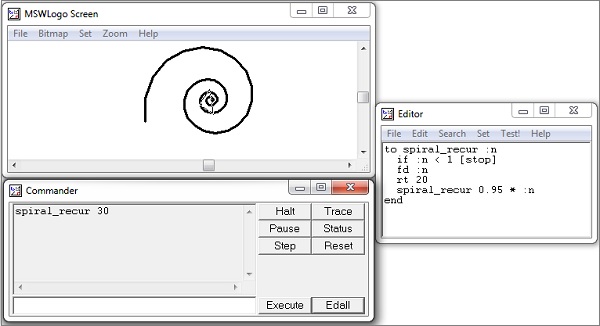
Msw Logo Commands With Examples Serieslaneta

MS LOGO Basic Commands YouTube

MSW Logo Tutorial MSW LOGO Pattern Commands Repeat Command Logo

MSW Logo Tutorial MSW LOGO Flower Commands Repeat Command Logo Commands
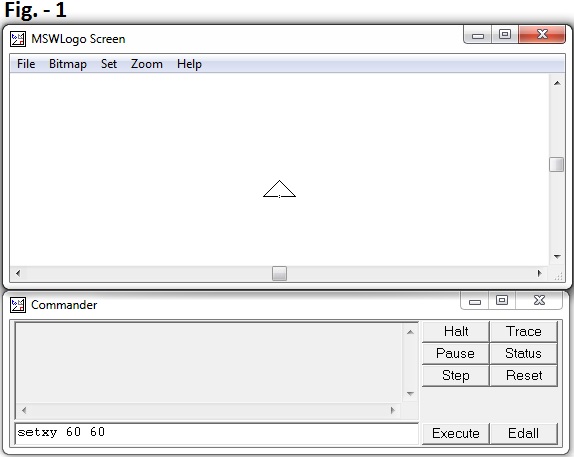
Msw Logo Examples Squaredlimfa

MSW Logo windows MSWLogo is a programming language which is interpreted based on the computer language Logo with a graphical user interface GUI front end It was developed by George Mills at the Massachusetts Institute of Technology MIT Its core is the same as UCBLogo by Brian Harvey
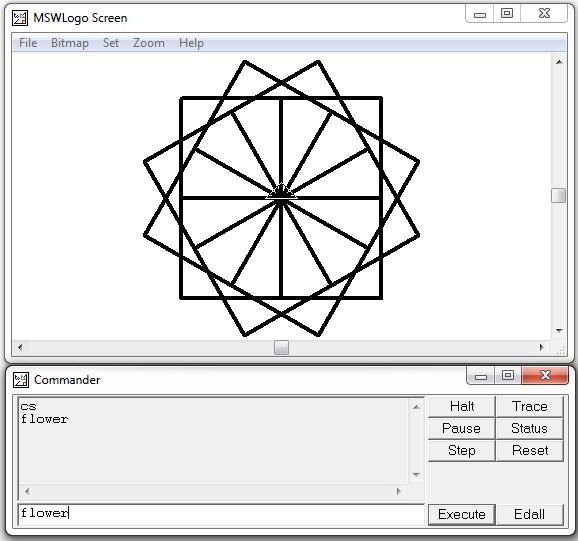
Write a Logo one liner using 15 or fewer words not counting square brackets and parentheses to produce the most beautiful complex and interesting picture The one line codes work as written in MSWLogo and UCBLogo

MSW LOGO COMMANDS Loops in MSW Logo Repeat Command is used to repeat a set of commands the specified number of times Repeat inside Repeat Command One Repeat command can be used inside another repeat command Some examples are given below Operators and Operator Commands Operator Commands Link for Extra Practice

Rt right lt left cs clearscreen Either version of these commands can be used Except the cs command each of these commands must be followed by one value called as its argument The arguments for fd and bk are units those
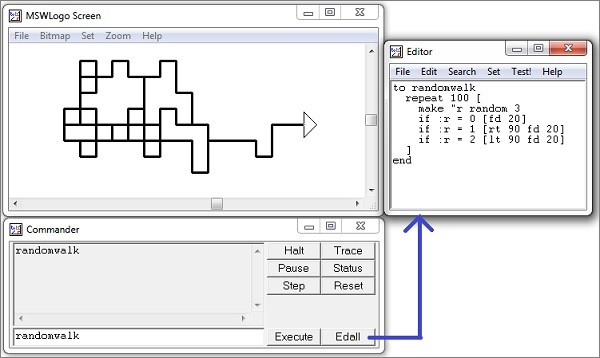
To get started with MSW Logo you just need to know a few commands Forward Number refers to line length can be abbreviated to FD Back Number refers to line length can be abbreviated to BK Right Number always refers to measure of angle can be abbreviated to RT
Logo 4 A Commander window as shown in the following screenshot We will write commands in the command line i e the text box at the bottom of the Commander Window To execute or run these commands press Enter or click the Execute Button We can also write and run more than one command online at a time 1 4K views 3 years ago In this video we will be learning about msw logo basic commands with examples and i will be teaching how to download and install the software download link
The commander window can be used to open the editor In the editor you can programme the turtle to execute all the steps of the shape or design To open the editor type the following command edit For example if you want to programme all the steps for a square in the editor type edit square in the command window