Ms Project Custom Fields Examples Ms Project 35 Membuat Custom Fields Dengan Memasukkan Formula Dan Microsoft Project Custom Fields With Graphical Indicators YouTube Translating Microsoft Project Custom Fields To Primavera P6 MS Project Custom Field SYNCHRO Forum SYNCHRO Construction Solution Manage And Display Custom Fields In The Project List Enterprise Add on Web From the Type drop down select the type of custom field you want to create Text Flag etc From the Field options select Task or Resource All of the examples in this document pertain to Task custom fields From the Field list
Web Jul 31 2021 nbsp 0183 32 In the earlier post we went through the basics of custom fields in MS Project 2019 and understood the followings Viewing Custom Fields Types of Custom Fields Formula Dialog Box Elements of Formula Dialog Box Practical Examples In this post I ll outline some functions of MS Project 2019 under the General category Web Custom fields allow you to have extra control of your project more In this Microsoft Project tutorial Richard Walters teaches you how to create and insert Custom Fields using
Manage And Display Custom Fields In The Project List Enterprise Add on Import Custom Fields From MS Project Support Center Using Microsoft Project Custom Fields Import Custom Fields From MS Project Support Center Ms Project Report Templates Microsoft Project Tutorial Creating Custom Field Calculations And MS Project Outline Project 2013 Custom Fields YouTube How To Create Custom Fields And Use Functions In Microsoft Project
Ms Project Custom Fields Examples
 Ms Project Custom Fields Examples
https://i.ytimg.com/vi/5lQ1lLYnupk/maxresdefault.jpg
Web The examples in this guide will help you get started with creating custom fields in Microsoft Project Download the Complete Guide or simply view the formulas below If you have any suggestions for other useful fields that the MPUG community would benefit from please email them to customization mpug
Pre-crafted templates use a time-saving option for producing a varied range of files and files. These pre-designed formats and layouts can be used for various personal and professional tasks, including resumes, invites, flyers, newsletters, reports, discussions, and more, improving the content creation process.
Ms Project Custom Fields Examples

MS Project Custom Fields Creating Drop Down Lists Microsoft Office
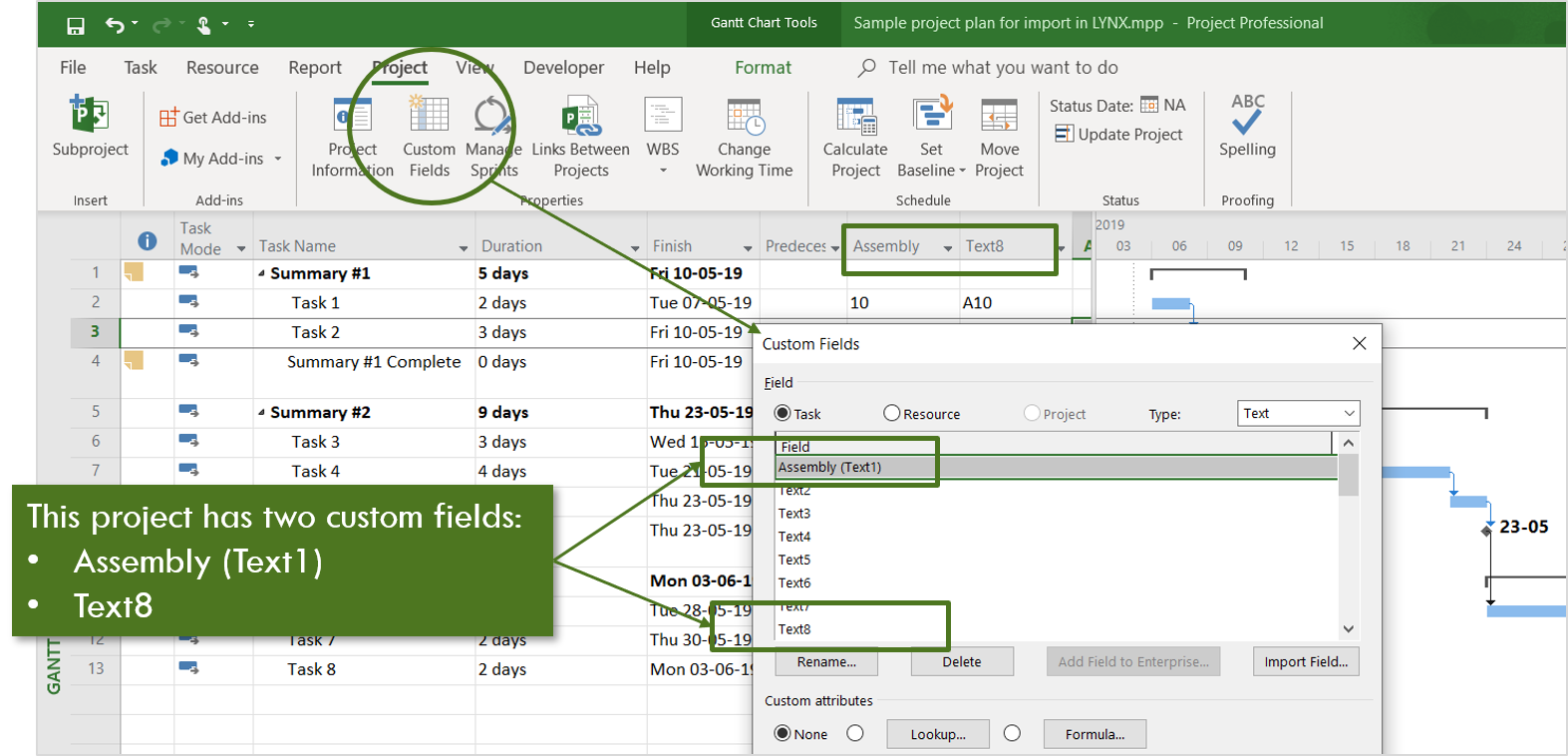
Import Custom Fields From MS Project Support Center
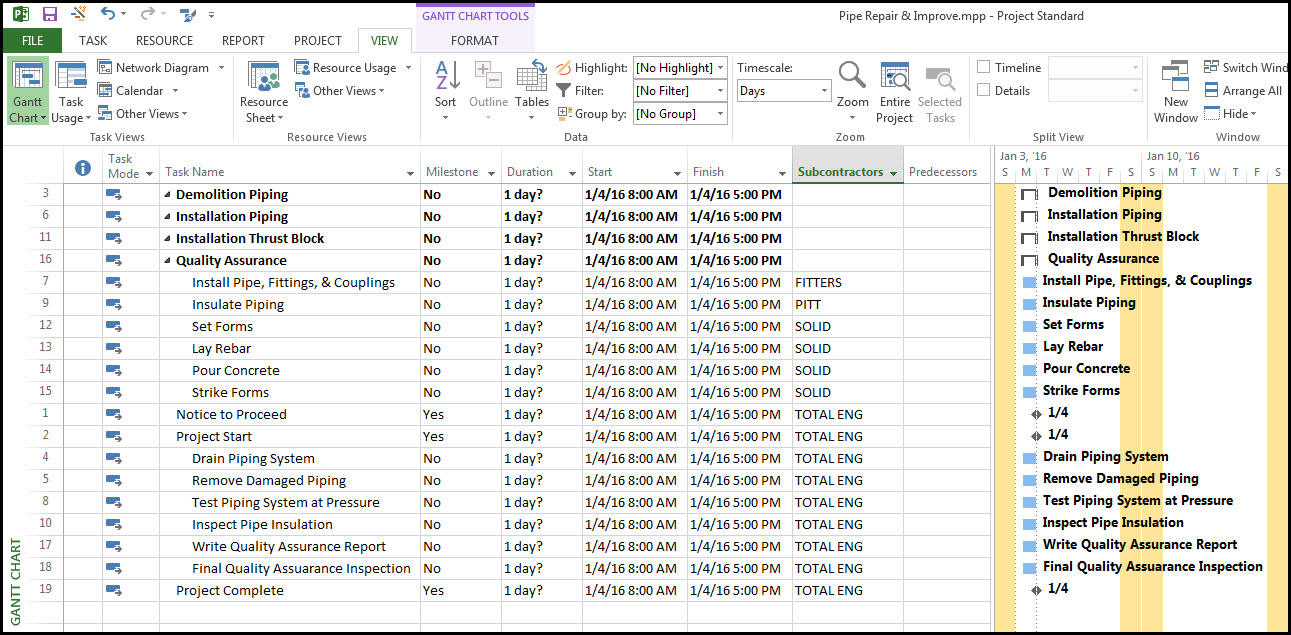
Using Microsoft Project Custom Fields
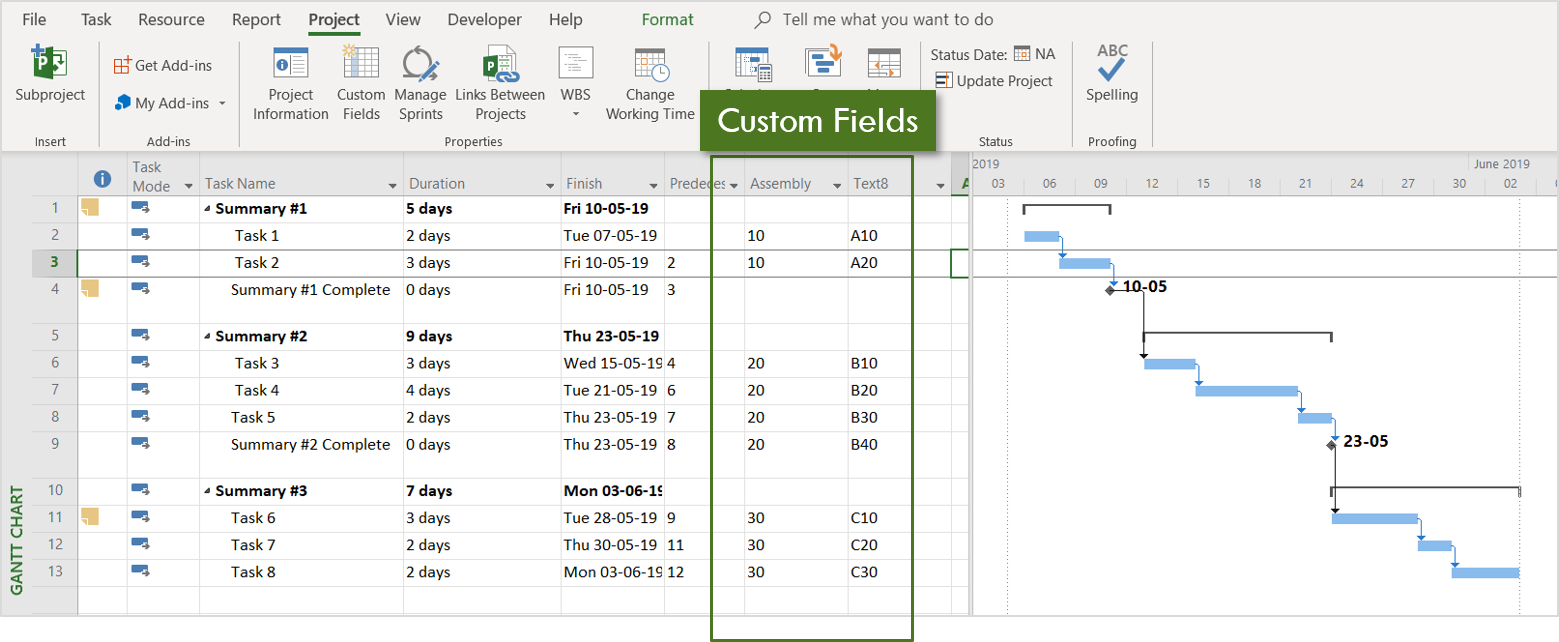
Import Custom Fields From MS Project Support Center

Microsoft Project Tutorial Creating Custom Field Calculations And

MS Project Outline

Web In Project for the web you can filter on any field by keyword including custom fields Project desktop provides several custom fields that you can define to meet your organization s needs You can customize a field and then insert it into your project

Web Nov 25 2015 nbsp 0183 32 This article discusses the basics of custom fields in Microsoft Project and describes how to create and apply text values to your Microsoft Project schedule tasks to support the production of schedule reports We have in Figure1 our demonstration project

Web Nov 7 2020 nbsp 0183 32 For a management practitioner the most used functions will be under General Date and Microsoft Project 2019 specific functions Practical Examples Let s take a few examples to understand the usage of

Web Sep 29 2017 nbsp 0183 32 Microsoft Project Tutorial Creating Custom Field Calculations and Using Custom Fields Example 3 YouTube NILC Training 1 52K subscribers Subscribed 45 7 4K views 6 years ago

Web Sep 23 2020 nbsp 0183 32 You can now personalize your tasks with custom fields in Project for the web Select the New field button under the Add column menu to get started Create up to ten new fields to help you keep track of important information specific to your projects and workflows Choose from four types Track important deadlines with Date fields
Web SAMPLE 6 Mastering Custom Field Formulas If you open the dialog box while Project s focus is set to a custom field in a task or resource table that is while a cell in a custom field s column is selected then the dialog box is opened for that custom field otherwise it is opened for Text1 Web Project Online Desktop Client Project Professional 2021 More The following fields represent all the custom fields available in the desktop version of Microsoft Project For more information click a field name Cost1 10 fields Date1 10 fields Duration1 10 fields Enterprise Cost1 10 fields Enterprise Date1 30 fields
Web Dec 8 2023 nbsp 0183 32 1 Choose ToolsOCustomizeOFields Project displays the Customize Fields dialog box shown previously in Figure 23 1 2 Select either Task or Resource and then open the Type list box and choose the type of field that you want to customize For this example I ll choose Task and Cost because I want to compare task cost values