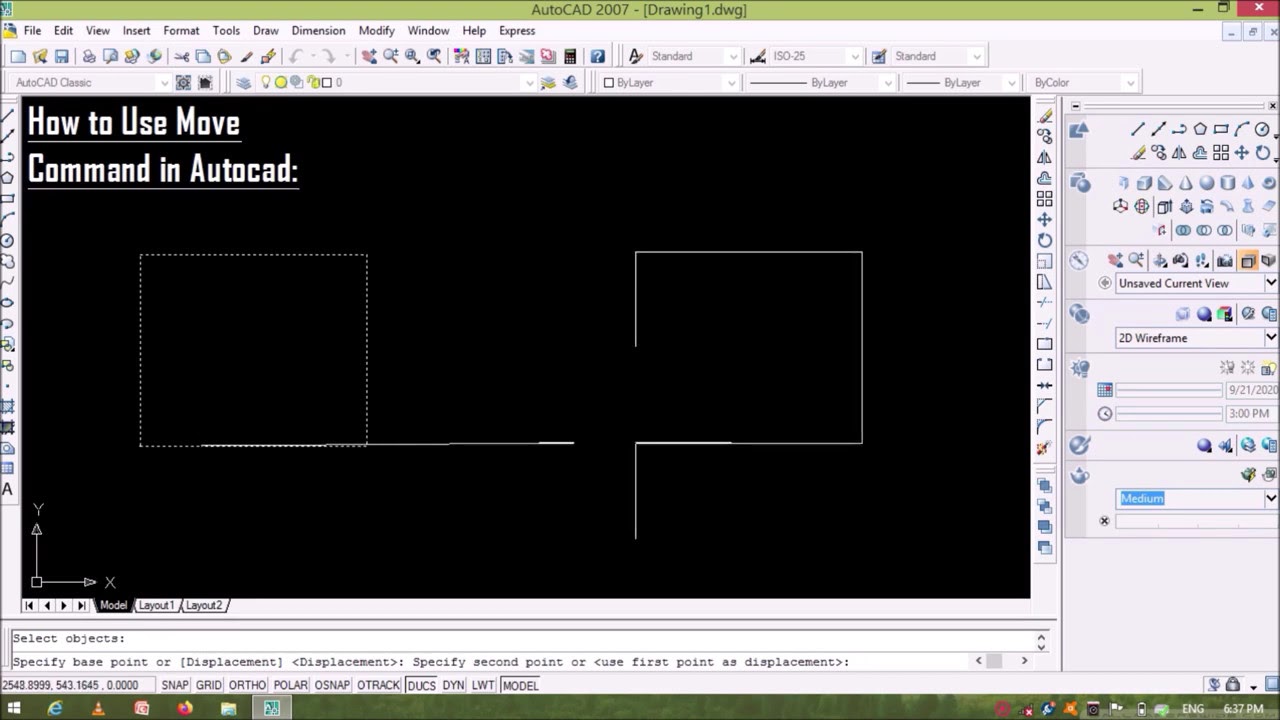
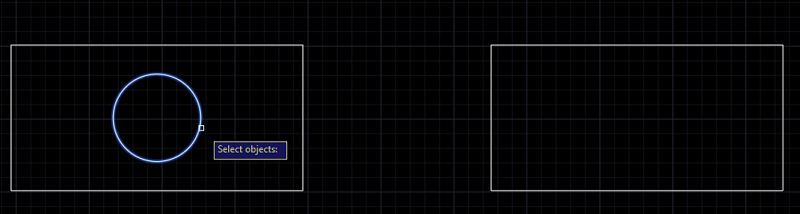
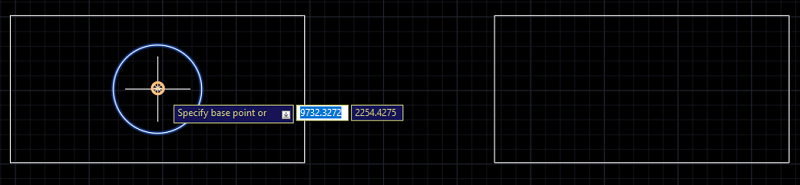
Move Command In Autocad Definition How To Use Move Command In Auto Cad L Auto Cad Basic L Created By How To Use Move Command In AutoCAD 2023 Objects Show A Trail Or Shadow After Using The MOVE Command In AutoCAD How To Use Move Command In AutoCAD Move Command In Autocad Move Command Tutorial Web Share MOVE Command Move objects by specifying two points a base point and a second point in the drawing area To move objects Click MOVE Select the objects to move Press Enter Specify a base point for the move Specify a second point
Web MOVE The MOVE command moves objects a specified distance in a specified direction In AutoCAD MEP 2022 toolset when you use MOVE to move a selection set of parts fittings and segments for example a complete duct branch the software moves the objects and if possible connects a suitable object in the selection set such as a tee or Web Module 20 Moving and Copying Describe how to move and copy objects in the current drawing and from one drawing to another Apply the MOVE COPY COPYCLIP PASTECLIP and COPYBASE commands to move and copy objects in the current drawing plus copy objects from one drawing to another Apply the FILETAB and FILETABCLOSE
Move Command In Autocad Move Command Tutorial How To Use Move Command In AutoCAD YouTube Cad Dynamic Input In AutoCAD Gives Unexpected Result When Moving AutoCAD 2022 Move Command Move Command In AutoCAD AutoCAD Tips AutoCAD 2022 Move Command Move Command In AutoCAD Bangla 2B Skilled Move Command In AutoCAD AutoCAD Tips Factory Design Utilities AutoCAD MOVE ROTATE
Move Command In Autocad Definition
 Move Command In Autocad Definition
https://i.ytimg.com/vi/XR3tHAlo2Bs/maxresdefault.jpg
Web Sep 11 2023 nbsp 0183 32 Whether you are a beginner or an advanced user of AutoCAD this step by step demonstration will help you master the Move Command and enhance your design workflow We will start with a brief
Templates are pre-designed files or files that can be utilized for numerous functions. They can conserve time and effort by supplying a ready-made format and layout for producing various type of content. Templates can be utilized for individual or expert projects, such as resumes, invitations, leaflets, newsletters, reports, presentations, and more.
Move Command In Autocad Definition
AutoCAD 2022 Move Command
How To Use Move Command In AutoCAD YouTube

Cad Dynamic Input In AutoCAD Gives Unexpected Result When Moving
AutoCAD 2022 Move Command

AutoCAD 2022 Move Command

Move Command In AutoCAD Bangla 2B Skilled

Web In combination with the first point specifies a vector that indicates how far and in what direction the selected objects are moved If you press Enter to accept the Use first point as displacement value the first point is interpreted as a relative X Y Z displacement
Web The move command in autocad is used to convert a drawing object or group of objects from their original location to an alternate location or orientation This tutorial will show you various ways to use the Move command in AutoCAD
Web Commands for Moving and Rotating Objects Commands ALIGN Command MOVE Command ROTATE Command STRETCH Command System Variables COPYMODE System Variable
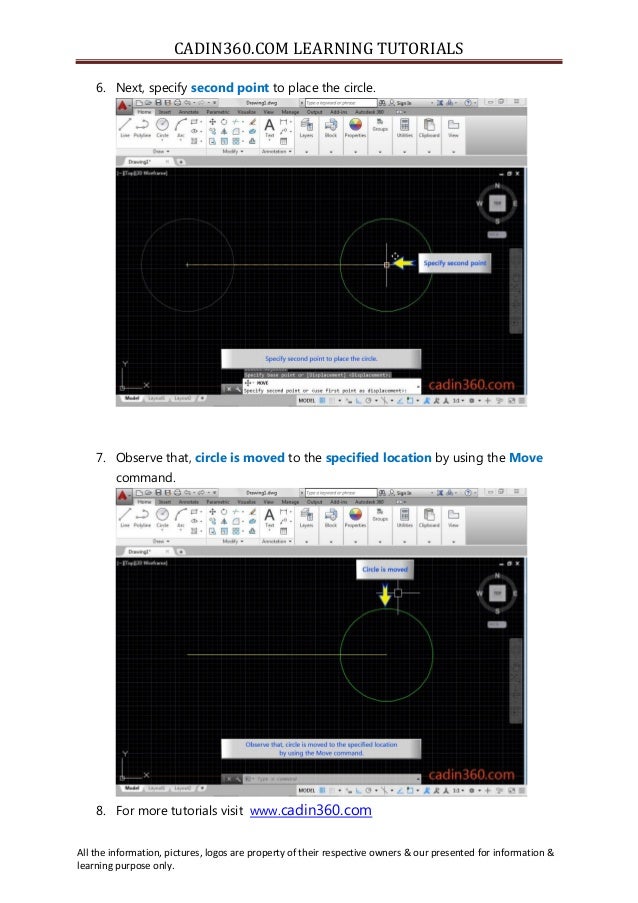
Web Jul 7 2010 nbsp 0183 32 CAD in black Learn to move objects in AutoCAD using the MOVE command combined with Object Snaps Coordinate Entry or Object Snap Tracking Quickly move objects using Grips

Web About Editing with Grips Related Tasks To Move an Object Using Two Points To Move an Object Using a Displacement To Move Objects With the Stretch Command Moves objects a specified distance in a specified direction
Web This AutoCAD tutorial is show you how to use move command check it out More Video TutorialAutoCAD Basic Hatch Pattern https www youtube watch v JSXPC Web Jan 24 2018 nbsp 0183 32 How to works with Move and Copy commands in AutoCAD Step 1 I am going to show you Move first the commands are pretty easy so even if you are beginner you should easily understand
Web Autodesk AutoCAD AutoCAD keyboard shortcuts Try AutoCAD AutoCAD shortcuts amp hotkey guide Work faster and more efficiently by using the AutoCAD shortcuts below You can find a downloadable list of shortcuts and commands in the AutoCAD Keyboard Shortcuts PDF Jump to a section One Key Shortcuts Toggles and Screen Management