Months In Excel Between Two Dates Calculate Difference Between Two Dates In Excel Excel R s rit Geografie Filtru Excel Calculate Time Between Two Dates Excel Formula Get Months Between Dates Exceljet How To Calculate Years And Months Between Two Dates In Excel Calculate Total Weeks Between Two Dates Excel 2013 YouTube Get the Excel File Related Formulas In Excel to get the count of months between two dates the best way is to use the DATEDIF function In this function you need to specify the start date and the end date After that you also need to specify the unit in which you want to get the result
The easiest way to do this is to divide the total number of days by 30 However since not all months have the same number of days this method may not give you an exact result A more accurate way to calculate the number of months between two dates is to use the YEARFRAC function in Excel Using the YEARFRAC Function There are 4 full months between 1 7 2022 and 5 29 2022 There are 0 full months between 1 20 2022 and 2 5 2022 And so on Example 2 Calculate Fractional Months Between Two Dates The following screenshot shows how to calculate the number of fractional months between a list of start and end dates in Excel Here s how to interpret the output
Calculate Total Weeks Between Two Dates Excel 2013 YouTube How To Count Months Between Two Dates With The DATEDIF How To Count Calculate Weeks Months Years Between Two Dates In Excel How To Calculate Difference Between Two Dates In Excel The Learning Zone Moment In General Vorbind Fiabilitate How To Calculate Days Between En Quelque Sorte Innocent Plat Calculate Duration Between Two Dates Pivot Frustration Marque Mule Agit Placard Calculate Duration Between Calculate Number Of Days weeks months years Between Two Dates In Excel Count Months Between Two Dates In Excel Two Formula Examples YouTube
Months In Excel Between Two Dates
 Months In Excel Between Two Dates
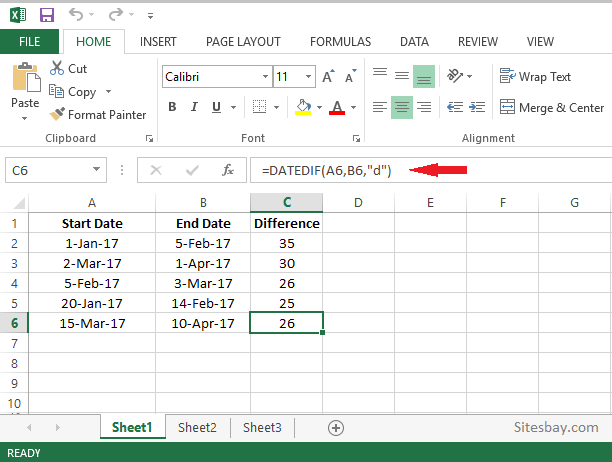
https://www.sitesbay.com/excel/images/calculate-difference-between-two-dates.png
We can calculate months between two dates in Excel using the YEAR and MONTH functions in a formula as per the following syntax YEAR end date YEAR start date 12 MONTH end date MONTH start date This formula compares two given dates and calculates months between two dates either as a positive or negative number
Pre-crafted templates use a time-saving service for developing a varied range of documents and files. These pre-designed formats and layouts can be utilized for various individual and expert tasks, consisting of resumes, invites, flyers, newsletters, reports, presentations, and more, improving the content development process.
Months In Excel Between Two Dates
Difference Between Two Dates In Months In Excel 4 Suitable Examples
How To Count Months Between Two Dates With The DATEDIF

How To Count Calculate Weeks Months Years Between Two Dates In Excel
How To Calculate Difference Between Two Dates In Excel The Learning Zone
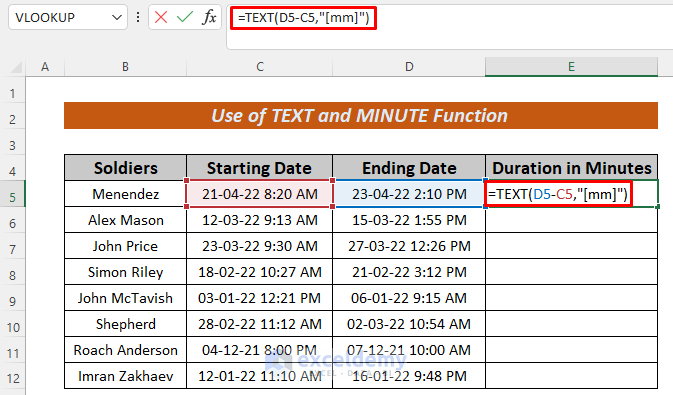
En Quelque Sorte Innocent Plat Calculate Duration Between Two Dates
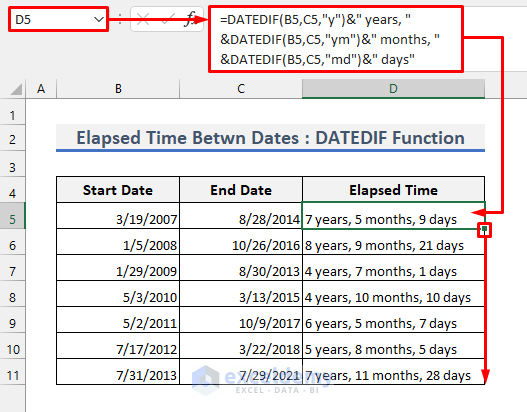
Pivot Frustration Marque Mule Agit Placard Calculate Duration Between
In case you want to get the total number of months as well as days between two dates you can use the below formula DATEDIF A2 B2 M M DATEDIF A2 B2 MD D Note DATEDIF function will exclude the start date when counting the month numbers

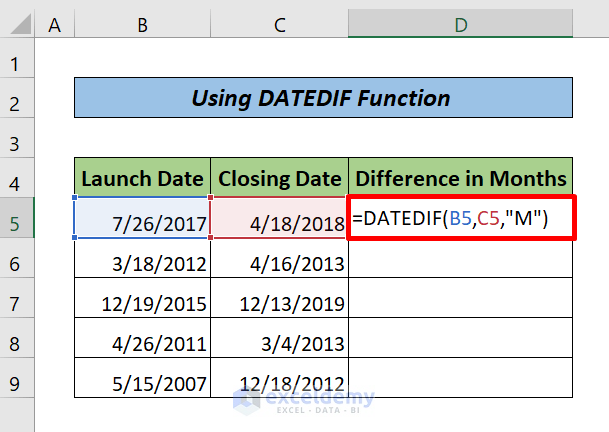
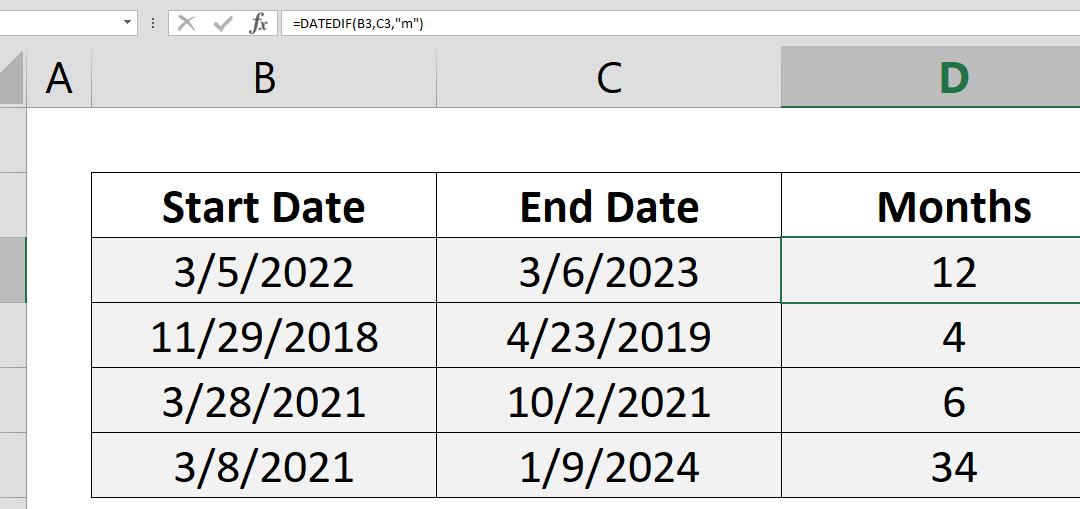
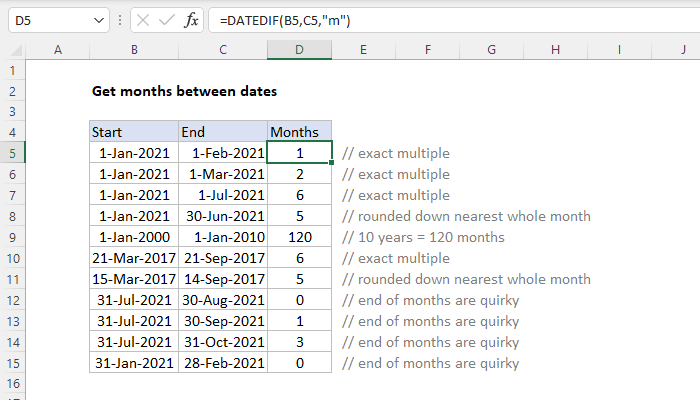
To calculate the number of months between two dates as a whole number you can use the DATEDIF function In the example shown the formula in D5 copied down is DATEDIF B5 C5 m Note DATEDIF automatically rounds down to the nearest whole month To round up to the nearest month see below Generic formula
The easiest way to calculate the total number of months between two dates is by using the DATEDIF function called DATEDIF as it calculated the date difference Below I have a data set where I have the start date in column B and the end date in column C and I want to calculate the number of months between these two dates in column D

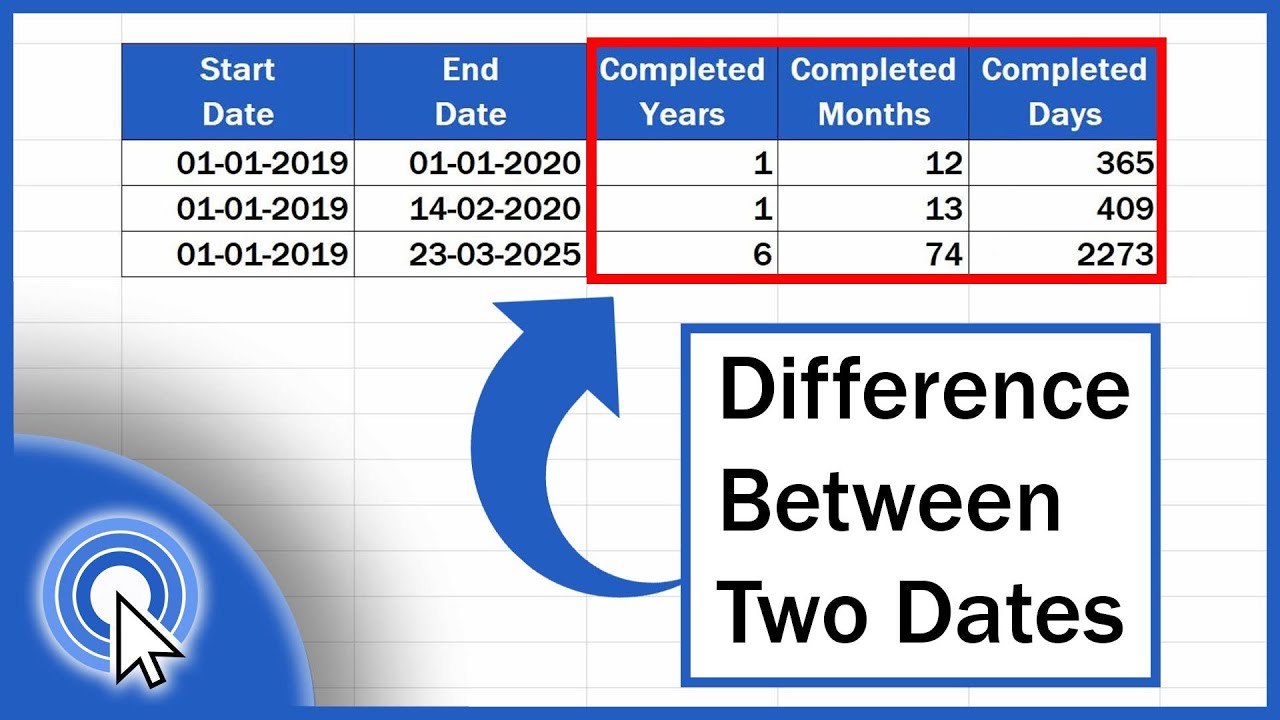
To calculate and display the time between two dates in days months and years you can use the a formula based on the DATEDIF function In the example shown the formula in E5 is DATEDIF B5 C5 y years DATEDIF B5 C5 ym months DATEDIF B5 C5 md days
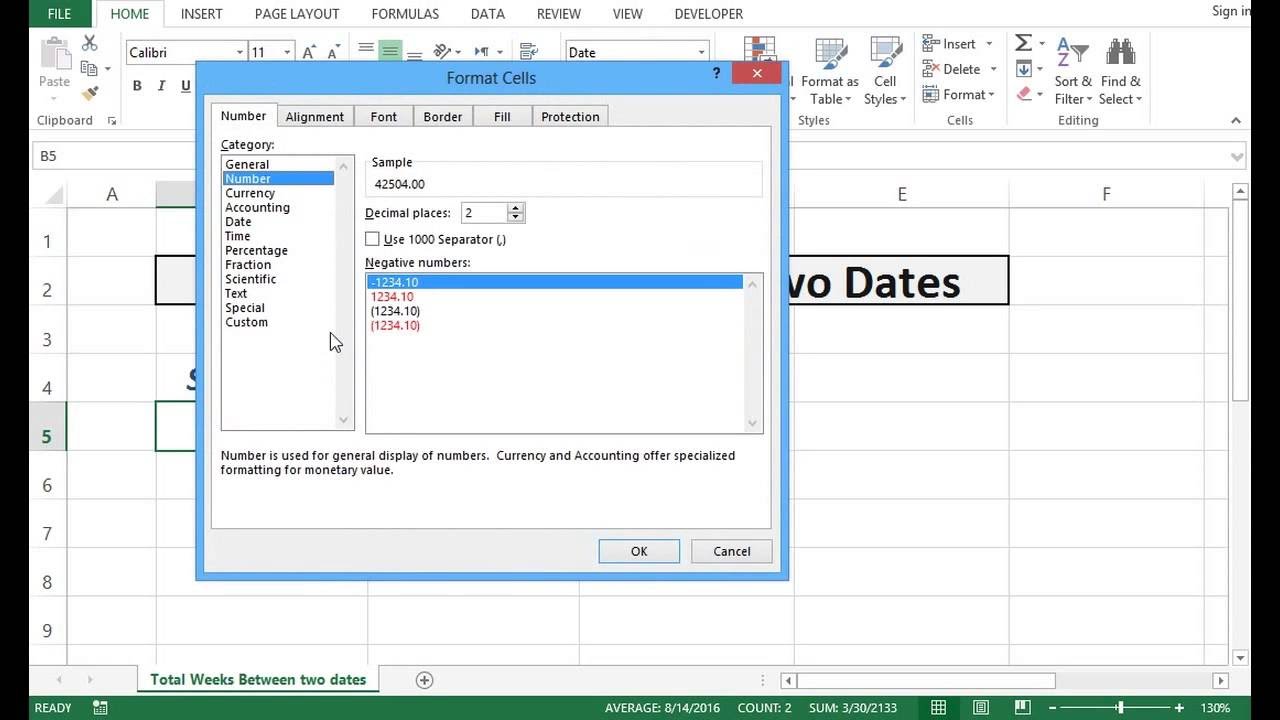
How to Calculate Months Between Two Dates in Excel Last Updated on November 13 2023 by Mehwish Javaid This tutorial will help you learn how to calculate the number of months between two dates in Excel Our helpers will be the DATEDIF function the YEARFRAC and INT functions and the YEAR and MONTH functions Find out how to
To calculate the number of months between two dates in Excel using the DATEDIF function follow these steps Select a cell where you want the result to appear Enter the formula Use the formula DATEDIF start date end date m to calculate the number of months between the specified dates Calculating months between two dates in Excel can be extremely useful for various purposes Whether you need to reconcile payments track inventory or analyze customer behavior understanding how to calculate the months between two dates can provide you with essential information
Let s see how we can use the function to calculate the number of whole months between two dates Step 1 Load Your Dataset The dataset we re using to calculate number of months between two dates In this example we re using the same values as we did in our previous example We have a column containing start dates and end dates We want