Microsoft Word Remove Double Line Spacing Add Or Remove Double Spacing In Word DigiRuns What Is Double Line Spacing In Ms Word Design Talk How To Remove Double Line Spacing In Outlook How To Turn Off Double Spacing In Word 2013 Solveyourtech How To Remove Double Line Spacing In Outlook Tip Use the keyboard shortcuts Ctrl 1 to single space Ctrl 2 to double space or Ctrl 5 to set the spacing to 1 5 line spacing on any line paragraph or all highlighted text Note When pressing Enter it starts a new paragraph with extra space between the two paragraphs To go to the next line without starting a new paragraph press
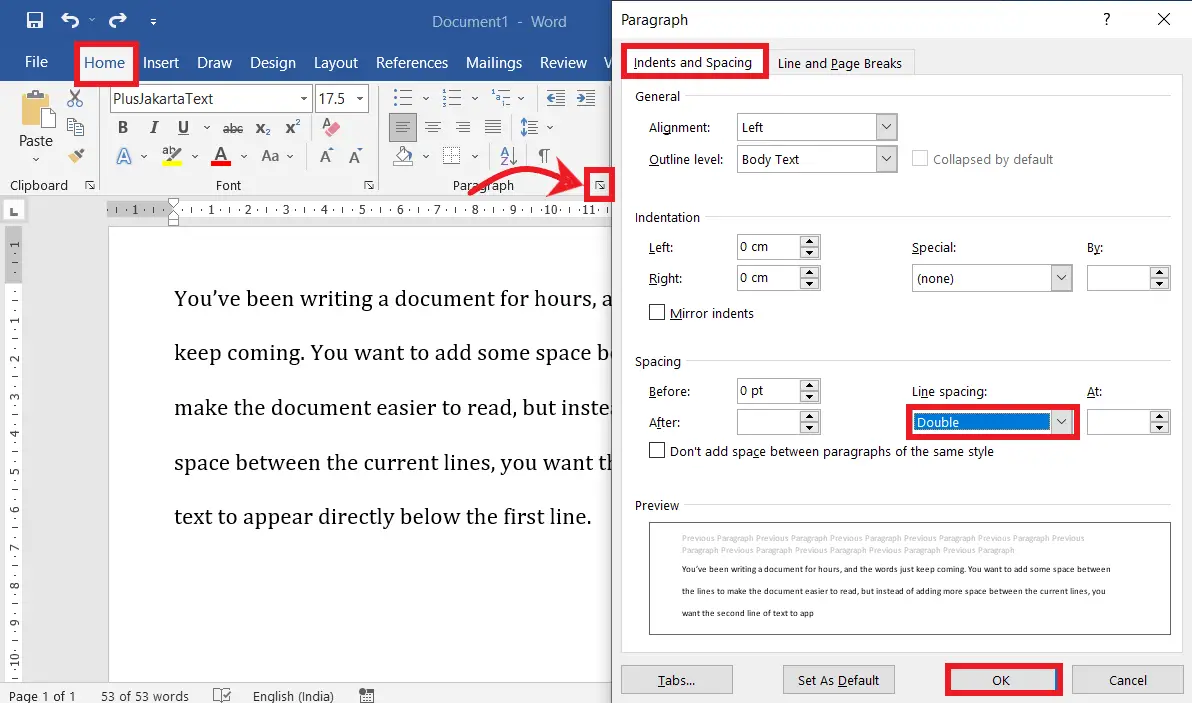
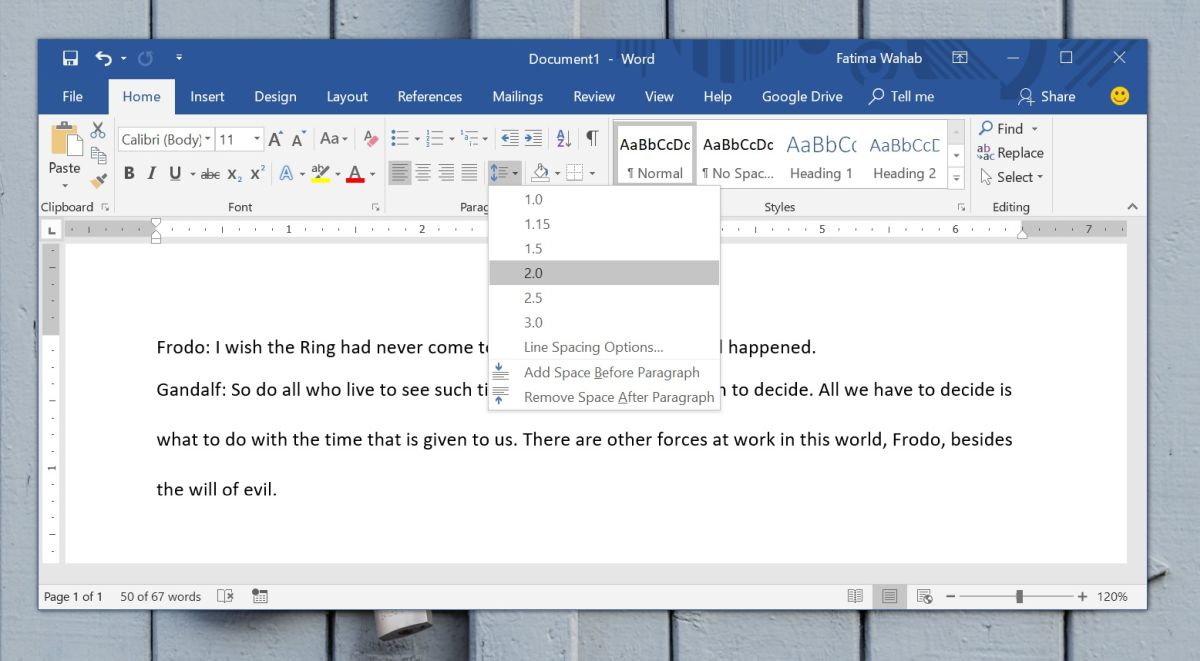
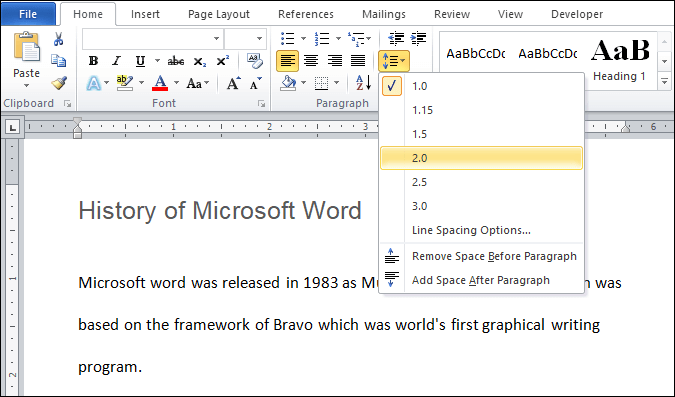
To double space the whole document go to Design Paragraph Spacing and choose Double Tip To double space only part of the document select the paragraphs you want to change go to Home Line and Paragraph Spacing and choose 2 0 See also Single space the lines in a document Need more help Want more options Discover Community The default line spacing in Word is 1 15 By default paragraphs are followed by a blank line and headings have a space above them Go to Home Line and Paragraph Spacing and then choose Line Spacing Options Under Spacing choose an option in the Line spacing box
How To Remove Double Line Spacing In Outlook How To Remove Double Line Spacing In Outlook Microsoft Word Double Space How To Set Double Line Spacing In How To Remove Double Line Spacing From Your Microsoft Outlook Email How To Remove Double Line Spacing From Your Microsoft Outlook Email Double Spacing Between Words In Word 2013 Brainluli How To Double Space Lines In Microsoft Word EASY Tutorial YouTube Fix Spacing In A Modified Justify Format Paragraph In Word Remove The How To Remove Double Line Spacing In Outlook
Microsoft Word Remove Double Line Spacing
 Microsoft Word Remove Double Line Spacing
https://www.digiruns.com/wp-content/uploads/2021/12/How-to-double-space-in-Microsoft-Word.png
1 In Word open the Design tab and click Paragraph Spacing 2 To quickly change the line spacing for the entire document simply click one of the six Built In spacing options
Templates are pre-designed files or files that can be utilized for numerous functions. They can save effort and time by offering a ready-made format and layout for creating different type of material. Templates can be used for personal or expert jobs, such as resumes, invitations, flyers, newsletters, reports, presentations, and more.
Microsoft Word Remove Double Line Spacing
How To Set Double Line Spacing In Microsoft Word For Academic Work

How To Remove Double Line Spacing In Outlook
Microsoft Word Double Space How To Set Double Line Spacing In

How To Remove Double Line Spacing From Your Microsoft Outlook Email
Double Spacing Between Words In Word 2013 Brainluli
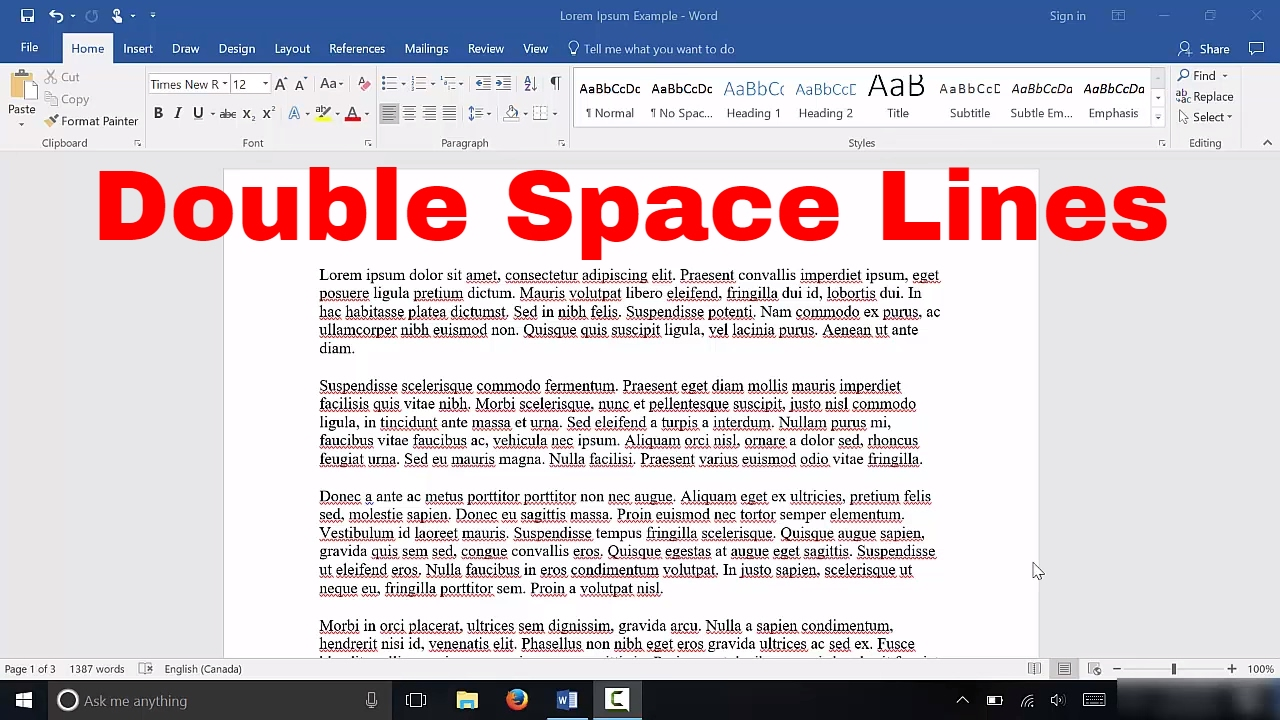
How To Double Space Lines In Microsoft Word EASY Tutorial YouTube

Select the paragraph you want to change or press Ctrl A to select all text Go to Home Line and Paragraph Spacing Select the line spacing you want The default spacing is 1 15 lines which gives you a bit more room between lines and 10 points of spacing after each paragraph for better readability
If these A B C have been added automatically click on View Check the Ruler box Then go back to your text and click on the investment or Divestment and set the curser before the investment Change the arrow from the ruler above and remove the space Please let me know if you need further assistance and keep me updated Sincerely

Press Ctrl A to select all Go to Home Line and Paragraph Spacing Select Line Spacing Options and choose an option in the Line spacing box Adjust the Before and After settings to change spacing between paragraphs Select OK For more info see Adjust indents and spacing Need more help Want more options Discover Community

Near the center of the dialog box you ll find the line spacing buttons that let you select single 1 5x or double spaced Choose the spacing you want to apply and click OK If you d like to apply more specific line spacing to the style clickthe Format button at the bottom left corner of the Modify Style dialog box and select Paragraph

If you choose double spacing that space between lines will be 24 points However if you want to fine tune things you can also specify an exact point size to use Paragraphs work a bit differently
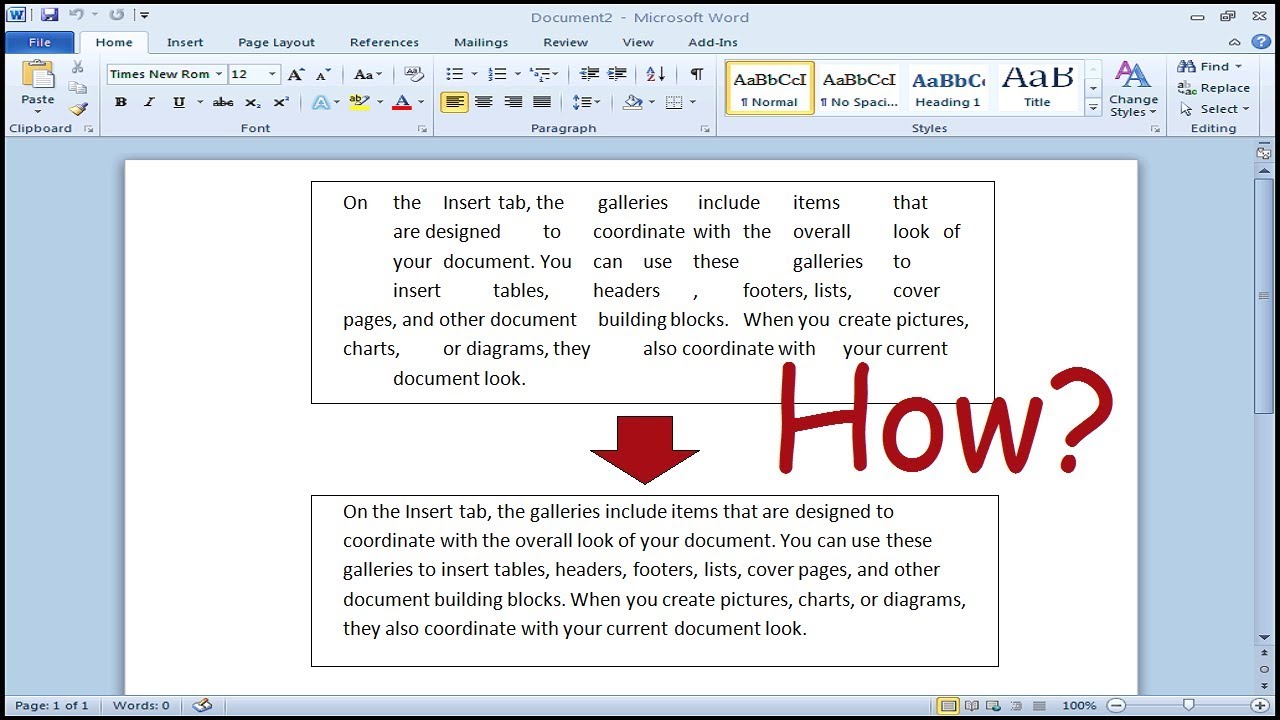
The modify style screen displays Select the font and the font size you usually use for Microsoft Word Click Format and choose paragraph In the spacing section change the after value to be 0 and set the line to be Single and click OK Select New documents based on this template and click OK The spacing goes back to normal 1 Open the Word Documentwith double spacing between paragraphs 2 Click on Design Paragraph Spacing 3 In the drop down menu that appears click on No Paragraph Spaceoption Clicking on No Paragraph spaceoption will override the current double
There are a few methods for either undoing or removing the horizontal line or preventing Word from automatically creating it The first method is to press Ctrl Z right after typing the characters and pressing Enter to undo the automatic creation of the horizontal line The line is removed and your characters remain