Microsoft Word Multilevel List Tutorial Microsoft Word Multilevel List Tutorial Printable Templates How To Create A Multilevel List In Ms Word Printable Templates How To Use Multilevel List In Word 2019 YouTube Multilevel Lists In Word What Are They What Are They For And How To Customize Multi Level List In Word 2010 To apply a multilevel list in Word type the first item within the list Then press the Enter key on your keyboard when finished to move to the next item If the next item is a sub point of the first item press the Tab key on your keyboard to demote it Then type the content of the line When creating the outlined list each Tab
How to use multi level lists in Microsoft Word Multi level lists The tutor explains how to add a numbered list to your document and how to add a multi leve To create a multilevel list follow these steps 1 Type your list and then select it 2 Do one of the following On the Home tab in the Paragraph group click the Multilevel List button You can find different styles by clicking the arrow next to Multilevel List on the Home tab in the Paragraph group
Customize Multi Level List In Word 2010 Adding Multilevel Numbers To Headings In Word Wi Fi Vitae How To Create A Multilevel List In Word With It Is Disordered Or Not How Do I Conditionally Insert A Multi level List Into A Word Document Apply A Multilevel List In Word Instructions TeachUcomp Inc Membuat Daftar Bertingkat Multilevel List Di Word How To Create Your Thesis With Word 2007 And 2010 Step 7 Heading How To Create Multilevel List Styles In Microsoft Word 2007 Microsoft How To Modify A Multilevel List In Word 2013 YouTube
Microsoft Word Multilevel List Tutorial

https://blogger.googleusercontent.com/img/a/AVvXsEg0k4FgIUL0y6nCgL1BM7Ru3UTwRxzxKga3Da1BhGelHS_FMkC_ekngTnqQqcFeyiA0F1Gt8XFZdiGzMVVx0knAepLAQkPSWUvZFi7UumpDs8cq6G7zvUQu5hmN_LV29jABj_5PFtEjEgFd1udQSndYeG0YPQZtj1_pRG4qAnrwQ4vStNicVkTIWl8Q9A=s16000
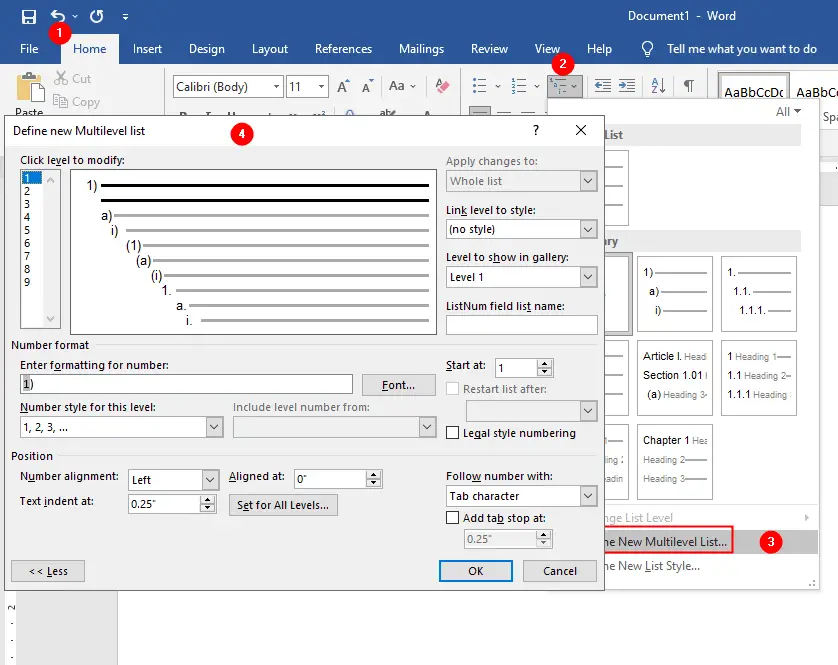
Word 365 You can customize an existing multilevel list see how to create a multilevel list or apply your specifications to the format using the Define new Multilevel list dialog box To create a custom multilevel format do the following 1 On the Home tab in the Paragraph group choose the Multilevel List button 2
Pre-crafted templates use a time-saving solution for creating a varied series of documents and files. These pre-designed formats and layouts can be used for numerous personal and expert projects, consisting of resumes, invitations, flyers, newsletters, reports, presentations, and more, improving the material production procedure.
Microsoft Word Multilevel List Tutorial
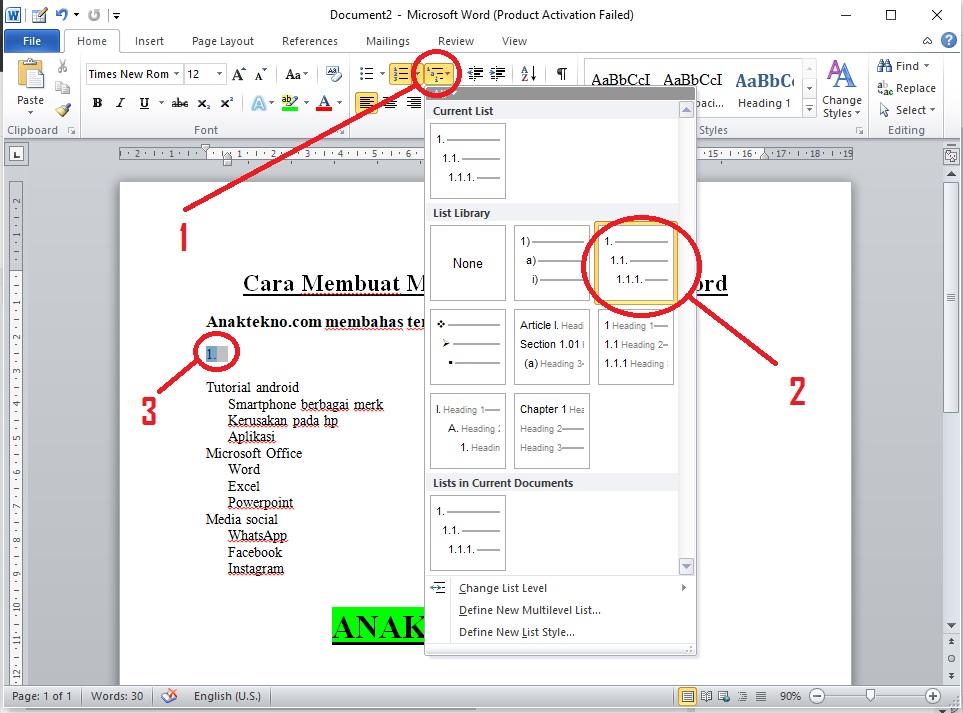
Cara Membuat Multilevel List Daftar Bertingkat Di Microsoft Word
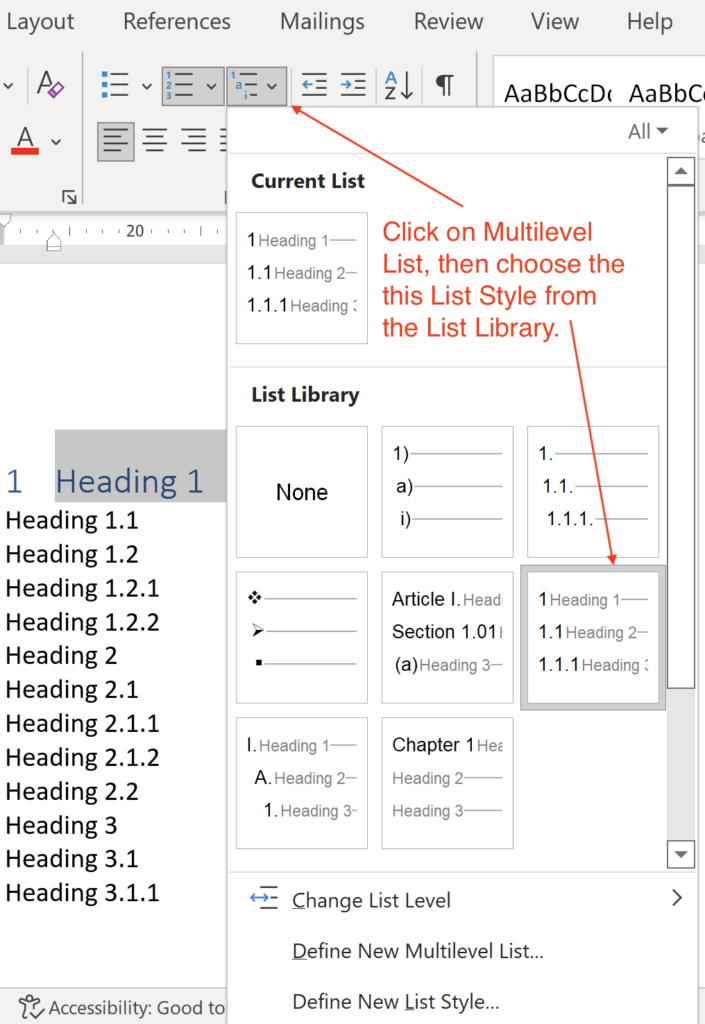
Adding Multilevel Numbers To Headings In Word Wi Fi Vitae
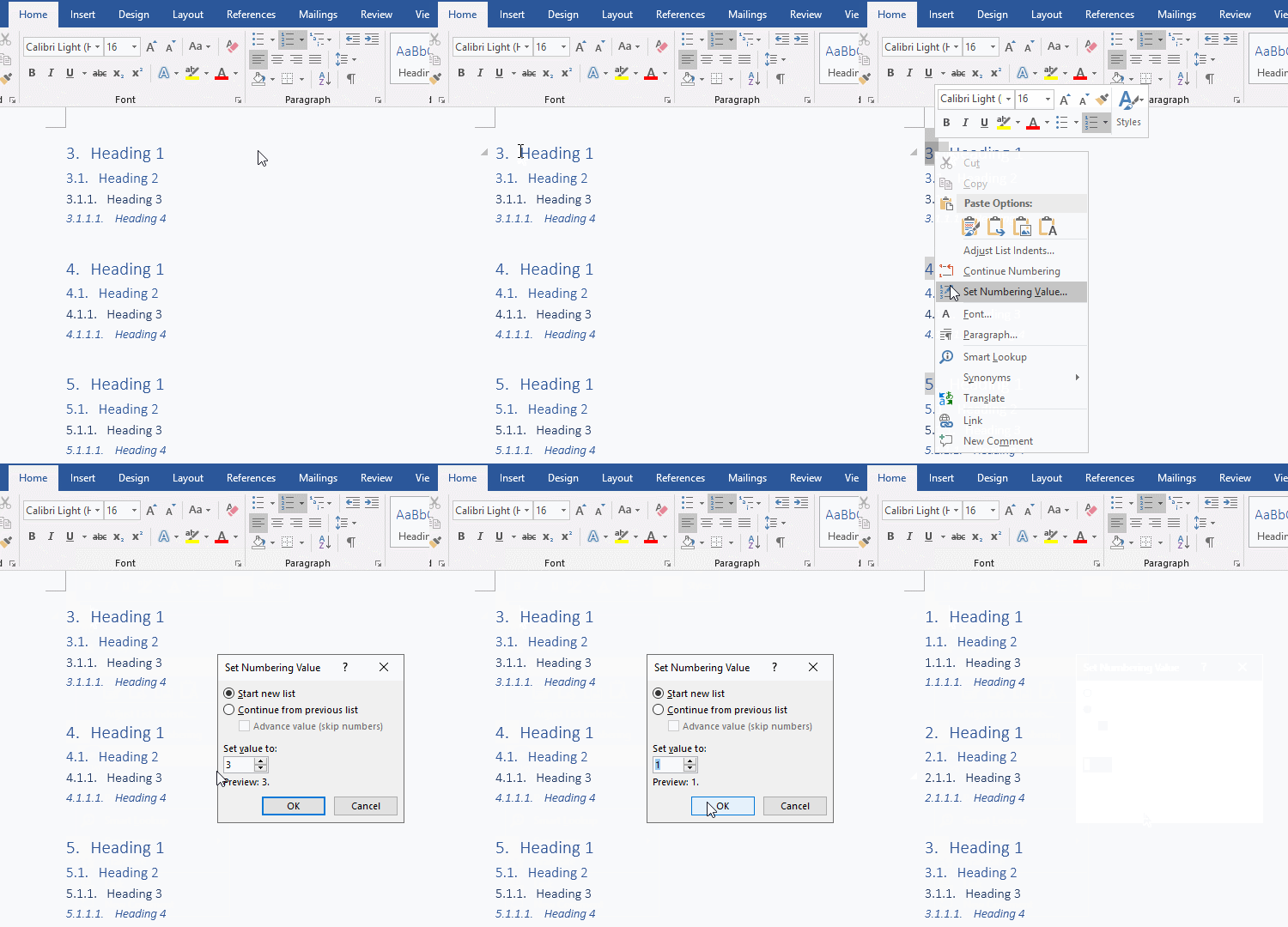
How To Create A Multilevel List In Word With It Is Disordered Or Not

How Do I Conditionally Insert A Multi level List Into A Word Document
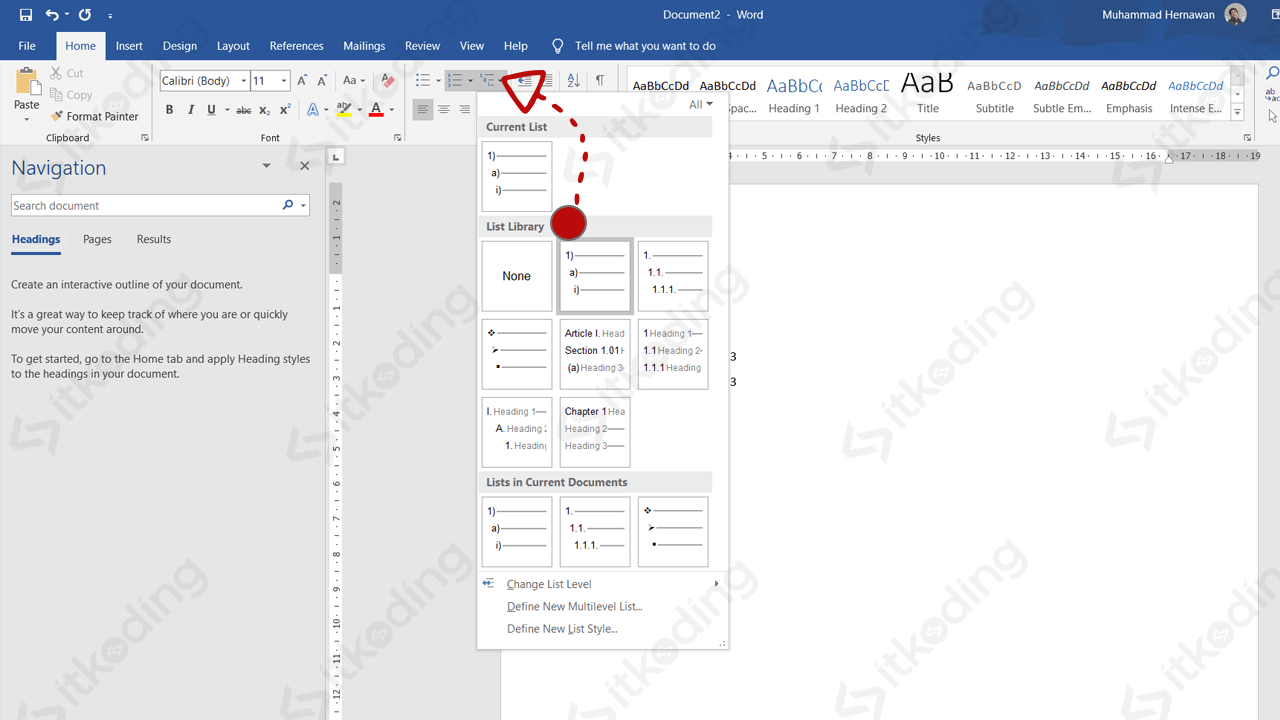
Membuat Daftar Bertingkat Multilevel List Di Word
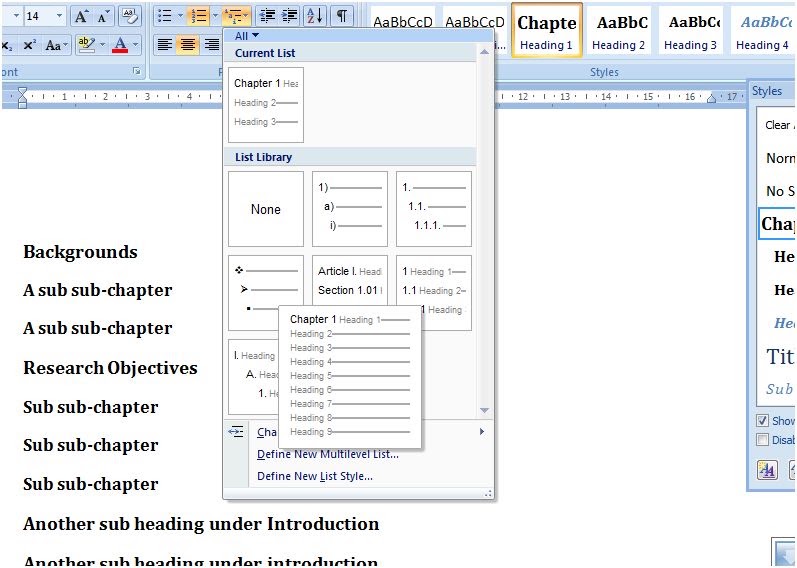
How To Create Your Thesis With Word 2007 And 2010 Step 7 Heading

Define a new multilevel list Define a new list style Turn off automatic numbering for lists Related information Define a new bullet Do any of the following Change the bullet to a symbol Select the text or bulleted list you want to change

Select a style from the List Library The List Library offers some formal and informal styles choose one of the previews to construct a multilevel list Word automatically supplies the proper numbering whenever you apply one of the built in styles Choose Change List Level from the Multilevel List menu to change list level
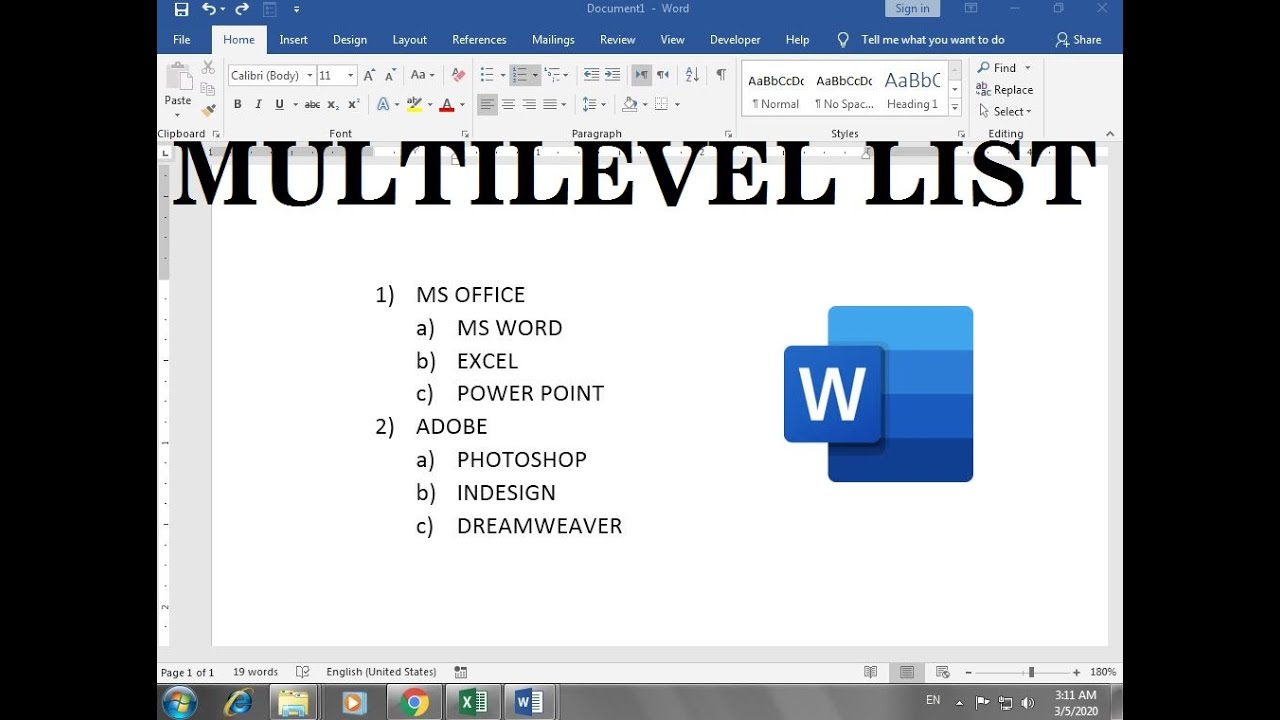
MS Word Creating and Modifying a Multilevel List A multilevel list consists of items subitems and has many levels It helps you to keep control of chapter numbers headings and subheadings A multilevel list can include bullets numbers and letters which can be mixed to create the type of list that best fits the needs of your document
In this video you ll learn how to create Multilevel List in Microsoft Word 365 Other Word Tutorials Microsoft Word Tutorials MS Word
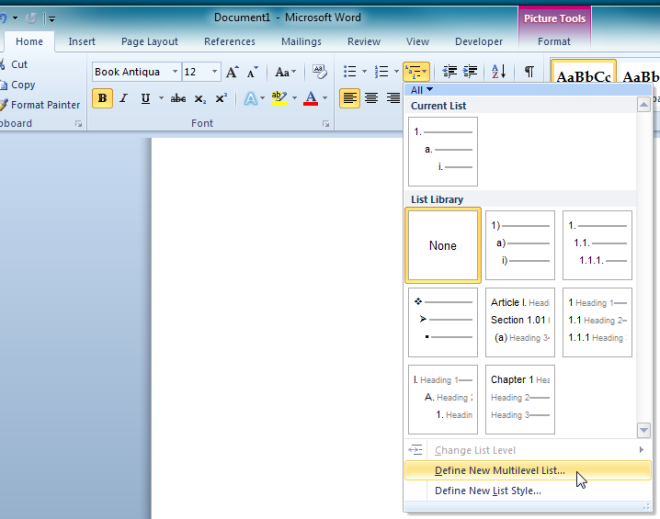
Microsoft Word lets you quickly create and format multilevel lists in your files You can choose from a range of formatting options consisting of bulleted numbered or alphabetized lists Let s take a look How to Create a Multilevel List in Microsoft Word Creating a multilevel list in Word is dead simple
Click Multilevel List in the Paragraph section of the ribbon and select Define New Multilevel List When the formatting window appears click More on the bottom left to display the full range of Microsoft Word lets you easily create and format multilevel lists in your documents You can choose from a variety of formatting options including bulleted numbered or alphabetized lists Let s take a look How to Create a Multilevel List in Microsoft Word Creating a multilevel list in Word is dead simple
A multi level list is like an indexed set of bullet points You can easily create the list using a few simple steps Covers ALL versions of Word