Microsoft Word Formatting Issues Formatting Issues In Word Windows 10 Forums Remove Microsoft Word Formatting Marks Lasopasap Zejm na Th George Hanbury Formating Styles cta Kanada V iv Vana Microsoft Word Formatting Toolbar Rufasr Microsoft Word Formatting Symbols List Copaxout Web Word document formatting is not retained when document is inserted as a file Microsoft Support When you insert one document the source document into another document the destination document that contains different formatting the source document takes on the formatting of the destination document
Web Sep 11 2023 nbsp 0183 32 Arlene Cano Matute Created on September 11 2023 Word formatting issues please help I m having formatting issues my paragraphs jump and my footnotes did not copy over when I pasted a paragraph When I paste in general the margins are off Replies 3 Suzanne S Barnhill MVP Volunteer Moderator Replied on September Web Format your Word document You can use Word on your Android tablet iPad or Windows tablet to select and format text change line and paragraph spacing change indentation and add lists You can also use the edit menu to
Microsoft Word Formatting Symbols List Copaxout Microsoft Word Formatting Tips And Tricks Format Your Documents With Style Remove Microsoft Word Formatting Marks Hostssafas Microsoft Word Test Formatting Text Test Question 5 Create Edit And Design Your Microsoft Word Document By Muazamashehzadi Fiverr Create Format And Edit Word Documents By Ashumalik587 Fiverr Understanding Microsoft Word Formatting Of Long Documents Enhance Your Word Documents Formatting Editing And Design By Zuhairali123 Fiverr Create Design Edit Word Document Thesis Letterhead By Farhan6797188 Fiverr
Microsoft Word Formatting Issues
 Microsoft Word Formatting Issues
https://www.sevenforums.com/attachments/microsoft-office/129470d1486581344t-formatting-issues-word-2011-01-05_2235.png
Web Mar 18 2014 nbsp 0183 32 Learn the Three Levels of Word Formatting The first trick to formatting a Word document successfully is learning how Word thinks about formatting We humans might think of a document
Templates are pre-designed files or files that can be used for different functions. They can save effort and time by providing a ready-made format and layout for creating different type of content. Templates can be used for personal or professional tasks, such as resumes, invitations, leaflets, newsletters, reports, discussions, and more.
Microsoft Word Formatting Issues

Office 365 For Administrators Troubleshooting Issues For Users Office 365 Microsoft 365 GFxtra

Microsoft Word Formatting Tips And Tricks Format Your Documents With Style
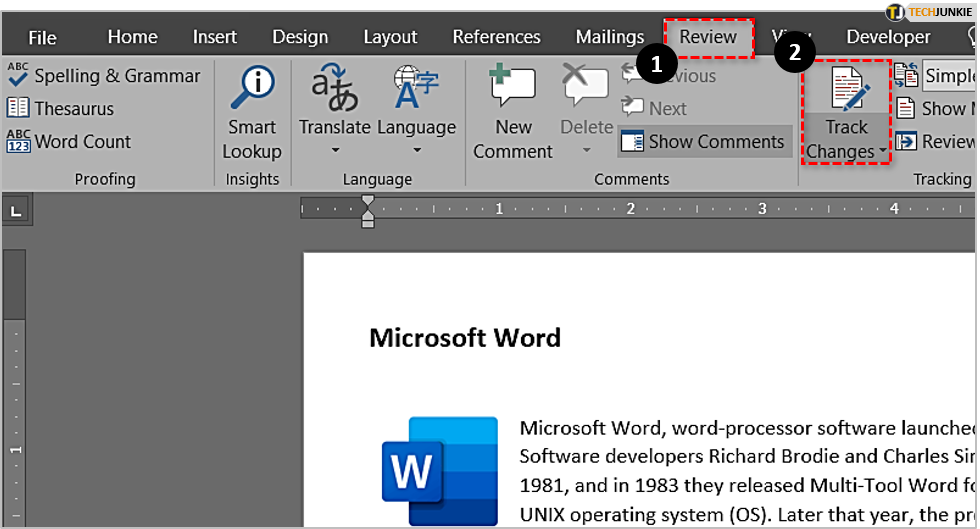
Remove Microsoft Word Formatting Marks Hostssafas
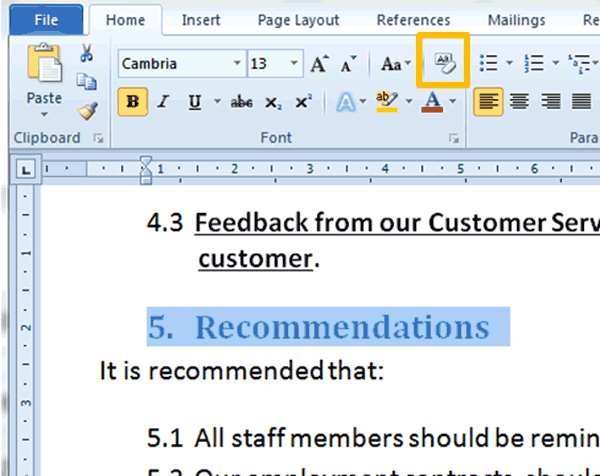
Microsoft Word Test Formatting Text Test Question 5

Create Format And Edit Word Documents By Ashumalik587 Fiverr

Understanding Microsoft Word Formatting Of Long Documents

Web Nov 28 2016 nbsp 0183 32 Whether you re sharing new documents or revamping old ones these three tools can reveal troublesome formatting problems Inconsistent formatting can flip a seemingly stable document into chaos

Web Jun 12 2022 nbsp 0183 32 Hi all Since the last couple of updates I have had formatting issues that are extremely disruptive and frustrating For the past year or so I ve been working around them hoping a solution would become apparent but it s now at a point where I really want to try to see if there is a fix

Web Mar 1 2023 nbsp 0183 32 There could be several possible causes for this issue such as corrupted files incompatible settings or display problems One thing you can try is to use the Find and Replace feature to restore the formatting of your highlighted and underlined text

Web Feb 22 2024 nbsp 0183 32 Reformatting a Document with Messed Up Styles Microsoft Word Written by Allen Wyatt last updated February 22 2024 This tip applies to Word 2007 2010 2013 2016 2019 and Word in Microsoft 365 21

Web May 9 2018 nbsp 0183 32 Fortunately for many common annoyances and user mistakes there are easy fixes Here are some easy to implement suggestions that will help you get the most out of Microsoft Word s formatting abilities while minimizing your frustration with the program
Web 2 days ago nbsp 0183 32 Download Article Learn the basics of formatting a Microsoft Word document Co authored by Megaera Lorenz PhD Last Updated May 30 2024 Fact Checked Formatting the Layout Formatting Text Adding Pictures Graphs amp Tables Using a Formatted Template Saving in Other Formats Video Q amp A Web In Word and Publisher On the Home tab in the Font group click Clear All Formatting In PowerPoint On the Home tab in the Font group click Clear All Formatting In Outlook On the Message tab in the Basic Text group click Clear All Formatting OneNote On the Home tab in the Basic Text group click Clear All Formatting See also
Web Mar 23 2022 nbsp 0183 32 Start Word by using the a switch Type Run in the Search box in Windows 10 Windows 8 1 or Windows 8 or in the Start Search box on the Start menu in earlier versions of Windows and then press Enter In the Run dialog box type winword a and then press Enter Delete the Word Data registry subkey Exit all Office programs