Microsoft Lists Tips Microsoft 10 Geriausi Patarim Ir Gudrybi Kaip Efektyviai Naudoti Microsoft 10 Geriausi Patarim Ir Gudrybi Kaip Efektyviai Naudoti Microsoft 10 Microsoft Lists Informatie Die Je Wil Volgen ESC BV Microsoft Lists Tips Tricks 1 Microsoft 365 AtWork If you re struggling to make Microsoft Lists actually useful then this is the place for you In this tutorial we take a look at using Microsoft Lists in
Lots of people use Microsoft Excel to track information and organise work but if you re a Microsoft 365 user then you might want to take a look at Microso Start a new list from scratch Microsoft Excel or use the structure of an existing list Pin lists to your Favorites section by clicking the star next to each list s icon Search existing lists by name Find all your recent lists in one place Sort and filter by recent lists or lists that you created
Microsoft Lists Tips Tricks 1 Microsoft 365 AtWork Microsoft Lists App Microsoft 365 AtWork 5 Little Known Microsoft Lists Features To Boost Efficiency Norm Young Announcing Microsoft Lists Your Smart Information Tracking App In Microsoft Lists App Optimized For IPad As Part Of Latest Update Microsoft Lists Logo Editorial Image Image Of Ecommerce 210709135 Microsoft Lists In Microsoft Teams Is Nu Algemeen Beschikbaar ALTA ICT Mlb Teams List Cheap Retailers Save 60 Jlcatj gob mx Microsoft Lists Three Tips For Creating Lists YouTube
Microsoft Lists Tips
 Microsoft Lists Tips
https://www.a7la-home.com/wp-content/uploads/2022/03/select-a-template-microsoft-lists-tips-1536x926-1.jpg
Blog Microsoft 365 Post Microsoft Lists is a new application that was created as an evolution of SharePoint lists It helps users in the corporate and consumer markets to track share and
Pre-crafted templates provide a time-saving service for creating a diverse range of documents and files. These pre-designed formats and layouts can be made use of for different personal and expert jobs, including resumes, invites, leaflets, newsletters, reports, discussions, and more, simplifying the content production procedure.
Microsoft Lists Tips
Top 5 Tips For Using Microsoft Lists Worksmart IT Services
Microsoft Lists App Microsoft 365 AtWork

5 Little Known Microsoft Lists Features To Boost Efficiency Norm Young

Announcing Microsoft Lists Your Smart Information Tracking App In

Microsoft Lists Logo Editorial Image Image Of Ecommerce 210709135

Microsoft Lists In Microsoft Teams Is Nu Algemeen Beschikbaar ALTA ICT

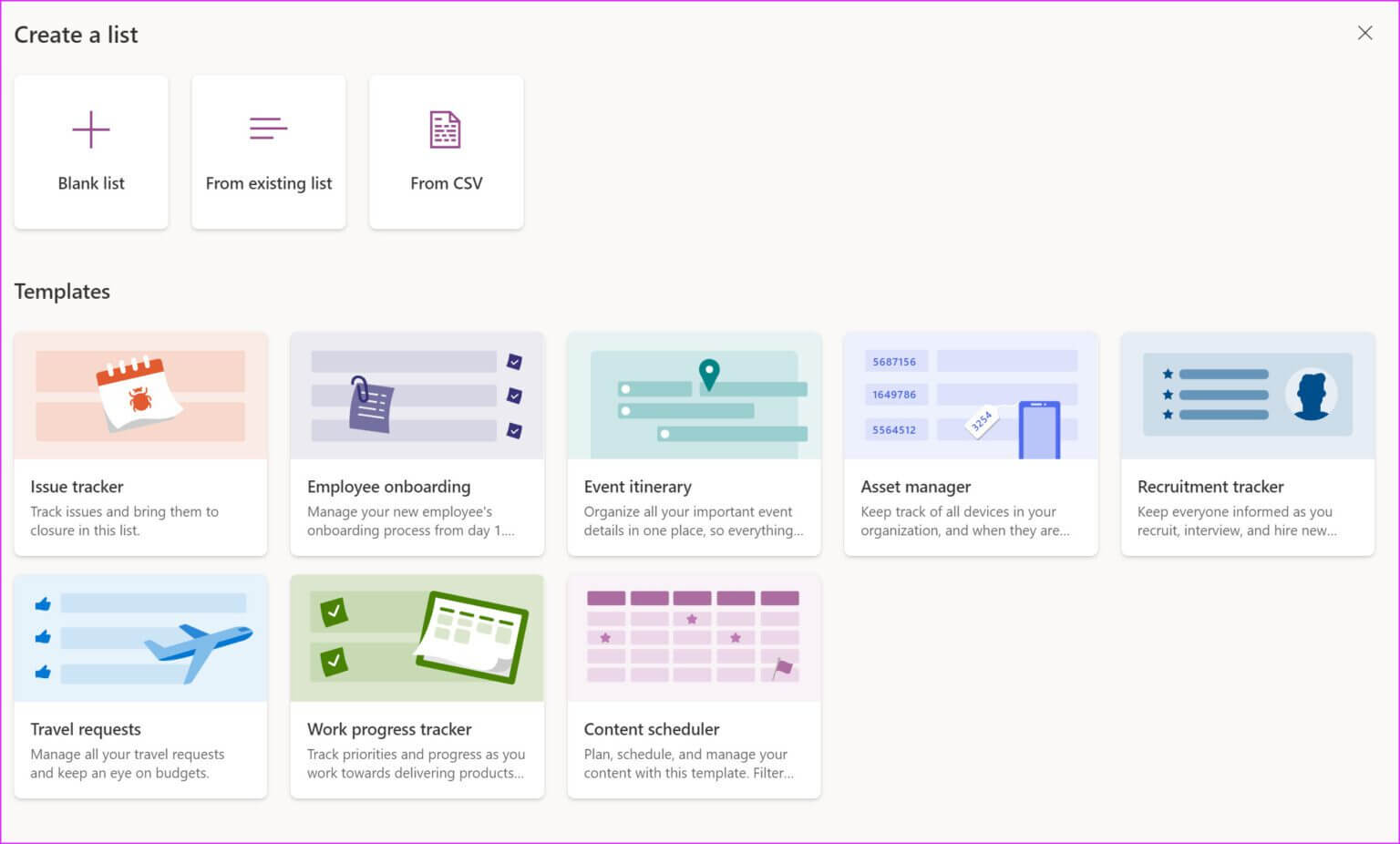
1 Use Templates You get two options for creating lists in Microsoft Lists start from the scratch or use one of the built in templates From the Microsoft Lists home click on New

Microsoft Lists is designed to unlock your team s full potential by reducing the strain and drudgery of keeping everybody organized on the same page and moving forward together

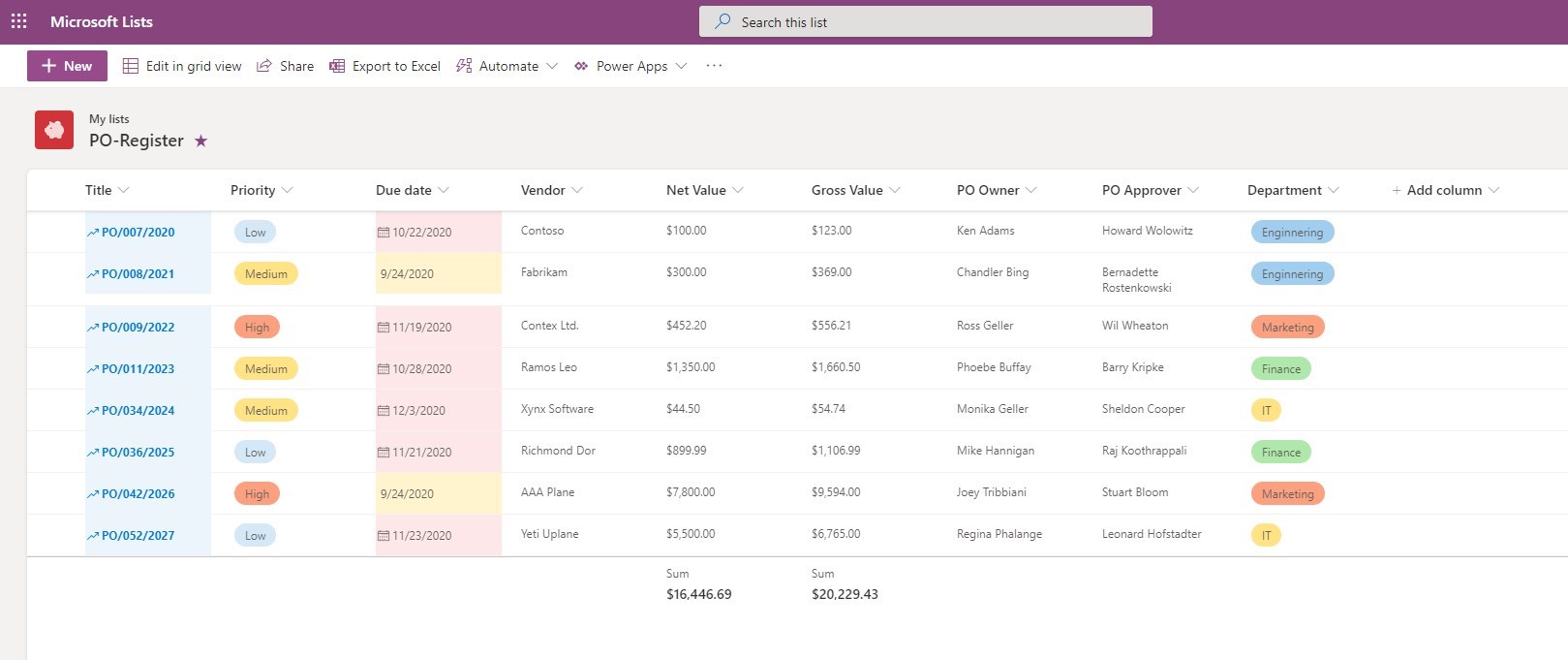
Follow Published in Better Humans 11 min read Nov 24 2020 6 Microsoft Lists Image source Microsoft Lists is a new app that is available with Microsoft 365 With Microsoft Lists you can create a list to organize information Store share and collaborate with others in a clean list format What makes Microsoft Lists unique

A list is a collection of data that you can share with your team members and people who you ve provided access to You ll find a number of ready to use list templates to provide a good starting point for organizing list items Learn more at List templates in Microsoft 365 This article explains the concepts behind creating and using lists

1K Share 110K views 2 years ago REDMOND Did you know Microsoft Lists could do this or that In this demo video we hope you ll find a few useful hidden gems to jumpstart your information
1 Create a List From Excel The modern create list experience includes the choice to import an Excel spreadsheet and data into a new list Table headings are created as list columns and give the user the option to use the following list column types Choice Currency Date and time Multiple lines of text Number Single line of text Title Microsoft Lists is an app that helps you track information and organize work
Microsoft Lists Tips Tricks Microsoft Lists help streamline workflow and processes increase efficiency and encourage fluid collaboration As discussed in Microsoft Lists we learned about Board View creating a Board View Lookup Columns and Creating and Viewing Lists from SharePoint among a few other features but they are a few tips