Microsoft Lists Timeline View Using Microsoft Lists Board View YouTube Microsoft Project 2007 Timeline View OnePager Pro Introducing Airtable s New Timeline View Airtable Blog Microsoft Lists Features Plain Concepts Een Middeleeuwse Feest Timeline Storyboard Door Nl examples WEB Aug 5 2020 nbsp 0183 32 Learn how to get started with Microsoft Lists from the Microsoft Lists engineers themselves Start a list from a template add your information and then use conditional formatting
WEB in this video we re going use Microsoft Lists to create a new simple list of events and then add a calendar view which is a new feature that is just been added more WEB Make information work for you And in this case make it visual This demo shows you how to create and use views in Microsoft Lists We ll cover four main ar
Een Middeleeuwse Feest Timeline Storyboard Door Nl examples Excel Timeline Chart Example IMAGESEE Timeline Infographic Infographic Marketing Inbound Marketing Create Calendar From Excel Or CSV Using Outlook Or Lists Timeline View Dashboard Website By Happy Tri Milliarta For Odama On Timeline Template Storyboard Por Hu examples Timeline Infographic Infographic Marketing Inbound Marketing The Practical 365 Weekly Update S2 Ep 12 Microsoft Lists With Mark Eliminate Negotiations Sell As Is On Your Own Timeline
Microsoft Lists Timeline View
 Microsoft Lists Timeline View
https://i.ytimg.com/vi/1hoHe_KBLXo/maxresdefault.jpg
WEB Work together in real time with conversation and lists side by side Track what matters most to your team using rules reminders and comments Customize lists for whatever your team needs See your lists any way you want using calendar grid gallery or
Pre-crafted templates use a time-saving option for producing a varied variety of documents and files. These pre-designed formats and layouts can be made use of for different individual and professional jobs, consisting of resumes, invitations, leaflets, newsletters, reports, discussions, and more, improving the material creation procedure.
Microsoft Lists Timeline View

Create Timeline In Powerpoint Free Presentation Templates Insert
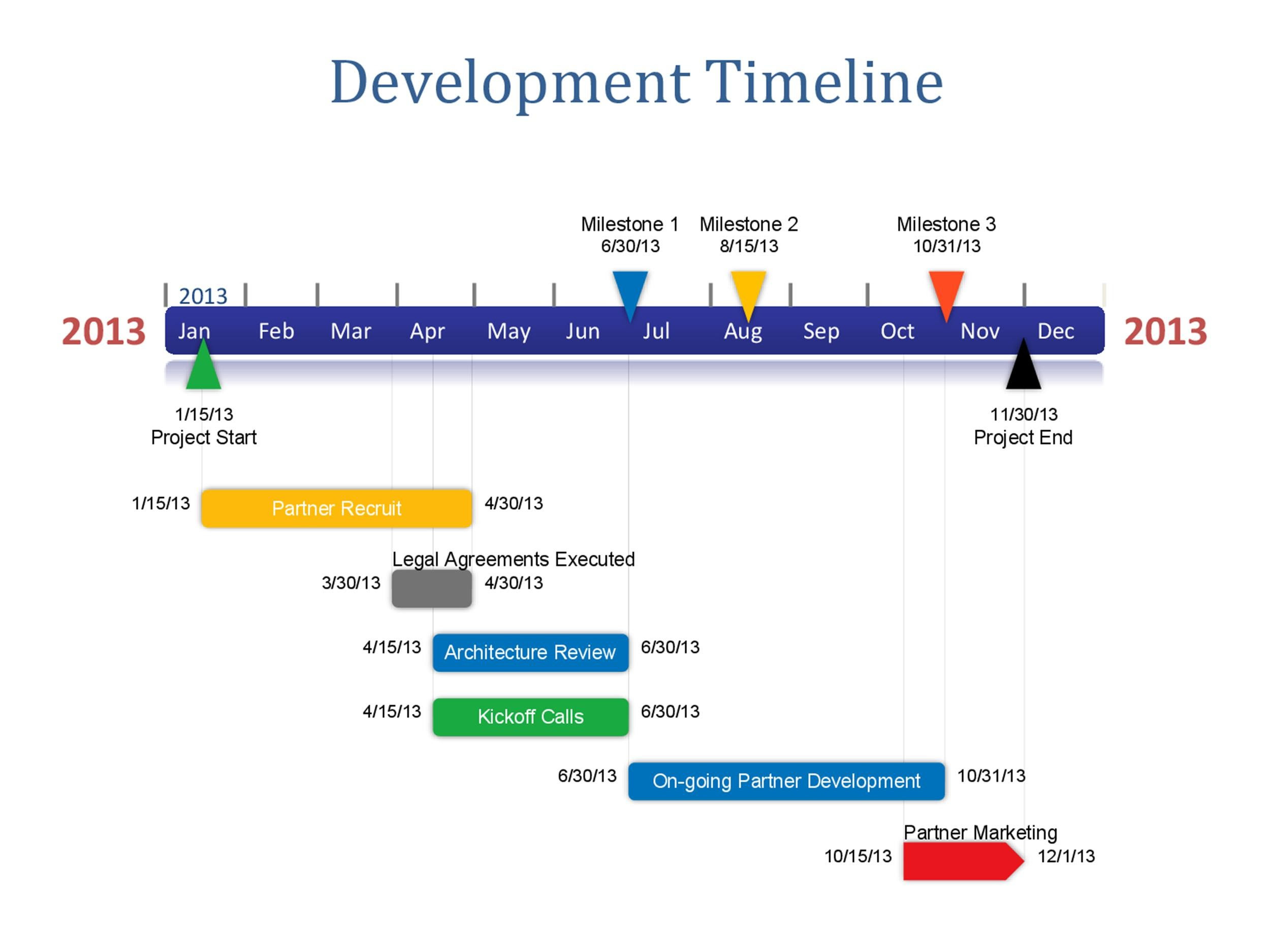
Excel Timeline Chart Example IMAGESEE

Timeline Infographic Infographic Marketing Inbound Marketing

Create Calendar From Excel Or CSV Using Outlook Or Lists

Timeline Template Storyboard Por Hu examples

Timeline Infographic Infographic Marketing Inbound Marketing

WEB In this tutorial I ll show how to create a timeline view in Microsoft Lists that will help you to plan a roadmap We ll see two samples one timeline in a normal view and another one

WEB Jun 22 2021 nbsp 0183 32 In this video tutorial you ll learn how to change the view in a Microsoft or SharePoint List setting up a Gantt Chart We ll go through a modern technique that allows us to change the look and feel of a List

WEB Learn how to add a simple timeline to your modern SharePoint list view This template is available here https sharepointdashboards PRE

WEB In this video tutorial you ll learn how to change the view in a Microsoft or SharePoint List setting up a Gantt Chart We ll go through a modern technique that allows us to change the look
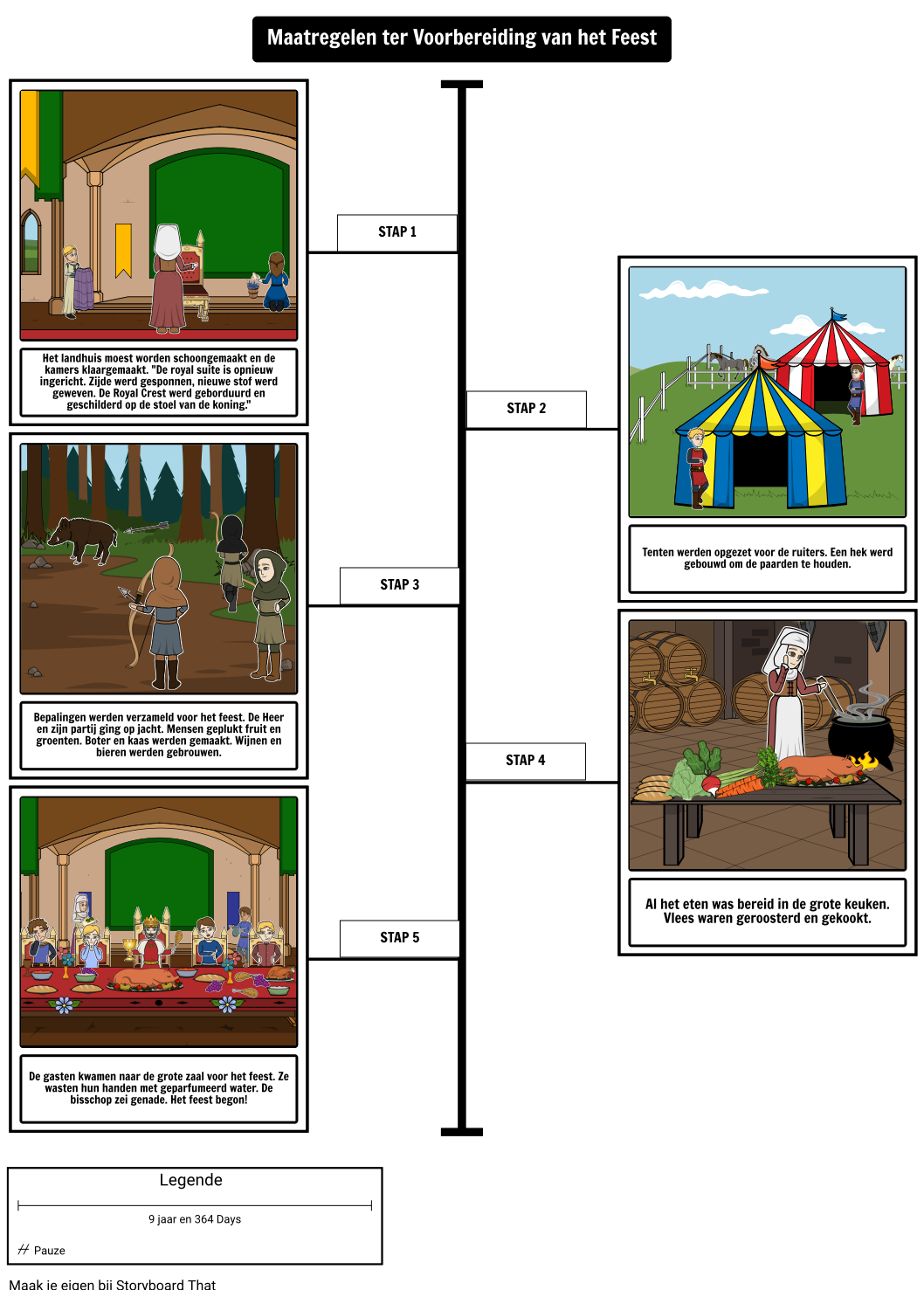
WEB Apr 5 2022 nbsp 0183 32 In this tutorial I ll show how to create a timeline view in Microsoft Lists that will help you to plan a roadmap We ll see two samples one timeline in a normal view and another one combined with the board view
WEB Feb 4 2023 nbsp 0183 32 Learn how to format SharePoint and Microsoft Lists calendar views with colors using the UI and without writing code WEB 6 days ago nbsp 0183 32 Board View Cursor dragging items between different boards in the Board View in Microsoft Lists Gallery View Cursor selecting and dragging items to reorder them in Gallery View in Microsoft Lists Move up and move down For our keyboard users and screen reader users there is a move up move down functionality we have
WEB Select the list you want to edit Press the Tab key with Narrator until you hear quot quot Press the Down or Up arrow key until you hear the list item you want to edit Press the Right arrow key until you hear quot More Actions quot then press Enter Tab with Narrator until you hear quot More Menu Item quot then press Enter