Microsoft Forms Test Examples Microsoft Forms And Feedback Mr Bailey Digital Learning Squeezing A Little More Formatting Out Of Microsoft Forms David Lozzi Microsoft Forms For Test Registration Microsoft Community Microsoft Forms And Feedback Mr Bailey Digital Learning Microsoft Forms To Help Educators And Students Shift To Online Learning Set Up the Quiz in Microsoft Forms You can set up a new quiz or edit an existing quiz to grade itself and you can use a blank quiz or one of the Microsoft Forms templates Visit Microsoft Forms and sign in with your Microsoft account Select New Quiz at the top of the main page or use the More Templates link to select a quiz template
0 00 1 52 New to Microsoft Teams for Education Let us show you how to use Forms to create a quiz that can be shared with students in your online course For more pro Quizzes and assessments Evaluate learner progress and knowledge level with an auto scored quiz or test Easily create surveys quizzes and polls
Microsoft Forms To Help Educators And Students Shift To Online Learning New Features In Microsoft Forms For Educators At BETT 2018 Microsoft Microsoft Forms Snel Je Vragenlijst Versturen Naar Meerdere Personen Abfragen Und Test Mit Microsoft Forms Digital Gestalten Fobizz Use The Likert A New Survey Question Type In Microsoft Forms Microsoft Forms Softlanding Bijlage Toevoegen In Microsoft Forms Berkenboom ICT Microsoft Forms Test Automatisk Retting YouTube Microsoft Forms Create A Quiz YouTube
Microsoft Forms Test Examples
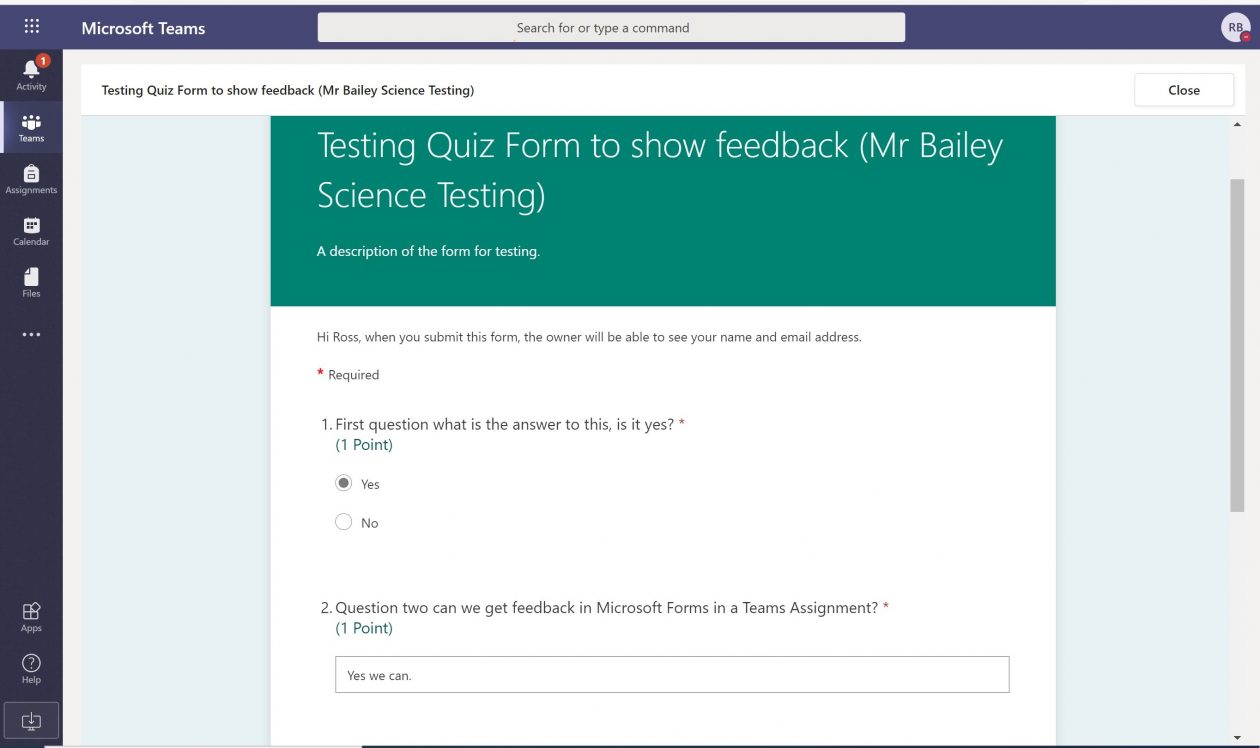 Microsoft Forms Test Examples
https://blogs.glowscotland.org.uk/an/public/digitallearningprototype/uploads/sites/946/2020/04/26151154/9.-Pupil-completes-form-answers.-.jpg
In this video we walk you through creating reviewing and then sharing a quiz using Microsoft Forms If you like this video you might also find some of our
Pre-crafted templates offer a time-saving solution for creating a diverse range of files and files. These pre-designed formats and layouts can be made use of for numerous individual and expert projects, including resumes, invites, leaflets, newsletters, reports, discussions, and more, improving the material creation procedure.
Microsoft Forms Test Examples

Microsoft Forms Reports And Quizzes The Full Starter Guide

New Features In Microsoft Forms For Educators At BETT 2018 Microsoft
Microsoft Forms Snel Je Vragenlijst Versturen Naar Meerdere Personen

Abfragen Und Test Mit Microsoft Forms Digital Gestalten Fobizz

Microsoft Forms Softlanding

Bijlage Toevoegen In Microsoft Forms Berkenboom ICT
Want to create a form like this Click here to get one Beyond examples of how Forms has helped customers internally it has also played a role in collecting data from external partners If on site visits are common to your business you may now need to provide options for attendees to join online for meetings and events

1 Find the perfect Forms template Search forms by type or topic or take a look around by browsing the catalog Select the template that fits you best whether it s a survey quiz or another type of form 2 Customize your creation Use the Microsoft Forms app to make your design unique

Create a form from a template Create a quiz Change your form s theme Share your form for others to respond to View responses Now let s get started How to create a form from
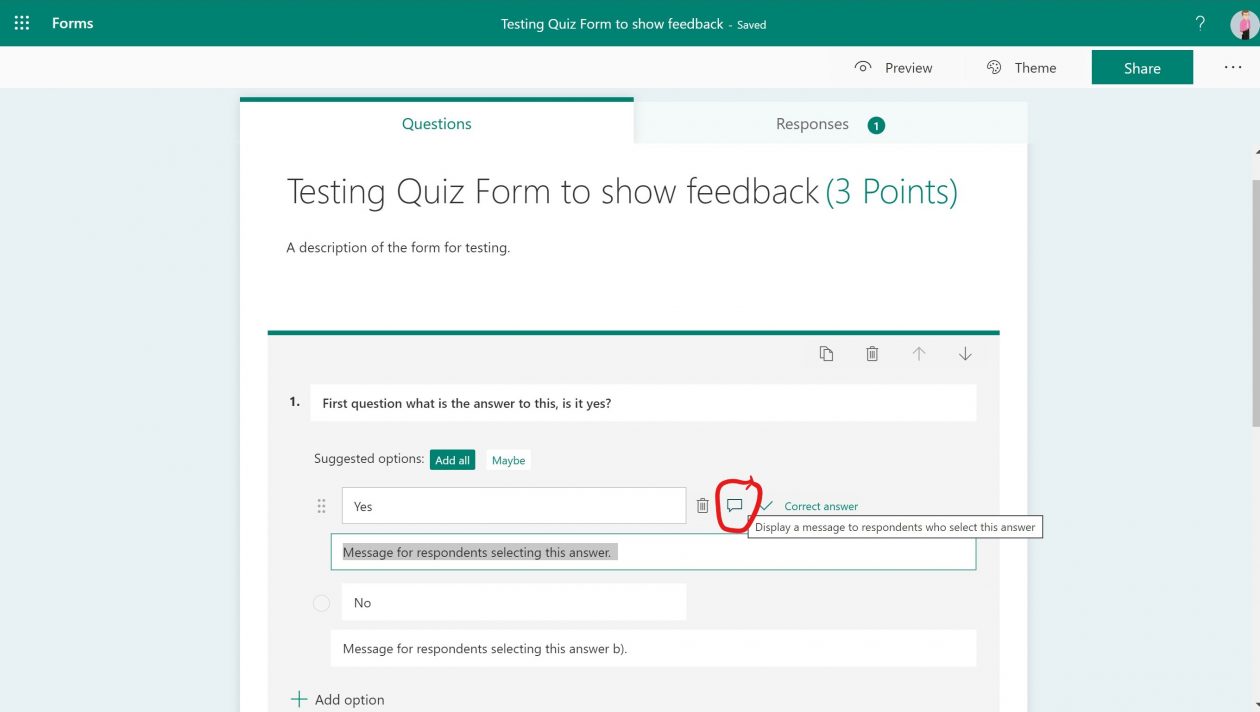
Using Microsoft Forms is very straightforward You choose whether you want to make a form such as a poll or survey or a quiz the distinction is that quizzes have correct answers and can be

Office facility request form Vacation and sick leave form Post event feedback survey Holiday Party Invitation Use Microsoft Forms to easily create online surveys forms quizzes and questionnaires AI powered free survey tool from Microsoft
Click New Quiz Click Title and Description fields to give the quiz a name and to add instructions Click Add New to create a new question Pro Tip Create a quiz from scratch or get a head start with free quiz templates from Jotform the best Microsoft Forms alternative Creating quizzes in Microsoft Forms To test out your form answer the questions in Preview mode and then select Submit To keep editing your form select Back More resources Now that you have the basics down you can also customize your form theme add a picture to a question create sections use branching logic and more See what else you can do with Microsoft Forms
We re going to keep it simple by creating a basic questionnaire so click New Form to start This opens a blank form Click Untitled form and type in a name for your questionnaire Once you ve entered a title you ve got the option to add an image and a description