Mfa Setup Scan Qr Code How To Setup Okta Verify On A New Device Okta Support YouTube How To Set Up Multi Factor Authentication MFA In Microsoft 365 How To Setup Microsoft Authenticator App For Multi Factor How To Set Up Authenticator On A New Phone Azure Active Directory Issue Credentials To Microsoft Authenticator Decentralized Identity A thorough guide to multifactor authentication with steps to set it up information on why it s critical and how to keep your accounts as secure as possible
What is MFA multi factor authentication Multi factor authentication or MFA is a way to verify user identity that is more secure than the classic username password combination MFA MFA restricts authorized personnel s access to development environments source code repositories and CI CD pipelines MFA Examples and Methods FAQs What are the best
Issue Credentials To Microsoft Authenticator Decentralized Identity Mensentertainment Blog Multi factor Authentication Get Ready For Microsoft 365 For Faculty And Staff Article Register For Microsoft Self Microsoft Authenticator App Installation And Use Wake Tech MFA Using Authentication Apps DocMgt Multi Factor Authentication Soracom Developers Microsoft Authenticator App Setup As The Authentication Method IOS
Mfa Setup Scan Qr Code
 Mfa Setup Scan Qr Code
https://i.ytimg.com/vi/eBgPjOC5P0U/maxresdefault.jpg
Set Up Okta Verify Install and configure Okta Verify on your mobile device and connect to OWN Before setting up Okta Verify make sure that you have already enabled Multi Factor
Templates are pre-designed documents or files that can be used for different functions. They can conserve effort and time by providing a ready-made format and layout for developing different sort of material. Templates can be used for personal or expert projects, such as resumes, invites, leaflets, newsletters, reports, discussions, and more.
Mfa Setup Scan Qr Code
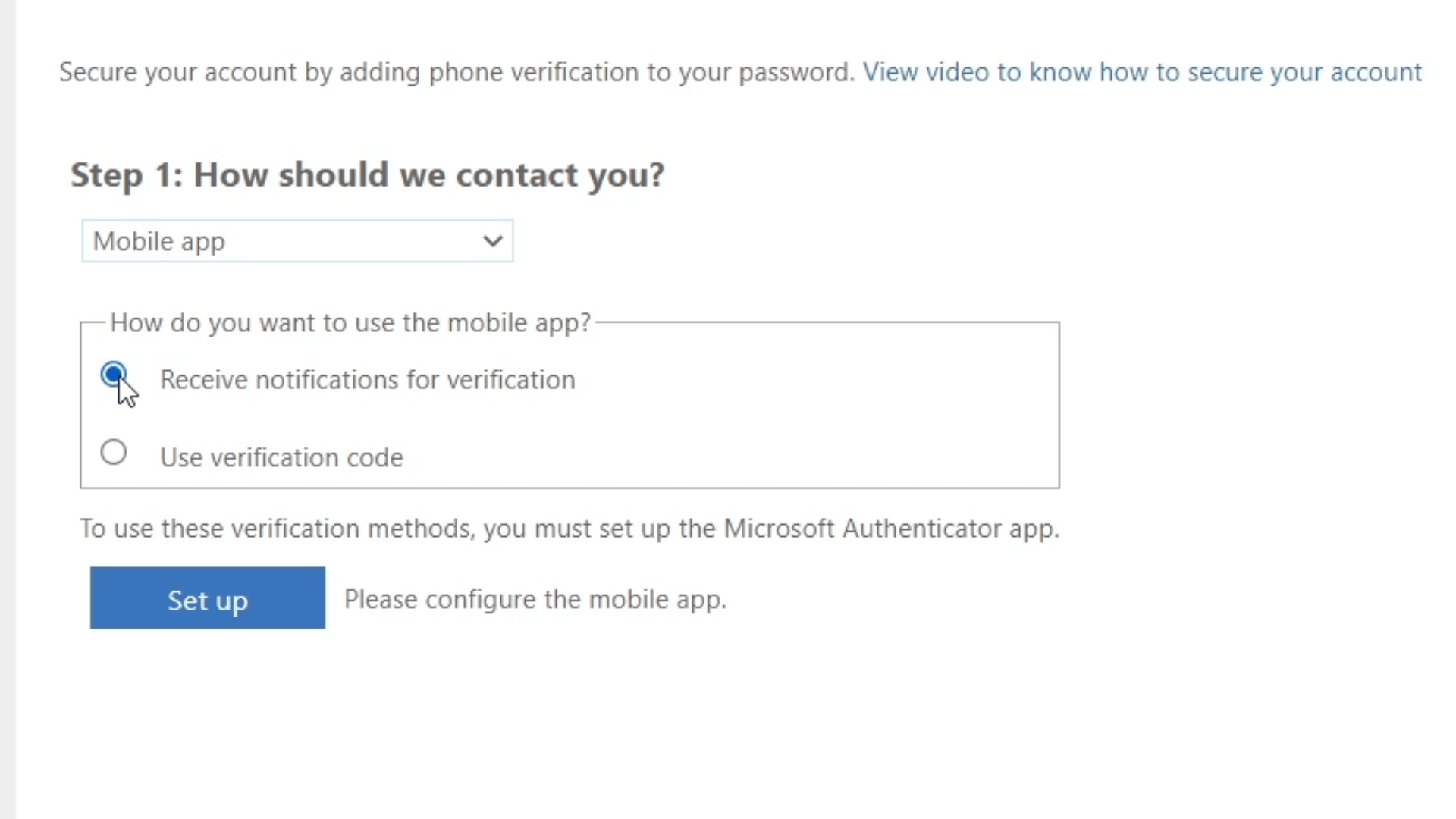
Set Up MFA On Your Microsoft 365 Account Clearbridge
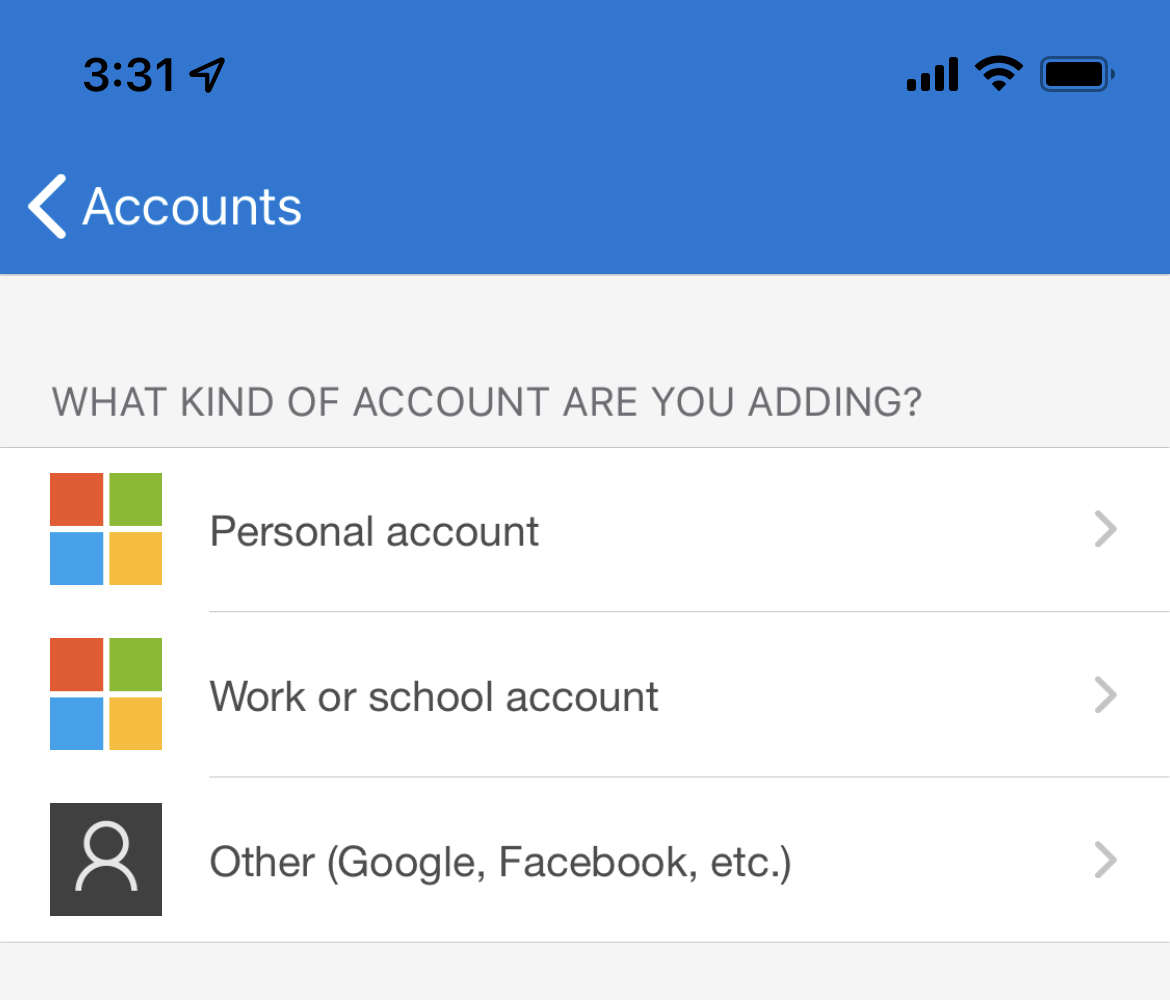
Mensentertainment Blog
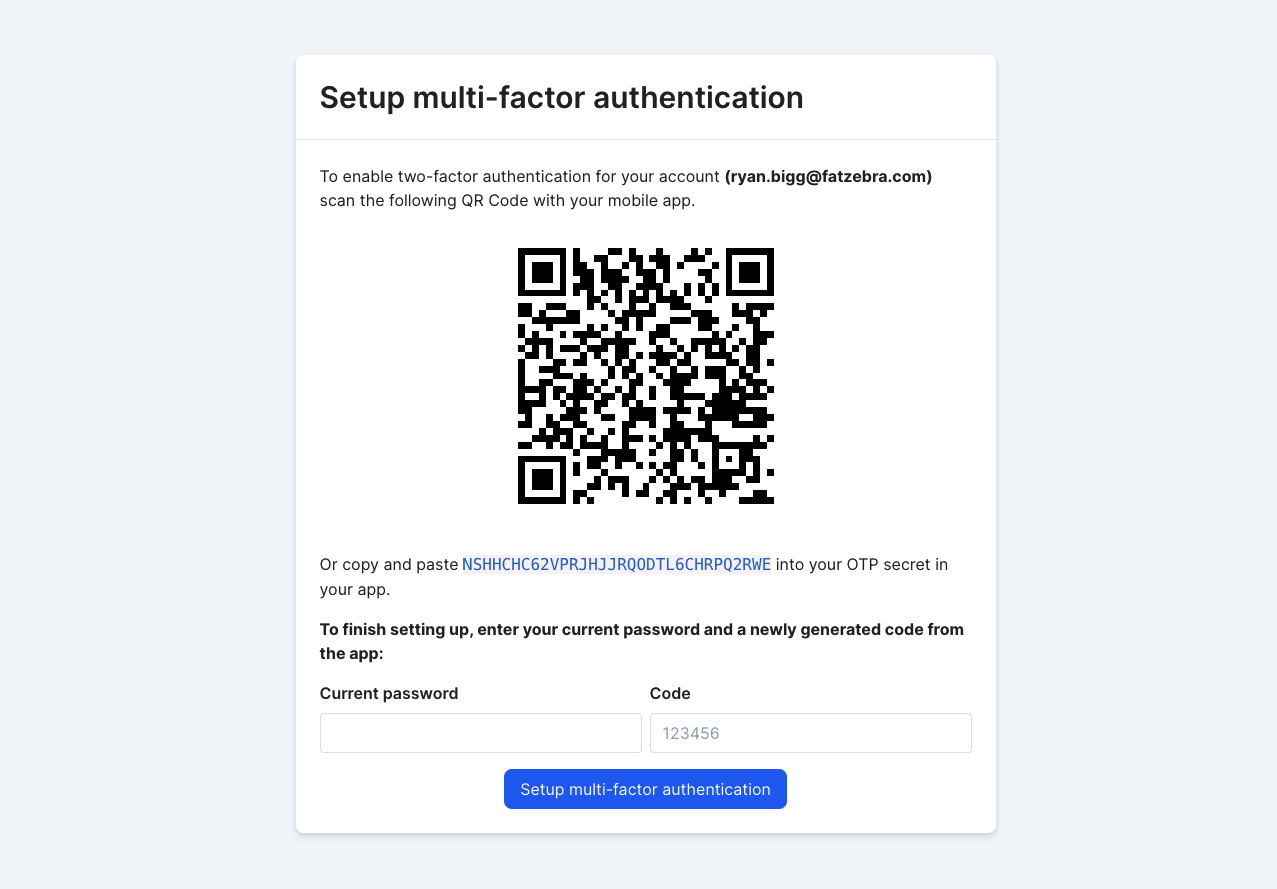
Multi factor Authentication
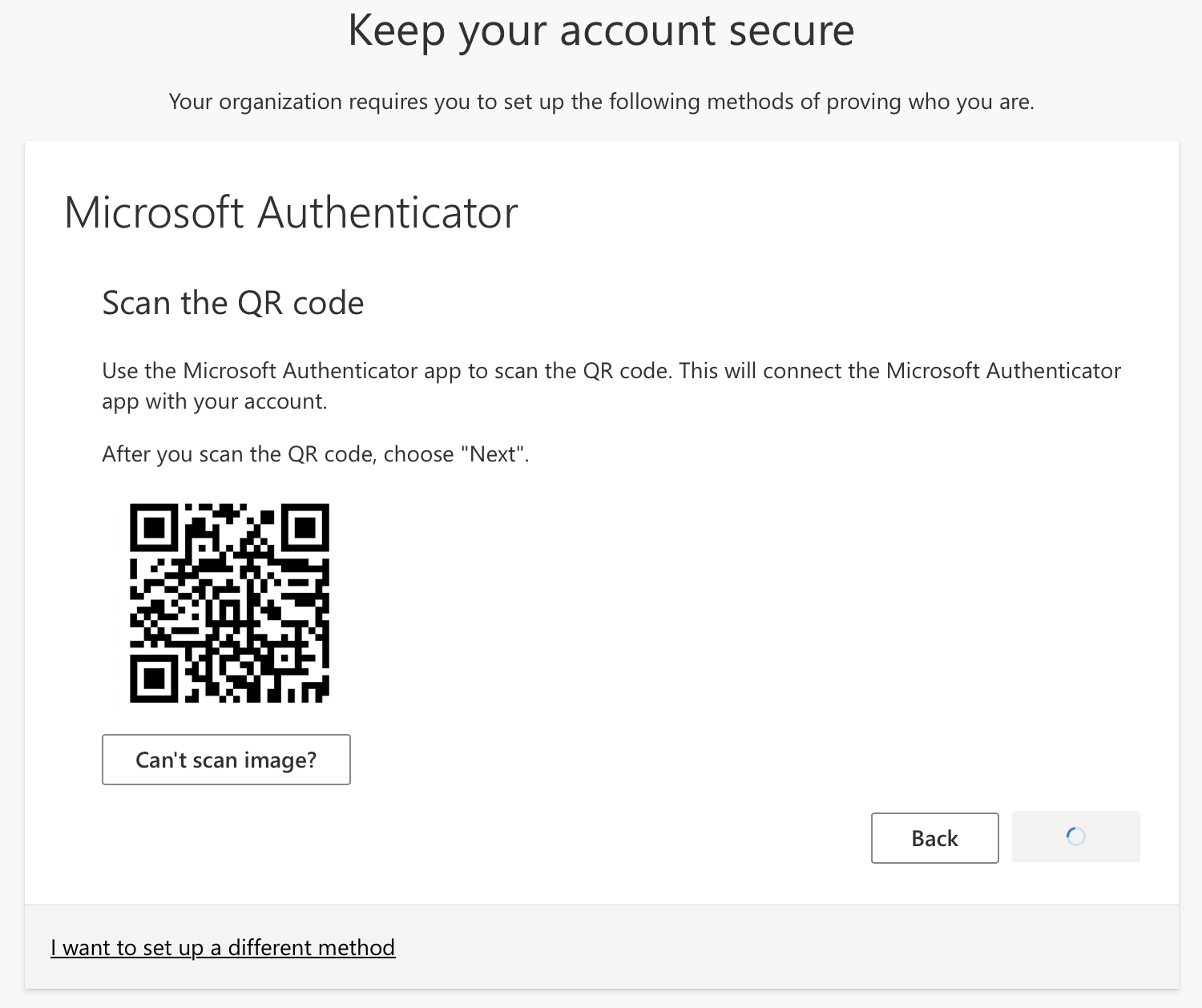
Get Ready For Microsoft 365 For Faculty And Staff
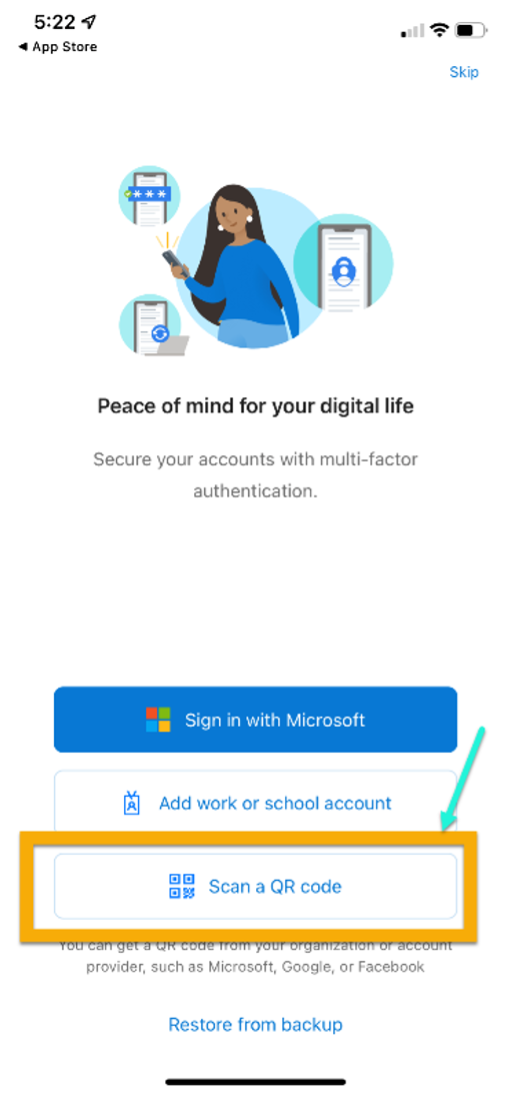
Microsoft Authenticator App Installation And Use Wake Tech
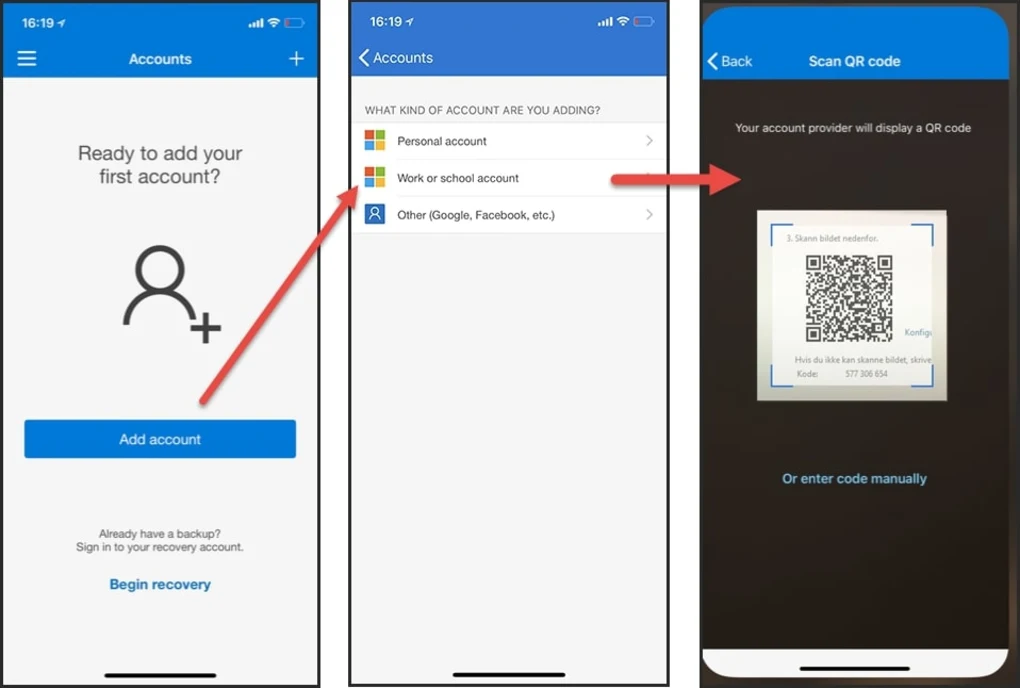
MFA Using Authentication Apps DocMgt

Learn everything you need to know about what multi factor authentication is and why you need MFA to protect your company s data and repel cyberattacks

Welcome Message Under the visionary leadership of His Excellency President Bola Ahmed Tinubu Nigeria is charting a bold and progressive course in global diplomacy As Minister of
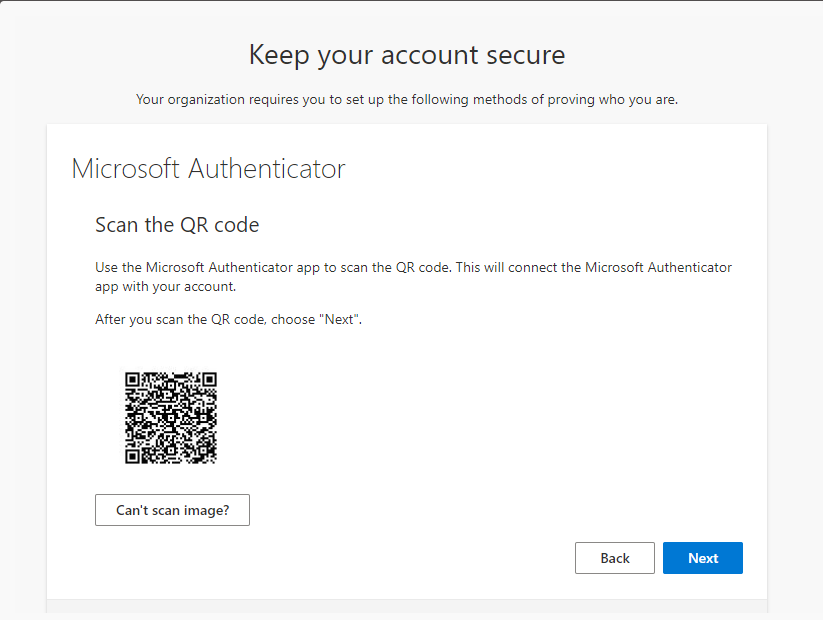
Multi factor authentication MFA two factor authentication or 2FA is an electronic authentication method in which a user is granted access to a website or application only after successfully

MFA methods are used to access all kinds of sensitive accounts assets and systems They even appear offline Using a bank card the first piece of evidence and PIN the second piece of
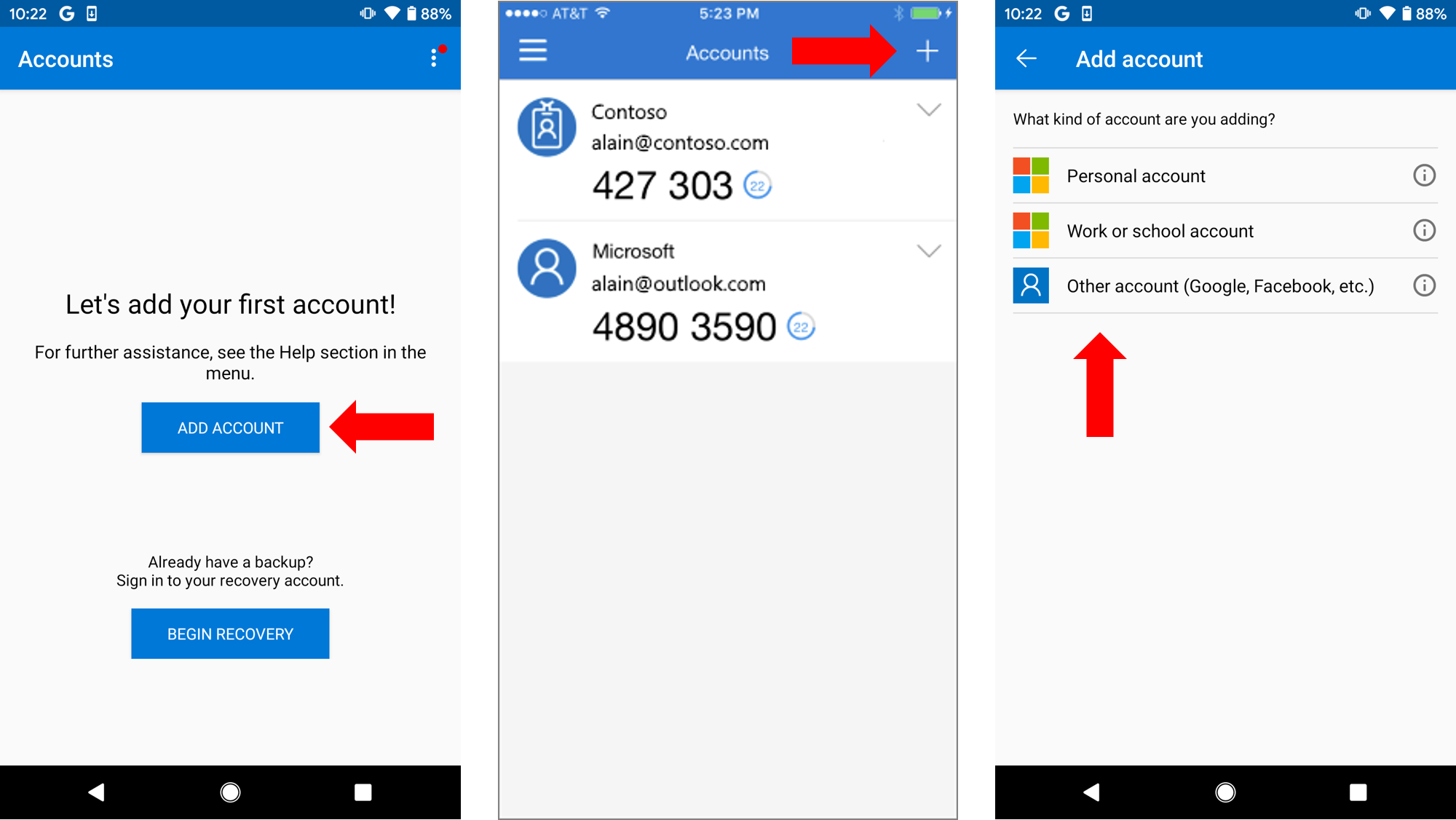
Nov 8 2024 nbsp 0183 32 MFA stands for multi factor authentication and as the name suggests multi factor authentication MFA is the use of multiple factors to confirm the identity of someone who is
[desc-11] [desc-12]
[desc-13]