Match Two Items In Excel Excel Tip 1 How To Find Any Short Cuts In Excel Easily Klick2Tech Repeat Items In Excel Shortcut learndotpk learndotpk YouTube Compare Two Excel Lists To Find New Items YouTube Track And Manage Action Items With Excel Free Excel Templates Action Item Tracker Template Is A Microsoft Excel Spreadsheet Designed WEB Mar 20 2023 nbsp 0183 32 See how to match data in Excel using the MATCH function Basic uses and advanced formula examples for case sensitive match Vlookup and Match and more
WEB How to use the MATCH function The MATCH function of Excel looks for a given value in an array and returns its relative position from that array The function is a really simple one and you ll enjoy it as we start exploring it So let s dive straight into an example WEB To create a lookup formula that returns two columns from the source data you can use an INDEX and MATCH formula
Action Item Tracker Template Is A Microsoft Excel Spreadsheet Designed How To Get The Count Of Distinct Items Using Excel PivotTables How To INDEX MATCH In Excel Lookup Formula Excel Unlocked 100 OFF A Beginners Guide To Excel With Certificate Of Completion 2 Ways To Create A Drop Down List In Excel LogintoTech Excel INDEX MATCH Example 14 Examples Alternative Checklists CodeAhoy Compare Two Lists In Excel For Matches With The MATCH Function 3236910 Can t Export Excel In Backoffice If The Chosen Items Exceed
Match Two Items In Excel
 Match Two Items In Excel
https://klick2tech.files.wordpress.com/2022/04/polish_20220404_184710885.png?w=1024
WEB MATCH is an Excel function used to locate the position of a lookup value in a row column or table MATCH supports approximate and exact matching and wildcards for partial matches Often MATCH is combined with the INDEX function to retrieve a value at a matched position
Pre-crafted templates provide a time-saving option for producing a varied range of documents and files. These pre-designed formats and layouts can be made use of for numerous personal and expert tasks, including resumes, invitations, leaflets, newsletters, reports, discussions, and more, streamlining the content creation procedure.
Match Two Items In Excel
How To Count Unique Items In Excel PivotTables YouTube

How To Get The Count Of Distinct Items Using Excel PivotTables
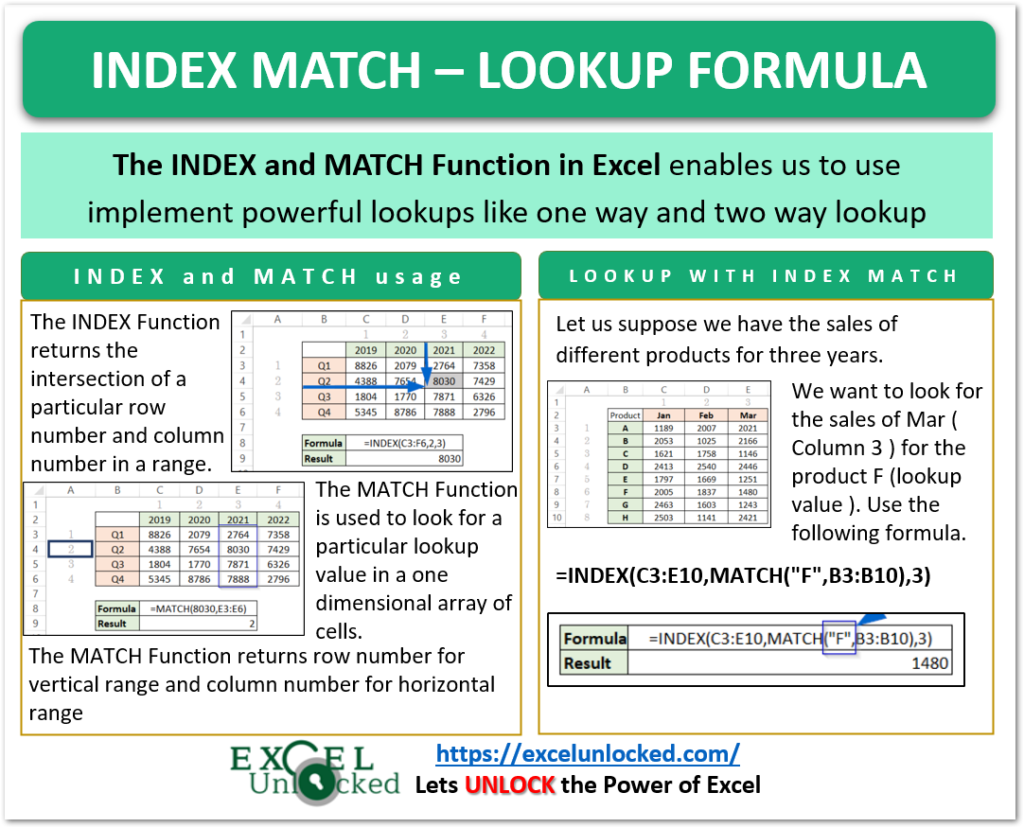
How To INDEX MATCH In Excel Lookup Formula Excel Unlocked

100 OFF A Beginners Guide To Excel With Certificate Of Completion
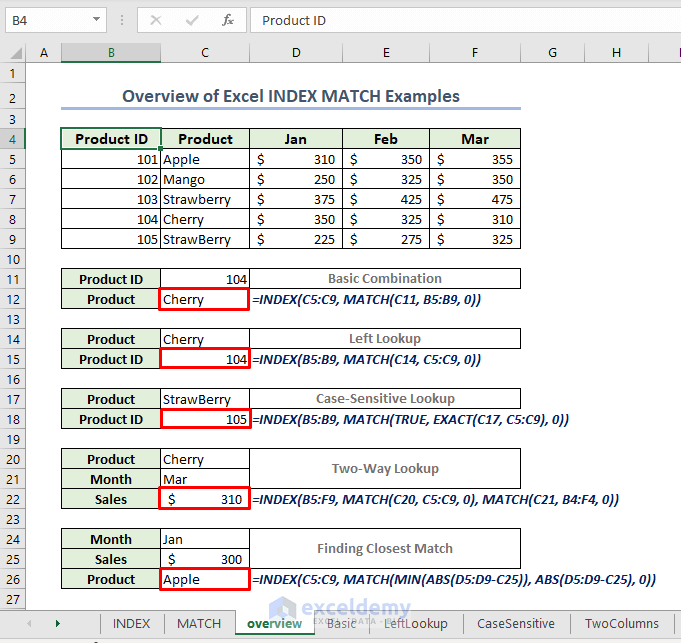
Excel INDEX MATCH Example 14 Examples Alternative
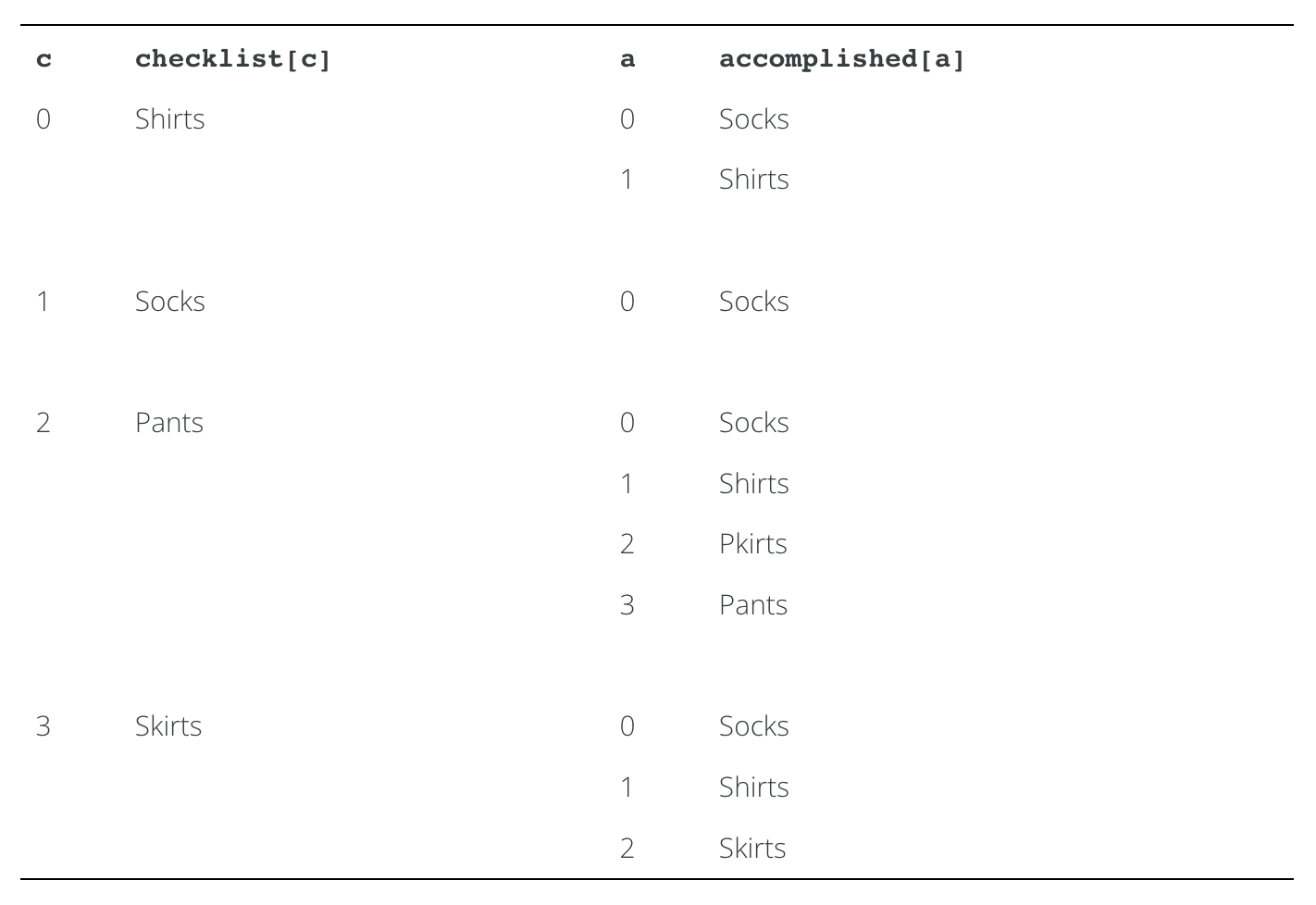
Checklists CodeAhoy

WEB Mar 14 2023 nbsp 0183 32 The tutorial shows how to do multiple criteria vlookup with INDEX and MATCH in Excel Formula examples are available for download

WEB Apr 23 2024 nbsp 0183 32 You can use the MATCH function to identify and mark matching or non matching records or you can use conditioning formatting with the COUNTIF function The following steps tell you how to use each to match your data

WEB How to use the MATCH function in Excel to search for a specified item in a range of cells returning the relative position of that item in the range

WEB Feb 1 2021 nbsp 0183 32 You can quickly compare two lists in Excel for matches using the MATCH function IF function or highlighting row difference Manually searching for the difference between two lists can both be time consuming and prone to errors

WEB Apr 27 2023 nbsp 0183 32 See how to compare 2 columns in Excel and how to compare and match two lists with a different number of columns
WEB To lookup values with INDEX and MATCH using multiple criteria you can use an array formula In the example shown the formula in H8 is INDEX E5 E11 MATCH 1 H5 B5 B11 H6 C5 C11 H7 D5 D11 0 The result is WEB Learn how to compare two columns in Excel using VLOOKUP Find matches and differences in data and highlight rows with matching or different values
WEB Jul 29 2024 nbsp 0183 32 1 Select the columns you would like to compare Using conditional formatting in Excel will allow you to automatically highlight any matching values across multiple columns Click and drag your mouse over the columns you would like to compare