Make Your Own Map Route Home Office Decoration Wall Decoration How To Draw A Map By Hand Leehome How To Make Your Own Map In Fortnite CHM Make Your Own Printable Map Passaalien Narovnat Ward Nepravideln Make A Map Zab j Squat P iznej Se Web May 7 2023 nbsp 0183 32 Go to the quot Maps quot tab and click quot Create Map quot From here you have a number of options of creating a custom map that does not show up on the public Google Maps You don t need any special software to create a custom map for yourself or others Google Maps is all you need allowing you to add your own pinpoints shapes and directions to
Web Jan 14 2022 nbsp 0183 32 To create a custom route on Google Maps using Windows or macOS Navigate to Google Maps and sign in to your Google account From the top left corner click on the hamburger menu Select Web Sep 9 2021 nbsp 0183 32 My Maps generates a route from your starting location to your first destination Drag the route to customize it My Maps gives you the fastest route from one point to another However like in Google Maps you can use the mouse to drag the route to other roadways to customize it
Narovnat Ward Nepravideln Make A Map Zab j Squat P iznej Se Articles Illustrated Maps Tom Woolley Illustration Fortnite Custom Maps Modesto Tubbs Make Your Own Map Custom Map Maker From Modern Map Art Custom Map Art Custom Map Maker Blank City Map Pirate Treasure Maps Pirate Maps Esl Planer Bingo Template Map Games Birth Your Navigation Is Outdated Here s How To Fix That Make Your Own Map Make It Yourself Map How To Create A Custom Google Map With Route Planner And Location Markers Google Maps Tutorial Map Skills Make Your Own Map Project Social Studies Maps Map Skills Social Studies Projects Maps Mania Make Your Own Map
Make Your Own Map Route
 Make Your Own Map Route
https://i.pinimg.com/originals/1d/cd/f5/1dcdf543aa8a7cbb58b55b95f0778013.jpg
Web Use My Maps to create or view your own maps Create a map On your computer sign in to My Maps Click Create a new map Go to the top left and click quot Untitled map quot Give your map a name and description Open a map On your computer sign in to My Maps You ll see maps you ve made or viewed as well as maps shared with you
Templates are pre-designed files or files that can be utilized for numerous functions. They can conserve effort and time by supplying a ready-made format and layout for creating different type of content. Templates can be used for personal or expert jobs, such as resumes, invites, leaflets, newsletters, reports, presentations, and more.
Make Your Own Map Route
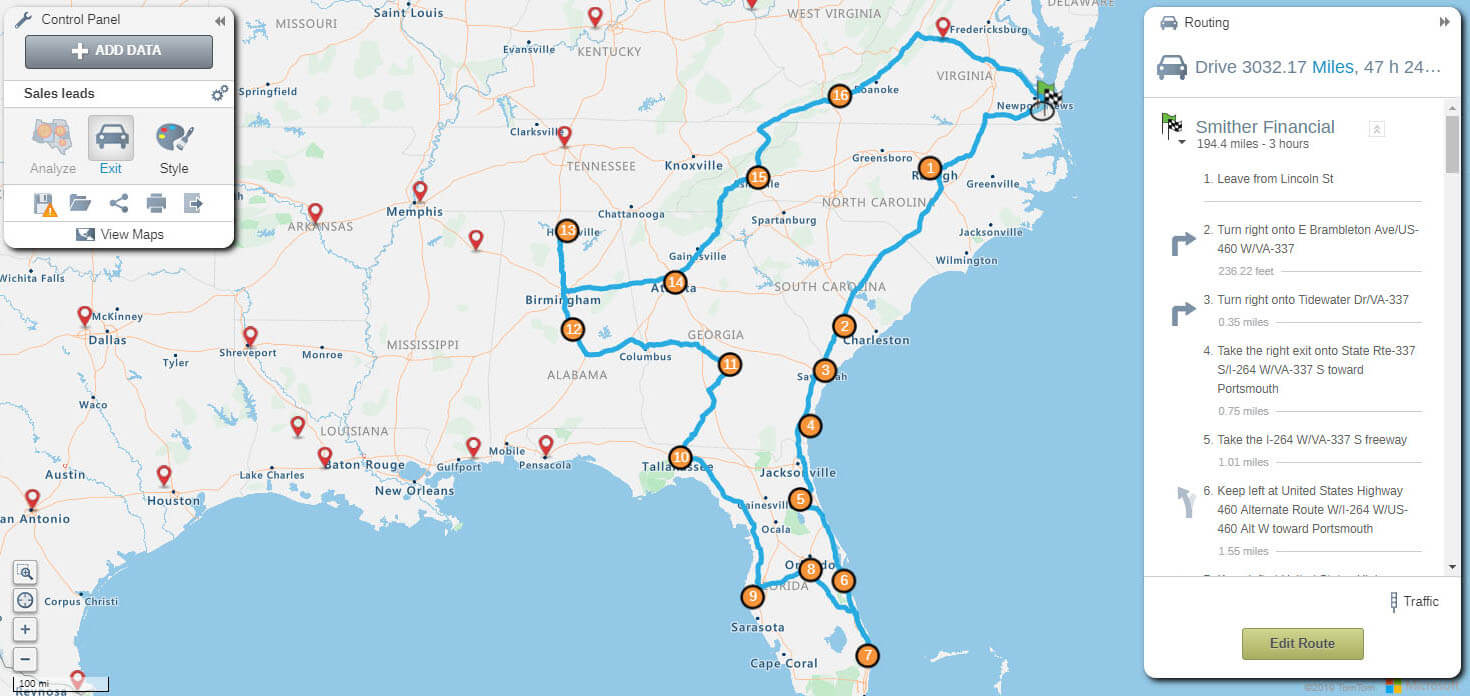
How To Create A Route Map In 4 Easy Steps With ESpatial

Articles Illustrated Maps Tom Woolley Illustration

Fortnite Custom Maps Modesto Tubbs

Make Your Own Map Custom Map Maker From Modern Map Art Custom Map Art Custom Map Maker

Your Navigation Is Outdated Here s How To Fix That Make Your Own Map Make It Yourself Map

How To Create A Custom Google Map With Route Planner And Location Markers Google Maps Tutorial

Web Share with friends embed maps on websites and create images or pdf Our online map maker makes it easy to create custom maps from your geodata Import spreadsheets conduct analysis plan draw annotate and more
Web Find the shortest routes between multiple stops and get times and distances for your work or a road trip Easily enter stops on a map or by uploading a file Save gas and time on your next trip

Web Embed maps in your website or blog Make maps together Work together on building your map just like Google Docs Works with Drive Easily organize all your maps alongside your

Web To create a route in Google Maps open quot Your places quot and then choose quot Create Map quot in the quot Maps quot tab To draw a route click quot Add directions quot choose transportation mode and enter

Web Jul 17 2022 nbsp 0183 32 3 Images Open the Google Maps app In the lower right select the blue Directions button Enter your start point and destination If desired tap a gray route to select an alternative path In the top right select More three dots icon Select Share directions From here you can copy the route link or send it directly into another app
[desc-11] [desc-12]
[desc-13]