Macos Flash Drive Installer How To Create An OS X Flash Drive Installer Macworld How To Create An OS X Flash Drive Installer Macworld Mac OS X Monterey 12 4 Bootable USB Flash Drive Installer Etsy MacOS WINDOWS CREATE Multiboot Flash Drive Can We Install Mac Os On Windows Laptop Hopdefantastic Web Nov 13 2017 nbsp 0183 32 How to create a bootable USB installer drive for macOS Your new Mac doesn t include an installation media With the help of a GUI Jack Wallen shows you how to create a handy flash
Web Oct 9 2019 nbsp 0183 32 Type quot Y quot and press enter Leave the Mac alone as it formats and copies over the installer Once Terminal says quot Install media now available quot it is safe to right click the removable drive on Web Nov 2 2023 nbsp 0183 32 Download the app that installs macOS format your flash drive and use a simple terminal command By Tom Nelson Updated on November 2 2023 Reviewed by Jerrick Leger What to Know You ll need OS X or macOS installer and a 12 GB USB flash drive formatted as quot Mac OS Extended quot
Can We Install Mac Os On Windows Laptop Hopdefantastic How To Create A Bootable USB Drive Installer For MacOS IGeeksBlog Mac Os X Usb Drive Not Bootable Hackintosh Arenaheavenly How To Create An OS X Flash Drive Installer Download Macos High Sierra Installer Creationbasics How Create A USB Flash Drive Installer For Microsoft Windows 10 Boot MacOS Flash Drive How To Create MacOS Big Sur Beta Bootable USB Install Drive C mo Crear Un Disco De Arranque De MacOS Alta Sierra USB Unidad De
Macos Flash Drive Installer
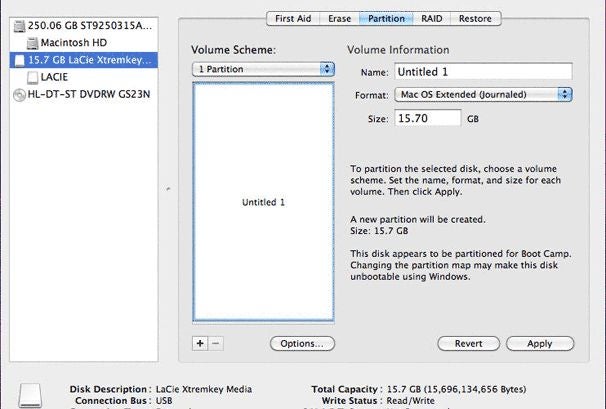 Macos Flash Drive Installer
https://images.macworld.com/images/howto/graphics/160129-osxflashinstaller_03_slide.png
Web Nov 13 2021 nbsp 0183 32 How to create a bootable macOS Monterey USB install drive Step 1 Launch the Mac App Store and download macOS Monterey Step 2 Once the download of macOS Monterey is finished the installer
Pre-crafted templates offer a time-saving solution for creating a varied variety of documents and files. These pre-designed formats and layouts can be made use of for various personal and professional projects, consisting of resumes, invitations, flyers, newsletters, reports, discussions, and more, improving the content development procedure.
Macos Flash Drive Installer
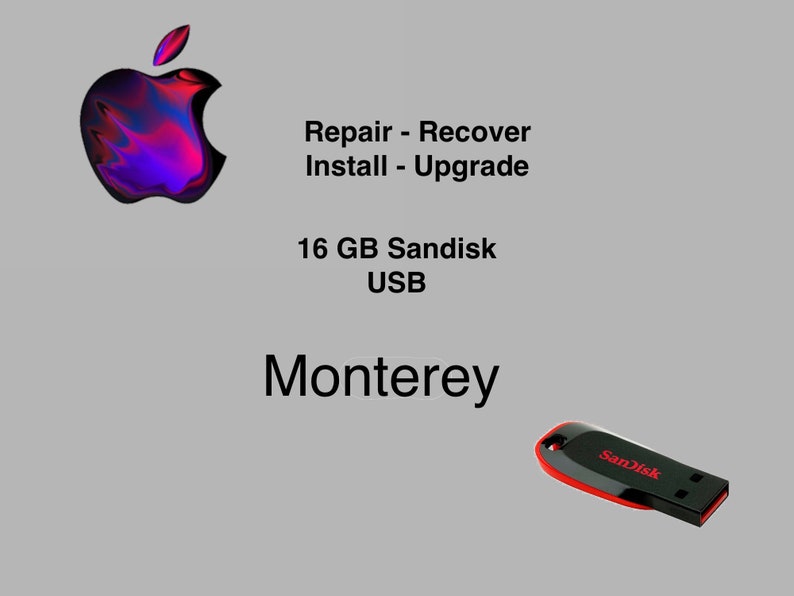
Create MacOS Monterey Bootable USB Flash Drive Installer Here s How
How To Create A Bootable USB Drive Installer For MacOS IGeeksBlog

Mac Os X Usb Drive Not Bootable Hackintosh Arenaheavenly
How To Create An OS X Flash Drive Installer

How Create A USB Flash Drive Installer For Microsoft Windows 10

Boot MacOS Flash Drive

Web Sep 29 2023 nbsp 0183 32 What you need to make a bootable USB for Mac There are two main things you ll need to make your bootable install drive a USB stick or a Thunderbolt drive and the installation files

Web Sep 26 2023 nbsp 0183 32 Use these links to download a macOS disk image dmg file Double click the dmg file to open it and see the package pkg file within Double click the pkg file then follow the onscreen instructions to install the macOS installer into your Applications folder
Web Aug 29 2023 nbsp 0183 32 This guide will teach you the steps to create a macOS bootable USB installation on Windows 10 or 11 which you can use to reinstall or upgrade the Apple OS Requirements Create macOS bootable USB installation media Create a GPT partition on a USB flash drive
Web Apr 13 2021 nbsp 0183 32 1 Download macOS The first step to install macOS from a USB on a MacBook or Mac desktop computer is to download the version of macOS that suits your needs The macOS file will download

Web Oct 19 2023 nbsp 0183 32 To create a bootable installer users need an external drive preferably a USB Flash Drive or a Thunderbolt drive with at least 15GB of storage and the macOS installation files
Web Apr 27 2023 nbsp 0183 32 Under Finder click on Applications gt Utilities gt Disk Utility Click on your USB Drive on the displayed list Select Erase from the options available at the top bar Rename the USB with a Web Jul 5 2017 nbsp 0183 32 In this article you will find the following Get a bootable flash drive Get macOS installation files Create bootable USB drive with Mac Disk Utility Use Terminal to create a bootable installer Boot your Mac from a USB drive Don t forget to back up your files FAQ
Web Feb 21 2023 nbsp 0183 32 How to create a bootable USB drive installer for macOS by Anoop February 21 2023 5 minute read A bootable USB installer is something that contains the files to boot your Mac to any particular macOS version While hearing the name may make you wonder if it s anything complex it is not as hard as you think