Mac Password Reset Terminal Command Get Out Of Reset Mac Password Terminal Jzaabc Change Mac Password Recovery Mode Eralasopa Change Mac Password Terminal Centersop Pdf Password Recovery Tool For Mac Reset Mac Password Recovery Mode Lasopahard As long as you have allowed password reset using Apple ID on your Mac you will be able to easily reset your Mac s login password by using the Apple ID Read on if you re interested in learning how to reset a macOS password in macOS Big Sur Catalina or Mojave with just your Apple account
You ll want to restart your computer by typing the following command after resetting the password reboot Resetting In Single User Mode If you re not able to start your computer and load OS X s Option 2 reset using your Apple ID If you see the option to reset using your Apple ID click it If your Mac restarts follow the steps for option 1 above If your Mac doesn t restart but immediately asks for your Apple ID enter that information and click Reset Password If you re asked to create a new keychain to store the user s passwords
Reset Mac Password Recovery Mode Lasopahard Forget Mac Password How To Reset A Password On MacOS OS X How To Reset Admin And Standard User Passwords In OSX 10 11 OSX 10 10 OSX 10 9 OSX 10 8 By Terminal Command To Find Wifi Password Mac Iphonelasopa Reset Password Terminal Coolqfil How To Reset MacOS Password With Terminal Quick View How To Reset Terminal In Linux Linux Tutorials Learn Linux Configuration 2023 Update Access Apple Mac OS High Sierra Without A Password
Mac Password Reset Terminal Command
 Mac Password Reset Terminal Command
https://www.hellotech.com/guide/wp-content/uploads/2019/09/mac-system-preferences-users-and-groups.jpg
In the Terminal app on your Mac type your administrator account password at the prompt then press Return WARNING To keep your password secure the characters in your password aren t displayed as you type Even though no characters appear as you type and the cursor doesn t move enter your password then press Return
Pre-crafted templates offer a time-saving option for producing a diverse variety of files and files. These pre-designed formats and designs can be utilized for numerous individual and professional projects, consisting of resumes, invites, flyers, newsletters, reports, discussions, and more, improving the material creation procedure.
Mac Password Reset Terminal Command
Reset Forgotten Mac Password Cocktail Blog
Forget Mac Password How To Reset A Password On MacOS OS X

How To Reset Admin And Standard User Passwords In OSX 10 11 OSX 10 10 OSX 10 9 OSX 10 8 By
Terminal Command To Find Wifi Password Mac Iphonelasopa
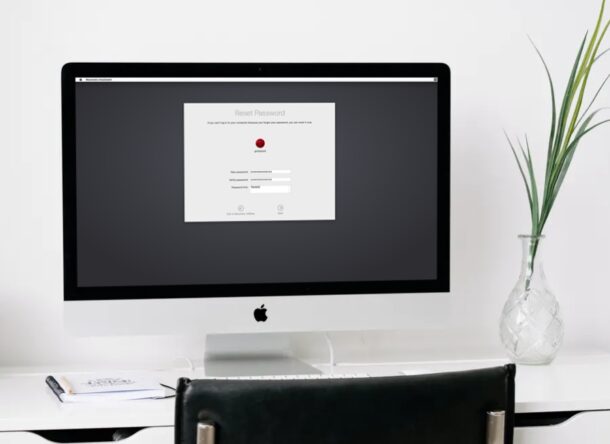
How To Reset MacOS Password With Terminal

Quick View

On your Mac press command spacebar Then type About This Mac and press return That will open a little pop up window with important information about your Mac like how much RAM Memory it has what year it was released and the serial number It ll also tell you what kind of chip processor you have
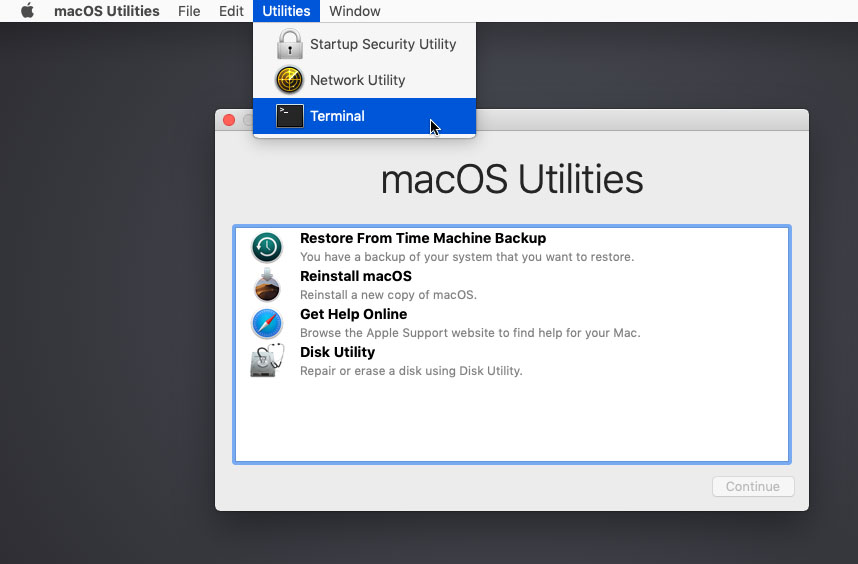
The steps are very easy Step 1 dscl Command Open the Terminal app on your Mac and type the below command Copy dscl passwd Users userName new password Example Copy dscl passwd Users c2c dj 3dg5C Note you will see a message Permission denied

When the password reset is completed click Restart Option 2 Reset using your Apple ID If you see the option to reset using your Apple ID click it If your Mac restarts follow the steps for option 1 above If your Mac doesn t restart but immediately asks for your Apple ID enter that information and click Reset Password

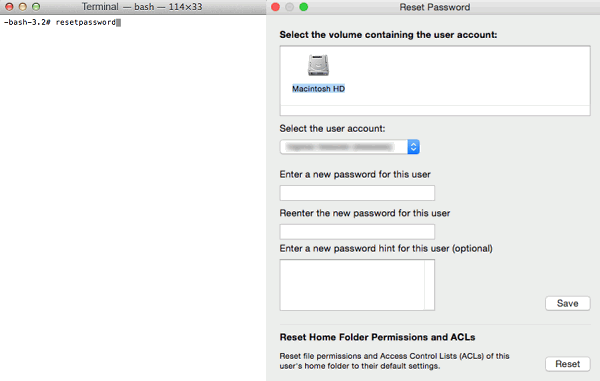
You ll have to reboot the Mac in recovery mode open a terminal the issue the command resetpassword You will have to reset the password for every account on the system or it won t let you proceed

Password reset is now complete You don t need to take additional steps If you re asked for your recovery key Enter your FileVault recovery key You received it when you turned on FileVault and chose to create a recovery key instead of allowing your iCloud account Apple ID to unlock your disk
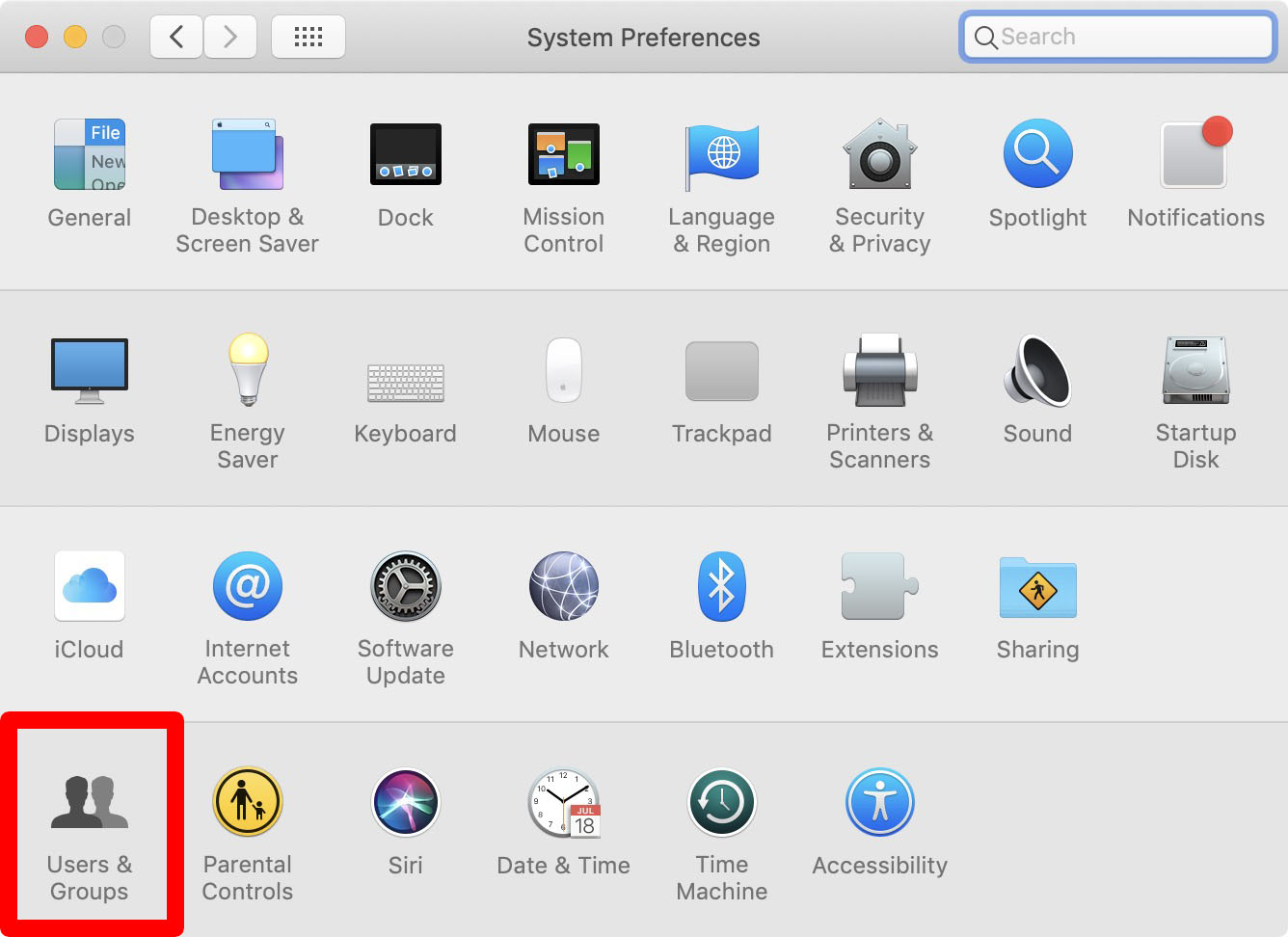
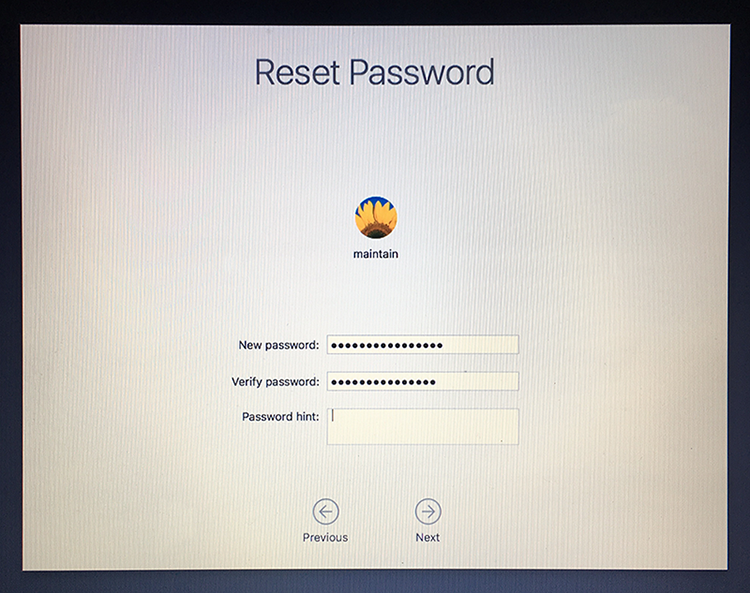
Open System Preferences and select Users Groups Click the lock icon in the bottom left corner provide the administrator password and click Unlock In the left hand window select the account whose password you want to reset Figure 3 Then click on Reset Password on the right side of the pane Type resetpassword in the terminal window Don t use any space in between the words Then hit Enter This will open the Reset Password Assistant screen Type your password and a hint
Here are the six methods to reset a Mac password Use another admin account Use your Apple ID Go to Terminal in macOS Recovery mode Use a FileVault recovery key Enter a single user mode and use Terminal Go to a target disk mode