Local Network Speed Test Cmd How To Check Internet Speed In Cmd Windows 10 11 Check Speedtest Via Cmd Speedtest exe YouTube Advisorator The Great Gigabit Internet Myth PowerShell Run Exe How To Run Exe In PowerShell Windows 10 11 Internet Speed Test Using Command Prompt Speedtest Using Cmd How To Check Network Speed In How To Update Your Linux Server Information Systran Box Web Jan 26 2023 nbsp 0183 32 published 26 January 2023 Are you wondering about the connection speed of the network adapter Here are four ways to find out on Windows 10 Windows 10 check network speed Image credit
Web Apr 11 2013 nbsp 0183 32 How does it work Think of it like a sonar When you ping any server you send the echo request ICMP to the target And based on the time it took and the amount of the data that came back you can test the reliability and speed of your connection Here is how you use Ping 1 Open command prompt Web Mar 6 2017 nbsp 0183 32 Press the quot Windows R quot key combination to open the Run window and then type quot cmd quot Press OK With a command prompt open you can start creating dummy files to your heart s content To do this we re going to use Fsutil exe which is a built in file system tool that allows you to perform file system operations from the command line
How To Update Your Linux Server Information Systran Box TraceTest By Yuka Imai Fleet Remote By Carl Wieland Test Lan Speed Test With Cmd Mmolasopa Career Psychology Jobs Testing Your Internet Speed From The Command Line On Windows Linux Or Mac Starhub 1Gbps Fibre Review Page 104 HardwareZone Forums How To Scan Network For IP Addresses Using CMD Top Tools For 2023 Free Network Speed Test Tools 4sysops
Local Network Speed Test Cmd
 Local Network Speed Test Cmd
https://i.ytimg.com/vi/XJfECn8K3d0/maxresdefault.jpg
Web Aug 25 2022 nbsp 0183 32 Screenshot of running the Fast CLI from command line Speedtest using the speed test CLI npm This solution works on any system where npm is available including Windows Mac and Linux Install via npm npm install location global speed test Run the speed test speed test
Pre-crafted templates use a time-saving solution for producing a diverse series of documents and files. These pre-designed formats and layouts can be utilized for different individual and professional projects, consisting of resumes, invitations, flyers, newsletters, reports, presentations, and more, enhancing the content development procedure.
Local Network Speed Test Cmd

BTO jp

TraceTest By Yuka Imai

Fleet Remote By Carl Wieland

Test Lan Speed Test With Cmd Mmolasopa
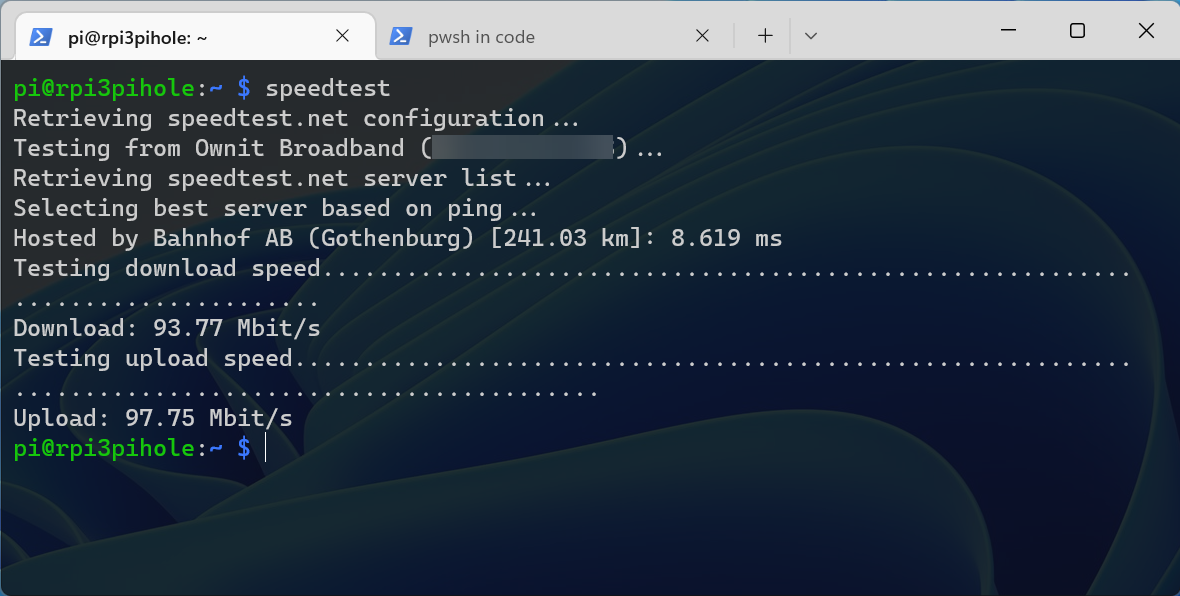
Testing Your Internet Speed From The Command Line On Windows Linux Or Mac
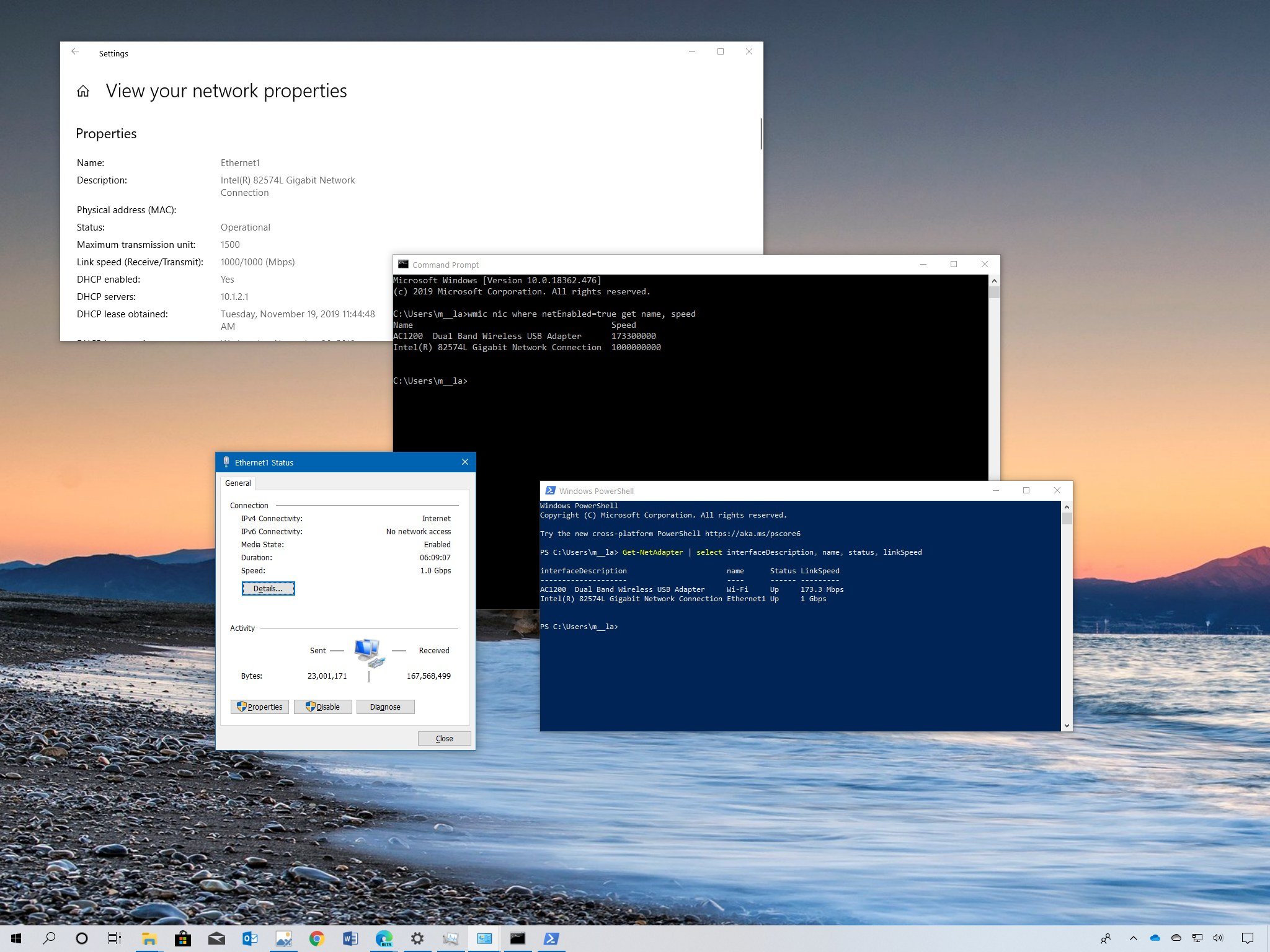
Starhub 1Gbps Fibre Review Page 104 HardwareZone Forums

Web Jul 18 2017 nbsp 0183 32 Quick Links Installing speedtest cli On Ubuntu and Other Linux Distros Installing speedtest cli on macOS Using Homebrew Installing speedtest cli On Windows Want to quickly check the speed of your current Internet connection With speedtest cli you can run a test in the command prompt on any operating system
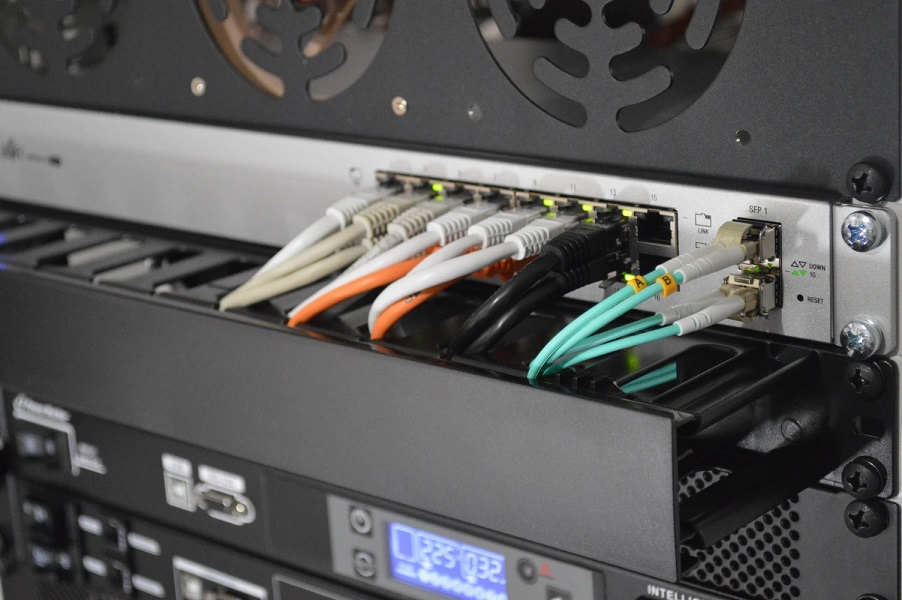
Web May 2 2022 nbsp 0183 32 1 How to check the internet connection in CMD 2 How to traceroute in CMD tracert command to troubleshoot network and internet problems 3 How can I see all the network adapters on my computer using CMD 4 How to check your network connection in CMD 5 How to renew the IP address of your network adapter 6
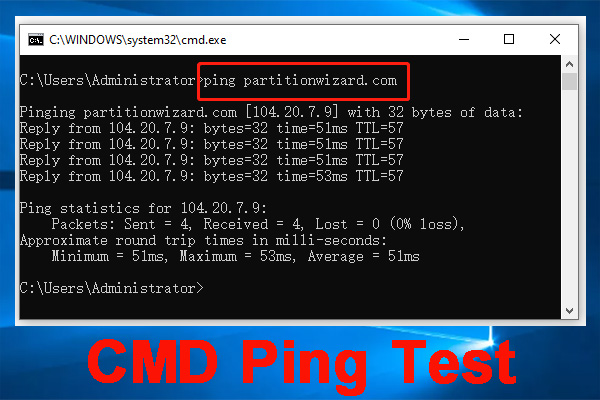
Web Aug 21 2023 nbsp 0183 32 The ping command sends packets of data to a specific IP address on a network and then lets you know how long it took to transmit that data and get a response It s a handy tool that you can use to quickly test various points of

Web Jan 24 2020 nbsp 0183 32 Being able to validate your network connection speed puts you in control of your computer Three open source tools that enable you to check your internet and network speeds at the command line are Speedtest Fast and iPerf Speedtest Speedtest is an old favorite It s implemented in Python packaged in Apt and also available with pip

Web Aug 2 2023 nbsp 0183 32 Test the speed of your Local Network by testing to from network shared folders Test the speed of your local drives USB Drives hard drives etc Compatible with LST Server v1 5 or later for real network performance results without hard drive limitations Even test your WAN Internet speed with LST Server
Web May 30 2019 nbsp 0183 32 Using the terminal install fast cli module with the following command npm install global fast cli Once it finishes installing you will be able to run the command fast cli from you terminal and will get internet speed result as show below fast 12 Mbps You can refer to the documentation of this open source program on GitHub Web Apr 30 2021 nbsp 0183 32 Speed test via command line I need to test the speed of an Internet connection I can test it by connecting to sites line fast or speedtest but I want to perform a continuous test and to save the results on a file I created a PowerShell script to run ping every 30 seconds and it works fine but I need something more accurate
Web Windows 10 lets you quickly check your network connection status And if you re having trouble with your connection you can run the Network troubleshooter to try and fix it Select the Start button then select Settings gt Network amp Internet gt Status Check your network connection status