List Files In Folder Command Line CMD List Files How To List Files In Command Prompt Windows 10 11 CMD Delete Folder Delete Files And Folders Using Command Line How To Delete File And Folder In Command Line Techulk List All Folders In A Directory Cmd Text File Printable Templates Free Windows Command Line Tutorial 2 Listing Files And Directories YouTube Web Jan 28 2021 nbsp 0183 32 The dir command is a Command Prompt command used to display a list of the files and subfolders contained in a folder
Web Execute the following command dir gt listoffiles txt The command will create a list with the files and folders contained in the folder If you want to list the files in all the subfolders as well as the main folder enter the following command dir s gt listmyfiles txt Web Aug 29 2019 nbsp 0183 32 In the command prompt you can use something like this for a in do echo na To include Folders in the result dir ad b amp For a in do echo na But at some point it might be difficult to tell the difference between a folder and a file so maybe you may want to do something like this
Windows Command Line Tutorial 2 Listing Files And Directories YouTube Jak Uruchomi Program Z CMD wiersz Polecenia Windows 10 Centrum How To Copy One Folder To Another Folder In Windows Command Prompt Vrogue Cmd Windows 10 How To Delete Folder From Command Prompt In Windows 7 YouTube How To Use Command Prompt Want To Learn How To Use Command Prompt List Files In A Folder Subfolders With Power Query Vrogue co 4 Ways To Create And Delete Files And Directories From Windows Command Show Folder Size In Windows 10 Fix Folder Size Not Showing MiniTool
List Files In Folder Command Line
 List Files In Folder Command Line
https://www.partitionwizard.com/images/uploads/articles/2022/11/command-prompt-list-files/command-prompt-list-files-2.png
Web Aug 10 2010 nbsp 0183 32 Can I use dir command line to get a list of sub folders and their files ordered by folder names and not just file names using dir s b o gn gt f txt I first get all sub folders and only then all sub files e g
Templates are pre-designed files or files that can be utilized for numerous functions. They can conserve time and effort by offering a ready-made format and layout for developing various type of content. Templates can be utilized for individual or expert jobs, such as resumes, invitations, leaflets, newsletters, reports, presentations, and more.
List Files In Folder Command Line
How To Delete A Folder Or Directory Using Command Prompt For Windows 7
Jak Uruchomi Program Z CMD wiersz Polecenia Windows 10 Centrum
How To Copy One Folder To Another Folder In Windows Command Prompt Vrogue
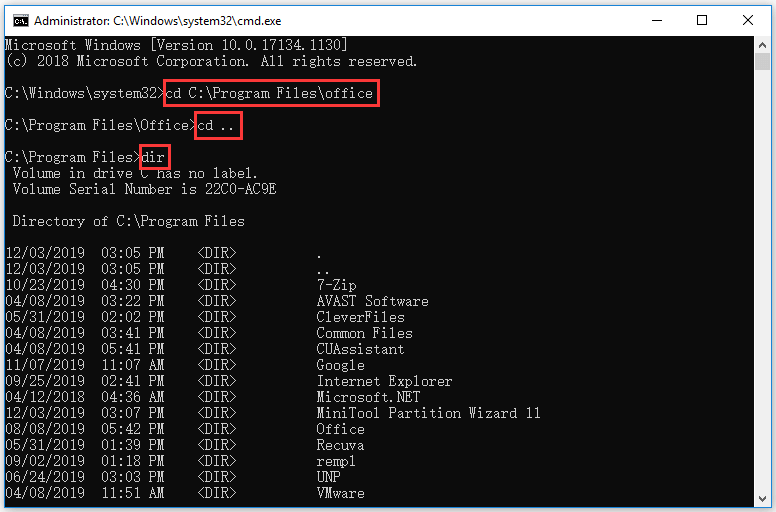
Cmd Windows 10
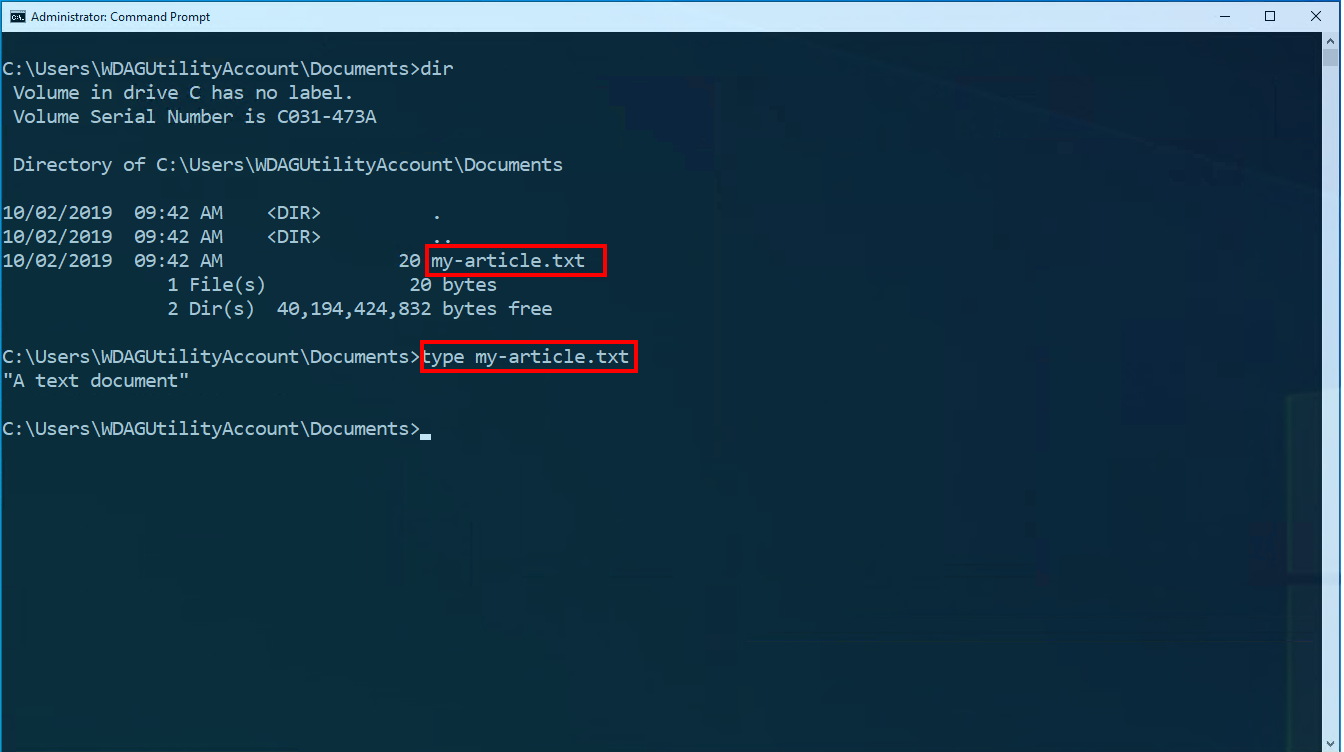
How To Use Command Prompt Want To Learn How To Use Command Prompt
List Files In A Folder Subfolders With Power Query Vrogue co
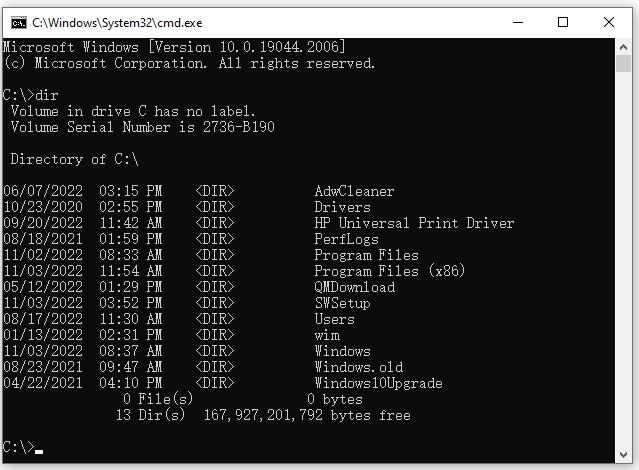
Web Sep 6 2023 nbsp 0183 32 This command can be used to show all files and subfolders in the current directory In addition it displays the file name size and last modification date of each file like File Explorer The DIR command is available in CMD for almost all Windows systems including Windows 11 10 8 7 Vista XP

Web Oct 24 2022 nbsp 0183 32 Run dir in Command Prompt to list all of the files and folders in the current directory Dir alsos take special arguments to sort and select what kinds of files and folders are displayed For example dir h will display hidden files

Web Nov 6 2021 nbsp 0183 32 If there are too many files listed in one directory you can display them one page at a time using the dir command with the p switch dir p You can list files that only meet certain criteria using wildcards in the dir command Below are a few additional examples of the dir command with wildcards dir txt
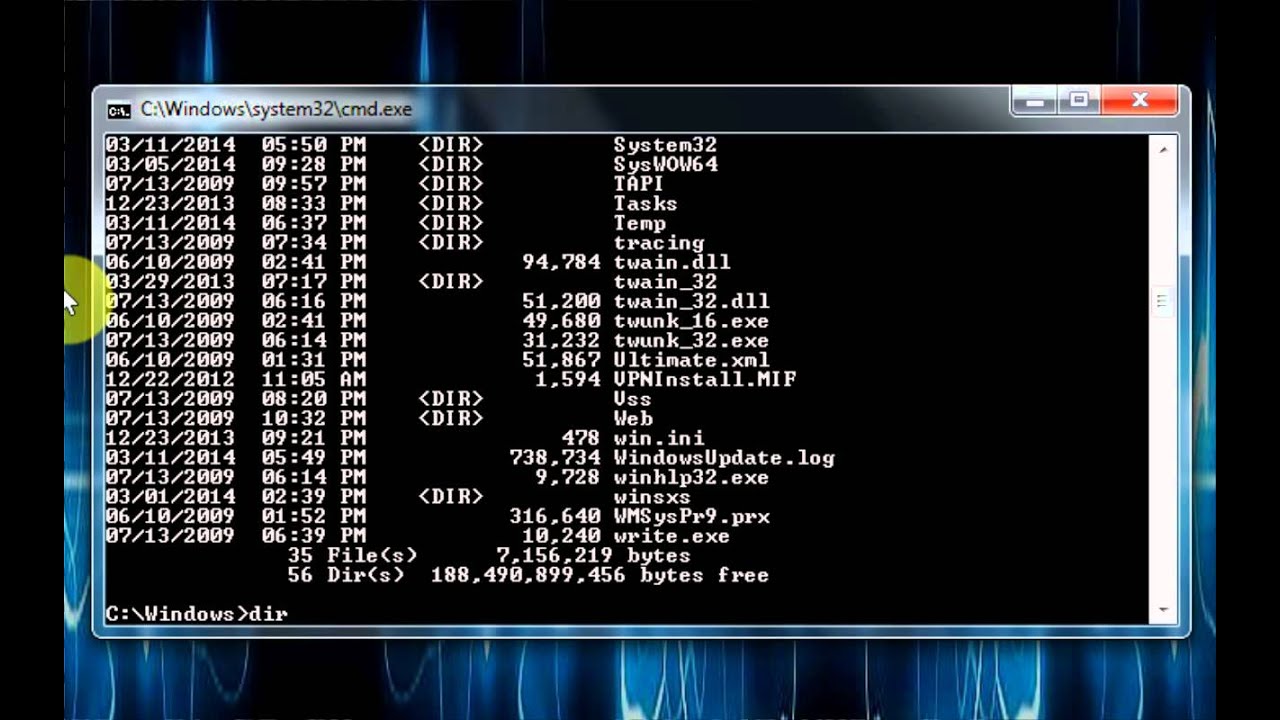
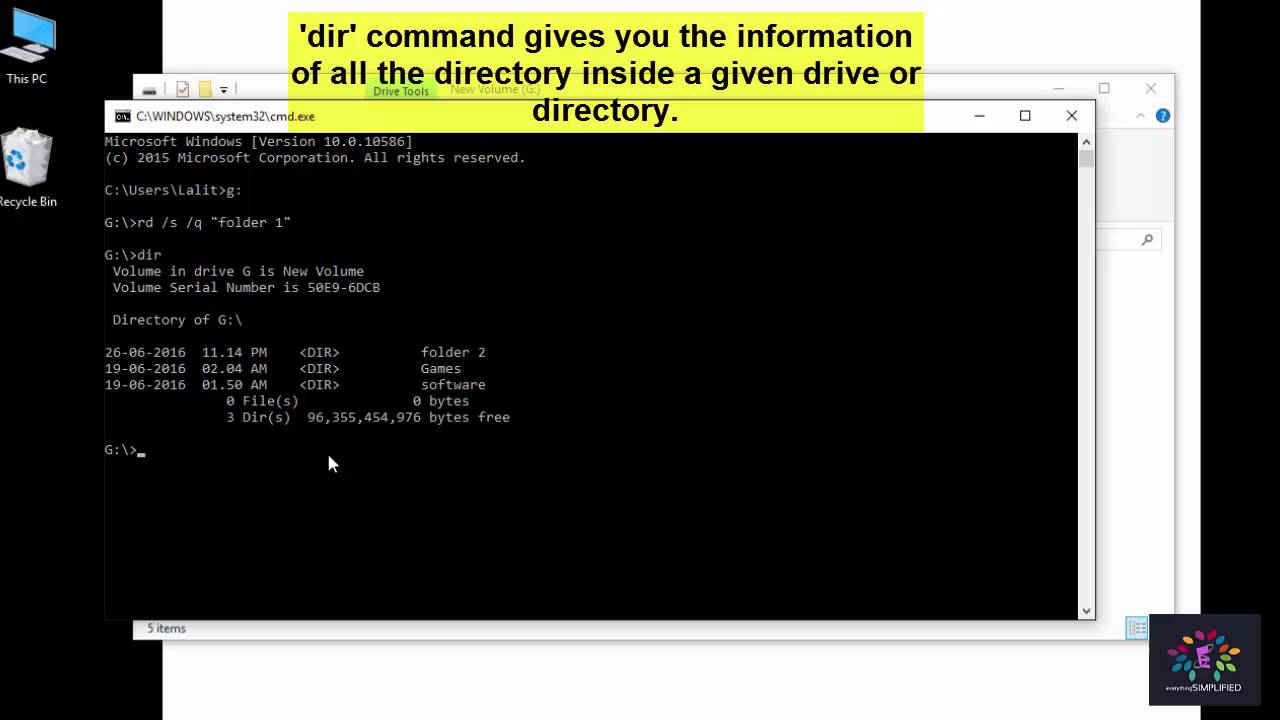
Web May 26 2023 nbsp 0183 32 Use the DIR command to list files and folders in the current directory or DIR S to list files and folders recursively in subdirectories as well To search for specific file types use the asterisk followed by the file extension type in this syntax DIR jpg Use attribute switches to filter the type of files and folders to list

Web Jul 6 2014 nbsp 0183 32 From a command prompt window CD into the directory in question and then type dir b gt c lt folder of your choice gt files txt That will dump the directory listing to a file instead of showing it on the screen The b lists only the file names and none of the date time stamps sizes and other junk you re not interested in
Web Jun 28 2016 nbsp 0183 32 I want to know how to make a batch file list files but in text form just as you would make it say hello world using the echo command I don t want it to create another file but if it is needed I will create a folder for it Here is the command that will create a text file dir b gt filelist txt batch file Share Web Oct 17 2022 nbsp 0183 32 The Complete List of Command Prompt CMD Commands Your go to list of CMD commands for all versions of Windows By Tim Fisher Updated on October 17 2022 The Command Prompt in Windows provides access to over 280 commands
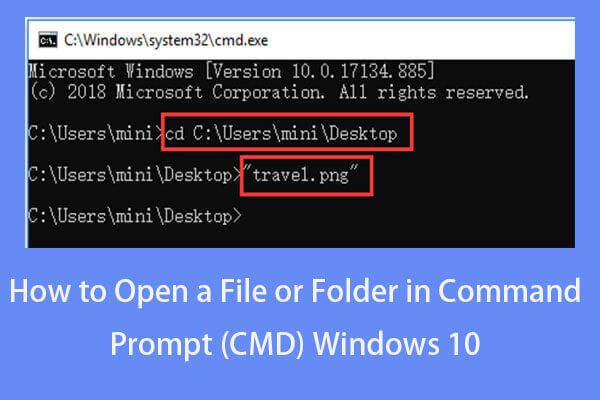
Web Nov 6 2023 nbsp 0183 32 First open the Command Prompt on your PC by typing cmd in the Windows Search bar and then selecting Command Prompt from the search results You may also enter quot cmd quot into a Run box Windows R if you prefer that With the Command Prompt opened you re ready to find and open your file Find Files Using Command