List Files Command In Windows Cmd Windows Naagoo Blog Epfeet Blog Copy Command In CMD Examples Options And Switches Windows Terminal Commands Python Python3 Python
Ollama Ollama CLI ollama help Large language model runner Usage ollama Linux ls Linux Linux ls list directory contents
Windows Terminal Commands Windows Command Line Get File Name From Path Printable Online Diskpart Microsoft Learn Show List Of Files In Cmd Windows Printable Online Windows Cmd Commands Cheat Sheet Download Printable PDF Templateroller Dir Command Examples Options Switches More Windows 11 Command List List Of Windows 10 Command Prompts Rolfhyper Windows 10 Common Command Prompt List Beastmens
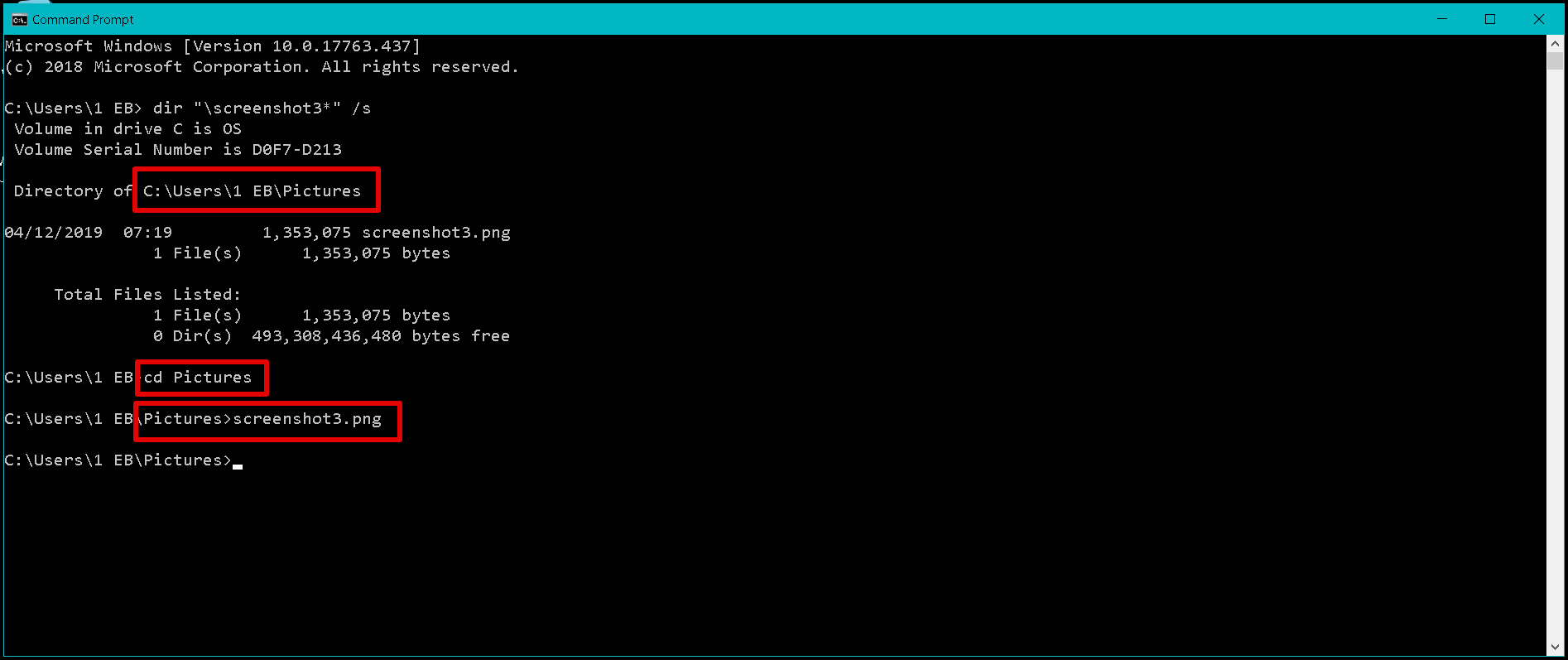
List Files Command In Windows Cmd
 List Files Command In Windows Cmd
https://www.wikihow.com/images/9/9a/Hide-Files-in-Cmd-Step-5.jpg
Python Python3 Python sort sorted sort sorted
Templates are pre-designed documents or files that can be used for various functions. They can conserve time and effort by supplying a ready-made format and design for creating various type of content. Templates can be utilized for personal or professional jobs, such as resumes, invitations, leaflets, newsletters, reports, discussions, and more.
List Files Command In Windows Cmd

Win Version Cmd
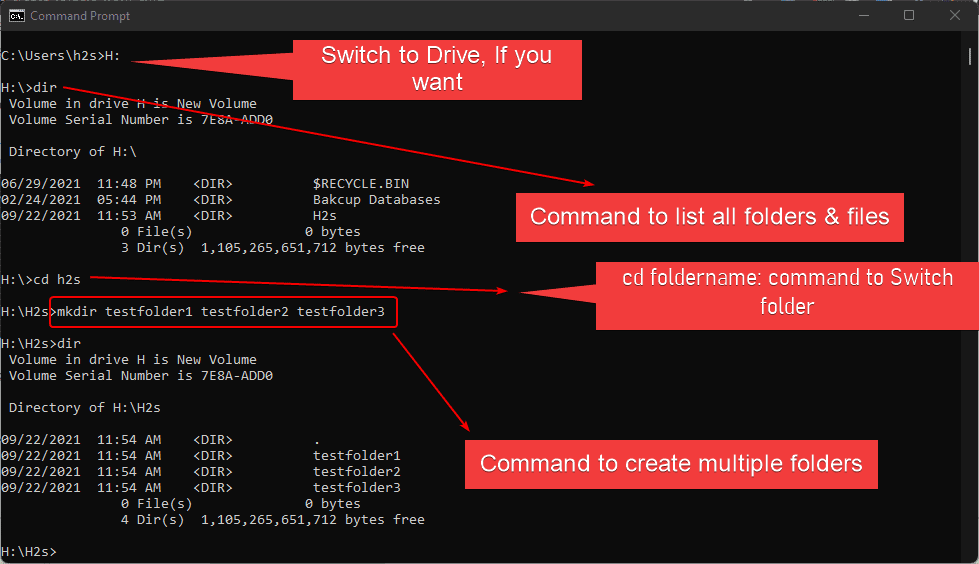
Windows Command Line Get File Name From Path Printable Online
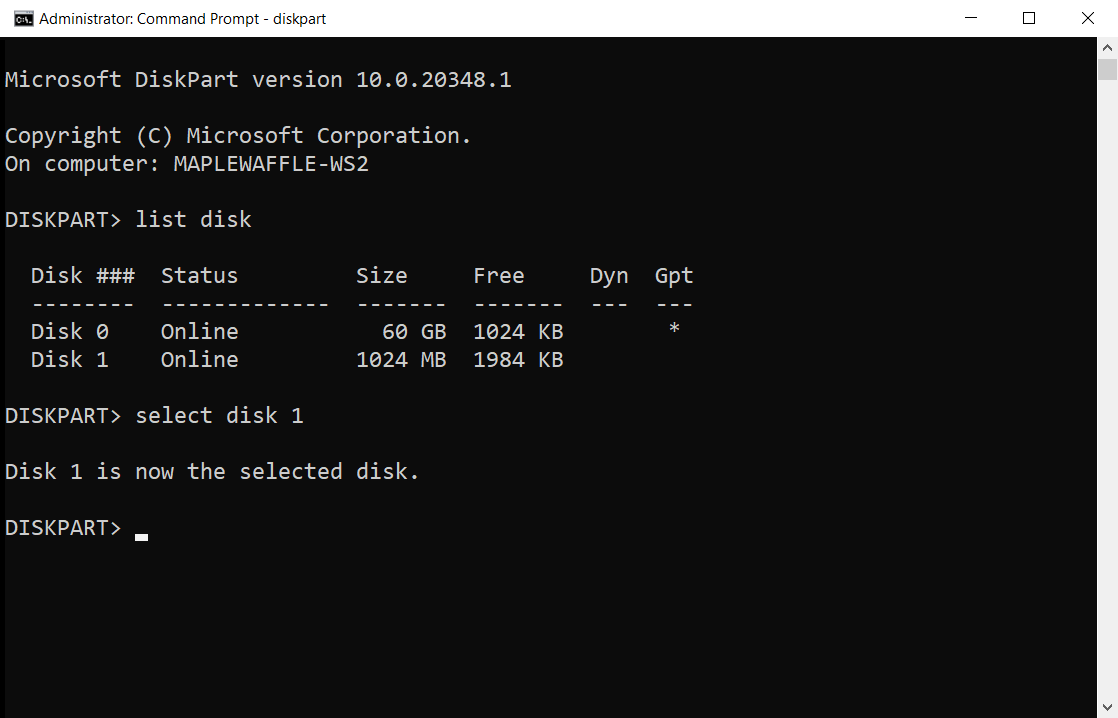
Diskpart Microsoft Learn
Show List Of Files In Cmd Windows Printable Online

Dir Command Examples Options Switches More
Windows 11 Command List

Java ArrayList Java ArrayList ArrayList AbstractList
C lt list gt C lt list gt lt list gt C STL
Python List sort Python sort

Python3 Python 0 1 Python 6

My list 2 5 2 5 2 5 5
[desc-11] [desc-12]
[desc-13]