List All Services Command Line How To List Compiled PHP Modules From Command Line Some CMD Commands Every Windows User Should Know Basic Networking 22 Best CMD Commands For Windows 2021 GeekDost Windows Command Line Cheat Sheet Instead Of Listing All Of The Drivers Only A Chunk Of Them Is You can use the Command Prompt or the Get Service PowerShell cmdlet to generate a list of Running or Stopped Windows Services more on your Windows 11 10 computer
There are some services in Windows such as http and USBStor which are not listed when you view Services or when running the Get Service cmdlet What is the simplest way to list all services even the hidden or unlisted ones For example the http and USBStor services are not enumerated when listing services but they can be accessed directly by name PS C Windows System32 Get Service Command Prompt PowerShell Display a list of Started Services from the Command Line Windows By Lowell Heddings Published Sep 13 2006 To interact with the services panel from the command line Windows provides the Net utility Readers like you help support How To Geek
Instead Of Listing All Of The Drivers Only A Chunk Of Them Is 50 Basic Windows Commands With Examples 2023 The Windows Command Line Interface Quiz Quizizz Www vrogue co 10 Cmd Commands All Windows Users Should Know Www vrogue co Windows Terminal Commands Sheet Pdf Worthyren Command Line Cheat Vrogue Command Line Developer EP 2 Arnondora How To Use The Command Line Interface 8 Steps with Pictures Top 50 Linux Commands You MUST Know DigitalOcean Linux Command Line Cheat Sheet In A Well Formatted Image And Pdf File
List All Services Command Line
 List All Services Command Line
https://res.cloudinary.com/lwgatsby/f_auto/www/uploads/2020/03/list.php_.modules.3.10.20.jpg
How to List the Services in Windows Command Line To List all the Services in your Windows PC or Server Perform the Following Steps Open PowerShell Terminal or PowerShell ISE as Administrator Type Get Service in the Terminal You would be presented with all the available Services on the Windows Machine
Templates are pre-designed documents or files that can be utilized for various purposes. They can conserve effort and time by providing a ready-made format and design for producing various kinds of content. Templates can be utilized for individual or professional projects, such as resumes, invitations, flyers, newsletters, reports, presentations, and more.
List All Services Command Line
Install Mac Command Line Tools Senturinring
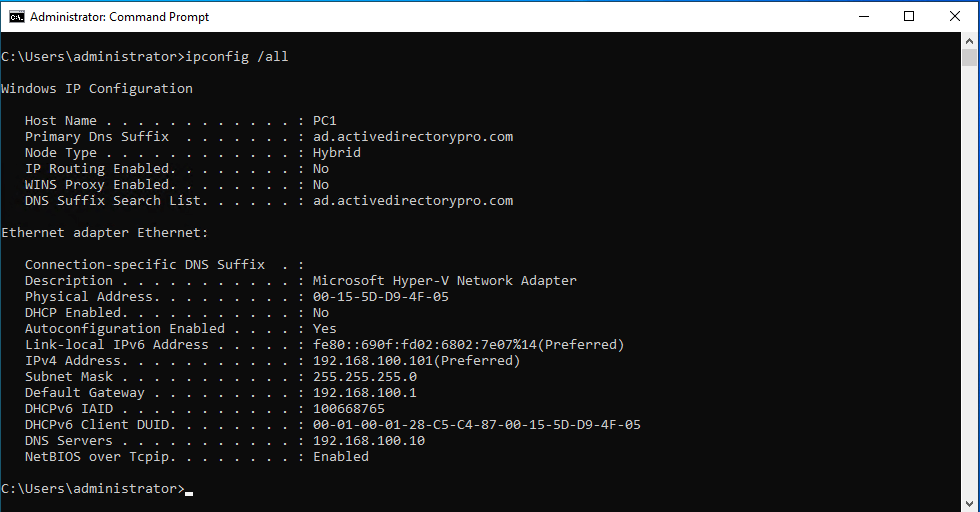
50 Basic Windows Commands With Examples 2023

The Windows Command Line Interface Quiz Quizizz Www vrogue co
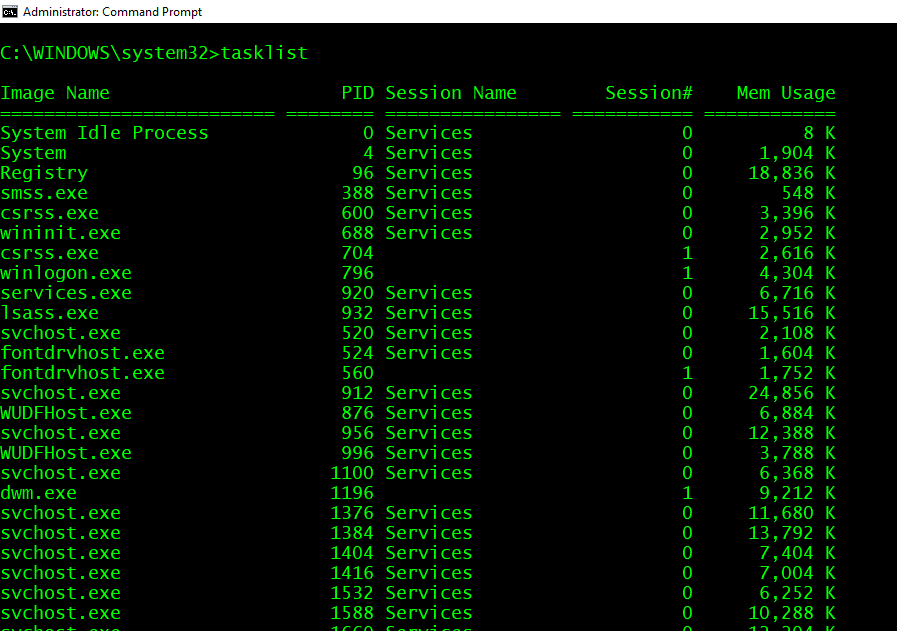
10 Cmd Commands All Windows Users Should Know Www vrogue co

Command Line Developer EP 2 Arnondora

How To Use The Command Line Interface 8 Steps with Pictures
Sc query DeviceInstall Listing Windows Services in PowerShell PowerShell is meant to be a dedicated command line shell for modern Windows As such it provides access to pretty much every operating system component through commands and Windows services are no exception

In this post we ll see some useful command line prompt CMDPowershell commands that can be used from most Windows environments including Windows 10 and Windows Server to list the installed active inactive services as well as search for a specific service in Windows Command Line CMD commands How to list all Windows services
The query operation displays the following information about a service SERVICE NAME service s registry subkey name TYPE STATE as well as states which are not available WIN32 EXIT B SERVICE EXIT B CHECKPOINT and WAIT HINT The type parameter can be used twice in some cases
Started services only wmic service where started true get name startname services with specific pattern in name wmic service where name like sql get name startname nicely formatted as html table and then opened in your browser wmic service where name like sql get name startname format htable out html out html

Get Service gets all the services on the computer and sends the objects down the pipeline The Where Object cmdlet selects only the services with a Status property that equals Running Status is only one property of service objects To see all of the properties type Get Service Get Member
Type the following command to start a service on Windows 11 with PowerShell and press Enter Start Service Name SERVICE NAME In the command change SERVICE NAME with the name of the service June 29 2022 in Microsoft Reading Time 11 mins read Table of Contents READ ALSO 7 Excel Data Analysis Features You Have to Try This Microsoft Office deal gets you a lifetime license for 39 or two licenses for 59 Listing Windows Services In the Command Prompt Listing Windows Services in PowerShell Checking Service Dependencies
Listing Windows Services On Remote Computers The PowerShell method is not limited to local computers You can use the Get Service cmdlet with the same syntax described above to query the processes of remote PCs as well Just append the ComputerName flag at the end to specify which remote computer to retrieve information from