Linux Symlink Directory Example Linux Symlink Erstellen So Geht s How To Create A Symbolic Link In Linux Using Ln Command Directory Junction Vs SYMLINK Symbolic Link How To Get A List Of Symbolic Links On Linux Files How To Change Where A Symlink Points Unix Linux Stack Exchange Feb 21 2022 nbsp 0183 32 You can create a symlink symbolic by using the ln command in the command line Symbolic links are useful because they act as shortcuts to a file or directory In this article I will go over how to use the ln command to
Apr 18 2023 nbsp 0183 32 ln s lt target directory target file gt lt symlink directory example symlink gt The s switch is important because it tells the Linux ln command to create a soft link instead of a Dec 4 2023 nbsp 0183 32 Create Symlink for Directory A symbolic link can point to a directory s absolute or relative path Use the following syntax to create a symbolic link to a directory in Linux ln s
Files How To Change Where A Symlink Points Unix Linux Stack Exchange SYMLINK No Such File Or Directory Laravel Anansewaa Create A Symbolic Link also Symlink Or Soft Link In Linux Ansible How To Create Hard And Symbolic Links In Linux Cara Membuat Symbolic Link symlink Di Linux LINUX TUTORIALS Linux How To Symlink A Directory In Linux How To Create Symlink In Linux LinuxConfig Unix Linux Can I Replace A Directory With A Symlink Without Write How To Symlink A Directory In Linux
Linux Symlink Directory Example
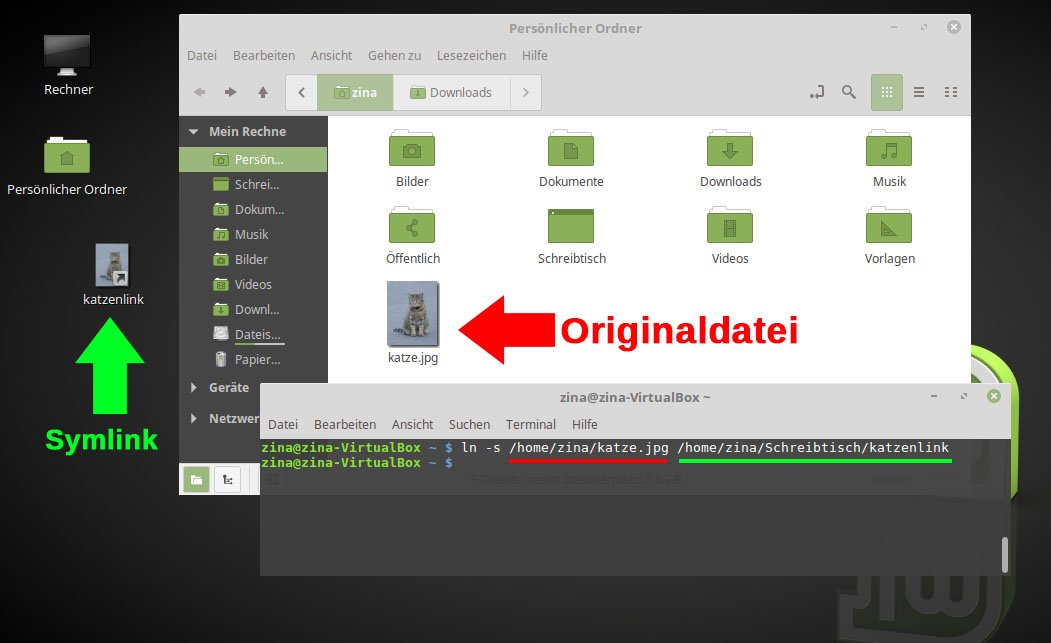 Linux Symlink Directory Example
https://static.giga.de/wp-content/uploads/2018/03/linux-symlink-1-rcm1200x0.jpg
Sep 25 2007 nbsp 0183 32 A symbolic link also known as a soft link or symlink consists of a special type of file that serves as a reference to another file or directory Unix Linux like operating systems often uses symbolic links This guide
Pre-crafted templates provide a time-saving option for developing a diverse series of files and files. These pre-designed formats and designs can be used for various individual and expert tasks, including resumes, invitations, leaflets, newsletters, reports, discussions, and more, streamlining the material development procedure.
Linux Symlink Directory Example
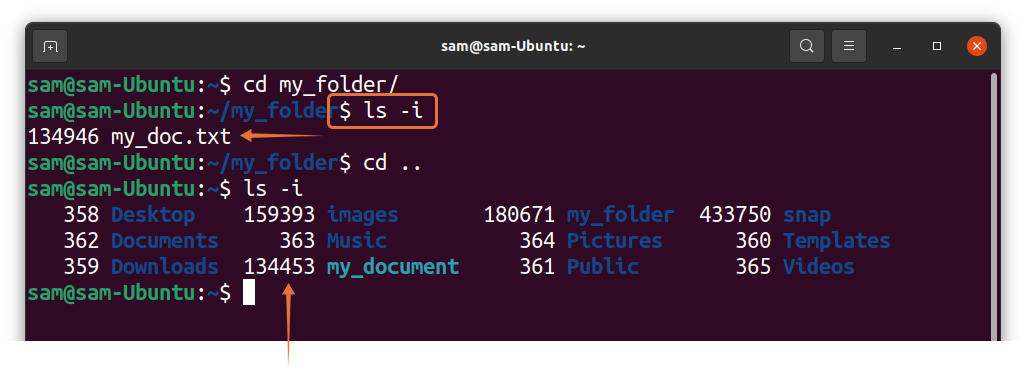
How To Symlink A Directory In Linux

SYMLINK No Such File Or Directory Laravel Anansewaa

Create A Symbolic Link also Symlink Or Soft Link In Linux Ansible
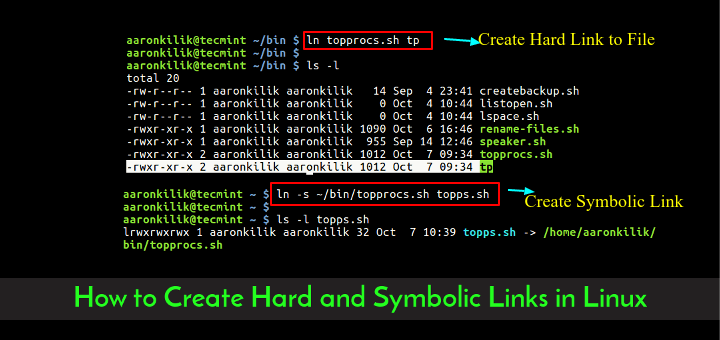
How To Create Hard And Symbolic Links In Linux

How To Symlink A Directory In Linux
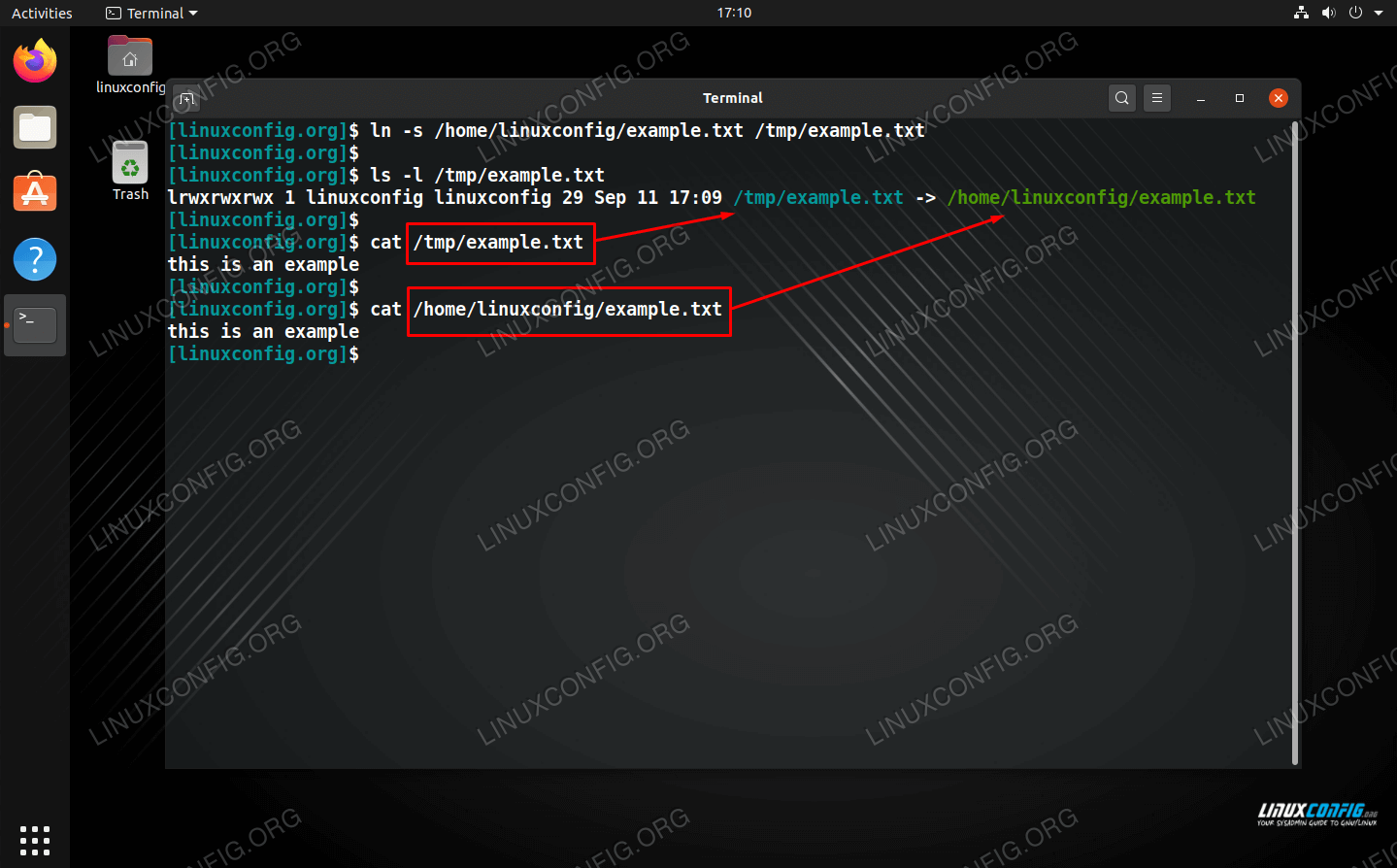
How To Create Symlink In Linux LinuxConfig
May 2 2020 nbsp 0183 32 The syntax for creating a symlink is ln s lt path to the file folder to be linked gt lt the path of the link to be created gt ln is the link command

Nov 2 2018 nbsp 0183 32 How to Use the ln Command ln is a command line utility for creating links between files By default the ln command creates hard links To create a symbolic link use the s
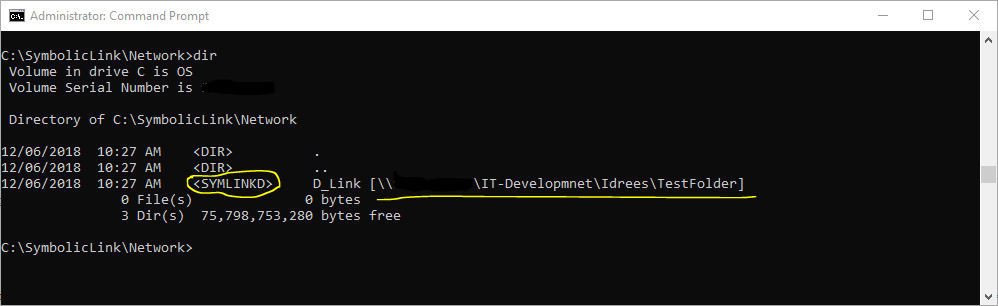
Dec 31 2023 nbsp 0183 32 To create a symbolic link to a directory use ln s source directory link name The command is the same as creating a symlink to a file For example let s say you want to add a
Jan 1 2024 nbsp 0183 32 With Linux and Unix we have ln utility which is used to create symbolic links The basic syntax to create links would be ln OPTION TARGET LINK NAME TARGET refers to

Jul 2 2019 nbsp 0183 32 What is Symbolic link in Linux and why is it used A symbolic link also known as a symlink or a soft link is a special type of file that simply points to another file or directory just like shortcuts in Windows Creating symbolic
Jun 26 2024 nbsp 0183 32 How Do I Symlink a File in Linux To create a symlink to a file use the ln s command with the original file path and the desired symlink name For example ln s Oct 30 2023 nbsp 0183 32 The ln command is used on the Linux command line to generate new symlink files It includes a s flag to specify we want to make a symbolic link rather than the default hard
Oct 24 2023 nbsp 0183 32 Symlinks also known as symbolic links are extremely useful for creating shortcuts or aliases to files and directories in Linux With symlinks you can access a file or directory