Linux Suspend Keyboard Shortcut Xubuntu Xfce How To Add Keyboard Shortcut For Terminal And Suspend Linux Suspend Ubuntu How To Define Keyboard Shortcut To Suspend Xubuntu 12 04 YouTube Linux Suspend Linux suspend Ctrl L to lock the user and turn off screen Jamie Pietarinen 3 years ago There are a few nuggets here that I wasnt aware
The first method on how to suspend Ubuntu 20 04 is the simplest First open the top right panel Next click on Power Log Out and Suspend to Suspend a Process in Linux Using the Ctrl Z Shortcut key Another method is to use the Ctrl Z shortcut key in the Terminal Let s try this
Linux suspend Ubuntu 16 04 Keyboard Shortcut Alt F4 To Get The Suspend shutdown Linux Suspend Only SSD Google CnBeta COM Fix Linux Suspend On Low Battery And Prolong Your Battery Life Ctrl Blog Irq Wakeup In Linux Linux Suspend How To Suspend A Process In Linux Visual Studio Code Keyboard Shortcut Cheat Sheet Windows Mac Linux Background And Foreground Processes Linux
Linux Suspend Keyboard Shortcut
 Linux Suspend Keyboard Shortcut
https://i0.wp.com/blog.chapagain.com.np/wp-content/uploads/2022/10/Selection_015.png?resize=640%2C546&ssl=1
Laptops have suspend sleep hotkey typically a combination of Fn with some function key You can use that Otherwise I guess you can create a
Pre-crafted templates use a time-saving service for producing a varied range of files and files. These pre-designed formats and designs can be used for numerous individual and expert tasks, consisting of resumes, invites, flyers, newsletters, reports, presentations, and more, enhancing the material production procedure.
Linux Suspend Keyboard Shortcut

Ubuntu How Can I Suspend Using A Keyboard Shortcut Without

Ubuntu 16 04 Keyboard Shortcut Alt F4 To Get The Suspend shutdown

Linux Suspend Only SSD Google CnBeta COM

Fix Linux Suspend On Low Battery And Prolong Your Battery Life Ctrl Blog

Linux Suspend
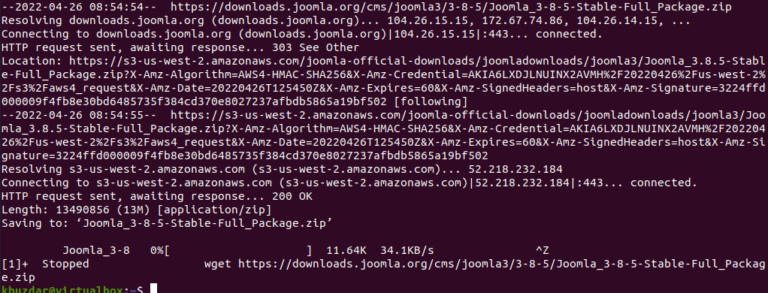
How To Suspend A Process In Linux

Choose suspend Click twice on one of the unassigned and when it says Pick and accelerator type your shortcut You might have to reboot for it
One way to do that is to run the following command chmod x home username bin custom suspend To give it a shortcut under LXDE which

I am trying to map a keyboard shortcut to put my computer to sleep I have successfully enabled my user to run the command without prompt

Super Tab Quickly switch between windows Hold down Shift for reverse order Super Switch between windows from the same application or from the

I have not included universal keyboard shortcuts like Ctrl C copy Ctrl V paste or Ctrl S save Note Super key in Linux refers to the key
pm suspend Command During suspend most devices are shutdown and system state is saved in RAM Sign up for free to join this conversation on GitHub Already You may need to press Ctrl along with Alt So for example full key shortcut would be Ctrl Alt SysRq b Linux console See Linux console
The Alt F4 Sleep Mode Shortcut As you might know pressing Alt F4 closes the current app window just like clicking the X in the top right corner of a