Linux Show Services Not Running How To Check Execution Time Of A Process In Linux Bonekagypsum Blog Linux List Processes How To Check Running Processes Which Commands Can You Use To Check The Running Processes In Linux 20 Command Line Tools To Monitor Linux Performance Admin s Cave WEB Mar 13 2024 nbsp 0183 32 As you can see you could list the loaded services on your Linux system But an active systemd service could be running or could be exited after running successfully List all the running systemd services The active state can also have a sub status like running exited etc You can use the same state flag with the sub state
WEB Aug 11 2017 nbsp 0183 32 systemctl is active some service which returns inactive and exit code 3 if the service is not running or it does not exist Sometimes however it returns unknown and as well exit code 3 the explanation for that can be found here https bugzilla redhat show bug cgi id 1073481 WEB Jan 2 2024 nbsp 0183 32 Conclusion References In this tutorial I will share the commands which you can use to list systemctl services along with their state You can use these methods in scripts to add service status checks to make sure service is in running or failed state Are you new to systemd and systemctl
20 Command Line Tools To Monitor Linux Performance Admin s Cave How To Install Run Ubuntu Linux In Virtualbox Www vrogue co Fix One Of The Update Services Is Not Running Properly Error Things You Need To Know About Linux Linux Scripts Hub Running Windows In Linux VirtualBox Configuration Complete Linux Networking Tutorial YouTube How To Create And Edit Text File In Linux By Using Terminal Check Running Process In Linux For A User Linux Tutorials Learn How To Show Running Processes In Linux Calisto Code
Linux Show Services Not Running
 Linux Show Services Not Running
https://linuxopsys.com/wp-content/uploads/2022/07/process_time_linux-01.png
WEB Sep 29 2023 nbsp 0183 32 Simple You use one more flag all as shown here systemctl list units type service all List all service in Systemd You can now see the inactive services too with inactive status under the ACTIVE column List running services only If you want to list only the running services use systemctl list units type service state running
Pre-crafted templates use a time-saving option for producing a diverse range of files and files. These pre-designed formats and layouts can be made use of for numerous individual and expert jobs, consisting of resumes, invites, flyers, newsletters, reports, discussions, and more, simplifying the material production procedure.
Linux Show Services Not Running

Linux Rolling Releases FinderDing

How To Install Run Ubuntu Linux In Virtualbox Www vrogue co
Fix One Of The Update Services Is Not Running Properly Error

Things You Need To Know About Linux Linux Scripts Hub

Complete Linux Networking Tutorial YouTube
How To Create And Edit Text File In Linux By Using Terminal

WEB Aug 27 2020 nbsp 0183 32 Verify that if a service enabled or not run sudo is enabled nginx service See status again sudo status nginx service To see full outputs for debug service issue pass the full or l option sudo status nginx service l sudo status openvpn service full

WEB Jun 3 2021 nbsp 0183 32 Try the following command to list running services using the systemctl command It control the systemd system and service manager To list systemd services on CentOS RHEL 7 x use The syntax is systemctl more systemctl grep httpd systemctl list units type service systemctl list units type mount

WEB Sep 10 2013 nbsp 0183 32 I don t have an Ubuntu box but on Red Hat Linux you can see all running services by running the following command service status all On the list the indicates the service is running indicates service is not running indicates the service state cannot be determined

WEB Feb 22 2021 nbsp 0183 32 2 Answers Sorted by 44 List services service The service status all command will list all services on your Ubuntu Server both running services and not running services service status all Using the grep command we can filter the output to show only the running services service status all grep
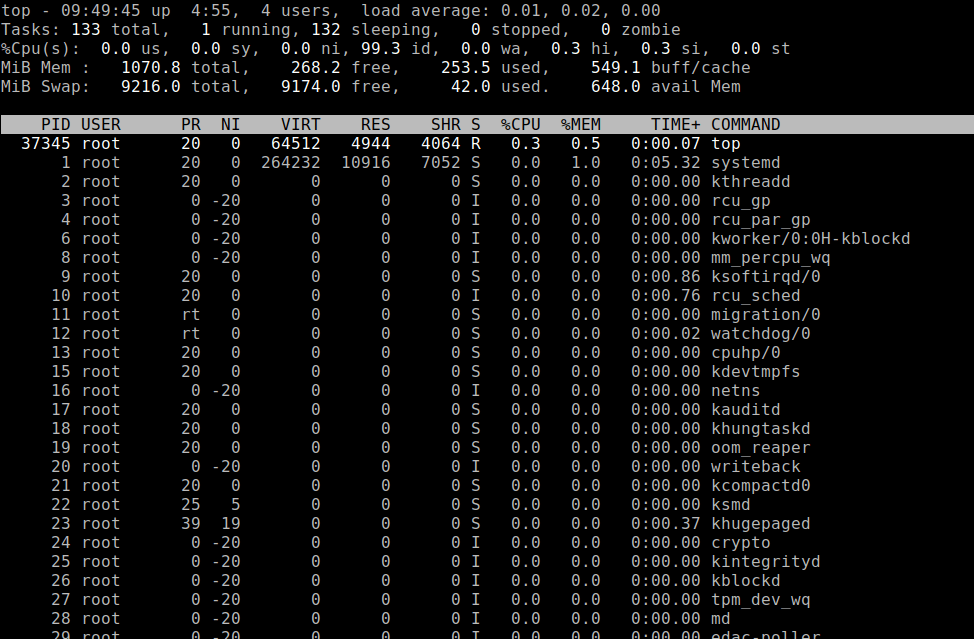
WEB Dec 6 2020 nbsp 0183 32 systemctl list units type service By default this command will show you only the services that are active or the services that have failed on your system In the screenshot above most of the services are active but the logrotate one highlighted in red is marked as failed
WEB Mar 18 2024 nbsp 0183 32 There are several methods for checking running services on non systemd Linux machines The ps and top commands provide real time process information while the service command provides a way to manage and check the status of services in SysVinit and Upstart systems WEB Nov 16 2023 nbsp 0183 32 systemctl List Systemctl Units in Linux List All Units in systemctl To list all loaded services on your system whether active running exited or failed use the list units subcommand and type switch with a value of service systemctl list units type service OR systemctl type service List All Services Under Systemd
WEB Mar 24 2024 nbsp 0183 32 To list all services on your Linux system you can use the following command systemctl list units type service This command will display a list of all services along with their current status active inactive or failed You can also use the following command to list only the active services