Linux Open New Shell And Run Command TIPS ACPIVIEW WWW LAB Z COM Hands on With No VNC HTML5 Www abcdesktop io Zsh Plugin Manager Benchmark How To Compile And Run C C Programs In Linux Tecadmin Techzamin Enable Hibernate On Ubuntu 20 04 DEV Community Web In Ubuntu you can do it using xdotool To do so you have to install xdotool with the command sudo apt get install xdotool and then you can use the command below to open up a new terminal window xdotool key ctrl alt t Share Improve this answer Follow edited Apr 12 2017 at 10 06
Web Mar 22 2016 nbsp 0183 32 I ve got a problem I m searching for long time for this answer how can I run command in new bash shell and stay in this NEW shell after this commands executes So for example bash c quot export PS1 gt amp amp ls quot will make new shell export PS1 list directories and will exit to my current shell I want to stay in the new one Web May 16 2019 nbsp 0183 32 shell How can I open terminal and run command automatically Unix amp Linux Stack Exchange I m in the terminal emulator I want to open another terminal to run a specified command That runs pwd and zsh consecutively and successfully in another Stack Exchange Network
Enable Hibernate On Ubuntu 20 04 DEV Community 368 Boost Library And Muduo Library Installation Ubuntu Programmer Sought Infojo Blog Windows Command Execute Batch Command The Linux Fg Command How To Learn Shell Scripting In Linux Tutorial Shell Windows Command Alias Failure Stack Overflow The Linux Fg Command Escargot With Garlic Butter And Splash Of Cognac A 10 Minute Dish Steamy Kitchen Recipes
Linux Open New Shell And Run Command
 Linux Open New Shell And Run Command
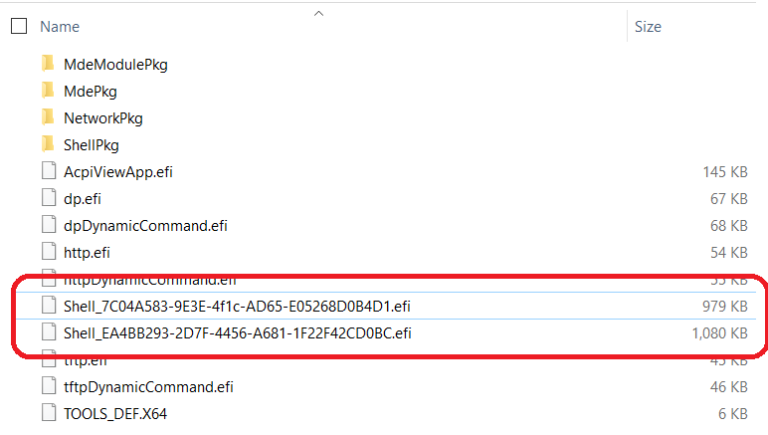
https://www.lab-z.com/wp-content/uploads/2022/01/acpiview-768x435.png
Web Jun 4 2019 nbsp 0183 32 3 gnome terminal is expecting a command name It looks for a command literally called ls amp amp clear but can t find it You need to run it in a shell gnome terminal tab bash c quot ls amp amp clear quot Share
Pre-crafted templates provide a time-saving service for producing a varied series of documents and files. These pre-designed formats and designs can be utilized for various individual and expert tasks, consisting of resumes, invitations, flyers, newsletters, reports, presentations, and more, improving the content development process.
Linux Open New Shell And Run Command

Solved Python Open New Shell And Run Command 9to5Answer

368 Boost Library And Muduo Library Installation Ubuntu Programmer Sought

Infojo Blog
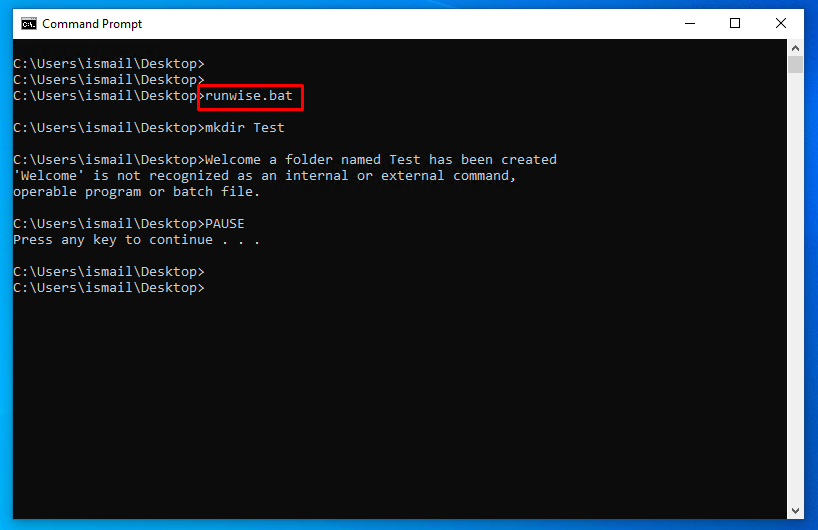
Windows Command Execute Batch Command

How To Learn Shell Scripting In Linux Tutorial

Shell Windows Command Alias Failure Stack Overflow
Web Jun 2 2011 nbsp 0183 32 I would like to run a program from the bash shell When the program runs it dominates the entire shell so I would like to start a new shell and run the program from there Currently I am doing However that give me the error Failed to execute the child process no such file or directory

Web You can just background the first processes by adding an ampersand amp to the command line or pressing Ctrl Z when it is running and then enter bg to let the process continue more information about that with jobs If that s not enough you can create virtual shells with screen or tmux
Web But I want to run same command on another terminal window new window instead on present window from first terminal I need suggest command lt command gt that open new terminal window and run mentioned lt command gt in that newly opened window where suggest command is example of suggestion of command
Web Apr 18 2020 nbsp 0183 32 1 Answer Sorted by 5 cd is a shell builtin command you can t execute it directly in a terminal it needs a shell So for example gnome terminal sh c cd Server amp amp start sh you may need to give an absolute path to Server depending on where you are running the command from Share Improve this answer

Web Nov 30 2012 nbsp 0183 32 To run it in a new terminal you can do gnome terminal x abc sh or if it s xterm xterm e abc sh Here s a list of different terminal emulators Alternatively you just run it in your current terminal but background it instead by abc sh amp
Web Mar 12 2022 nbsp 0183 32 Call a script from a command that starts a new shell Using Ubuntu 20 04 I can disable Overlay file system by manually calling a command which creates a shell then calling a second script from within this new shell However I would like to be able to script it so I can auto update a pc Web Dec 15 2018 nbsp 0183 32 1 Answer Sorted by 9 Your initial command gnome terminal echo quot foo quot bash attempts to run a program named literally echo quot foo quot bash which you most likely don t have on your system The correct syntax would be gnome terminal sh c echo quot foo quot bash but it would not help unless you actually have an executable named foo
Web 3 Answers Run screen 1 It is a terminal multiplexer This lets you create multiple shells running under screen which you can switch between You can quot detach quot from screen to get back to the original shell and quot re attach quot to get back access to those shells