Linux Mint Update Repository List Linux Mint Now Supports Flatpak Update Via Updater More Updates Daftar Repository Lokal Indonesia Linux Mint Manglada Tech Linux Mint 17 2 Rafaela RC Now Available 10 Things To Do After Installing Linux Mint 20 Install Linux Mint As A Virtual Machine Step By Step Guide Upgrading to Linux Mint 20 3 is relatively easy In the Update Manager click on the Refresh button to check for any new version of mintupdate or mint upgrade info If there are updates for these packages apply them Launch the System Upgrade by clicking on Edit Upgrade to Linux Mint 20 3 Una Follow the instructions on the screen
How to Update the List of Linux Repositories When installing applications and programs on there are several ways to do it More advanced users can choose to download the source code from the developer s website and compile it directly on their computer Something very slow and impractical really A Launch a terminal window b In sources list replace the Ulyana source 20 by the Ulyssa source 20 1 d Perform the actual upgrade and wait for a while e Reboot computer once dist upgrade is done This procedure replacing the nickname of the current Mint by the nickname of the new Mint in the sources list will also be the same in
Install Linux Mint As A Virtual Machine Step By Step Guide Linux Mint 17 Qiana Xfce RC Get GNU Linux Mint 18 Approche Grands Pas Backdoored Linux Mint And The Perils Of Checksums Linux Mint Vs Ubuntu Which Distro Should You Choose The Better Parent Baixe O Linux Mint 15 Olivia Diolinux Reviews Ubuntu Vs Linux Mint Which Is Better In 2020 Easy Cloud Make Linux Mint 19 Looks Like Mac OS X Mojave Manjaro Dot Site Linux Mint 17 1 To Feature A Much Better Update Manager
Linux Mint Update Repository List
 Linux Mint Update Repository List
https://debugpointnews.com/wp-content/uploads/2022/11/Linux-Mint-update-showing-Flatpak-packages.jpg
A Debian based repository is a collection of Debian software packages and metadata organized for download and installation for the systems that are based on the Debian operating system or its derivatives such as Ubuntu Linux Mint etc
Templates are pre-designed documents or files that can be used for different purposes. They can save effort and time by offering a ready-made format and design for creating different type of content. Templates can be utilized for personal or professional tasks, such as resumes, invitations, leaflets, newsletters, reports, discussions, and more.
Linux Mint Update Repository List

How To Update The List Of Linux Repositories

Linux Mint 17 Qiana Xfce RC Get GNU

Linux Mint 18 Approche Grands Pas
Backdoored Linux Mint And The Perils Of Checksums

Baixe O Linux Mint 15 Olivia Diolinux

Reviews Ubuntu Vs Linux Mint Which Is Better In 2020 Easy Cloud
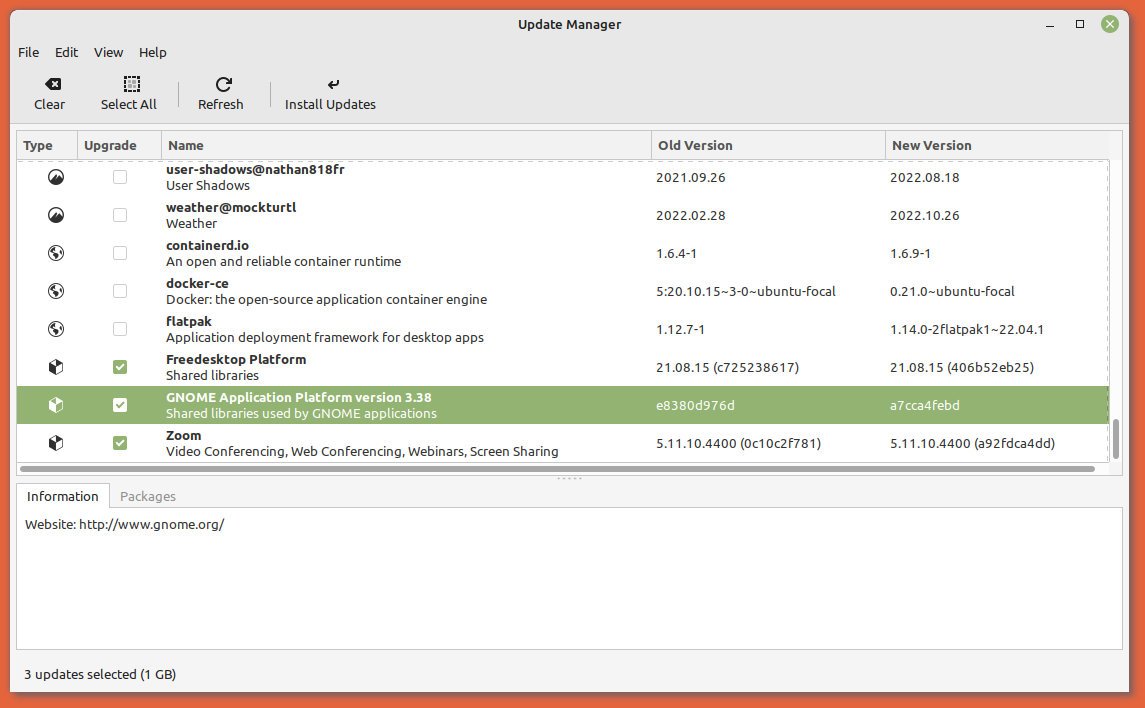
In Linux Mint you install everything from its software repositories sources It s therefore very important that you have no wrong or defective repositories in your sources list Are you unsure whether the software sources of your system are all reliable Or are you having problems with Update Manager because of your software sources

To see the list of repositories that you have in your Ubuntu distro open up a Terminal session Control Alt T and execute the following command sudo gedit etc apt sources list sources list Ubuntu Ubuntu repository list In case it doesn t work or you don t have gedit installed in your distro you can invoke the nano editor by using

3 I have a Linux Mint 10 Julia installed on my machine I d like to upgrade but as Linux Mint upgrade page says why upgrade I would like to upgrade in order to have more recent software and fixes According to that my intent is to update repository references so that I can benefit of newest updates and fixes for my installed packages

Ensure your current system is updated before upgrading to Linux Mint 21 3 Virginia Open the terminal and run the command below It refreshes your package list and upgrades installed packages This step minimizes conflicts in the upgrade process sudo apt update sudo apt upgrade
Launch the Update Manager with Menu Administration Update Manager Check if there are any package updates available If yes install all the software updates first Check for Pending Software Updates You may also use this command in the terminal for this step
All of the in house apps have received plenty of attention and the Romeo unstable software repository will be available to use to install bleeding edge releases of apps Linux Mint 21 3 is based on Ubuntu 22 04 is powered by the 5 15 LTS kernel and will receive updates until 2027 PipeWire was created to take the place of the oft There are the LMDE sources latest testing incoming testing and the Debian sources For a better understanding the Debian branches first oldstable Codename squeeze stable Codename wheezy testing Codename jessie unstable Codename sid experimental In the sources list both can be used the branch designation or the codename
ISO Images Linux Mint 21 3 comes with full support for SecureBoot and compatibility with a wider variety of BIOS and EFI implementations Grub is used in EFI mode Isolinux syslinux is used in BIOS mode The tools and framework used by Linux Mint to produce its ISO images were updated and are now based on the latest version of live build