Linux List Gz File Contents Come Creare Un File Tar Gz Su Linux Open GZ Files With File Viewer Plus How To Install A Gz File On Linux Ubuntu Systran Box How To Install A Tar Gz File In Debian Linux Systran Box Download Tar Gz From Linux What do you mean exactly by the particular string which is repeated In general you can use zgrep to search within GZIPed data Can you give a more complete description of what you are trying to do steeldriver Apr 26 2019 at 0 57 a compressed string of bytes or a string of bytes that has now been compressed to something else
Read the contents of a zipped file without extraction Ask Question Asked 11 years 4 months ago Modified 3 years 4 months ago Viewed 377k times 251 How can I read the contents of a particular file in an archive without extracting the zip it is contained within I m using the Linux command line 17 gzip will always compress each file into a single gz file when given a list of files on its command line For example gzip r log 2011 to recursively walk the log 2011 directory and compress all files it finds or gzip log 2011 to compress only the files in the log 2011 directory without descending into subdirectories Share
Download Tar Gz From Linux Unzip GZ File How To Open GZ Files On Windows Linux CMD Guide How To Extract A Tar Gz File Systran Box How To Convert A Tgz File To A Zip File From The Linux Command Line Unpacking Or Uncompressing Gz Files Under Linux And UNIX NixCraft Gz File Extension Truthlasopa Sztere Mil cia V d Tar List Files Fajta Forgalmi Dug Titk r How To Unzip Multiple Gz Files In Linux Systran Box How To Extract Tar Gz File In Linux Untar Tar gz
Linux List Gz File Contents
 Linux List Gz File Contents
https://noviello.it/content/images/2020/07/tar.jpg
88 How can I get the equivalent of an ls of a zip file not gzip without decompressing it from the command shell That is how can I list the different files compressed within my zip archive linux bash shell unix zip Share Improve this question Follow edited Jul 24 2018 at 7 03 perreal 95 3k 21 155 182 asked Mar 20 2013 at 7 31 einpoklum
Pre-crafted templates offer a time-saving service for developing a diverse series of documents and files. These pre-designed formats and designs can be used for various individual and professional jobs, consisting of resumes, invites, leaflets, newsletters, reports, discussions, and more, improving the content creation process.
Linux List Gz File Contents
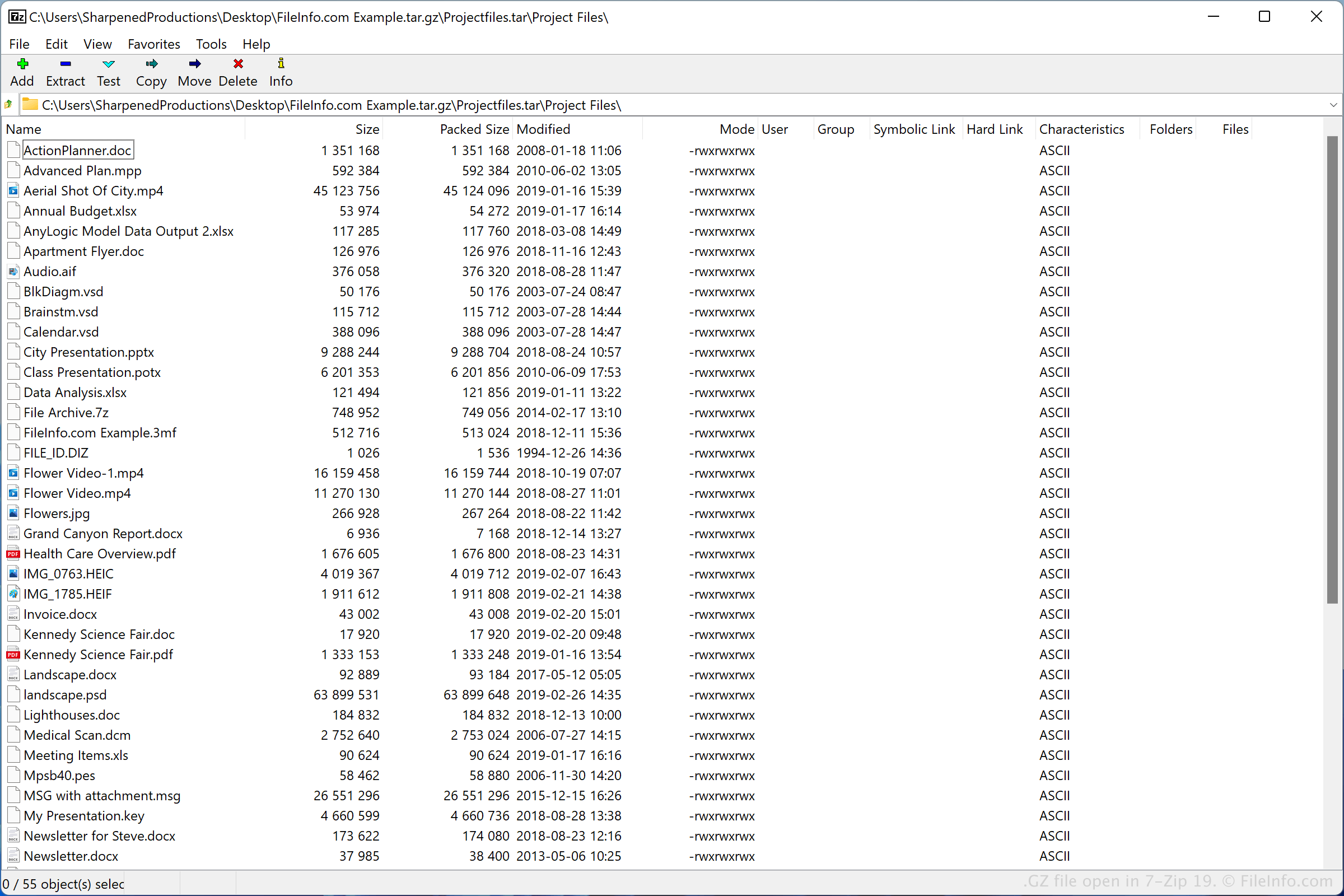
GZ File What Is A gz File And How Do I Open It

Unzip GZ File How To Open GZ Files On Windows Linux CMD Guide

How To Extract A Tar Gz File Systran Box

How To Convert A Tgz File To A Zip File From The Linux Command Line

Gz File Extension Truthlasopa

Sztere Mil cia V d Tar List Files Fajta Forgalmi Dug Titk r

How to display the contents of a gzip gz file Problem You have a plain text file that has been compressed with the gzip command and you d like to display the file contents with the Unix Linux cat or more commands Solution Instead of using the cat or more commands use their equivalents for working with gz files the zcat and zmore commands

To list all the contents of a compressed gzip archive or any kind of tar file use the t option with tar We ll also need the f option since we will specify the name of our tar file after This will return a full list of all the files and directories that reside inside the archive tar tf Linux ISOs tar gz

In Linux you can view contents of a compressed gz file without uncompressing uncompress on the fly actually or in temp directory which makes perfect sense for those who deal with large log files and does forensic stuffs The way it s done is by using Z commands

How can I list contents of tar file on Unix GNU tar or BSD tar is an archiving program designed to store and extract files from an archive file known as a tarfile You can create a tar file or compressed tar file tar However sometimes you need to list the contents of tar or tar gz file on screen before extracting all files
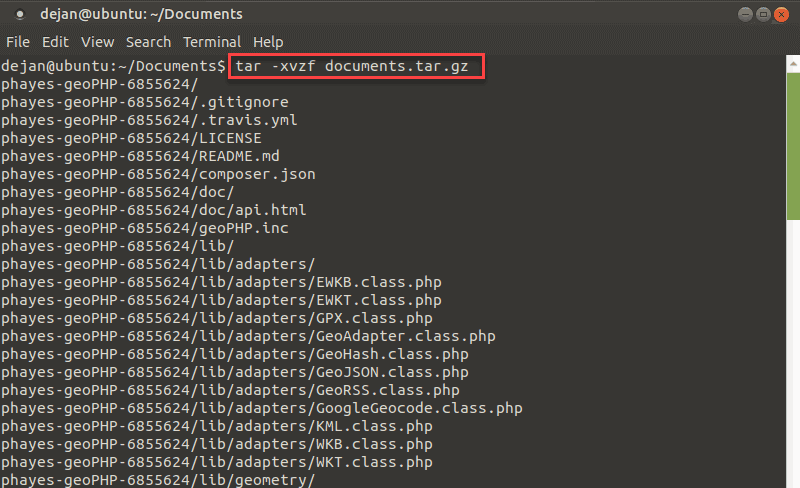
Znew command View content of an archived compressed folder without extracting If we have an archived folder with tar as extension we can check the contents of the archive by using the tar command with option t For examples linuxtechi localhost tar tvf backup tar
To compress a single file invoke the gzip command followed by the filename gzip filename gzip will create a file filename gz and delete the original file By default gzip keeps the original file timestamp mode ownership and name in the compressed file Keep the original file If you want to keep the input original file use the k option 2 gzip Basic Syntax and Usage Before we delve into specific use cases let s familiarize ourselves with the basic syntax of the gzip command gzip options file s In this syntax options refer to various flags and settings you can use to control the behavior of gzip and file s represents the file or files you want to
Linux How to List or Search for Files in a tar tar gz Archive By Lowell Heddings Published Aug 4 2017 If you have a huge tar backup file and you need to grab some files out of it wouldn t it be easier if you can look inside first Luckily there s an easy option to do so Readers like you help support How To Geek