Linux Kill Process On Port 80 Kill Any Kind Of Process In Linux Smidu Devops Unix Linux Kill Process Running On Port 80 5 Solutions YouTube Menjalankan Linux Kill Process Dengan Command Kill Kill Or Terminate A Process In Linux Linux Basics Technical Writers Learn How To Use The Linux KILL Process Udemy Blog For example if the process is using port 8080 you would use the following command This will print the PID of the process using that port Once you have the PID you can then use the kill command to terminate the process The kill command sends a signal to the process which can either terminate it or allow it to clean up before exiting
Here we ve created three processes using port 9999 and the protocols SCTP TCP and UDP respectively 3 Using the fuser Command The fuser command is a great tool for terminating processes We only need to use the k parameter Let s kill the process using the TCP protocol fuser k 9999 tcp 9999 tcp 6431 Another way to kill a process using a port number on a Linux PC is to use the lsof command This command can list open files and sockets on your system To list the processes that are using a specific port number you can use the following syntax lsof i protocol port As before protocol can be tcp or udp while port is the port number you
Learn How To Use The Linux KILL Process Udemy Blog Kill Process In Linux By PID Name Or Group IpFail Proxy Bypass Localhost Kill Process On Port 8080 In Windows JavaByPatel Data Structures And Bont sa Kibogoz Eltitkol s And Port Visszat r s F szek Referencia Difference Between Port 80 And Port 8080 How To Kill Process Based On The Port Number In Linux Linux Tutorials How To Nat Ipv4 To Ipv6 Check If Port 80 Open
Linux Kill Process On Port 80
 Linux Kill Process On Port 80
https://smidu.pl/wp-content/uploads/2020/05/20200810_203229-1360x765.jpg
Let s say you want to kill the service or the process that uses Port number 80 then the command using fuser will be like this sudo fuser k 80 tcp This sends a SIGKILL signal to the processes using the specified port If the above given command does not kill the process then instead of relying on the default signal use the TERM option
Pre-crafted templates offer a time-saving solution for developing a diverse series of files and files. These pre-designed formats and designs can be made use of for different personal and expert projects, including resumes, invites, flyers, newsletters, reports, discussions, and more, simplifying the material production procedure.
Linux Kill Process On Port 80

How To PROPERLY Kill Process On Ubuntu SOLVED GoLinuxCloud
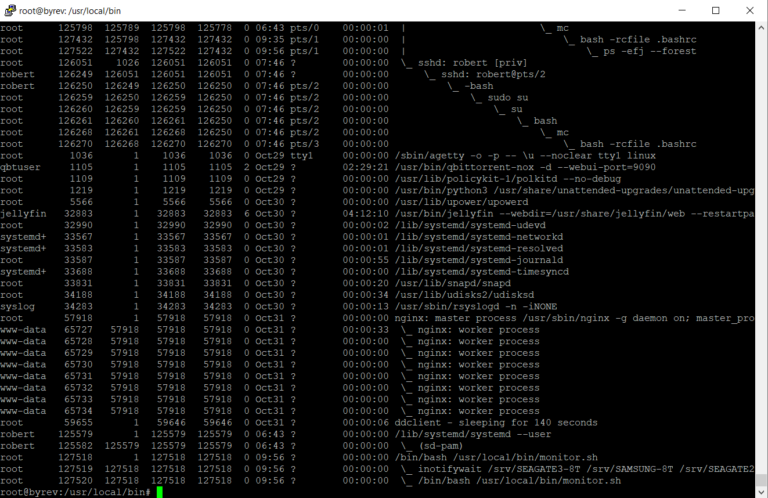
Kill Process In Linux By PID Name Or Group IpFail
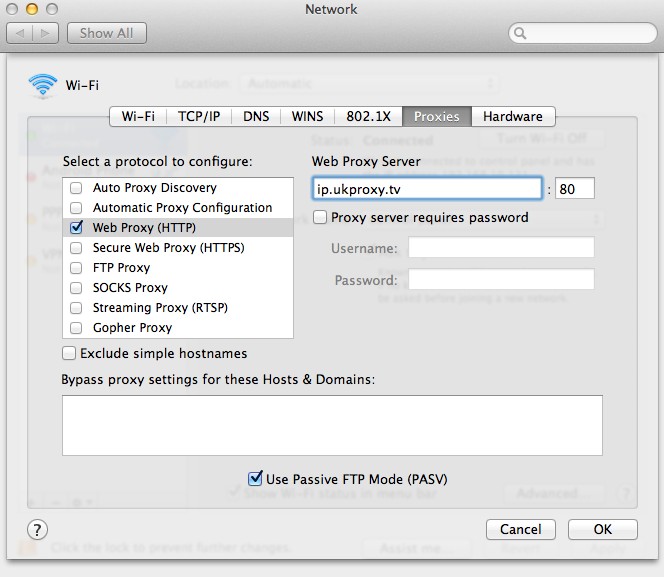
Proxy Bypass Localhost
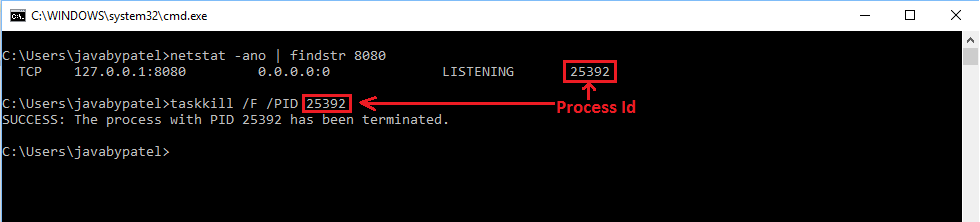
Kill Process On Port 8080 In Windows JavaByPatel Data Structures And

Difference Between Port 80 And Port 8080

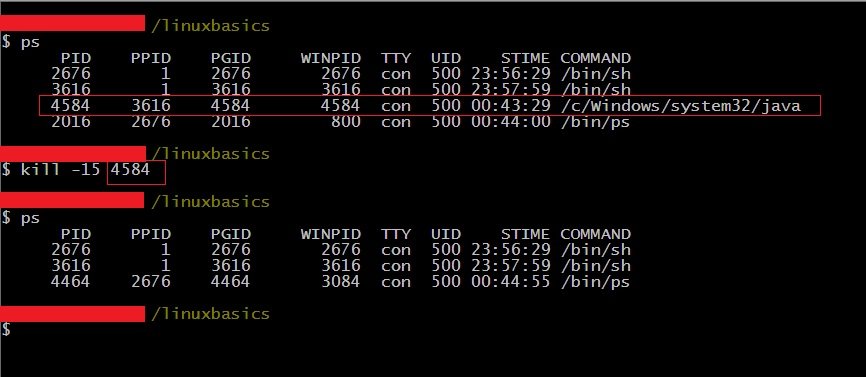
How To Kill Process Based On The Port Number In Linux Linux Tutorials

19 Run the following command to find 8080 port number PID sudo lsof t i 8080 You can now easily kill your PID using following command sudo kill 9 You can use one command to to kill a process on a specific port using the following command sudo kill 9 sudo lsof t i 8000 Share

Simply provide the port number and type TCP or UDP in the fuser command For instance to end a process on UDP port 81 use the fuser command as sudo fuser k 81 udp Similarly use the fuser command to terminate a process on TCP port 3306 sudo fuser k 3306 tcp You can use the lsof command to verify that processes are no longer running on

For processes listening on a TCP or UDP port the fuser command along with the k kill option will terminate the related processes for you Just specify the port type TCP or UDP and the port number in your command For example this would terminate processes utilizing TCP port 80 fuser k 8080 tcp
For processes listening on a TCP or UDP port the fuser command along with the k kill option will terminate the related processes for you Just specify the port type TCP or UDP and the port number in your command For example this would terminate processes utilizing TCP port 80 fuser k 8080 tcp

All you need to do is use the k kill option and provide the port and protocol You can either use the n namespace option and provide the protocol and port or use the forward slash shortcut format and put the port number first fuser n tcp 7889 fuser 7889 udp
Method 2 Using fuser command fuser command accepts the port number and protocol as its arguments and returns the details of the process running on that port for the protocol It has a k flag which is used for killing a process Thus with this command you do not need to use or merge two commands as there is a built in option for this Final Note The rules of killing a running process are simple First identify the port you want to use through the netstat or ss command and then take note of the PID attached to the process Finally Use the kill 9 command together with the identified PID to get rid of that process kill command examples
The only IP a process on the local machine can run on is 127 0 0 1 lo the loopback device that s known as localhost Ports there can be forwarded to a public IP address with network configurations I usually use sudo lsof i port to see what s causing an EADDRINUSE because it s quicker to type sudo lsof i 443 tail 1 cut f2 d xargs kill