Linux Kill Multiple Processes By Name How To Kill Processes In Linux Using Kill Killall And Pkill The Geek CMD Kill Process How To Kill Process In Command Prompt MiniTool 2 Ways To Kill Linux Processes Pure Storage Blog How To Kill Processes Using Linux LPI Central Kill Or Terminate A Process In Linux Linux Basics Technical Writers Using pgrep to determine which processes have the name pgrep example 17555 17557 17559 Thus pkill example would kill three processes Note that the killall and pkill commands will accept most of the same options as the regular kill command For example a common option specified with kill is 9 to send a SIGKILL signal to a process The syntax works the same on the other two commands
You can use the pkill command in Linux to kill the process using the process name Even if you do not know the pid of some process even then you can kill that particular process using the pkill command There are a number of way to kill multiple processes on a Linux server when normal daemon shutdown procedures don t work and we consider a few here The kill Command This command is a misnomer it actually sends a signal to a process which may or may not kill that process
Kill Or Terminate A Process In Linux Linux Basics Technical Writers How Do I Find And Kill A Process In Ubuntu Kill Multiple Processes And Tasks At Once Software Kill Multiple Processes In Linux Linux Tutorials Learn Linux Kill Multiple Processes In Linux Linux Tutorials Learn Linux Mastering The Kill Command In Linux Make Tech Easier Linux List All Processes Hetyui How To Kill Processes On The Linux Desktop With Xkill Kill Processes In Linux
Linux Kill Multiple Processes By Name
 Linux Kill Multiple Processes By Name
https://www.thegeekdiary.com/wp-content/uploads/2017/12/how-to-kill-process-using-kill-killall-and-pkill-in-linux.png
1 Overview Process management is a fundamental aspect of Linux Administration In this article we ll have a look at how to kill processes using process names 2 Setting up a Process to Kill Let s create a scenario where the sleep command is executed with dummy process as its alias name
Templates are pre-designed documents or files that can be utilized for various functions. They can save time and effort by offering a ready-made format and design for creating different sort of content. Templates can be utilized for individual or professional projects, such as resumes, invites, leaflets, newsletters, reports, presentations, and more.
Linux Kill Multiple Processes By Name

How To Kill Process By Name In Linux Ubiq BI
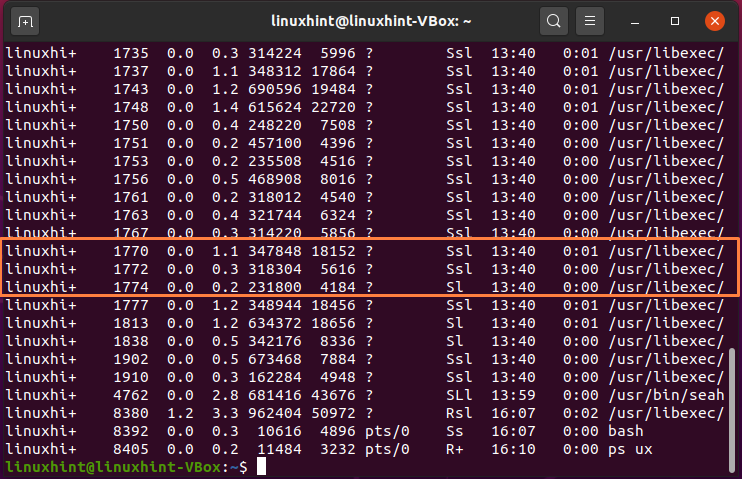
How Do I Find And Kill A Process In Ubuntu
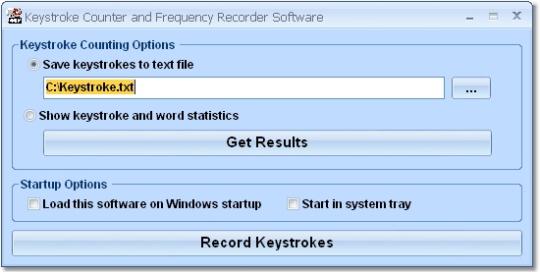
Kill Multiple Processes And Tasks At Once Software

Kill Multiple Processes In Linux Linux Tutorials Learn Linux

Mastering The Kill Command In Linux Make Tech Easier

Linux List All Processes Hetyui

12 Answers Sorted by 157 What s wrong with the good old for pid in ps ef grep some search awk print 2 do kill 9 pid done There are ways to make that more efficient for pid in ps ef awk some search print 2 do kill 9 pid done and other variations but at the basic level it s always worked for me Share
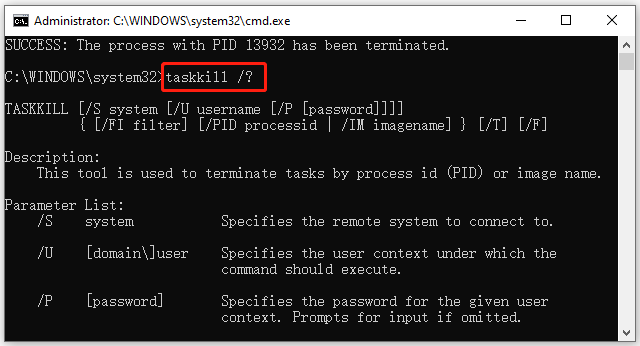
367 3 6 you can use the following command to list the process ps aux grep c myProcessName if you need to check the count of that process then run ps aux grep c myProcessName grep v grep after which you can kill the process using kill 9 ps aux grep e myProcessName awk print 2 Nived Karimpunkara

1 Answer Sorted by 4 You better use pkill alone for that task Kill processes by name partial full match pkill name Kill processes by name exact match pkill x name

There are two commands we can use to kill a process by name those being killall and pkill In this tutorial we ll go over both killall and pkill commands and show examples for how they can be used to kill processes by name only In this tutorial you will learn How to kill a process by name with killall and pkill
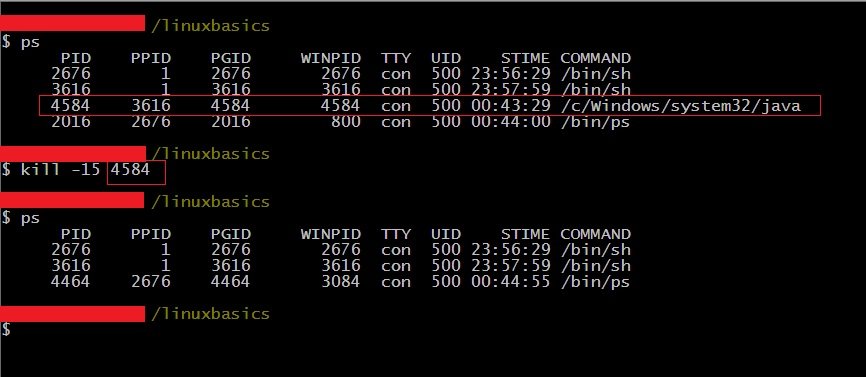
I m looking for a way to kill processes according to their name job runner this is what i currently do i run the following command ps ef grep job runner and then run kill 9 on each on of the processes returned there could be several processes returned How can I do it on a single command Share Improve this question Follow
To do so run sudo apt install mcollective plugins process y To kill a process using pkill perform the following steps Use ps to verify the nano application a command line text editor is currently running This step is optional but a safety check before killing a process Use pkill 9 nano to forcefully terminate the nano application Killall command use cases Here are some common use cases for the killall command in Linux Terminating a process that is unresponsive or behaving unexpectedly If you have a process that is freezing or behaving unexpectedly you can use killall to terminate it and potentially resolve the issue
3 Answers Sorted by 22 if you have pid of the processes that want to kill then use kill command kill pid1 pid2 pid3 And if this doesn t kill the processes you can add 9 flag to kill command to forcefully kill the processes like kill 9 pid1 pid2 pid3 To get the pid of the process you can use ps command as ps ax grep apache