Linux Command List Of Installed Packages Linux Commands Cheat Sheet With Examples Built In Basic Linux Commands List PDF AFD CSD Price List Linux Command List How To Manually Install A Deb Package Using Command Line In Ubuntu Linux Command List Command Line Interface Computer File WEB Dec 18 2020 nbsp 0183 32 1 Display installed packages using pacman in Arch Linux 2 Get list of installed packages using apk command in Alpine Linux 3 Find installed packages using apt command in Debian Ubuntu 4 Using dpkg command in Debian Ubuntu 5 Using yum command in RHEL Fedora CentOS 6 Using dnf command in in RHEL Fedora
WEB Feb 19 2019 nbsp 0183 32 Check whether a specific package is installed in Ubuntu Since the list of installed packages is a huge one it would be a better idea to use grep and filter the output for a certain package apt list installed grep program name A better way is to use this command apt qq list program name installed WEB Mar 9 2022 nbsp 0183 32 1 Add the package name to the apt list command to fetch a specific package from the list apt list lt package name gt installed Omit the installed tag to fetch a package regardless of installation 2 Combine apt list with the grep command to match a package by name
Linux Command List Command Line Interface Computer File How To List Installed Packages On Ubuntu 22 04 VITUX Sponsor Nordamerika Rezept Apt List Packages Telefon Katarakt Der Pfad How To List Installed Packages With Apt Command On Linux Linux How Do I See What Packages Are Installed On Ubuntu Linux NixCraft Formas De Listar Todos Los Paquetes Instalados En Rhel Centos Y Hot Pdf Search Box Command Arcticgerty How To List Installed Packages In Linux OSTechNix Linux Commands List PDF File System Computer File
Linux Command List Of Installed Packages
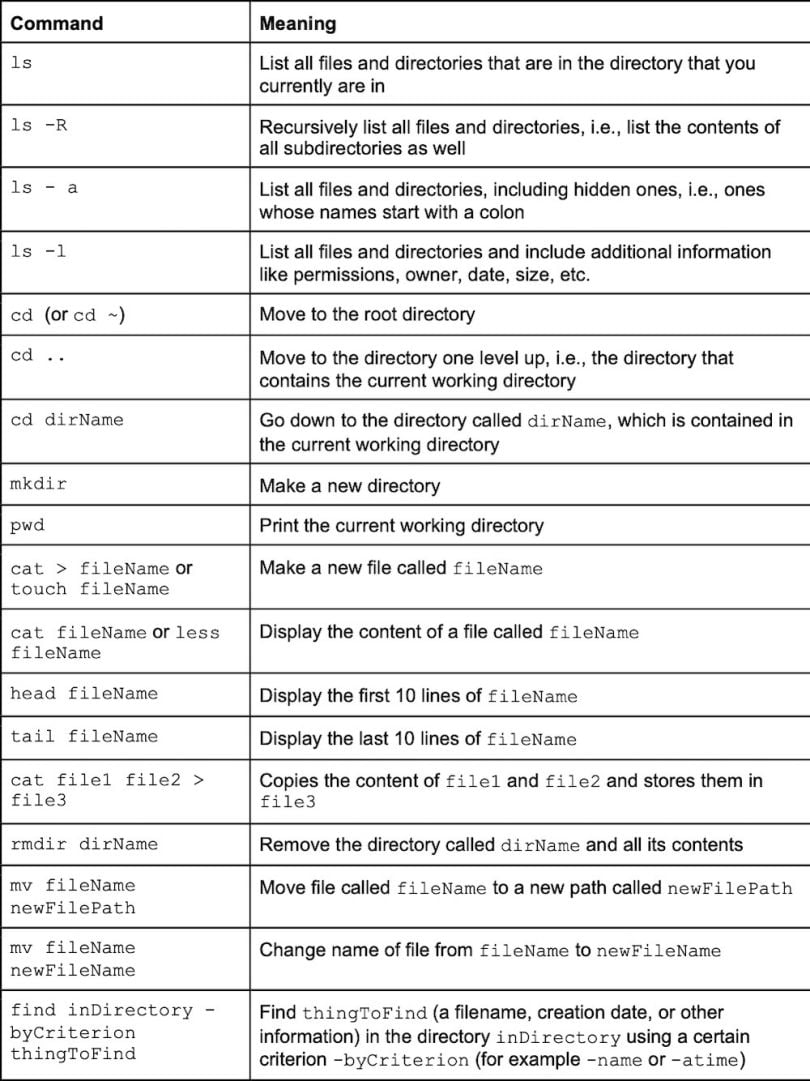 Linux Command List Of Installed Packages
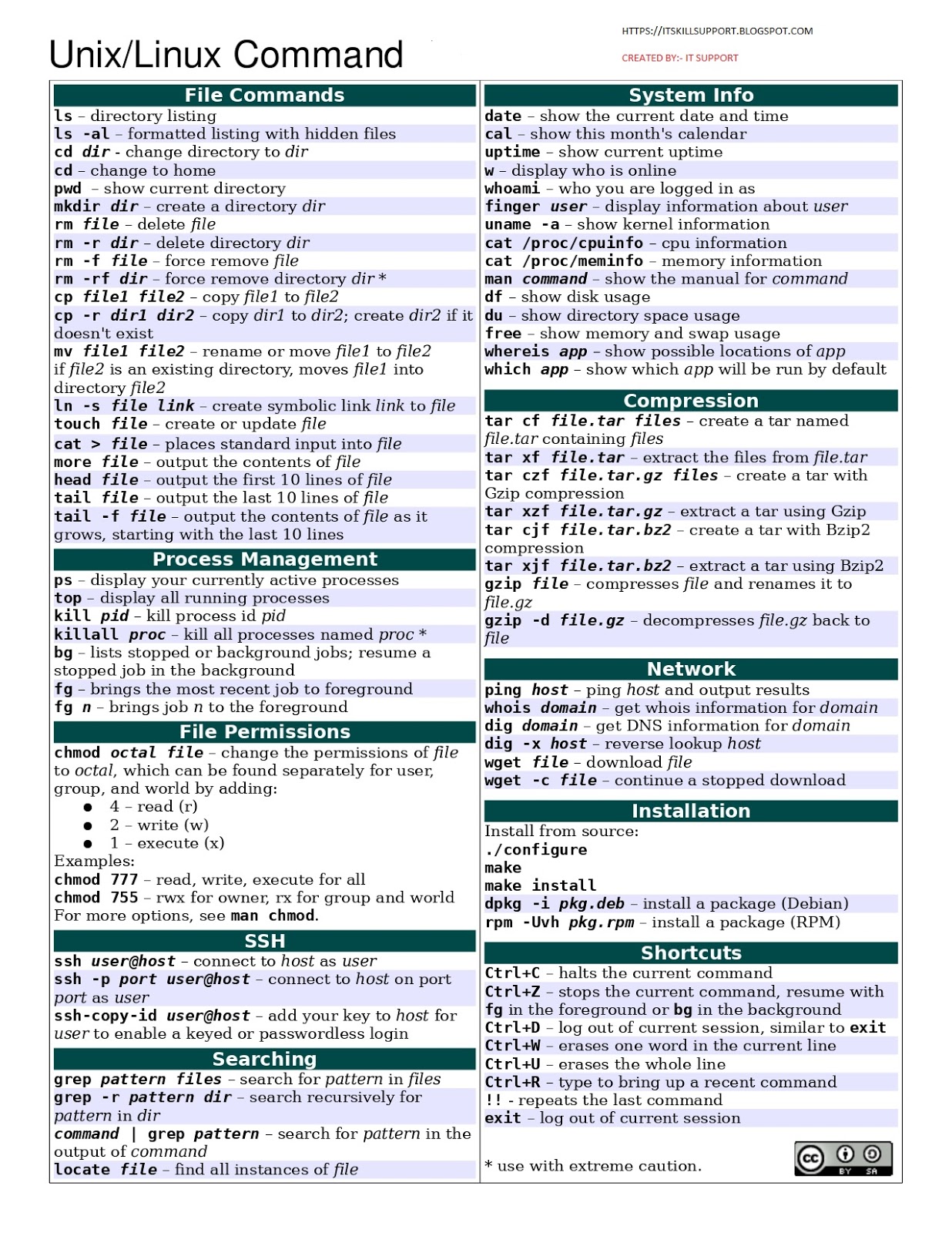
https://builtin.com/sites/www.builtin.com/files/styles/ckeditor_optimize/public/inline-images/Linux-cheat-sheet-1.jpg
WEB Feb 25 2023 nbsp 0183 32 Example 1 To list installed packages with apt execute sudo apt list installed Example 2 You can also pipe to the less command to show a more manageable output sudo apt list installed less Example 3 Use the grep command to filter out a specific package name and see if it s installed sudo apt list installed grep
Templates are pre-designed files or files that can be utilized for various functions. They can conserve time and effort by providing a ready-made format and layout for creating different type of material. Templates can be utilized for personal or professional tasks, such as resumes, invites, flyers, newsletters, reports, presentations, and more.
Linux Command List Of Installed Packages
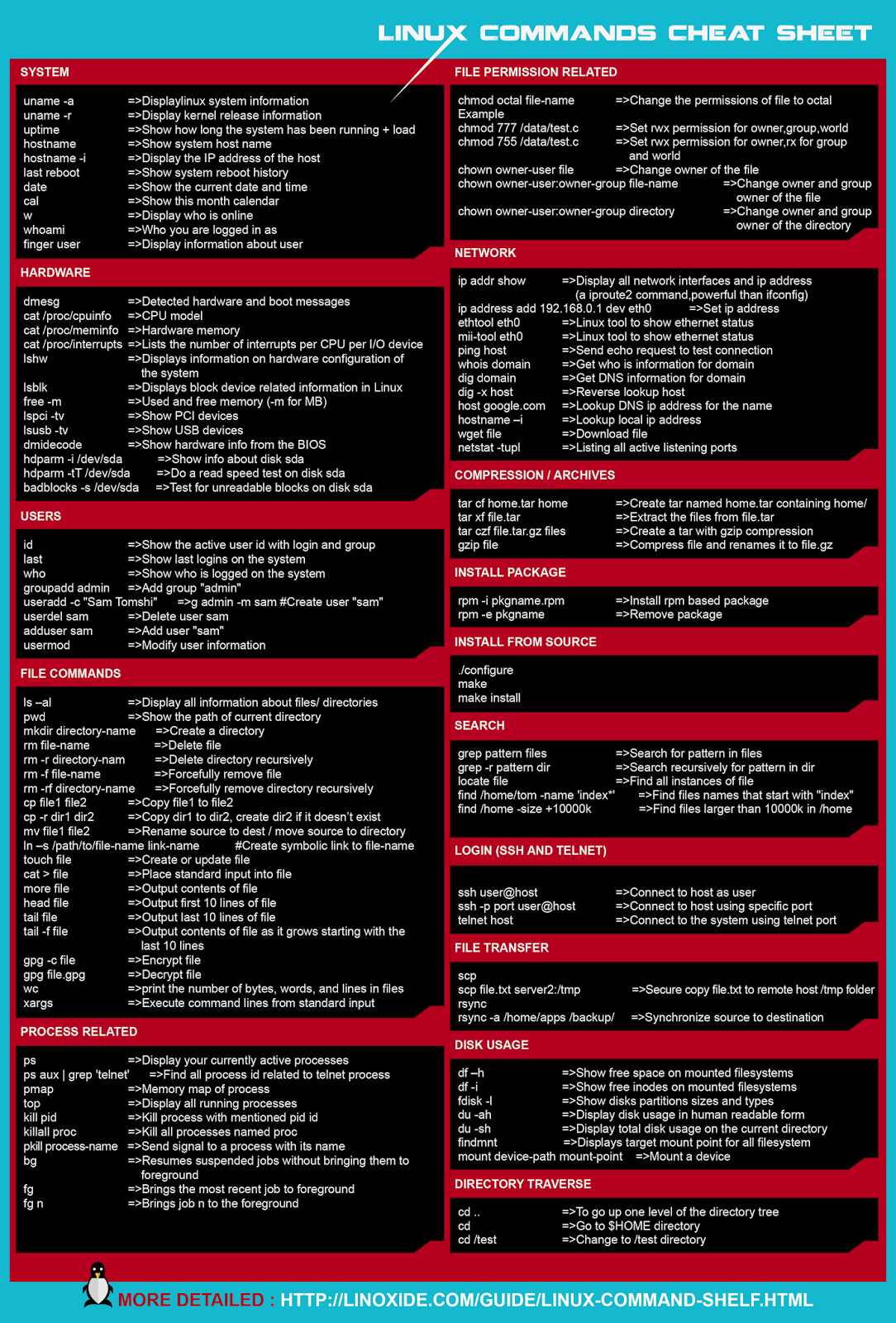
Cheat Sheet Mac Terminal Commands Learn To Code Development How The

How To List Installed Packages On Ubuntu 22 04 VITUX
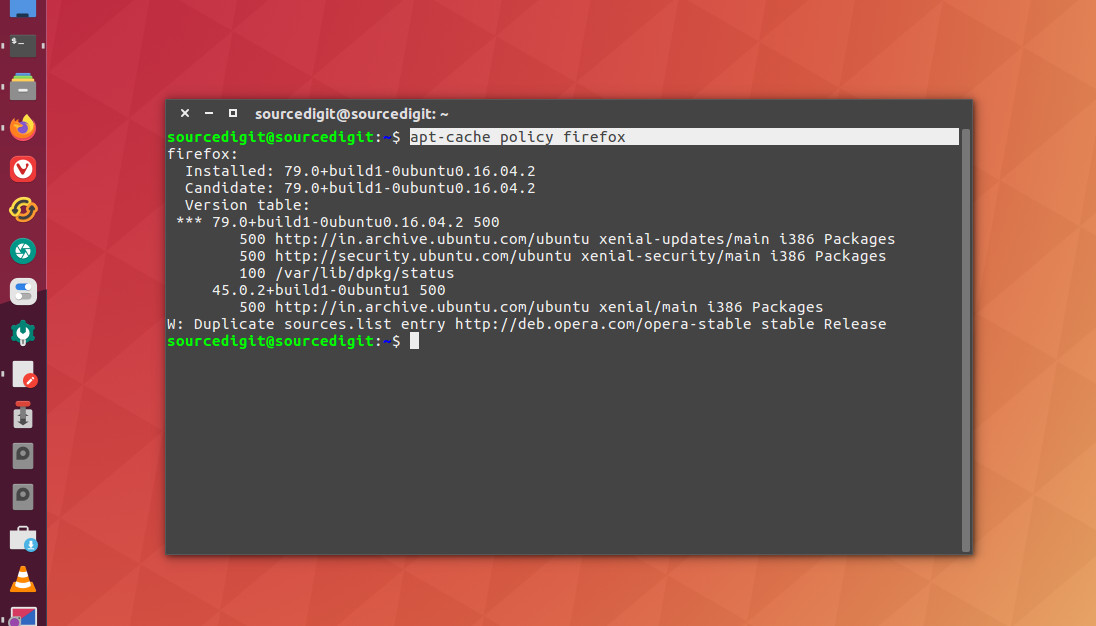
Sponsor Nordamerika Rezept Apt List Packages Telefon Katarakt Der Pfad

How To List Installed Packages With Apt Command On Linux Linux
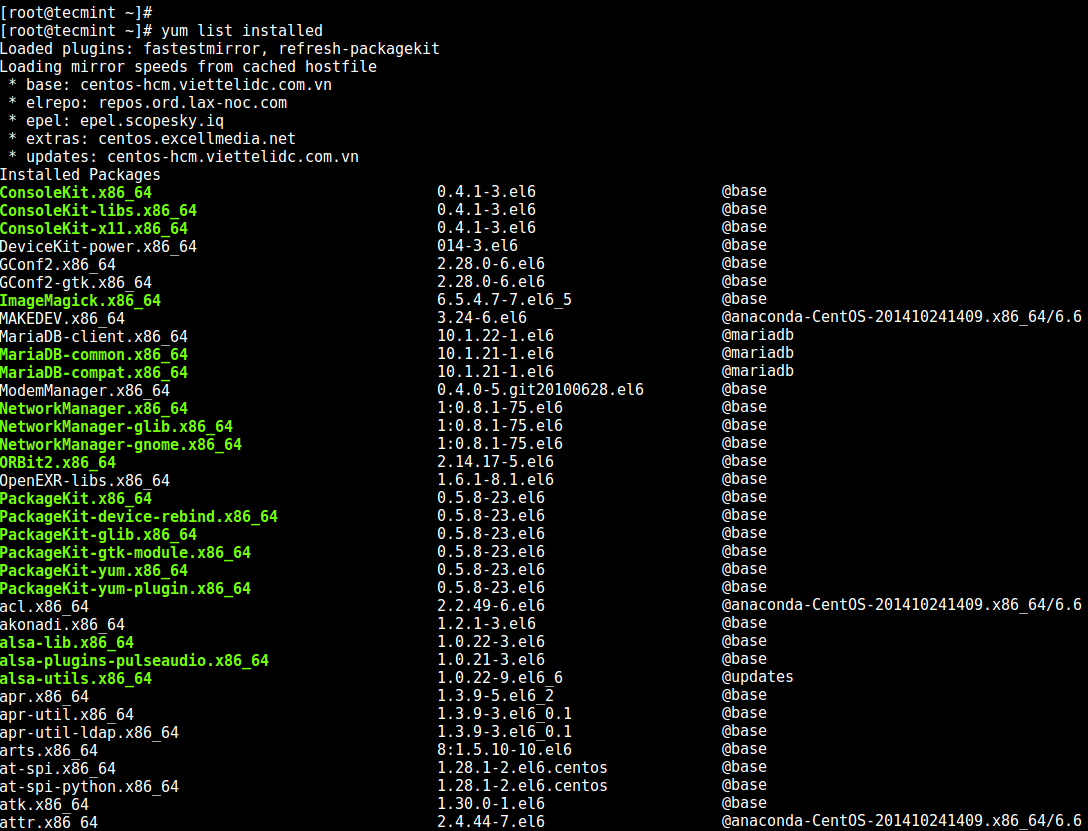
Formas De Listar Todos Los Paquetes Instalados En Rhel Centos Y Hot
Pdf Search Box Command Arcticgerty
WEB May 6 2023 nbsp 0183 32 apt list installed wc l To find packages of interest we can use grep and part of the name or topic we re interested in apt list installed grep xfonts To investigate a single package use the apt show command with the name of

WEB Apr 28 2021 nbsp 0183 32 Use the following command examples to list installed packages with apt List all installed packages by executing the following command This will also show version numbers and architecture for each installed package as well as what repositories they belong to apt list installed

WEB Mar 18 2024 nbsp 0183 32 In this tutorial we ll see five approaches to listing all the installed packages in Linux using apt dpkg snap dnf and flatpak 2 Using apt Package Manager apt is a command line tool that works with Advanced Packaging Tool APT in Debian based systems such as Ubuntu
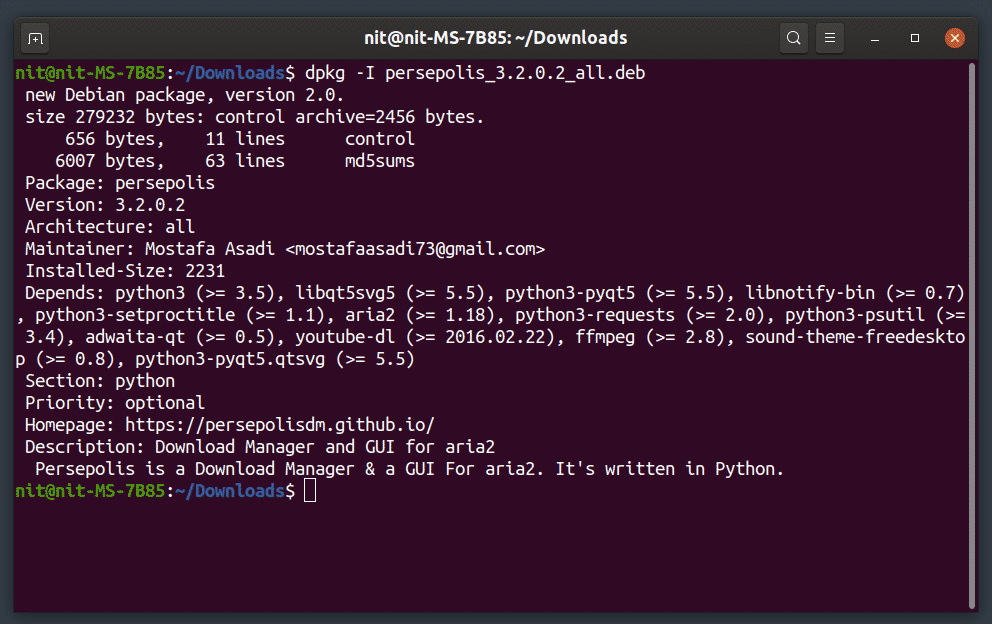
WEB Feb 13 2019 nbsp 0183 32 To list the installed packages on your Ubuntu system use the following command sudo apt list installed As you can see from the output above the command prints a list of all installed packages including information about the

WEB Jul 25 2023 nbsp 0183 32 To list all the installed packages on Debian based distributions use the following command apt list installed The list shows different packages with installed installed automatic and installed local tags installed shows that you installed the package from the official repository
WEB May 12 2020 nbsp 0183 32 The first command line tool you can try to list all installed packages on your Ubuntu system is apt Open the terminal window and execute apt list installed Alternatively the dpkg command will list installed packages including version number architecture and short package description dpkg l grep ii WEB Mar 14 2024 nbsp 0183 32 By using the RPM command you can create a list and sort the name of installed packages You can also export a text file that will carry all the names of installed packages on your Linux system Enable the Query to List Package Names rpm qa last Summarize the List of Installed Packages on RPM based Systems rpm qa last wc l
WEB Jul 14 2023 nbsp 0183 32 The following command will print a list of all installed packages on your Linux system the flag q meaning query and a enables listing of all installed packages rpm qa List All Installed Packages in CentOS 2 Using YUM Package Manager