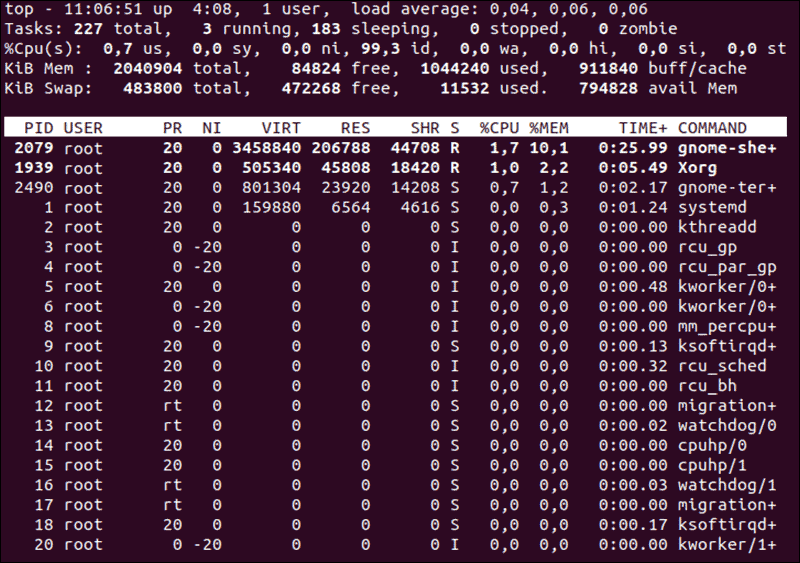
Linux Check Memory Slots Linux Command To Check Memory Slots Yellowmilk Linux Command To Check Memory Slots Evermain Linux Command To Check Memory Slots Evermain Linux Cpu Memory Usage Kachoutei jp Linux Cpu Memory Usage Kachoutei jp The Mem columns contain the following information Total The total amount of physical RAM on this computer Used The sum of Free Buffers Cache subtracted from the total amount Free The amount of unused memory Shared Amount of memory used by the tmpfs file systems Buff cache Amount of memory used for buffers and cache This can be released quickly by the kernel if required
The most popular command in order to check your RAM on Linux is to use the free command free total used free shared buff cache available Mem 4039588 3475216 137584 39596 426788 287580 Swap 0 0 0 As you can see the output is divided into two categories memory the actual RAM and swap also called virtual memory Command to check RAM slots in motherboard 4 answers Closed 5 years ago I am trying to figure out how many free RAM slots are available in my laptop so that I can upgrade them I have inbuilt two 4gb 8gb RAM however I would like to upgrade it to 16gb I tried using sudo dmidecode t memory which gives me this
Linux Cpu Memory Usage Kachoutei jp Computer Memory Chips Free Stock Photo Public Domain Pictures 4 Free Tools To Test RAM Memory For Windows Linux And Mac How To Check Ram Slots Vista Plusspec Progressive Slots Online Slots Guru Linux Find Out Memory Slots Yellowsupply Memory App How To Check Memory Usage On Linux YouTube Command To Check Memory Utilization History In Linux Linux World
Linux Check Memory Slots
 Linux Check Memory Slots
https://yellowmilk.weebly.com/uploads/1/2/5/2/125230612/156499449.png
In this tutorial learn five powerful commands to check memory usage in Linux We also provide detailed explanations of what they do and more importantly how to interpret the results The commands will work with nearly all Linux distributions In this instance the commands and the results are presented using Ubuntu 18 04 Prerequisites
Pre-crafted templates offer a time-saving service for creating a varied series of files and files. These pre-designed formats and layouts can be made use of for various individual and professional jobs, including resumes, invitations, leaflets, newsletters, reports, discussions, and more, simplifying the content production process.
Linux Check Memory Slots

Flask Cpu Usage Toukouji ohmiya jp
Computer Memory Chips Free Stock Photo Public Domain Pictures
4 Free Tools To Test RAM Memory For Windows Linux And Mac

How To Check Ram Slots Vista Plusspec

Linux Find Out Memory Slots Yellowsupply

Memory App

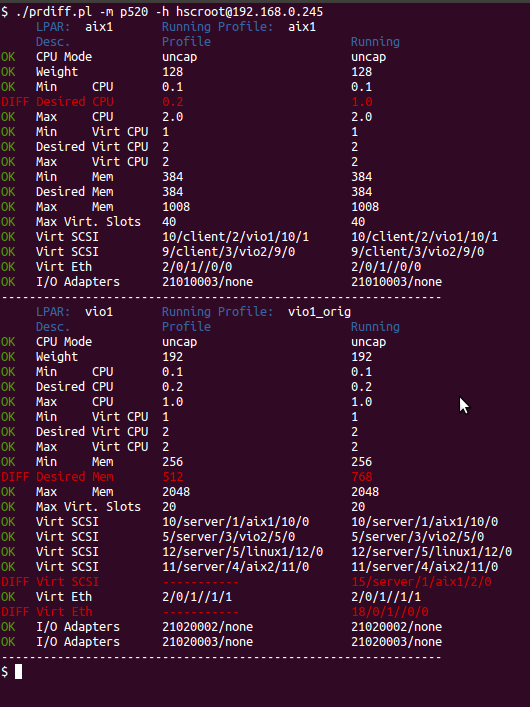
The dmidecode is a Linux command line tool for getting a Linux computer s DMI some say SMBIOS table contents in a human readable format Let us try it out sudo dmidecode t memory Sample outputs from my Thinkpad X140e laptop running Alpine Linux dmidecode 3 3 Getting SMBIOS data from sysfs SMBIOS 2 7 present

How do I determine the number of RAM slots in use Ask Question Asked 11 years 9 months ago Modified 3 months ago Viewed 231k times 207 I forgot how many RAM DIMM modules are installed on my laptop I do not want to unscrew it but want to look it up on the console using bash How do I gather this information linux command line memory hardware

A RAM is important in determining the performance spectrum of your Linux powered machine On the other hand think of a RAM slot as the main memory socket or slot that physically exists on the computer s motherboard to hold installed inserted and compatible RAM
1 Introduction Typically if we want to know the number of RAM slots on our computer we can open the case to look or maybe we can search for the model specifications But it s much easier to take advantage of some useful Linux commands In this tutorial we re going to use dmidecode and lshw to retrieve the RAM configuration of our system 2
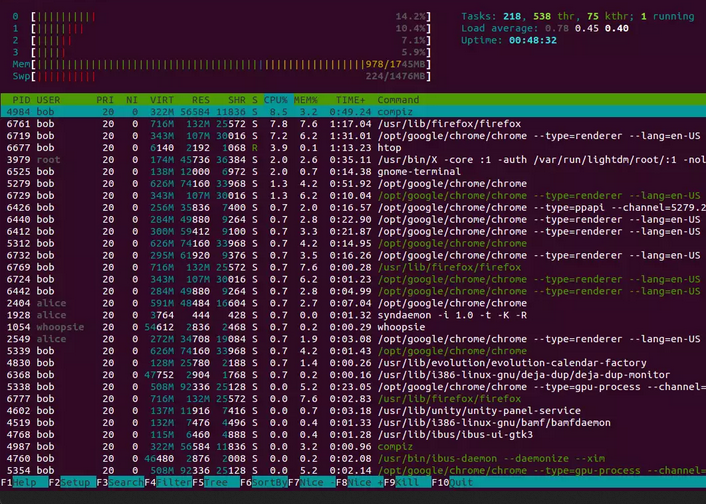
1 It happened to me once that I ran one of these commands It told me I had 4 slots I bought two extra cards just to open it and find I only had two slots The other two were blocked Follow user253751 advice open it and check it by yourself finiteautomata Jun 12 2020 at 1 07 Add a comment 4 Answers
Free is the simplest of all the commands we ll see It s used to print the physical and swap memory usage by default it prints to standard output The free command is one of the widely used commands to quickly check for RAM stats because it s available on most Linux distributions We can simply type the free command on our terminal without any flags Linux allows us to check our memory size and other relevant information such as spare slots and RAM speed etc all from within the operating system We will go over some of these hardware checking methods below In this tutorial you will learn how to check the physical memory RAM size that is installed on your computer
Open up a terminal window and type in the following command sudo dmidecode type memory At the beginning of the output you ll see the maximum memory size allowed by your PC which is important you can t put two 4GB memory modules into a machine that only allows a total of 4GB of RAM