Line Break In Notepad Notepad Remove Line Break n Based On Pattern Stack Overflow How To Open Cmd With Notepad Deskpoo Add A Line Break In HTML Tutorial TeachUcomp Inc Inserting A Hard Page Break In Notepad What Is Mark Down How To Install Notepad On Windows 10 How To Line Break Notepad This will add a linebreak the same one that is present on other lines after 3 lines Explanation start capture group 1 start non capture group r n 1 or more non linebreak R a linebreak captured in group 2 3 repeat 3 times the non capture group end group 1
Key Takeaways To replace any character with a newline in Notepad navigate to Search Replace Replace Enter the character you want to replace in the Find What box enter n in the Replace With box set the search mode to Extended then click Replace All If you have a list of values in a text file separated by a character This video tutorial will show you how to break lines at a specific width in Notepad You can split line at a given character length using the Split line
How To Install Notepad On Windows 10 How To Line Break Notepad How To Change The Text Color In Notepad What Is Mark Down Notepad Premium A4 Squared Skriptekommission Jordan Break Slides Nike GB How To Force A Hard Return Or Line Break In A Text File What Is Mark Down Inappropriate Line Break In R Markdown Ioslide presentation Stack I Want To Add A Line Break Inside A Code In Markdown Hashnode Windows 11 Notepad Auto Save Feature Added Tech Layer x Cannot Insert A Page Break Word Mac Office 365 Loptehandy
Line Break In Notepad
 Line Break In Notepad
https://i.stack.imgur.com/3h9Gc.png
Searching for multiple line breaks in Notepad I have a large text file that I am editing in Notepad and want to search for all instances where there are two line breaks and a particular string of characters on the
Pre-crafted templates offer a time-saving solution for creating a varied range of documents and files. These pre-designed formats and layouts can be used for various personal and professional tasks, including resumes, invites, leaflets, newsletters, reports, discussions, and more, enhancing the material production process.
Line Break In Notepad
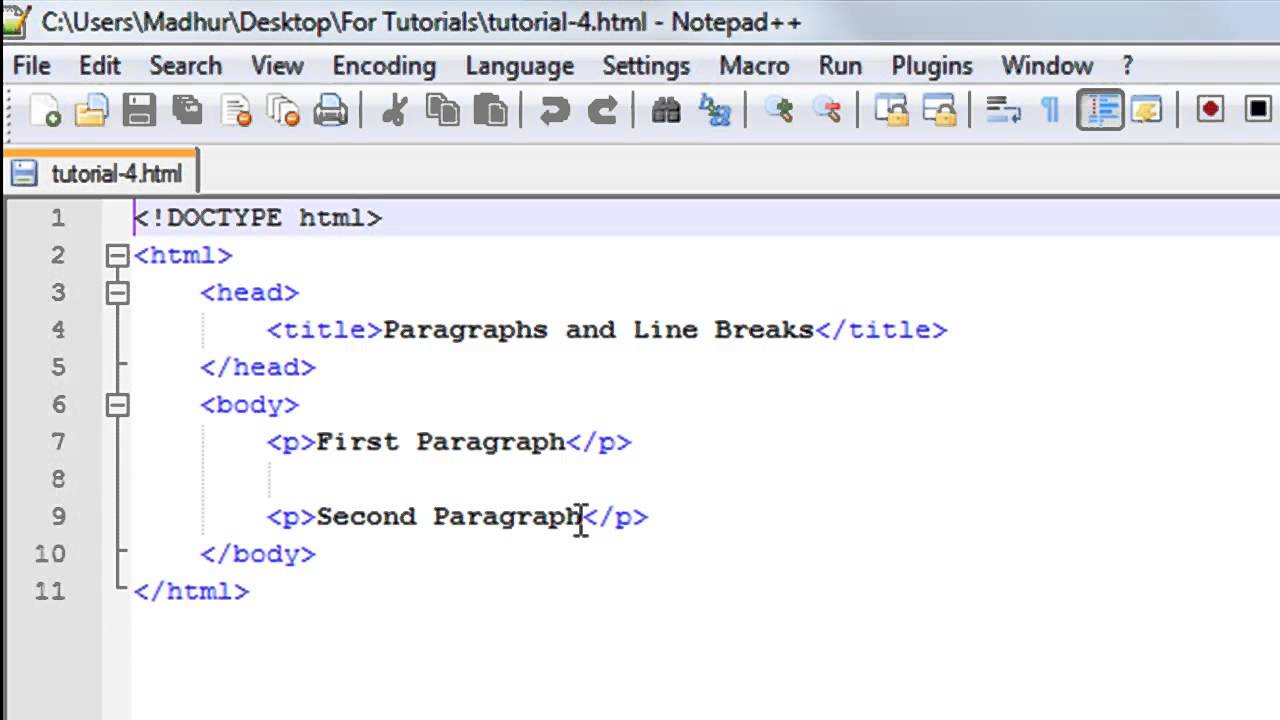
HTML Tutorial 4 Paragraph Line Breaks YouTube

How To Change The Text Color In Notepad What Is Mark Down
Notepad Premium A4 Squared Skriptekommission

Jordan Break Slides Nike GB

Inappropriate Line Break In R Markdown Ioslide presentation Stack
I Want To Add A Line Break Inside A Code In Markdown Hashnode

If you do want hard breaks in lines of text you can use this regexp find replace all Find

In Notepad select from the end of a line clicking SHIFT Right arrow key you can t see it but the newline character is now selected Now go to Replace and replace with nothing The newline characters will all be replaced with nothing

4 Answers Sorted by 23 Windows default is to use r n as end of line marker Notepad only recognises that other text editors may know about other line end styles and render correctly EDIT As VonC answers Notepad had an update in 2018 where it now can recognize non Windows end of line sequences Share

When in Notepad word wrap is enabled long lines are broken according to some of the following rules After a whitespace character Before a forward slash Otherwise if necessary in the middle of a word Is it possible to adjust these rules in some way somwhere in Preferences

201 I notice that when I load a text file Notepad will recognize and use whatever the newline character in that file is n or r n Is there some option where I can select which to use by default for new documents I ve looked in help and googled but can t find anything notepad eol Share Follow edited Sep 9 2022 at 15 37 Henke
[desc-11] [desc-12]
[desc-13]