Line Break In Excel Cell Using C Epplus How To Add New Line In A Cell In Excel Line Break New Line In Excel Cell In 1 Minute YouTube Execl Cell Border Style In Excel Sheet Or Spreadsheet Using EPPlus NET C English PART 3 How To Easily Insert A Line Break In An Excel Cell How To Delete The Blank Lines Within Cells In Microsoft Excel Excel Tutorials Microsoft Excel This helps visualize the new line and can manually be done by selecting a cell then checking the Format Cells Alignment tab Wrap text checkbox in Excel You can mirror this in SpreadProcessing by setting the cell s IsWrapped property to true Here is a short code snippet which does this Workbook workbook new Workbook Worksheet
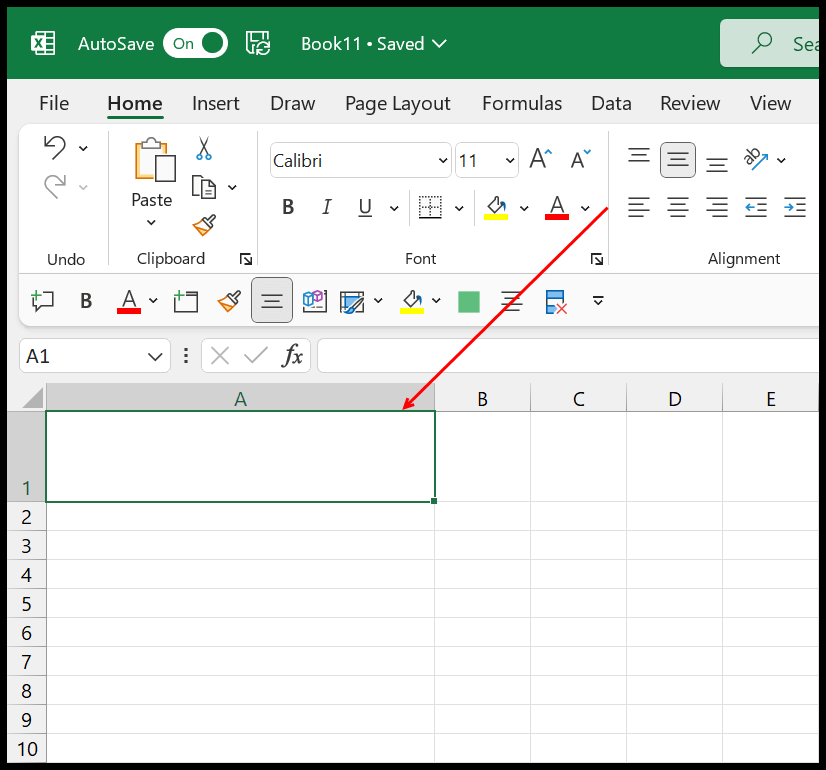
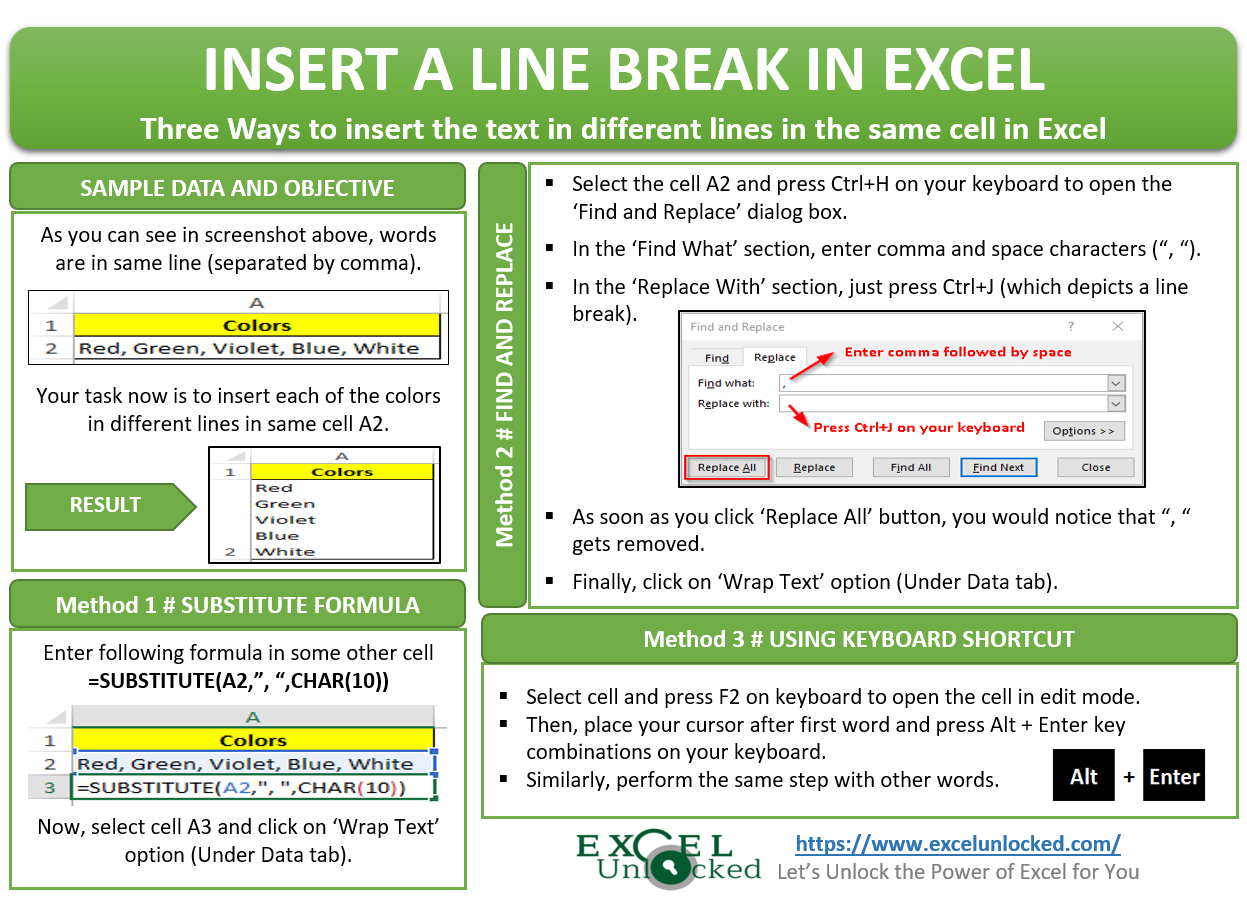
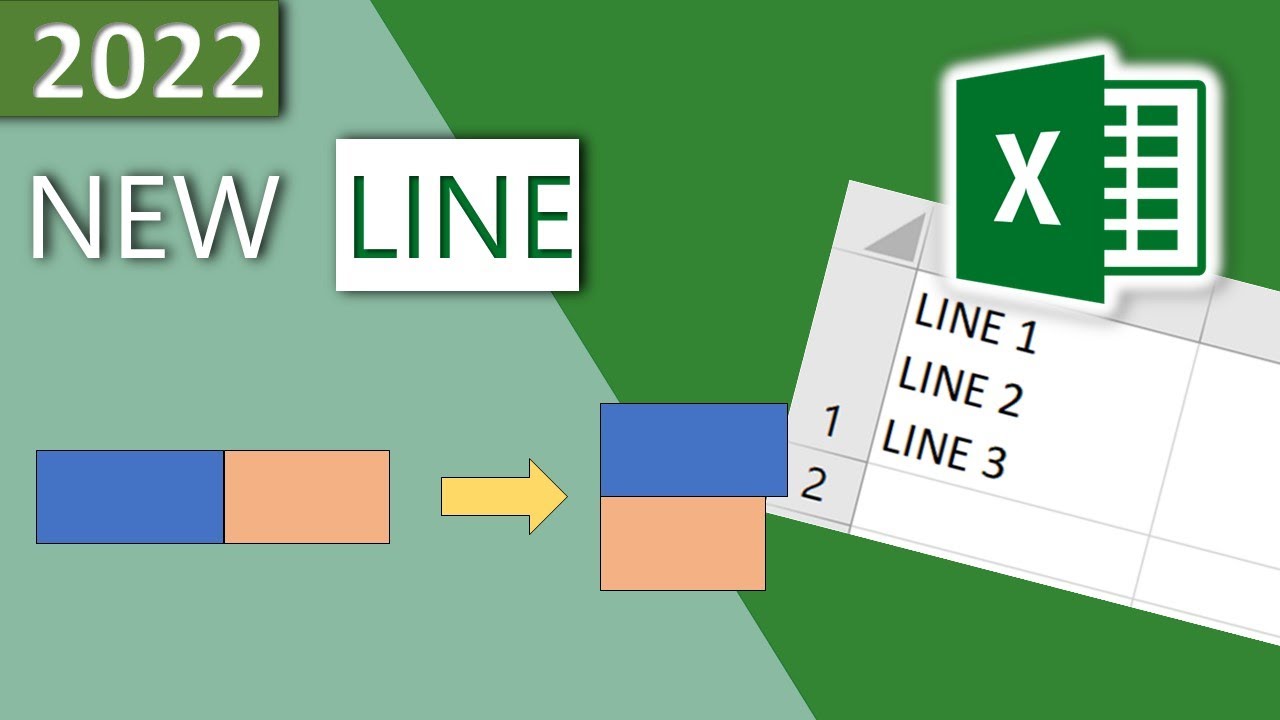
How to start a new line in Excel cell The fastest way to create a new line within a cell is by using a keyboard shortcut Windows shortcut for line break Alt Enter Mac shortcut for line feed Control Option Return or Control Command Return In Excel 365 for Mac you can also use Option Return Option is the equivalent of the Alt key on Windows so it seems the original Windows Select all the cells where you want to add a line break From the Home tab click Find Select Replace Alternatively you can just use the Ctrl H keyboard shortcut to bring up the same dialog In the Find what field type the character you re looking for In our case we re looking for the comma that separates names from titles
How To Delete The Blank Lines Within Cells In Microsoft Excel Excel Tutorials Microsoft Excel How To Insert A Line Break In A Cell In Excel 2013 YouTube How To Add A Line Break In A Tabularx Cell With addlinespace TeX LaTeX Stack Exchange Insert Line Break In Excel Add More Line In Cell Excel Unlocked Line Break In Excel Cell YouTube Fixed Line Break In Cell Not Working In Excel ExcelDemy Line Break In Excel Cell Healthy Food Near Me How To Write Multiple Lines In Excel Cell MS Excel Tutorial Bangla YouTube Fixed Line Break In Cell Not Working In Excel ExcelDemy
Line Break In Excel Cell Using C Epplus
 Line Break In Excel Cell Using C Epplus
https://excelchamps.com/wp-content/uploads/2022/09/1-add-anew-line.png
To add a line break with a formula you can use the CHAR function In the worksheet shown the formula in F5 copied down is TEXTJOIN CHAR 10 1 B5 D5 This formula uses the TEXTJOIN function to add line breaks between three text values See below for another formula that uses manual concatenation with the ampersand operator Note To get Excel to respect the line break in a cell be
Templates are pre-designed files or files that can be utilized for various functions. They can save time and effort by offering a ready-made format and design for developing various kinds of content. Templates can be used for individual or expert jobs, such as resumes, invites, leaflets, newsletters, reports, discussions, and more.
Line Break In Excel Cell Using C Epplus

C Showing value Before Enable Editing On Excel If I Write Formula Using Epplus Stack Overflow
How To Insert A Line Break In A Cell In Excel 2013 YouTube

How To Add A Line Break In A Tabularx Cell With addlinespace TeX LaTeX Stack Exchange
Insert Line Break In Excel Add More Line In Cell Excel Unlocked

Fixed Line Break In Cell Not Working In Excel ExcelDemy
Line Break In Excel Cell Healthy Food Near Me

Excel will only use n for the line break the r will remain as a visible character In older Excel versions the r will be drawn as a rectangle like user1514042 mentions in newer versions it will be invisible but still present in the cell you d be able to move the text cursor beyond the visible end of line because there is something else
To give a line break in a cell in Excel using EPPlus in C you can use the RichText property of the cell The RichText property allows you to apply formatting and styles to different parts of the cell value including adding line breaks Here s an example using OfficeOpenXml using OfficeOpenXml Style create a new Excel package var

Start by creating an Excel file without the feature that you want If you generated that file in EPPlus then open the file in Excel program save it again and close Excel EPPLus generates only the necessary minimum of XML for the Excel program to read it Excel program will save a more complete XML and whatever else it deems necessary

First of all install EPPlus using Packet Manager console by writing the following command Let s see how to create and write to an excel sheet using C Output In this program we are taking static values for the Articles data but in real time we can use database call and foreach loop for iteration of each record

To add spacing between lines or paragraphs of text in a cell use a keyboard shortcut to add a new line Double click the cell in which you want to insert a line break Click the location where you want to break the line Press ALT ENTER to insert the line break Top of Page
The steps used to insert line breaks using the keyboard shortcuts ALT Enter are as follows Step 1 Select an empty cell to display the output We have selected cell A2 in this case Step 2 Enter the string in cell A2 Step 3 Press ALT Enter keys after each word as shown in the following image Very similar to search for line breaks you can also remove or replace them Instead of Find use the Replace tab of the search window and replace them with a blank space Open the search window by pressing Ctrl f on the keyboard Type Ctrl j into the search field and press Enter As the Replace with value enter
To manually add line breaks with keyboard shortcuts follow the steps below Double click on the cell place the cursor in the required position press the Alt Enter keys simultaneously to enter a new line We have to manually repeat this process for the remaining cells Double click on the row bar of a cell to adjust the row height and